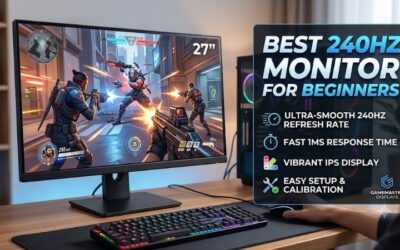
Best 240hz monitor for a budget build setups helps competitive esports gamers achieve fluid frame rates without spending extra cash on overpriced displays. High refresh rate panels reduce motion blur and input latency, giving tactical shooters a distinct competitive advantage. Choosing a budget panel upgrades gameplay instantly.
How to Choose 240Hz Gaming Monitors
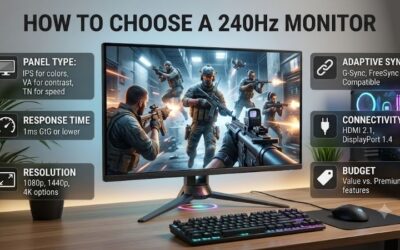
Selecting the best 240hz monitor for a budget build requires evaluating panel technology, response time ratings, adaptive sync compatibility, and stand ergonomics. Gamers must prioritize motion clarity and low input latency over unnecessary cosmetic features to maximize value. Matching specs to your GPU ensures smooth frame delivery.
Panel Type and Motion Clarity
Understanding display panel trade-offs ensures you balance response speed and image quality effectively. Fast IPS technology delivers vibrant color accuracy and wide viewing angles while matching the motion clarity of older TN displays. Curved VA panels offer deeper contrast ratios but sometimes introduce subtle pixel ghosting during fast action.
Choosing Fast IPS displays prevents motion smearing in fast-paced competitive games like Valorant or Apex Legends. Gamers seeking responsive pixel transitions and vibrant visuals gain substantial advantages from models like the AOC 24G2Z. Selecting modern panel tech guarantees high-speed performance without sacrificing color depth.
Response Time and Motion Blur Reduction
Evaluating response time metrics helps eliminate distracting motion trails behind fast-moving gaming targets. Manufacturers often quote 0.5ms or 1ms response times achieved through internal overdrive controls or backlight strobing tech. Enabling excessive overdrive, however, can cause noticeable inverse ghosting across dark backgrounds.
Backlight strobing features clarify fast motion by inserting black frames between image updates during gameplay. Monitors like the ViewSonic OMNI VX2431-HD utilize rapid pixel response to keep motion sharp during intense fire-fights. Balancing overdrive settings ensures clean visuals without distracting ghosting artifacts.
Adaptive Sync and Variable Refresh Rate Support
Verifying Adaptive Sync support prevents screen tearing when frame rates drop below two hundred forty frames per second. FreeSync and G-Sync compatibility align the display refresh rate dynamically with your graphics card output. This synchronization eliminates stuttering and visual tearing during demanding graphical gaming scenes.
Hardware variable refresh rate tech works seamlessly across both NVIDIA and AMD graphics processing cards. Budget gaming displays like the Acer Nitro KG251Q Zbiipx deliver tear-free performance across varying frame rates without adding input lag. Ensuring sync support keeps fast-paced action fluid during heavy gameplay load.
Ergonomics and Display Connectivity Options
Mounting options and port selection directly impact long-term comfort and system setup compatibility. Height-adjustable stands allow players to position display screens at eye level, reducing neck strain during long gaming sessions. DisplayPort connectivity remains essential for achieving full refresh rate speeds at native resolution.
HDMI ports offer convenient connections for secondary console gaming, though bandwidth limits may cap refresh performance. Displays featuring wide color gamut coverage like the KTC H24T09P deliver rich visuals alongside flexible mounting capabilities. Prioritizing solid ergonomics ensures comfortable daily desktop gaming sessions.
Top Picks
Finding the best 240hz monitor for a budget build requires comparing pixel response, color reproduction, stand adjustment, and adaptive sync stability. We evaluated panel performance, motion blur reduction, and desktop ergonomics to select four outstanding budget displays. These monitors deliver smooth competitive performance for modern gaming.
| Product | Best For | Key Spec | Watch Out For |
| AOC 24G2Z | Best Overall | 23.8″ Fast IPS, 0.5ms, Ergonomic Stand | Moderate HDR Brightness |
| ViewSonic OMNI VX2431-HD | Best Value | 23.8″ Fast IPS, 0.5ms, FreeSync Premium | Tilt-Only Stand Base |
| Acer Nitro KG251Q Zbiipx | Best Speed | 24.5″ Fast IPS, 250Hz OC, 1ms VRB | Basic Plastic Enclosure |
| KTC H24T09P | Best Budget Color | 23.8″ Fast IPS, 125% sRGB, 1ms | Minor Menu Button Stiffness |
AOC 24G2Z
Finding the best 240hz monitor for a budget build leads competitive players directly to the AOC 24G2Z. Featuring a 23.8-inch Fast IPS panel with a rapid 0.5ms response time, this display balances competitive motion clarity with vibrant color accuracy. Its fully adjustable stand offers tilt, swivel, pivot, and height tuning.
FreeSync Premium support eliminates screen tearing without introducing input latency during fast multiplayer matches. Wide viewing angles ensure consistent contrast when viewing the screen from off-center angles. However, peak HDR brightness remains modest, making it better suited for standard SDR gaming environments.
ViewSonic OMNI VX2431-HD
The ViewSonic OMNI VX2431-HD provides exceptional value for competitive gamers building a high-refresh budget gaming rig. Featuring a 23.8-inch Fast IPS display panel, this monitor delivers crisp motion handling and extremely low input lag. Its sleek borderless bezel design looks modern on any gaming desk workstation.
Integrated AMD FreeSync Premium keeps gameplay smooth by syncing display refresh rates directly with active GPU output. Clear on-screen display controls make adjusting motion blur reduction settings intuitive. However, the included desktop stand only offers basic tilt adjustments without height customization.
Acer Nitro KG251Q Zbiipx
The Acer Nitro KG251Q Zbiipx delivers ultra-fast speed for budget-conscious esports enthusiasts seeking every competitive advantage. Equipping a 24.5-inch Fast IPS display panel overclockable to 250Hz, this unit handles fast motion effortlessly. Visual Response Boost technology reduces motion blur during intense action scenes.
Dual HDMI ports alongside DisplayPort inputs allow seamless switching between gaming PCs and secondary consoles. Ultra-thin bezels create a seamless multi-monitor setup for immersive gaming setups. However, the lightweight plastic chassis feels basic compared to premium high-end gaming display enclosures.
KTC H24T09P
The KTC H24T09P represents a top choice for gamers who demand outstanding color coverage alongside fast competitive refresh rates. Featuring a 23.8-inch Fast IPS panel covering 125% of the sRGB color spectrum, this monitor brings rich visual depth to games. HDR10 support enhances contrast across supported gaming titles.
A rapid 1ms response time prevents ghosting behind fast-moving objects during fast-paced multiplayer combat sessions. VESA wall mounting compatibility makes attaching aftermarket monitor arms quick and effortless. However, the rear menu control buttons feel slightly stiff during initial display menu navigation.
Frequently Asked Questions
Exploring the best 240hz monitor for a budget build clears up common questions regarding system performance and hardware compatibility. Understanding GPU requirements, panel differences, and cabling needs helps buyers make confident purchasing decisions. Resolving these technical queries ensures realistic gaming expectations.
Can a Budget GPU Run 240Hz Gaming Monitors?
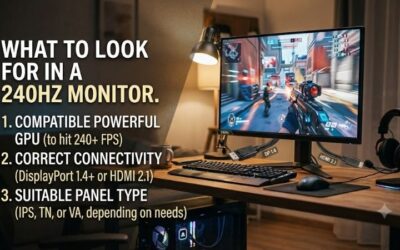
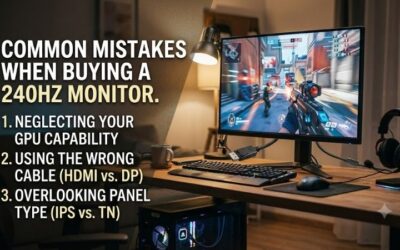
Yes, budget graphics cards can drive 240Hz displays effectively in esports games like CS2, Valorant, and Rocket League. Competitive esports titles prioritize high frame rates over heavy graphical effects, allowing entry GPUs to reach high frame targets. Lowering graphics settings helps maintain high frame rates continuously.
Demanding triple-A titles will not reach two hundred forty frames per second on entry-level graphics hardware. However, enabling Adaptive Sync prevents screen tearing when frame rates sit lower than maximum display refresh limits. Owning a high refresh monitor provides smooth performance even when frame output fluctuates.
Is DisplayPort Required for 240Hz Refresh Rates?
Yes, using DisplayPort is strongly recommended to achieve full 240Hz refresh rates at native resolution without bandwidth issues. Older HDMI standards on budget GPUs or displays may cap maximum refresh output at 120Hz or 144Hz. DisplayPort cables carry high bandwidth necessary for uncompressed fast refresh signals.
Modern HDMI 2.0 or 2.1 ports can support two hundred forty hertz at 1080p resolution on compatible monitor models. Checking monitor input spec sheets guarantees your chosen display port connection supports full refresh potential. Always use included high-speed cables to prevent display flickering or black screens.
Is 1080p Resolution Good Enough for 240Hz Monitors?
Yes, 1080p resolution remains the ideal choice for competitive 240Hz gaming on 24-inch panel displays. The lower pixel count reduces computational load on your graphics card, allowing higher frame rates during gameplay. Pixel density on 24-inch screens remains sharp enough for clear enemy target tracking.
Upgrading to 1440p resolution at high refresh rates increases hardware costs significantly for graphics cards and displays alike. Sticking with 1080p keeps system builds affordable while delivering maximum competitive motion smoothness. Competitive esports players overwhelmingly prefer 1080p panels for high-speed gaming.
Is Fast IPS Better Than VA for 240Hz Budget Builds?
Fast IPS panels generally outperform budget VA panels for competitive gaming due to faster pixel transition speeds. Traditional VA displays often suffer from dark level smearing, causing dark objects to leave subtle trails during movement. Fast IPS technology delivers crisp motion clarity across all brightness levels without ghosting.
VA panels offer superior contrast ratios and deeper black levels for immersive single-player gaming in dark rooms. However, competitive gamers who prioritize fast response times gain better motion performance from Fast IPS. Choosing Fast IPS ensures clean motion handling across fast competitive multiplayer games.
Final Thoughts
Selecting the best 240hz monitor for a budget build transforms competitive gaming performance by providing fluid motion and minimal input lag. Prioritizing Fast IPS technology, adaptive sync support, and ergonomic mounting options ensures long-term display satisfaction. Choose the ideal monitor for your setup to upgrade competitive gameplay today.