Best 240hz monitor for beginners searches often follow frustrating camera blur on an older display. However, upgrading refresh rate cannot compensate for inconsistent frame delivery. Your first purchase should match existing hardware, competitive ambitions, and everyday desktop needs without committing your budget to features you rarely use.
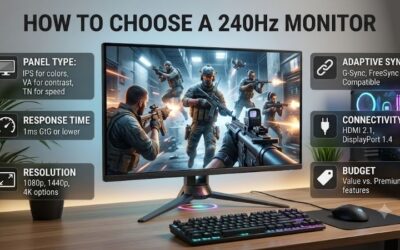
How to Choose a 240Hz Monitor
This guide identifies the best 240hz monitor for beginners through four researched picks: a balanced starter, a value choice, a sharper multipurpose display, and an esports specialist. Selection reflects published specs and connection needs; these recommendations do not represent detailed research or measured response times.
Match Resolution to Your Actual Frame Rates
Resolution sets the GPU workload per frame. Compared with 1920 x 1080, 2560 x 1440 contains about 78% more pixels, which can reduce frame rates with otherwise identical settings. Check real gameplay before purchasing, particularly when competitive responsiveness matters more than keeping high visual detail in demanding releases.
Stable frame rates matter more than unused upgrade headroom. Full HD reduces GPU load, whereas QHD provides finer desktop detail and additional workspace. Choose the Samsung Odyssey G4 G40B for more attainable frame rates, or the LG UltraGear 27GR83Q-B when existing hardware supports the increased native-resolution workload.
Choose the Panel for the Games You Play
IPS offers more stable viewing angles for entertainment, documents, and shared viewing. TN targets a narrower position-dependent experience that can suit shooter setups. Neither technology automatically establishes superior measured responsiveness, and advertised 1ms specs cannot substitute for full pixel response tests.
The best 240hz monitor for beginners should reflect everyday priorities rather than imitate professional equipment. The BenQ ZOWIE XL2546X offers DyAc 2 backlight strobing for motion clarity, with variable refresh available with strobing off. Choose that specialist for focused shooters, or the Samsung for broader daily use.
Check the Input You Will Actually Use
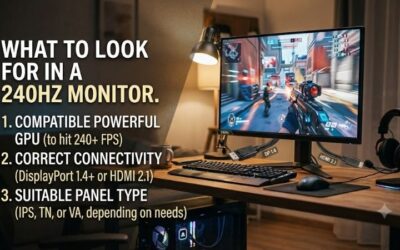
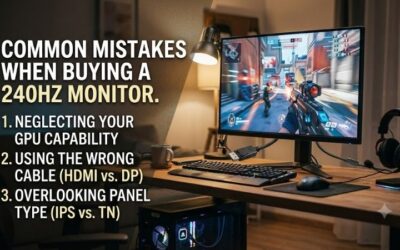
Maximum refresh rate depends on the connection, selected resolution, and source device. USB-C connector shape alone does not establish video compatibility, while basic docks can add bandwidth limits. Consult the source-device documentation and monitor timing specifications before purchasing equipment for your intended connection.
Prefer a direct graphics connection, then select the intended refresh rate through Windows Advanced Display settings during initial setup. Auto detection may leave a lower refresh rate selected. Choose the Dell G2524H for DisplayPort connectivity with optional 280Hz overclocking, or the LG for its HDMI 2.1 input options.
Weigh Stand Adjustment Against the Total Cost
Stand adjustment affects whether good positioning costs extra. Height adjustment accommodates different desktop arrangements, while swivel simplifies shared viewing. Compare the stand footprint against keyboard and mouse clearance before ordering, especially when wide support feet take up useful space on a shallow desk.
Compare delivered cost, warranty, seller reputation, and returns. Missing accessories or restrictive returns can undermine apparently attractive older-stock savings. When your desk needs height, tilt, and swivel adjustment without purchasing another mounting solution, the Dell G2524H is a practical recommendation to price first.
Top Picks
The best 240hz monitor for beginners depends on whether your priority is high FPS, lower costs, sharper detail, or shooter features. These recommendations are editorial judgments based on specs, not benchmark rankings. Confirm exact model identifiers and seller conditions because similar names can hide different panels.
| Product | Best For | Key Spec | Watch Out For |
|---|---|---|---|
| Samsung Odyssey G4 G40B | Best Overall | 25-inch IPS, 1080p, 240Hz | Less desktop detail than 1440p |
| Dell G2524H | Best Value when discounted | 24.5-inch IPS, 240Hz; 280Hz overclock | Dell US currently lists it unavailable |
| LG UltraGear 27GR83Q-B | Best For Gaming and Work | 27-inch IPS, 1440p, 240Hz | Greater GPU load at native resolution |
| BenQ ZOWIE XL2546X | Best For Focused FPS Play | 24.5-inch TN, 1080p, 240Hz, DyAc 2 | TN viewing-angle trade-off |
Samsung Odyssey G4 G40B: Best Overall
The Samsung Odyssey G4 G40B is my default first upgrade: its 25-inch, 1920 x 1080 IPS display balances manageable rendering requirements with everyday versatility. G-SYNC Compatible and FreeSync Premium support suit variable frame rates, while the ergonomic stand helps with positioning without requiring a separate monitor arm.
For shoppers comparing the best 240hz monitor for beginners, this combination favors uncomplicated everyday ownership over specialized esports features. Its main limitation is Full HD detail compared with the LG. Confirm the 25-inch G40B model code, LS25BG402ENXGO, because the Odyssey branding covers screens with very different specs.
Dell G2524H: Best Value When Discounted
The Dell G2524H earns its conditional value recommendation when discounted new stock is available. Its 24.5-inch Full HD Fast IPS display supports 240Hz operation and optional 280Hz overclocking, plus a USB hub. Height, tilt, swivel, and pivot adjustments reduce accessory costs when adapting a cheap screen to your desk.
Availability is the main drawback: Dell currently identifies this model as unavailable through its US storefront. Consequently, value depends on the actual offer rather than a presumed bargain. Avoid scarcity premiums for extra refresh headroom, and compare seller support and returns against similarly priced Samsung inventory.
LG UltraGear 27GR83Q-B: Best For Gaming and Work
The LG UltraGear 27GR83Q-B targets beginners mixing gaming with desktop work. Its 27-inch IPS display pairs 2560 x 1440 resolution with 240Hz and HDMI 2.1 inputs. Finer pixel detail improves small-text presentation, while built-in height, tilt, and pivot adjustments accommodate different working positions without another stand.
This is the best 240hz monitor for beginners with enough GPU headroom for QHD. Greater native-resolution load is its main drawback beyond price, potentially requiring reduced graphical settings for competitive frame rates. Choose it for sharper daily viewing rather than expecting a bigger screen to make up for weak hardware.
BenQ ZOWIE XL2546X: Best For Focused FPS Play
The BenQ ZOWIE XL2546X suits beginners focused on shooters such as Valorant and Counter-Strike 2. Its 24.5-inch, 1920 x 1080 Fast TN panel runs at 240Hz, with DyAc 2 and a bundled S Switch for preset access. This specialized equipment prioritizes shooter-oriented configuration rather than broad desktop versatility or workspace detail.
TN viewing-angle limits make this a less flexible shared display than the IPS alternatives. Choose its focused features instead of treating esports branding as evidence of improved accuracy. Confirm the XL2546X identifier before purchasing: the separate XL2546X+ runs at 280Hz, making plus-suffix listings a different comparison here.
Frequently Asked Questions
Selecting the best 240hz monitor for beginners means realistic expectations about FPS, connections, and console limits. A display cannot create extra frames or change a console output limit. These answers address upgrade value, hardware requirements, initial configuration, and screen dimensions before you buy a faster display.
Is 240Hz Worth It Over 144Hz for a Beginner?
Yes, particularly for competitive gaming with consistently high frame rates, although the improvement is smaller than transitioning from 60Hz to 144Hz. Refresh intervals decrease from approximately 6.94ms at 144Hz to 4.17ms at 240Hz. More frequent updates do not mean an equal gain in total input lag or guarantee better aim.
For games averaging about 100 FPS, a good 144Hz or 165Hz alternative may be a better use of your budget. Consider upgrading the part that limits frame rates before purchasing unused refresh headroom. Lower-frame-rate operation remains possible on 240Hz displays, but a large premium is hard to justify without games that benefit.
Do I Need a Powerful Graphics Card for 240Hz?
No particular graphics card is mandatory; requirements depend on resolution, graphical settings, and individual game workloads. Lightweight competitive titles can run substantially faster than demanding AAA releases on the same PC. Processor limits also affect FPS, so a more costly GPU does not always fix a CPU bottleneck.
Before selecting the best 240hz monitor for beginners, check real multiplayer performance rather than empty practice maps. Observe average frame rates alongside demanding combat sequences and recurring frame drops. Those measurements establish whether the LG’s QHD workload fits your PC or whether Full HD is a better fit.
Why Does My New 240Hz Monitor Show Only 60Hz?
A default refresh setting or unsupported connection often explains 60Hz operation after setup. Check the Windows setting noted earlier before checking hardware limits. When 240Hz remains unavailable, compare the selected resolution and input against the timing table, and check that the cable reaches the graphics output you intended.
Laptop docks and adapters can limit refresh even when the PC and screen support it. Test a supported direct connection before purchasing replacement cables speculatively. Also inspect the game display settings, because frame caps and synchronization settings can restrict rendering performance even after Windows enables 240Hz operation.
Should I Buy a 24.5-Inch or 27-Inch 240Hz Monitor?
Choose compact Full HD for attainable competitive performance, or 27-inch QHD for finer text and more desktop workspace. The LG represents the sharper combination, while the Dell and BenQ provide 24.5-inch Full HD configurations. Resolution matters alongside size because it determines both fine detail and GPU workload.
Viewing distance and daily tasks should guide screen size. Compact displays accommodate restricted arrangements, whereas larger screens help with document comparisons. For PS5 or Xbox Series connections, expect supported 120Hz gameplay modes rather than 240Hz output; buying a higher refresh rate does not change console output limits.
Final Thoughts
The best 240hz monitor for beginners is the Samsung G40B for balanced use, the Dell G2524H for genuinely discounted inventory, the LG 27GR83Q-B for sharper daily detail, or the BenQ XL2546X for focused shooters. Check real gameplay frame rates and connection needs first, then buy the model whose trade-offs suit your everyday use.