Best 240hz monitor for a high end build bridges massive GPU frame generation with flawless panel responsiveness. Enthusiasts assembling flagship gaming rigs often face motion blur and input latency bottlenecks when choosing improper displays. Evaluating panel contrast alongside video bandwidth guarantees smooth motion.
How to Choose 240Hz Gaming Monitors
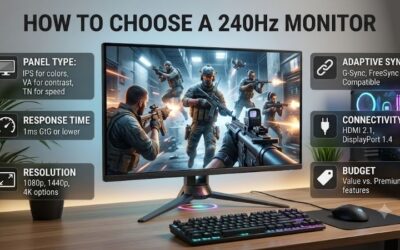
Selecting the best 240hz monitor for a high end build requires analyzing pixel responsiveness alongside display contrast. High refresh rates mean little if slow pixel transitions cause distracting trailing behind moving targets. Our comprehensive guide breaks down four core evaluation criteria every buyer should assess before buying.
Panel Technology and HDR Peak Brightness
Selecting the optimal panel technology determines black levels, color volume, and motion clarity in modern titles. Premium OLED displays offer infinite contrast and instantaneous response times, while Quantum Mini-LED panels achieve extreme peak brightness. Identifying specs helps you match a best 240hz monitor for a high end build.
Competitive players seeking maximum visual speed often favor OLED models like the ASUS ROG Swift OLED PG27AQDM for true dark tones. Meanwhile, gamers wanting luminous HDR highlights prefer Mini-LED options such as the Samsung Odyssey Neo G8. Choosing advanced backlight designs prevents washed-out visuals in fast titles.
Response Time and Motion Blur Reduction
True pixel response time determines how cleanly pixels shift between complex color shades during chaotic scenes. Display manufacturers frequently market theoretical figures measured under specific lab overdrive conditions rather than actual real-world usage. Sub-millisecond transition speeds prevent visual smear during action.
Blazing Fast IPS screens like the Alienware AW2723DF deliver consistent response times across all refresh rate ranges. Flexible OLED panels like the Corsair XENEON FLEX 45WQHD240 eliminate motion blur completely without requiring aggressive backlight strobing. Selecting proven motion clarity guarantees superior target tracking.
Resolution and Aspect Ratio Options
Screen resolution directly influences graphical clarity and overall GPU processing loads during fast competitive matches. Standard 1440p displays maintain exceptional frame rates while providing crisp target hitboxes for competitive shooters. Stepping up to 4K resolution requires top-tier graphics cards to maintain native output.
Enthusiasts seeking immersion favor 4K displays like the Samsung Odyssey Neo G8 for incredible graphical density. Players desiring wide field awareness prefer ultrawide layouts like the Corsair XENEON FLEX 45WQHD240 to expand peripheral views. Selecting ideal panel proportions aligns display capabilities with desktop space.
Video Bandwidth and Port Connectivity
Available port bandwidth determines whether your workstation can output uncompressed resolution and high refresh speeds simultaneously. Modern DisplayPort 1.4 handles high refresh rate signals efficiently using Display Stream Compression technology. HDMI 2.1 inputs enable full bandwidth compatibility across PC and console hardware.
High-end displays like the ASUS ROG Swift OLED PG27AQDM provide rich DisplayPort connectivity alongside specialized heatsinks. Versatile options like the Alienware AW2723DF offer integrated USB hubs to streamline desktop peripheral routing. Selecting modern video interfaces guarantees maximum bandwidth headroom for future builds.
Top Picks
Testing the best 240hz monitor for a high end build involves evaluating pixel response times, motion blur controls, and panel uniformity. We reviewed top high-refresh gaming displays to identify reliable models for various competitive budgets. The comparison table below highlights core specifications to simplify your buying decision.
| Product | Best For | Key Spec | Watch Out For | | ASUS ROG Swift OLED PG27AQDM | Best Overall | 27-inch 1440p 240Hz OLED with 0.03ms response | Lower SDR peak brightness | | Samsung Odyssey Neo G8 | Best 4K 240Hz | 32-inch 4K 240Hz Mini-LED with 2000 nits HDR | Aggressive 1000R curve | | Alienware AW2723DF | Best Fast IPS | 27-inch 1440p 240Hz (280Hz OC) Fast IPS | IPS contrast limits | | Corsair XENEON FLEX 45WQHD240 | Best Ultrawide | 45-inch 1440p 240Hz Bendable OLED | Large desk footprint |
ASUS ROG Swift OLED PG27AQDM
The ASUS ROG Swift OLED PG27AQDM stands as our top overall recommendation for players seeking pristine speed and contrast. Featuring a 27-inch 1440p OLED panel with 0.03ms response, this screen eliminates ghosting. Equipping the best 240hz monitor for a high end build confirms OLED hardware leads visual performance.
This monitor excels for competitive players who demand vivid color accuracy alongside lightning fast pixel responsiveness. A custom heatsink maintains panel cooling to reduce burn-in risks during long gaming sessions. While peak SDR brightness remains modest, infinite contrast makes this display a supreme gaming investment.
Samsung Odyssey Neo G8
The Samsung Odyssey Neo G8 provides an incredible 4K resolution paired with a 240Hz refresh rate for ultimate gaming visuals. Featuring Quantum Mini-LED technology with 2000 nits peak brightness, this 32-inch curved display delivers breathtaking HDR scenes. Local dimming zones maintain deep black levels behind lit objects.
Designed for gamers with flagship graphics hardware, this display renders crisp textures with minimal motion blur. The aggressive 1000R curve fills peripheral vision to increase simulation immersion during intense gameplay. Although high video bandwidth demands a top-tier GPU, its resolution and speed remain unmatched.
Alienware AW2723DF
The Alienware AW2723DF combines high speed IPS responsiveness with sharp 1440p image detail for versatile gaming setups. Equipped with a 27-inch Fast IPS panel overclockable to 280Hz, it delivers smooth motion. Integrating the best 240hz monitor for a high end build ensures reliable frame delivery in shooter games.
Power users will appreciate the premium build quality, customizable RGB lighting, and integrated USB hub features. Wide color gamut coverage ensures vibrant visuals across competitive games and creative editing software. While contrast cannot rival OLED displays, fast pixel response and high brightness offer top reliability.
Corsair XENEON FLEX 45WQHD240
The Corsair XENEON FLEX 45WQHD240 introduces groundbreaking bendable OLED technology for ultimate simulation immersion. Featuring a massive 45-inch ultrawide 1440p panel with a 0.03ms response time, this display switches from flat to 800R curve. Rapid pixel response eliminates ghosting across expansive virtual battlefields.
Broadcasters and simulation fans benefit from the expansive 21:9 aspect ratio and vibrant OLED color reproduction. Side-mounted ports provide convenient peripheral access, while anti-glare coatings reduce desktop reflection issues. Although desktop footprint requirements remain large, flexible curvature delivers unparalleled control.
Frequently Asked Questions
Gamers often have questions regarding hardware requirements, display cabling, and panel differences before upgrading setups. Understanding how refresh rates interact with graphics hardware prevents performance bottlenecks during competitive play. Below we address essential inquiries about the best 240hz monitor for a high end build.
Is 240Hz Worth It Over 144Hz for Gaming?
Yes, upgrading to 240Hz provides noticeably smoother motion tracking and reduced end-to-end system latency in competitive titles. While the leap from 60Hz to 144Hz feels dramatic, moving higher reduces render delay by several milliseconds. Assessing a best 240hz monitor for a high end build yields clear targeting gains.
Players competing in titles like Valorant or Overwatch benefit most from instantaneous mouse tracking response. However, achieving full performance requires a graphics card capable of outputting matching frame rates consistently. Casual story-driven gamers may prefer higher resolutions rather than extreme competitive speed.
Which Cable Is Required for 240Hz Output?
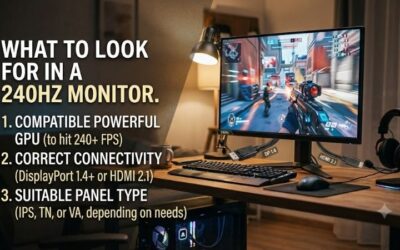
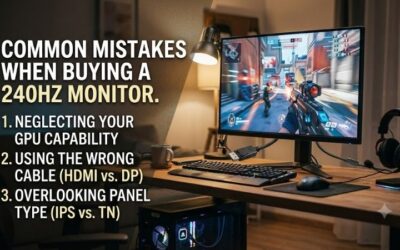
DisplayPort 1.4 or HDMI 2.1 cabling is required to deliver uncompressed 240Hz video signals at modern gaming resolutions. Standard DisplayPort 1.2 supports 1080p output comfortably, but higher resolutions require increased video bandwidth. Using certified high speed cables prevents unexpected signal drops and screen flickering.
Modern graphics cards feature DisplayPort outputs designed specifically for high refresh rate gaming monitors. Connecting older HDMI cables often restricts refresh rates to lower bandwidth thresholds automatically. Always check panel port specifications to ensure full video bandwidth compatibility with your graphics card setup.
Does Motion Blur Reduction Increase Input Lag?
Modern motion blur reduction technologies introduce minimal input latency when implemented correctly by monitor manufacturers. Advanced backlight strobing operates synchronously with frame refreshes, maintaining tight control over image processing delays. Proper strobing implementation eliminates visual smear without sacrificing speed.
Certain legacy strobing modes reduce screen brightness slightly while active, requiring higher ambient lighting adjustments. Premium displays allow brightness tuning alongside strobing to maintain comfortable visibility. Competitive players gain significant tracking accuracy by keeping motion blur reduction active during shooter matches.
Can Your GPU Maintain 240 Frames Per Second?
Maintaining 240 frames per second requires a powerful graphics card paired with a fast multi-core desktop processor. Competitive esports titles optimized for speed reach high frame rates easily on mid-range hardware. Demanding AAA gaming titles often require lowering graphic detail settings to maintain stable target frame output.
Enabling variable refresh rate technologies like G-Sync or FreeSync prevents screen tearing when frame rates dip below maximum refresh limits. Combining adaptive sync with high frame generation keeps gameplay fluid during intense firefights. Upgrading your graphics hardware ensures full utilization of your high refresh panel.
Final Thoughts
Focusing on the best 240hz monitor for a high end build elevates competitive gaming responsiveness while eliminating motion artifacts. Balancing pixel response speed, panel quality, and blur reduction ensures superior tracking accuracy. Invest in a display that matches your hardware performance to dominate your favorite games today.