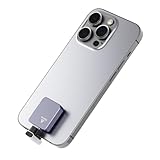
- Top Pick: SANDISK 1TB Creator Phone SSD – Up to 1,000 MB/s – Compatible with MagSafe for Your USB-C Smartphone – Shoot in ProRes with iPhone 15 Pro/Pro Max and iPhone 16 Pro/Pro Max – SDSSDE62C-1T00-G25
- Best Value: SANDISK 2TB Creator Phone SSD – Up to 1,000 MB/s – Compatible with MagSafe for Your USB-C Smartphone – Shoot in ProRes with iPhone 15 Pro/Pro Max and iPhone 16 Pro/Pro Max – SDSSDE62C-2T00-G25
- Premium Choice: 1TB Magnetic External SSD, Up to 2000MB/s Portable External Hard Drive
Shooting ProRes video on the latest iPhones fills storage terrifyingly fast, and that is exactly the problem creator phone SSDs are built to solve. By snapping magnetically to the back of a MagSafe-compatible phone and recording directly to fast external storage, these drives let you capture high-bitrate footage without your phone’s internal memory tapping out mid-shoot. For mobile filmmakers, they are a genuine game-changer.
The category has grown quickly, led by SanDisk’s Creator Phone SSD line and Lexar’s magnetic alternatives, with options spanning capacity and speed. We looked at how these drives perform for direct-to-SSD recording, how they attach, and which model fits different creator workflows.
As an Amazon Associate we earn from qualifying purchases at no extra cost to you.



🎮 Get More From Your Setup — Free
Prime Gaming gives you free PC games every month, in-game loot, and a free Twitch channel sub — plus fast free shipping on all the gear above. New members get a 30-day free trial.
Watch: Creator Phone SSD — Video Review
Design & Build
Magnetic attachment is the defining feature. The SanDisk Creator Phone SSD, available in 1TB and 2TB, snaps to MagSafe-compatible USB-C iPhones and is purpose-built for recording ProRes on iPhone 15 and 16 Pro models. The Lexar ES5 magnetic SSD takes a similar approach with MagSafe compatibility and even faster rated speeds. For those who want a more traditional pocket drive, the SanDisk Creator Pro portable SSD offers rugged IP65 water and dust resistance, while the SanDisk 256GB Creator Phone Drive is a smaller plug-in option with both USB-C and Lightning connectors for older devices.
Performance
Speed is what makes direct recording viable. The SanDisk Creator Phone SSD delivers up to 1,000 MB/s, comfortably fast enough to capture ProRes without dropped frames, while the Lexar ES5 pushes up to 2,000 MB/s for even more headroom and quicker offloads. The SanDisk Creator Pro portable SSD also hits around 2,000 MB/s over USB 3.2 Gen 2×2, making it a strong choice for editing directly off the drive on a laptop. Bundled software perks sweeten the deal: some SanDisk models include trials of Adobe Lightroom or Creative Cloud, useful for creators building an editing workflow.
Pros & Cons
- Direct ProRes recording: Capture high-bitrate video without filling phone storage.
- Magnetic attachment: Snaps cleanly to MagSafe iPhones.
- Fast transfers: Up to 1,000 or 2,000 MB/s depending on model.
- Editing-ready: Some include Adobe software trials.
- Cost per terabyte: High-capacity models are a premium buy.
- MagSafe dependency: Magnetic models need a compatible phone or case.
Alternatives to Consider
If you want the fastest possible speeds for both recording and editing, the Lexar ES5 magnetic SSD at up to 2,000 MB/s is the standout. Creators who need a rugged, do-everything drive for laptops as well as phones should pick the IP65-rated SanDisk Creator Pro portable SSD. For those with older iPhones or a mix of Lightning and USB-C devices, the SanDisk 256GB Creator Phone Drive with dual connectors is the flexible, lower-cost entry point.
Related Guides
Frequently Asked Questions
Do I need a creator phone SSD to shoot ProRes?
For extended ProRes recording, effectively yes. The format’s high bitrate fills internal storage quickly, and drives like the SanDisk Creator Phone SSD let you record directly to fast external storage instead.
How fast does the drive need to be?
Around 1,000 MB/s is sufficient for ProRes capture, which the SanDisk Creator Phone SSD provides. Faster drives like the Lexar ES5 add headroom and speed up offloading footage afterward.
Will these work with any phone?
The magnetic models are designed for MagSafe-compatible USB-C iPhones. For other phones or older Lightning devices, a drive with dual connectors like the SanDisk Creator Phone Drive is the better fit.
Can I edit directly from the SSD?
Yes, especially with faster drives like the SanDisk Creator Pro or Lexar ES5. Editing off a quick external SSD keeps your computer’s internal storage free and your footage centralized.
Verdict
Creator phone SSDs unlock serious mobile filmmaking. The SanDisk Creator Phone SSD is the purpose-built pick for ProRes on modern iPhones, the Lexar ES5 leads on raw speed, and the rugged SanDisk Creator Pro is the versatile drive for creators who edit on the go. Match the capacity and connector to your gear, and you will never fear the storage-full warning again.