Storage prices have swung hard over the past year, and the sub-$100 tier is where the confusion is worst. One drive promises 7,000 MB/s and costs less than a AAA game; another looks nearly identical on paper but stutters the moment you start moving a 90 GB install off it. Meanwhile, flagship drives keep bleeding down into budget territory during sales, so a “premium” SSD is sometimes cheaper than a mid-range one — if you catch it at the right moment.
This guide focuses on drives that realistically land under $100 for gaming builds and console expansions in 2026. We’ve prioritised sustained write performance, thermals in tight M.2 slots, and DRAM-versus-HMB behaviour, because those are the things that actually decide whether a level loads in three seconds or eleven. Capacity notes matter too: a 1 TB drive holds roughly six to eight modern AAA titles, so we’ve flagged where stepping up or down makes sense.
As an Amazon Associate we earn from qualifying purchases at no extra cost to you.


⚡ Save on Your Next PC — Amazon Prime
Prime members get fast free shipping on the systems above, plus early access to Prime Day & Black Friday PC deals. New members get a 30-day free trial.
Watch: Best SSD Under $100 — Video Review
How to Choose SSD Under $100
- Capacity first, speed second: At this budget, 1 TB is the sweet spot. A slower 1 TB drive beats a blazing 500 GB one you’ll fill within a month, since modern shooters routinely exceed 100 GB per install.
- PCIe 4.0 is the practical target: Gen 5 drives rarely fall under $100 and run hot enough to need substantial cooling. Gen 4 saturates what current games can actually stream, and it’s backward compatible with Gen 3 boards.
- Check DRAM vs. HMB: DRAM-less drives use host memory buffer and are fine for game libraries and general use, but they slow noticeably during large sustained writes. If you edit video or shuffle huge files, pay for DRAM.
- Match the form factor and heatsink clearance: Nearly everything here is M.2 2280. Confirm your motherboard slot length, and check whether your board’s heatsink conflicts with a pre-installed one — that’s the most common install headache.
- Watch endurance and warranty: Look for at least 600 TBW per terabyte and a five-year warranty. It signals the manufacturer’s own confidence in the NAND far better than peak sequential numbers do.
The Best Picks Reviewed
Kingston NV3 1TB
The most sensible default at this price: PCIe 4.0, up to 6,000 MB/s, and 1 TB of usable space that comfortably fits a working game library. It’s DRAM-less, so large sustained transfers taper off, but for loading games and running an OS it’s genuinely hard to beat on cost per gigabyte.
SanDisk Optimus 5100 500GB
A tidy secondary drive for a dedicated game partition or a console expansion, with up to 6,600 MB/s reads and low idle power that suits laptops and small-form-factor builds. The 500 GB capacity is the limitation — treat this as an overflow drive rather than your only one.
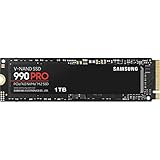
Samsung 990 PRO 1TB
Still the reference point for Gen 4 performance, with DRAM, up to 7,450 MB/s reads, and sustained write behaviour that holds up under real workloads rather than just benchmark bursts. It sits above $100 at list price, so it only qualifies here during sales — but when it dips, buy it without hesitation.
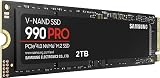
Samsung 990 PRO 2TB
The capacity upgrade worth waiting for if you’re patient. Doubling to 2 TB removes the constant uninstall-reinstall cycle entirely, and the drive’s efficiency keeps temperatures reasonable in cramped M.2 slots. Realistically a stretch above our budget except at deep discount.
Samsung 9100 PRO 1TB
Gen 5 flagship territory at up to 14,700 MB/s, included here as the aspirational option rather than a budget pick. It demands proper cooling and a Gen 5 slot, and the real-world gaming benefit over a good Gen 4 drive remains small — file it under “nice to have,” not “necessary.”
Frequently Asked Questions
Is a Gen 5 SSD worth it for gaming in 2026?
Not at this budget. Games are still bottlenecked by decompression and CPU work rather than raw sequential throughput, so a solid PCIe 4.0 drive delivers load times within a fraction of a second of Gen 5 hardware at a fraction of the price.
Does a DRAM-less SSD hurt gaming performance?
Barely. Host memory buffer handles the mapping table well enough for read-heavy workloads like launching games. The difference appears during long sustained writes — copying a 200 GB library across drives, for instance — where DRAM-equipped models pull clearly ahead.
Do I need a heatsink?
For PCIe 4.0 drives in a desktop with reasonable airflow, usually not. Most modern motherboards include M.2 heatsinks anyway. Gen 5 drives are a different story and should always be cooled, as thermal throttling on those is real and immediate.
Can I use these drives in a PlayStation 5?
The PCIe 4.0 M.2 2280 models here meet Sony’s requirements, but the console mandates a heatsink. Confirm the combined drive-plus-heatsink height fits the bay before ordering, and check current firmware requirements.
Final Thoughts
For most gamers, the Kingston NV3 1TB is the correct answer under $100 — it hits the capacity sweet spot at a price nothing else matches, and its limitations only surface in workloads gamers rarely run. Choose the SanDisk Optimus 5100 500GB if you need a compact, efficient second drive for a laptop or console, and set a price alert on the Samsung 990 PRO 1TB, which drops into budget range often enough to be worth the wait if you want DRAM and best-in-class sustained performance.