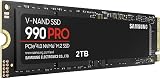
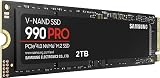
Every gaming build eventually comes down to a storage decision, and in 2026 that decision is still framed the same way: NVMe or SATA. NVMe drives slot directly into an M.2 socket and talk to the CPU over PCIe lanes, hitting sequential speeds of 7,000 MB/s on PCIe 4.0 and roughly double that on PCIe 5.0. SATA SSDs use the same 2.5-inch form factor and cabling as a mechanical hard drive, and they are hard-capped by the SATA III interface at around 550-560 MB/s. On paper it looks like a blowout. In practice, the answer depends entirely on what you are storing and what you are storing it in.
The reason this matters more now than it did five years ago is DirectStorage. Games built on modern engines stream compressed assets straight from the drive to the GPU, and the titles that lean hardest on that pipeline genuinely reward high-queue-depth random reads that SATA cannot deliver. But the flip side is equally true: most of a gaming library is not DirectStorage-aware, most systems still have empty SATA ports, and 1TB SATA drives remain the cheapest reliable way to add space. Here are the drives worth considering.

TEAMGROUP T-Force Vulcan Z 1TB SLC Cache 3D NAND QLC 2.5 Inch SATA III Internal Solid State Drive SSD (R/W Speed up to 550/470 MB/s) T253TY001T0C101
Included for 'NVMe vs SATA SSD: 2026 Speed Comparison' as a relevant option in this category; details come from the product listing.
View on Amazon
fanxiang S101 1TB SSD SATA SSD 1TB Internal Solid State Drive SATA III 6Gb/s 2.5" SSD, UP to 520MB/s, 3D NAND TLC, Upgrade Laptop PC and Desktops
Included for 'NVMe vs SATA SSD: 2026 Speed Comparison' because the listing specifies UP to 520MB/s and 3D NAND TLC, details this guide uses to compare options.
View on Amazon
Fikwot FX815 1TB SSD, 2.5" SATA SSD, Internal Solid State Drive, Up to 560MB/s, 3D NAND SLC Cashe, Compatible with Laptop & PC Desktop
Included for 'NVMe vs SATA SSD: 2026 Speed Comparison' because the listing specifies 2.5" SATA SSD and Internal Solid State Drive, details this guide uses to compare options.
View on Amazon
Crucial BX500 1TB 3D NAND SATA 2.5-Inch Internal SSD, up to 540MB/s - CT1000BX500SSD1, Solid State Drive
Included for 'NVMe vs SATA SSD: 2026 Speed Comparison' because the listing specifies up to 540MB/s and CT1000BX500SSD1, details this guide uses to compare options.
View on Amazon
Silicon Power 1TB SSD 3D NAND A55 SLC Cache Performance Boost SATA III 2.5" 7mm (0.28") SSD Internal Solid State Drive (SU001TBSS3A55S25EC)
Included for 'NVMe vs SATA SSD: 2026 Speed Comparison' as a relevant option in this category; details come from the product listing.
View on Amazon
KingSpec 1TB 2.5 SSD SATA III Internal - 550MB/s Read, 520MB/s Write with 3D NAND Flash, for Laptop & Desktop PC Upgrade
Included for 'NVMe vs SATA SSD: 2026 Speed Comparison' because the listing specifies 550MB/s Read and 520MB/s Write with 3D NAND Flash, details this guide uses to compare options.
View on Amazon⚡ Save on Your Next PC — Amazon Prime
Prime members get fast free shipping on the systems above, plus early access to Prime Day & Black Friday PC deals. New members get a 30-day free trial.
Watch: NVMe vs SATA SSD: 2026 Speed Comparison — Video Review
Quick Verdict
Buy NVMe as your boot and primary game drive — it is the correct default for any build with a free M.2 slot, and the price gap has narrowed to the point where paying extra for SATA rarely makes sense at the same capacity. Buy SATA when you are expanding an older desktop or laptop that has no M.2 socket, when your M.2 slots are already full, or when you need bulk storage for a large backlog and want the lowest cost per gigabyte. A drive like the Samsung 870 EVO or Crucial BX500 will still feel dramatically faster than any hard drive, and for the majority of games the difference between SATA and NVMe load times is measured in a couple of seconds.
Key Differences
- Interface and ceiling: NVMe rides PCIe lanes with headroom to spare, while SATA III is locked at 6 Gb/s — roughly 550 MB/s no matter which drive you buy.
- Random performance: NVMe supports deep command queues and posts random read IOPS an order of magnitude higher than SATA, which is what asset streaming and shader compilation actually stress.
- Form factor: NVMe is a bare M.2 2280 stick mounted flush to the board; SATA is a 2.5-inch drive requiring a data cable, a power cable, and a mounting point.
- Compatibility: Nearly every desktop and laptop from the last fifteen years has a SATA port or bay. M.2 slots with PCIe support only became universal around 2017, and older laptops often have none.
- Thermals: Fast NVMe drives throttle without a heatsink under sustained writes. SATA drives run cool enough that thermal management is a non-issue.
- Cost and capacity: SATA still wins slightly on cost per gigabyte at 1TB and above, and it is the easier path to stacking multiple drives in one case.
NVMe SSDs: The Default for Modern Builds
If your motherboard has an open M.2 slot, an NVMe drive should hold Windows and the games you actually play. Boot times shorten, large patches apply faster, and open-world titles that stream terrain aggressively benefit from the low-latency random reads that PCIe delivers. The gap is most visible in engine-level work: shader precompilation, texture pop-in on fast traversal, and initial level loads in DirectStorage-enabled titles.
Two caveats are worth knowing before you buy. First, many boards share PCIe lanes between the secondary M.2 slot and a SATA port or the second GPU slot, so populating everything can silently disable something else — check your manual’s block diagram. Second, PCIe 5.0 drives are fast but hot and expensive, and for gaming specifically they deliver almost no measurable frame-rate or load-time advantage over a good PCIe 4.0 drive. A solid 4.0 model remains the sweet spot in 2026.
SATA SSDs: Cheap, Universal, and Still Fast Enough
SATA’s strength is that it works everywhere. The Crucial BX500 and PNY CS900 are the classic no-drama upgrades for an aging desktop or a laptop with a spare drive bay, and the Samsung 870 EVO remains the durability benchmark of the category with mature firmware and a strong endurance rating. For pure value, the TEAMGROUP T-Force Vulcan Z, fanxiang S101, and Fikwot FX815 all deliver near-interface-limit sequential reads in the 520-560 MB/s range using 3D TLC NAND with SLC caching.
Understand what that caching means in practice: these drives are quick until the SLC buffer fills, after which sustained write speed drops significantly. That is irrelevant for gaming, where you overwhelmingly read rather than write, but it makes budget SATA a poor choice for video scratch disks. As a library drive holding 15 installed games you rotate through, it is close to ideal.
Which Should You Buy?
- For a new gaming PC: pick NVMe — a 1TB or 2TB PCIe 4.0 drive as your only drive, no compromise needed.
- For an older PC or laptop with no M.2 slot: pick SATA — the Crucial BX500 or PNY CS900 will transform a hard-drive system.
- For expanding a build with full M.2 slots: pick SATA — the Samsung 870 EVO for longevity, or the Vulcan Z and fanxiang S101 for maximum gigabytes per dollar.
- For competitive shooters and esports: either works — frame rates are CPU and GPU bound; storage affects load screens, not gameplay.
- For a PS5 expansion: pick NVMe — Sony requires a PCIe 4.0 M.2 drive with a heatsink. SATA is not an option.
Frequently Asked Questions
Will NVMe give me more FPS than SATA?
No. Once a game is loaded into RAM and VRAM, storage has essentially no effect on frame rate. NVMe reduces load times and texture streaming hitches in supported titles, but it will not raise your average FPS.
Can I use both in the same system?
Yes, and it is a common setup. Run Windows and your current rotation from an NVMe drive, then add a 1TB SATA SSD such as the Fikwot FX815 or Crucial BX500 as an overflow library so you are not constantly uninstalling.
Do budget SATA drives fail more often?
Not meaningfully within a normal gaming workload. Modern TLC drives from established suppliers carry endurance ratings far beyond what typical gaming use consumes. If you want the most conservative choice, the Samsung 870 EVO has the longest track record.
Is DRAM-less a problem?
Most budget SATA drives, including several here, are DRAM-less. The impact shows up in sustained random writes and heavily filled drives, not in game loading. Leave 10-15% of the drive free and you will not notice.
Final Verdict
NVMe is the right default in 2026 — if you have the slot, use it, and put your operating system and most-played games there. SATA has not become obsolete; it has become the smart secondary tier, and for anyone upgrading an older machine or building out cheap bulk capacity, drives like the Samsung 870 EVO, Crucial BX500, TEAMGROUP T-Force Vulcan Z, PNY CS900, fanxiang S101, and Fikwot FX815 still deliver the single biggest real-world upgrade you can make over a mechanical hard drive.