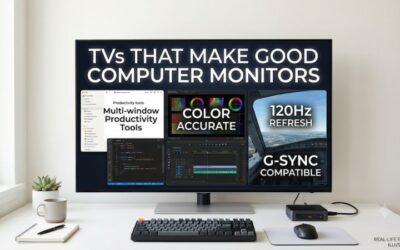
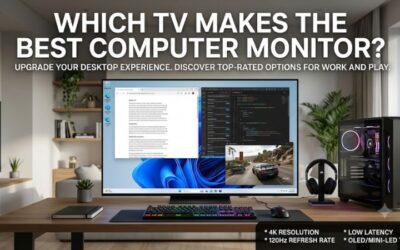
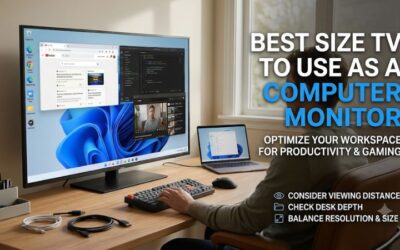
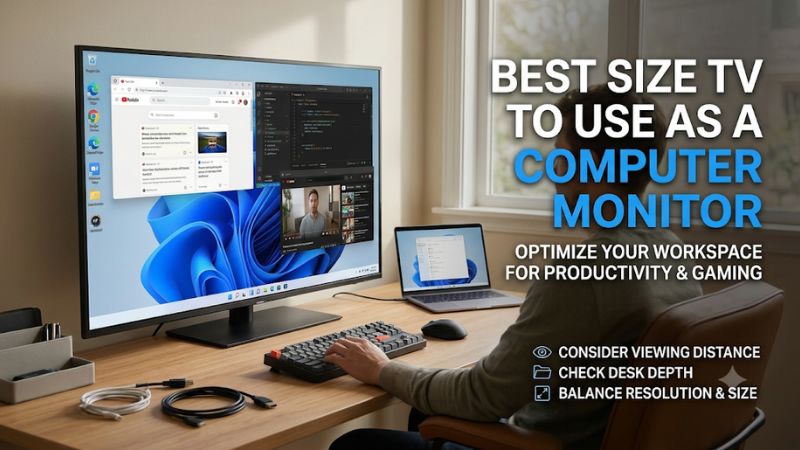
The best size tv to use as a computer monitor is 42 to 43 inches for a deep desk, or 32 inches if you sit close and read text all day. Move up to 48 inches when you can sit farther back. A 50- or 55-inch TV makes more sense when the same screen also serves a couch, a racing rig, or a shared room.
What is the best size TV to use as a computer monitor?
Choose 32 inches for a conventional desk, 42 to 43 inches when you have room to sit farther back, or 48 inches for a deep workstation where you can keep your main apps near the center. Reserve 50 and 55 inches for setups where you can move the screen or chair well beyond a typical desktop arrangement.
The distances below are starting points measured from your eyes to the screen, not from the front of the desk to the wall. They give the screen roughly comparable apparent width across sizes. Sit farther away if you scan spreadsheets all day or frequently use tools at the sides. Move closer if you play from the center and prefer a display that fills more of your view. Your usual chair position, with your hands on the keyboard, is the one that matters.
| 4K TV size | Approximate image width | Approximate pixel density | Eye-to-screen starting distance | Recommended model |
|---|---|---|---|---|
| 32 inches | 27.9 inches | 138 PPI | 24–30 inches | Samsung Q8F QN32Q8FAAFXZA |
| 42 inches | 36.6 inches | 105 PPI | 30–38 inches | LG C6 OLED42C6PUA |
| 43 inches | 37.5 inches | 102 PPI | 31–39 inches | Sony BRAVIA 3 II K-43XR30M2 |
| 48 inches | 41.8 inches | 92 PPI | 35–44 inches | LG C6 OLED48C6PUA |
| 50 inches | 43.6 inches | 88 PPI | 37–46 inches | Samsung QN90F QN50QN90FAFXZA |
| 55 inches | 47.9 inches | 80 PPI | 41–51 inches | TCL QM7L 55QM7L |
Image widths and pixel densities are estimates based on nominal diagonals and a 16:9 image. Cabinet dimensions, stand depth, and actual viewable diagonals vary. Use the table to judge how large the image will feel, then check the exact model’s dimensions to see whether the TV and its stand fit.
Every pick has a 3840 × 2160 panel. A 55-inch TV therefore provides the same pixel workspace as a 32-inch 4K TV at the same operating system scaling. The larger panel makes each pixel and window physically bigger. That helps if you need to sit farther back, but it also spreads toolbars and controls across a wider area. If your goal is to fit more information on screen, check whether you can comfortably lower your scaling before paying for a larger diagonal.
Six TVs that fit different computer setups
The best pick changes with the way you use your desk. A writer who sits 25 inches from the screen benefits from a compact panel. A gamer who sits 40 inches away can make better use of a 48-inch TV. For each size, consider where the keyboard goes, which apps occupy the edges, and how often you switch to TV viewing.
Samsung Q8F 32-inch — Best for a shallow desk
The 32-inch Samsung Q8F gives you a 4K workspace and built-in smart TV apps in a screen roughly 28 inches wide. At about 138 pixels per inch, it offers the highest pixel density in this roundup. Choose it if you work close to the screen and want a TV that leaves room for speakers or a second display.
The exact U.S. model is QN32Q8FAAFXZA. Plan around a 60 Hz desktop. That is enough for office apps, video, and casual games. If you regularly play shooters or already work on a high-refresh monitor, expect a difference when moving the mouse, scrolling quickly, or tracking targets across the screen.
Try it around 24 to 30 inches from your eyes. Start with two side-by-side apps and increase system scaling until small text and menu labels are comfortable. Check the same content in your actual browser or editor, since font rendering can vary by app. Buy it when you need both TV apps and a screen that fits a shallow desk. If you rarely use a remote or streaming apps, compare its stand, wake behavior, and input options with those of a 32-inch 4K monitor.
LG C6 42-inch — Best size TV to use as a computer monitor for mixed use
The 42-inch LG C6 OLED is the best fit here for a deep desk that doubles as a PC gaming station. It gives you a screen about 36.6 inches wide, with enough room to keep two apps open and still see both comfortably from a centered seat. The U.S. model is OLED42C6PUA, with refresh up to 144 Hz on compatible hardware.
The appeal is the combination of a manageable footprint, high refresh, and OLED contrast for games. From roughly 30 to 38 inches away, try keeping your primary app centered and putting notes, chat, or a game launcher at the sides. If you stream or edit video, a wide timeline and a centered preview are a better test than opening a browser full-screen.
Buy it if you split your time between productivity and games and want one screen for both. Check small colored text in the apps you use, especially if you sit close, because OLED subpixel arrangements can affect how fine lettering looks. Also weigh your daily workload. A dashboard or toolbar displayed in the same position all day is a stronger reason to choose an LCD model such as the 43-inch Sony. Check your HDMI connection at 4K before enabling the higher refresh rate and HDR together.
Sony BRAVIA 3 II 43-inch — Best for work and streaming at 60 Hz
The 43-inch Sony BRAVIA 3 II is a practical LCD choice for a home office that doubles as a TV room. Its screen is less than an inch wider than a nominal 42-inch display, so those sizes fit nearly the same desk layout. The buying decision comes down to panel type, refresh rate, and which features you use daily.
The U.S. K-43XR30M2 is a 4K 60 Hz class LED-backlit model with Google TV. It makes sense if your typical day involves writing, spreadsheets, browsing, and occasional streaming. For a long spreadsheet, keep the columns you edit near the center and put a reference document off to one side. You gain more from a workable arrangement than from stretching one window across the whole panel.
Buy it if you want a large LCD desktop and prefer to stream directly on the TV after work. Skip it if you want 4K gaming beyond 60 Hz or already know that 60 Hz scrolling bothers you. Check stand placement before buying. Two TVs with nearly the same image width can sit at different depths, and a few inches of extra distance can make a noticeable difference on this size of desk.
LG C6 48-inch — Best for a deep gaming workstation
The 48-inch LG C6 suits a deeper setup where you want a larger image for games, video previews, and wide timelines. Its image is about 5.2 inches wider than the 42-inch C6, with the same 4K pixel count. That extra width is easier to use if you can move the screen back or switch to a more distant gaming position.
Choose the OLED48C6PUA if you can start around 35 to 44 inches away and regularly use the extra physical size. For example, you could keep a video preview centered while putting bins and tools at the edges, then sit slightly farther back to play with a controller. For mouse-and-keyboard gaming, test whether you can check corner HUD elements without losing track of the center.
This size is worth buying when the larger image serves a specific purpose, such as simulation games or video work with multiple open panels. It makes less sense on a desk where the 42-inch model already feels wide. Check desktop text rendering and think about how long you leave static controls visible. Compare the two C6 sizes at their likely installed distances, since moving the 48-inch screen back can make it appear closer in size to the 42-inch version.
Samsung QN90F 50-inch — Best for a bright room with a setback mount
The 50-inch Samsung QN90F fits a bright multipurpose room where the screen can sit behind the desk rather than on it. Samsung specifies up to 165 Hz for the U.S. QN50QN90FAFXZA and gives this model a glare-reducing screen treatment. Those features matter when you use the same display for games and daytime work.
Its roughly 43.6-inch image width is close to that of a 48-inch TV. Choose between the two based on lighting, panel type, and availability as much as diagonal. In a room with a bright window behind your chair, first see whether you can reposition the screen or change the angle of the light. Then decide how much you value the Samsung’s screen treatment for the reflections that remain.
Buy it if you want a large Mini LED LCD for a wall-mounted gaming setup and can confirm the exact model and return terms. The QN90F is an older model with reported availability constraints, so verify stock before buying a mount around it. Keep your PC’s HDMI limits in mind as well. A computer or dock capped at 4K 60 Hz will leave the high-refresh feature unused until you change the connection or hardware.
TCL QM7L 55-inch — Best for a couch PC or separate gaming rig
The 55-inch TCL QM7L is a better fit for a couch PC, a controller-first setup, or a racing rig than for a conventional desk. The U.S. 55QM7L combines a 4K Mini LED panel with refresh up to 144 Hz. At nearly four feet across, it needs enough setback for you to see the edges without constantly turning your head.
Set it up from your gaming seat first. About 41 to 51 inches is a reasonable starting range for a large desktop-style setup, and couch use may put you farther away. Check whether you can read inventory labels, subtitles, and menus without leaning forward. Increase the game’s interface scale or use the operating system’s scaling options if the room calls for more distance.
Buy it if the room already supports a big-screen setup and gaming or shared viewing takes priority. For close-range work, a smaller display will usually make it easier to scan menus and track a mouse pointer. If the TCL will serve as your only screen, try the full routine you expect to use, including starting the computer from the couch, switching inputs, and returning to the desktop after streaming.
How to measure the right TV size for your desk
Mock up the actual picture width and height before ordering. Sit in your normal typing position and measure from your eyes to the planned panel surface. Then mark where the top and bottom of the picture will fall. A screen can fit between your speakers and still sit too high or too far forward for comfortable work.
Measure from your eyes and account for the stand
The display surface often sits forward of the back edge of the desk, especially with a deep stand or a shelf behind it. Check the stand footprint and the cabinet depth before using the desk’s advertised size as your viewing distance. Then repeat the measurement from your actual chair position, with your elbows relaxed.
For example, if a 42-inch TV ends up 27 inches from your eyes and you have to lean back to take in the corners, try moving the screen to a separate stand or mounting it behind the desk. If the room prevents that, a 32-inch TV will probably be easier to live with. When checking a wall mount or arm, use the specific TV’s mounting pattern and weight. Match the planned height to your seated position before drilling or permanently arranging furniture.
Check vertical space as well as width
A 43-inch 16:9 image is about 21 inches tall, while a 55-inch image is about 27 inches tall. That extra height matters when menus and tabs sit across the top for hours at a time. Mock up the upper edge and see whether you can glance at it comfortably from your usual position, especially if the TV’s feet raise it further.
If you use a laptop below the TV, measure with its lid open. Raising the TV to clear the laptop may solve the physical fit while making it uncomfortable to read the upper portion. Try placing the laptop beside the TV or using a separate keyboard with the laptop closed if your setup supports that. For a shared desk, repeat the measurement from the other person’s seating position.
Test text at the resolution and refresh rate you’ll keep
The same TV can look different depending on how the HDMI input handles a computer signal. Start at native 4K in SDR and select RGB or YCbCr 4:4:4 if your graphics settings offer it. Enable PC mode or the enhanced HDMI input setting where applicable. Then inspect small colored lettering in the apps you use every day.
If text looks clear at 60 Hz but gets blurry at a higher refresh rate, test the connection directly before blaming screen size. A dock, switch, adapter, or output setting can affect the signal format. Raise the refresh rate, enable HDR, and enable variable refresh one at a time. Confirm each change in your operating system and compare the same browser tab, spreadsheet, or editor window from your normal viewing distance.
Common questions about using a TV as a monitor
Start with the work you do most often. If you spend hours reading and typing, pick the size that makes small text and corner controls comfortable at your normal seated distance. If the TV is mainly for gaming from a separate chair, judge it from that seat and check whether the game’s menus and HUD remain easy to read.
Is a 43-inch TV too big for a computer monitor?
It can be too big if you sit close or have limited room to move it back. At around 31 to 39 inches from your eyes, a 43-inch screen is a reasonable starting point for a deep desk. If your usual seating distance is closer to 24 inches and you spend most of the day reading, start with a 32-inch model and compare.
Try marking a rectangle about 37.5 inches wide and 21 inches high where the 43-inch screen would go. Look at the center, then at the bottom corners and upper edge in succession. If the movement feels tiring during the mockup, it will matter in apps that scatter controls around the display. If you mainly use centered windows and can move the panel back, the same size can work well.
Should you choose 48 inches over 42 inches for gaming?
Choose 48 inches if you can sit farther back and want the game to fill more of your view. Choose 42 inches if you mostly play with a mouse and keyboard and often check information at the edges. Comparing the two from your normal gaming position is more useful than comparing their diagonal measurements alone.
Try a game that puts a minimap, ammo counter, or chat box in the corners. If you miss information while following the center, shrink the game’s safe area where possible or choose the smaller screen. A controller setup gives you more freedom to move your chair, which makes the 48-inch size easier to accommodate without rearranging the desk.
Can you use a 55-inch TV for spreadsheets?
Yes, especially when several people need to see the same sheet or you can put the TV well behind the desk. For solo work, the 55-inch diagonal spreads a 4K grid across nearly 48 inches of width. Placing frequently edited cells near the center keeps routine actions from requiring large eye or mouse movements.
Test a typical workbook at a scaling level you can read comfortably. Keep the sheet you edit in the middle, with a reference document or chart to one side. If you rarely use the outer area or keep pulling the chair forward to read, move to 42 or 43 inches. The smaller panel provides the same 4K pixel count and puts more of the spreadsheet within an easy glance.
Conclusion
Choose the 32-inch Samsung Q8F if you sit close and spend most of the day reading. On a deep desk, the 42-inch LG C6 is the strongest mixed work-and-gaming choice, while Sony’s 43-inch BRAVIA 3 II suits 60 Hz work and streaming. Move to 48 inches or larger when you have a separate viewing position, a setback mount, or a specific use for the extra physical width.