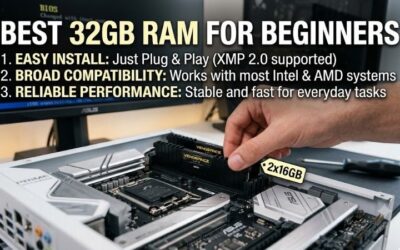
Affiliate disclosure: As an Amazon Associate we earn from qualifying purchases. This post contains affiliate links — we may earn a small commission at no extra cost to you. This never affects our picks. Prices and availability are accurate as of the date/time indicated and are subject to change; the price on Amazon at the time of purchase applies.
- Top 5 at a Glance
- Builder’s Checklist
- Quick Comparison Table
- 1. Lexar Thor Z Series RGB DDR5 RAM 32GB Kit — Pick 1
- 2. 【DDR4 RAM】 GIGASTONE Game PRO 32GB Kit (2x — Pick 2
- 3. CORSAIR Vengeance LPX DDR4 RAM 32GB (2x16G — Pick 3
- 4. Lexar Thor Z Series RGB DDR5 RAM 32GB Kit — Pick 4
- 5. Crucial Pro 32GB DDR5 RAM Kit (2x16GB) — Pick 5
- More Best RAM Kits for Gaming: Picks 6 to 10
- Also Consider
- Best RAM Kits by Build Type
- How We Chose These RAM Kits
- Builder’s Buying Guide: Fitting It Into Your Rig
- Related Guides
- Related Articles
- RAM Buying Guide: Speed, Timings, Capacity and Compatibility
- DDR4 vs DDR5: Which Should You Buy?
- Which RAM Kit Should You Buy?
- More Questions About the Best RAM Kits for Gaming
- How to Install RAM and Turn On EXPO or XMP
- Frequently Asked Questions
- Related Articles
Quick answer: For a 2026 build, the Lexar Thor Z Series RGB DDR5 RAM 32GB Kit is the RAM we would build around, while the Crucial Pro 32GB DDR5 RAM Kit (2x16GB) is the budget-friendly choice.
Choosing the best ram kits for a 2026 rig comes down to parts that cooperate. I’ve sorted five RAM kits by how well they fit, how they behave in a real machine, and what they return per dollar for gaming and everyday performance.
Quick answer: The best RAM kits for a 2026 gaming build are 32GB (2x16GB) dual-channel kits. For Ryzen on AM5, choose DDR5-6000 CL30 with an EXPO profile, such as the G.SKILL Trident Z5 Neo RGB DDR5-6000 CL30 or the Kingston FURY Beast DDR5-6000 CL30. For an AM4 or older Intel upgrade that keeps DDR4, the G.SKILL Ripjaws V 32GB DDR4-3600 CL16 is the pick.
- Match the type: DDR5 for AM5 and Core Ultra, DDR4 for AM4 and many LGA 1700 boards. They are not interchangeable.
- Desktop only: use DIMM (U-DIMM) kits. SODIMM memory is for laptops and mini PCs.
- Fastest simple win: turn on EXPO or XMP in the BIOS, because kits run at base speed until you do.
Top 5 at a Glance
Builder’s Checklist
These picks come from time at the bench: what slots in cleanly, what holds up day to day, and where each kit fits a balanced 2026 build. Every option above targets a different budget for gaming and everyday performance.
Quick Comparison Table
| Pick | Memory Kit | Best For | Price |
|---|---|---|---|
| 1 | Lexar Thor Z Series RGB DDR5 RAM 32GB Kit | Pick 1 | Check on Amazon |
| 2 | 【DDR4 RAM】 GIGASTONE Game PRO 32GB Kit (2x | Pick 2 | Check on Amazon |
| 3 | CORSAIR Vengeance LPX DDR4 RAM 32GB (2x16G | Pick 3 | Check on Amazon |
| 4 | Lexar Thor Z Series RGB DDR5 RAM 32GB Kit | Pick 4 | Check on Amazon |
| 5 | Crucial Pro 32GB DDR5 RAM Kit (2x16GB) | Pick 5 | Check on Amazon |
1. Lexar Thor Z Series RGB DDR5 RAM 32GB Kit — Pick 1
If you’re speccing a machine, the Intel memory kit is the centerpiece for gaming and everyday performance. In practice, its RGB, DDR5, 32GB install into a working build without drama. It’s the sort of part that keeps a build quiet.
- Pros: RGB spec
Builder-friendly
Great compatibility - Cons: Commands a flagship cost
Overkill for light use
2. 【DDR4 RAM】 GIGASTONE Game PRO 32GB Kit (2x — Pick 2
Looking at it as a builder, the Intel memory kit reads as a premium step-up for gaming and everyday performance. Its DDR4, 32GB, 16GB keep compatibility and setup straightforward. For a no-drama build aimed at gaming and everyday performance, it’s a safe pick.
- Pros: DDR4 spec
Easy to fit in a build
Pairs well with common parts - Cons: Not class-leading
Check current pricing
3. CORSAIR Vengeance LPX DDR4 RAM 32GB (2x16G — Pick 3
If you’re speccing a machine, the Corsair memory kit is a balanced mid-build choice for gaming and everyday performance. With DDR4, 32GB, 16GB, it slots in alongside your other parts without trouble. For a no-drama build aimed at gaming and everyday performance, it’s a safe pick.
- Pros: DDR4 spec
Pairs well with common parts
Easy to fit in a build - Cons: Not class-leading
Verify compatibility
4. Lexar Thor Z Series RGB DDR5 RAM 32GB Kit — Pick 4
In a 2026 rig, the Intel memory kit is a solid mid-build pick for gaming and everyday performance. With RGB, DDR5, 32GB, it slots in alongside your other parts without trouble. For a no-drama build aimed at gaming and everyday performance, it’s a safe pick.

- Pros: RGB spec
Great compatibility
Pairs well with common parts - Cons: Not class-leading
Check current pricing
5. Crucial Pro 32GB DDR5 RAM Kit (2x16GB) — Pick 5
Looking at it as a builder, the Crucial memory kit reads as the value play for tight builds aimed at gaming and everyday performance. Its 32GB, DDR5, 16GB keep compatibility and setup straightforward. It’s the sort of part that keeps a build quiet.
- Pros: 32GB spec
Builder-friendly
Easy to fit in a build - Cons: Fewer premium extras
Check long-term needs
More Best RAM Kits for Gaming: Picks 6 to 10
The kits above include a mix of DDR5 and DDR4 options. These five fill the gaps most builders ask about: tight-timing DDR5 for AM5, a plain-heatsink DDR5 kit, a dual-profile EXPO and XMP kit, a value DDR5 kit, and a proven DDR4 kit. All are 32GB (2x16GB) desktop kits. The picks come from maker listings and independent roundups, not from bench testing, so treat speed notes as expectations for the spec tier.
| Kit | Type | Speed and timing | Profile | Best for |
|---|---|---|---|---|
| G.SKILL Trident Z5 Neo RGB 32GB | DDR5 | 6000 MT/s CL30 | AMD EXPO | Ryzen 7000 and 9000 |
| Kingston FURY Beast 32GB | DDR5 | 6000 MT/s CL30 | AMD EXPO | Clean look, no RGB |
| Corsair Vengeance RS 32GB | DDR5 | Up to 6000 MT/s | EXPO and XMP 3.0 | Mixed AMD or Intel plans |
| TEAMGROUP T-Force Vulcan 32GB | DDR5 | 6000 MT/s CL30 | XMP 3.0 and EXPO | Lower-cost DDR5 kit |
| G.SKILL Ripjaws V 32GB | DDR4 | 3600 MT/s CL16 | XMP | AM4 and DDR4 upgrades |
G.SKILL Trident Z5 Neo RGB DDR5-6000 CL30 32GB: Best for Ryzen 7000 and 9000
The G.SKILL Trident Z5 Neo RGB is a 32GB (2x16GB) DDR5 kit with an AMD EXPO profile. It is among the most-recommended kits for AM5 gaming PCs because 6000 MT/s with CL30 hits the sweet spot where Ryzen’s memory controller runs in sync with the memory clock.
- 32GB (2x16GB) · DDR5 · AMD EXPO
- Up to 6000 MT/s · CL30-38-38-96 · 1.35V
- First-word latency about 10 ns, from the CL30 and 6000 MT/s figures
- RGB heat spreader
- Designed for AMD platforms, per the listing
Pros: Tight CL30 timings, EXPO profile for one-click setup, RGB lighting, a well-known brand. Cons: The EXPO profile targets AMD, so Intel boards may need manual settings or a different profile. RGB adds height that can touch large air coolers.
Skip it if you build on Intel, or if you use a tall air cooler with limited memory clearance.
Kingston FURY Beast DDR5-6000 CL30 32GB: Best no-frills DDR5 kit
The Kingston FURY Beast 32GB kit keeps the same 6000 MT/s CL30 target without lighting. It uses a simple heat spreader, which fits under more coolers and suits builds with a closed side panel.
- 32GB (2x16GB) · DDR5 · AMD EXPO
- 6000 MT/s · CL30
- Kit of 2 modules, per the listing
- Model KF560C30BBEK2-32
- No RGB, per the listing name
Pros: Same sweet-spot speed and timing as the Trident Z5 Neo, a low-key look, and wide board support. Cons: No lighting, and the EXPO profile is aimed at AMD.
Skip it if you want matching RGB lighting with the rest of the build.
Corsair Vengeance RS DDR5 32GB: Best for an AMD-or-Intel upgrade plan
The Corsair Vengeance RS DDR5 32GB kit lists both AMD EXPO and Intel XMP 3.0 profiles on one kit. That helps if you might change platforms later, because the same memory can follow you from an AM5 board to a Core Ultra board.
- 32GB (2 x 16GB) · DDR5
- Up to 6000 MT/s, per the listing
- AMD EXPO and Intel XMP 3.0 profiles, per the listing
- Desktop gaming memory, per the listing
- Check the exact CL on the model page before buying
Pros: Two profile types in one kit, a recognized brand, 6000 MT/s target. Cons: Timings are not shown in the listing title, so confirm them. Dual profiles can still need a BIOS update on new boards.
Skip it if you want a specific tight CL30 timing and want it confirmed in the listing.
TEAMGROUP T-Force Vulcan DDR5-6000 CL30 32GB: Best lower-cost DDR5 kit
The TEAMGROUP T-Force Vulcan DDR5 32GB kit targets the same 6000 MT/s CL30 tier while supporting both Intel XMP 3.0 and AMD EXPO. It is the pick when you want a mainstream brand and a dual-profile kit without the premium lighting.
- 32GB (2x16GB) · DDR5 · PC5-48000
- 6000 MT/s · CL30
- Intel XMP 3.0 and AMD EXPO, per the listing
- Plain heat spreader, no RGB, per the listing name
- Desktop U-DIMM kit
Pros: Sweet-spot speed and timing, dual profile support, plain styling. Cons: Less common brand than Corsair or G.SKILL, and no RGB.
Skip it if you want lighting, or prefer the longer support history of a larger brand.
G.SKILL Ripjaws V DDR4-3600 CL16 32GB: Best for AM4 and DDR4 upgrades
The G.SKILL Ripjaws V 32GB DDR4-3600 CL16 kit is a proven upgrade for Ryzen 5000 and older Intel boards. It has lower latency than many DDR5 kits on paper, about 8.9 ns for the first word, and 32GB covers modern games.
- 32GB (2x16GB) · DDR4 · XMP
- Up to 3600 MT/s · CL16-19-19-39 · 1.35V
- Intel and AMD compatible, per the listing
- Desktop U-DIMM
- First-word latency about 8.9 ns
Pros: Excellent for AM4 and DDR4 boards, tight CL16 timings, a simple, compact heat spreader. Cons: DDR4 is the end of the line, and it will not fit AM5 or Core Ultra boards.
Skip it if you are buying a new platform. Move to DDR5 instead.
Also Consider
Kingston FURY Beast RGB DDR5-6400 CL32 32GB: Best for faster Intel kits
The Kingston FURY Beast RGB 32GB runs at 6400 MT/s with CL32 and an AMD EXPO profile, per the listing. Trade-off: the extra speed gives little real-world gain on AM5, where 6000 MT/s is the usual sweet spot.
TEAMGROUP T-Force Delta RGB DDR5-6000 CL30 32GB: Best for RGB lovers
The TEAMGROUP T-Force Delta RGB 32GB runs at 6000 MT/s with CL30 and supports Intel XMP 3.0 and AMD EXPO, per the listing. Trade-off: the RGB bar adds height that can clash with large coolers.
Corsair Vengeance RGB RS DDR5 32GB: Best for Corsair iCUE users
The Corsair Vengeance RGB RS 32GB lists up to 6000 MT/s with EXPO and XMP 3.0 profiles, per the listing. Trade-off: lighting adds height, and the timings should be confirmed on the model page.
Best RAM Kits by Build Type
Pick the line that matches your platform, then confirm timings on the model page. Each pick gets one spec line.
Best RAM kits for AMD Ryzen AM5 gaming PCs
- G.SKILL Trident Z5 Neo RGB: DDR5 · 6000 MT/s · CL30 · EXPO · RGB
- Kingston FURY Beast: DDR5 · 6000 MT/s · CL30 · EXPO · no RGB
- TEAMGROUP T-Force Vulcan: DDR5 · 6000 MT/s · CL30 · XMP 3.0 and EXPO
What to expect at this tier:
- 32GB is the gaming standard, and 6000 MT/s with CL30 is the target.
- EXPO profiles give one-click setup in the BIOS.
- A kit of two modules runs more reliably than four on most boards.
- Faster kits above 6400 MT/s add cost for small gaming gains.
Best RAM kits for Intel gaming PCs
- Corsair Vengeance RS: DDR5 · up to 6000 MT/s · XMP 3.0 and EXPO
- TEAMGROUP T-Force Vulcan: DDR5 · 6000 MT/s · CL30 · XMP 3.0
- Kingston FURY Beast RGB: DDR5 · 6400 MT/s · CL32 · RGB
What to expect at this tier:
- Choose a kit with an XMP 3.0 profile for Core Ultra and 12th to 14th Gen DDR5 boards.
- Higher speeds like 6400 MT/s can work, but the board’s memory support list decides.
- Two modules keep the memory controller stable.
Best RAM kits for DDR4 upgrades
- G.SKILL Ripjaws V 32GB: DDR4 · 3600 MT/s · CL16 · XMP
- Corsair Vengeance LPX 32GB: DDR4 · 2x16GB · low-profile
- GIGASTONE Game PRO 32GB: DDR4 · 2x16GB
What to expect at this tier:
- DDR4-3200 to 3600 with CL16 is the sweet spot for Ryzen 5000.
- Low-profile kits fit under tall air coolers.
- Moving to DDR5 means a new CPU and motherboard, so a DDR4 upgrade only makes sense on an existing platform.
How We Chose These RAM Kits
This is a research-based list. We compared maker spec sheets, retailer listings, and independent roundups from sites such as PC Gamer and PCGamesN. The criteria were:
- Desktop U-DIMM kits only, in 2x16GB capacity, which is the mainstream gaming size.
- DDR5-6000 CL30 or better for DDR5, and DDR4-3200 to 3600 with CL16 for DDR4.
- A listed EXPO or XMP profile, so setup is a single BIOS option.
- No more than two new picks per brand, with a mix of looks and tiers.
We left out laptop SODIMM kits, single modules, and kits whose listing does not state speed or timings. Memory prices have been volatile in 2026, so compare current prices across a few retailers before you buy.
Builder’s Buying Guide: Fitting It Into Your Rig
Check Compatibility First
Before checkout, make sure the memory kit matches your platform and everything else in your 2026 build — sockets, sizes, connectors, and clearances all have to line up.
Match It to Your Budget
Work out how big a slice of the budget this deserves by how hard gaming and everyday performance leans on the memory kit, then grab the tier that trades cost against headroom sensibly.
Plan for Upgrades
A good memory kit leaves you room to grow, so pick one that won’t choke a later upgrade and keeps the rig useful for years.

Related Guides
Related Articles
Want more on this? Browse the hand-picked guides below — each runs through the same scoring rubric we used here.
RAM Buying Guide: Speed, Timings, Capacity and Compatibility
How much RAM do you need for gaming?
- 16GB: workable for older games and light multitasking, but now a floor rather than a target.
- 32GB: the recommended size for new gaming PCs, with room for a browser, chat apps and streaming.
- 64GB: only for video editing, large mods, virtual machines or heavy multitasking.
DDR5 speed and timing: what the numbers mean
Two numbers describe a kit: speed in MT/s and CAS latency (CL). Lower CL and higher MT/s help, but first-word latency in nanoseconds shows the real balance. Divide the CL by half the transfer rate: latency in ns = 2000 × CL ÷ MT/s.
| Kit class | Speed | CL | First-word latency |
|---|---|---|---|
| DDR5 sweet spot for AM5 | 6000 MT/s | 30 | 10.0 ns |
| DDR5 standard | 6000 MT/s | 36 | 12.0 ns |
| DDR5 value | 6000 MT/s | 38 | 12.7 ns |
| DDR5 fast | 6400 MT/s | 32 | 10.0 ns |
| DDR4 sweet spot | 3600 MT/s | 16 | 8.9 ns |
| DDR4 standard | 3200 MT/s | 16 | 10.0 ns |
The table shows why a DDR5-6000 CL30 kit is the recommended class for AM5: it matches the latency of a DDR5-6400 CL32 kit without needing a faster memory controller. A CL36 or CL38 kit still works, but it adds a few nanoseconds of delay.
EXPO vs XMP
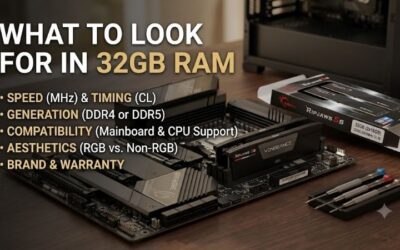
EXPO is AMD’s memory profile standard, and XMP is Intel’s. Many modern kits carry both, but a kit with only one profile may need manual settings on the other platform. Check that the listing names the profile your board supports.
Two modules or four?
Two 16GB modules give the memory controller an easier job than four 8GB modules. Four modules often cap the top speed. If you want 64GB, buy a 2x32GB kit instead of two 2x16GB kits.
Check compatibility before buying
- Match DDR4 or DDR5 to the board’s slot type.
- Buy a U-DIMM desktop kit, not SODIMM.
- Check the board’s memory support list (QVL) for your kit when possible.
- Confirm the cooler clears RGB or tall heat spreaders.
- Update the BIOS before first boot on a new board if the maker lists memory fixes.
DDR4 vs DDR5: Which Should You Buy?
If you already own an AM4 or an older Intel board, a 32GB DDR4 kit upgrade is the cheapest and quickest improvement. For a new build, choose DDR5, because AM5 and Core Ultra platforms use it exclusively and it gives you an upgrade path. DDR4 prices do not offset a platform that cannot take new processors. Mixing them is impossible: a DDR4 kit will not fit a DDR5 slot.
Which RAM Kit Should You Buy?
- Ryzen AM5 gaming build: G.SKILL Trident Z5 Neo RGB or Kingston FURY Beast, both DDR5-6000 CL30.
- Clean look, no RGB: Kingston FURY Beast or TEAMGROUP T-Force Vulcan.
- Might switch between AMD and Intel: Corsair Vengeance RS with both profiles.
- AM4 or older DDR4 build: G.SKILL Ripjaws V 32GB DDR4-3600 CL16.
- Streamer or creator: start with 32GB and move to 64GB (2x32GB) if you hit limits.
More Questions About the Best RAM Kits for Gaming
How much RAM is best for gaming in 2026?
32GB is the best size for gaming in 2026. It leaves headroom for the game, the operating system, a browser and voice chat. 16GB still runs many games but is a floor, not a target.
Is DDR5-6000 CL30 worth it over CL36?
Often yes, if the price gap is small. CL30 cuts first-word latency from 12 ns to 10 ns at the same speed. The gain in games is modest, so do not overpay for it.
Do I need RGB RAM?
No. RGB changes only the look. Non-RGB kits like the Kingston FURY Beast run the same speeds and often fit tall coolers more easily.
Can I mix two different RAM kits?
It is possible but not recommended. Different kits can run at the lowest shared speed or fail to boot. Buy one 4-module kit if you need four sticks.
Do I need to enable EXPO or XMP?
Yes. A kit runs at a slow default speed until you turn on its profile in the BIOS. Enable EXPO on AMD or XMP on Intel, save, and reboot to apply it.
Is 6000 MT/s the best DDR5 speed for Ryzen?
For Ryzen 7000 and 9000, 6000 MT/s is the usual best balance. Faster kits can run, but the memory controller then may run out of sync, which cuts the benefit.
Will DDR4 RAM work in a DDR5 motherboard?
No. DDR4 and DDR5 use different slot notches and voltages, so they are physically and electrically incompatible.
How to Install RAM and Turn On EXPO or XMP
A new RAM kit takes about ten minutes to install, and the BIOS step is the one most builders miss.
- Power down and unplug the PC. Touch the metal case to discharge static.
- Open the slot clips. Check your motherboard manual for the two slots that give dual-channel operation, usually the second and fourth from the CPU on a four-slot board.
- Align the notch. The notch sits off-center, so a module only fits one way. Press both ends down until the clips snap shut.
- Boot into the BIOS. Press Delete or F2 during startup.
- Enable the profile. Turn on EXPO on AMD or XMP on Intel, then save and restart.
- Verify the speed. A system information tool should show the rated MT/s, such as 6000 for a DDR5-6000 kit.
If the PC will not boot after a RAM upgrade
- Long first boot on DDR5: new DDR5 kits train memory on first start, and it can take a minute or two with a black screen. Wait before assuming a fault.
- No display: reseat both modules, try one stick in the slot recommended by the manual, then add the second.
- Unstable at the rated speed: update the BIOS, then lower the speed one step or raise memory voltage slightly within the kit’s rating.
- Runs at 4800 or 5600 MT/s: the profile is not enabled yet, so turn on EXPO or XMP.
When a higher speed is not worth it
Games gain the most from adequate capacity and a decent profile. Jumping from DDR5-6000 CL30 to a kit above 7000 MT/s costs more but usually gives only a small gain, and the memory controller may not hold the speed. Spend the difference on a better graphics card or a larger SSD instead.
Frequently Asked Questions
Why buy a kit instead of separate modules?
Modules sold as a kit are tested together at the rated speed and timings, so the stored profile is validated for that exact combination. Two separately purchased modules of the same model can come from different production batches with different memory chips, and may refuse to train at the advertised settings.
Can I add a second kit later?
You can try, and it often works, but the two kits were never validated as a set. Expect to run at the slower common speed, and be prepared to loosen timings or drop a speed step. Where possible, buy the total capacity you want up front as a single kit.
Two modules or four in a kit?
Choose two whenever the capacity you need is available that way. Two modules place less load on the memory controller and hold higher clocks reliably, and they leave two slots open. Four module kits exist for very high capacity builds, and they generally run at a lower rated speed as a result.
How do I know a kit works with my board?
Check the motherboard qualified vendor list or the memory brand configurator, both of which map kits to specific boards and processors. This matters most at the higher speed bins. A kit that is not listed usually still works at standard speed, but the advertised profile is not guaranteed.
What warranty do memory kits carry?
Most enthusiast kits carry a limited lifetime warranty, which is unusually generous compared with other components. Running the manufacturer stored profile is part of normal use and does not affect it. Manual overclocking beyond the rated settings is a different matter and is generally not covered.