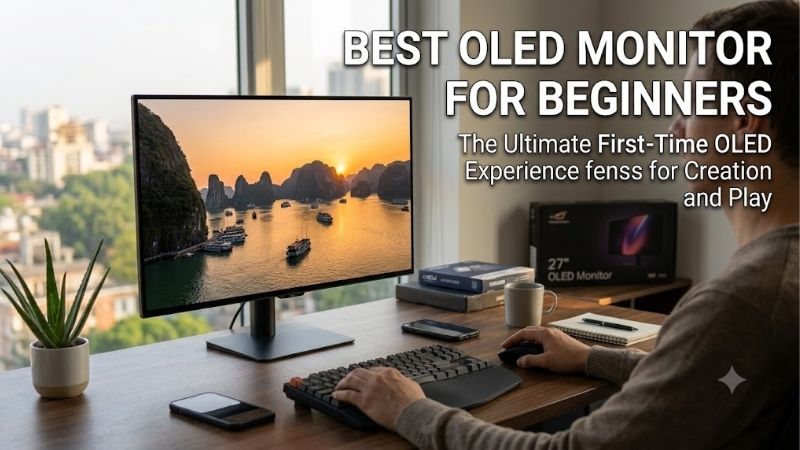
Best oled monitor for beginners choices are easier to compare when you start with panel type, refresh rate, HDR behavior, connectivity, and OLED protection. Four real 27-inch 1440p models cover distinct priorities, showing where higher speed helps, where glossy or anti-glare finishes matter, and which compromises deserve attention.
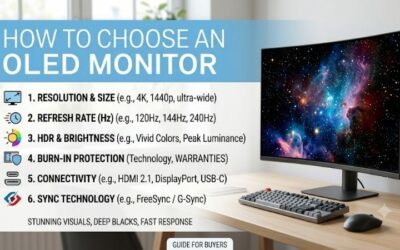
How to Choose an OLED Monitor
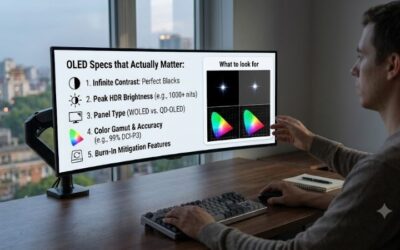
Knowing the best oled monitor for beginners is less about chasing the biggest specification and more about matching the screen to your games, room, and computer. The key checks below focus on refresh rate, panel finish, connectivity, and OLED protection because those differences separate the four picks and affect everyday ownership.
Refresh Rate
A beginner OLED monitor should have a refresh rate your graphics card can actually use. At 1440p, 240Hz is already extremely smooth for most players, while 360Hz makes more sense for competitive games that can sustain very high frame rates. Paying for 360Hz on a slower system gives less practical value in most games too.
For a balanced first OLED, 240Hz models such as the ASUS ROG Strix OLED XG27AQDMG and LG 27GS95QE-B are easy to justify. The MSI MPG 271QRX and Alienware AW2725DF move to 360Hz for esports-focused buyers. Pick 240Hz for broad use; step up to 360Hz when competitive performance is the priority and your hardware supports it. Now.
Panel Type And Surface
Panel type and surface affect the image differently. QD-OLED can deliver intense color volume, while WOLED offers its own strengths. A glossy surface can make blacks and highlights look especially punchy in a controlled room, while anti-reflection treatment is easier when windows or lamps sit near the display or behind the viewer.
The ASUS XG27AQDMG uses a glossy WOLED panel, while the LG 27GS95QE-B uses an anti-glare OLED surface. The MSI MPG 271QRX and Alienware AW2725DF use QD-OLED panels with anti-reflection treatment. For a darker gaming room, ASUS is compelling; for mixed lighting, LG, MSI, or Alienware is easier to place daily at home too.
Connectivity
Connectivity matters when one monitor serves a PC, console, laptop, or accessories. HDMI 2.1 can matter for consoles, while USB-C can simplify laptops. A USB hub or KVM can reduce cable swapping, but matters only when supported. Choose MSI for the richest connectivity, or LG for straightforward console-friendly connections that keep the setup simple.
The MSI MPG 271QRX has two HDMI 2.1 ports, DisplayPort, USB-C with up to 90W power delivery, and KVM. Alienware adds USB-C and a USB hub, while LG offers HDMI 2.1 and USB ports. ASUS has HDMI and USB connectivity but is less focused on laptop docking, so MSI is the strongest multi-device choice.
OLED Protection
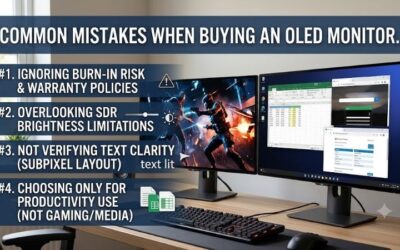
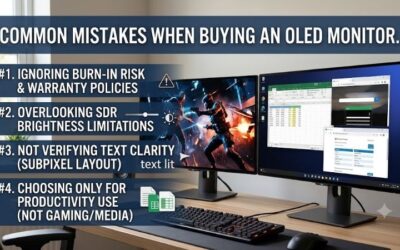
OLED protection should be part of the buying decision because static desktop elements can contribute to image retention and burn-in over long periods. Modern monitors use panel-care features such as pixel cleaning, screen shifting, reminders, or automatic protection. These tools reduce risk, but they do not make OLED immune to wear.
The ASUS XG27AQDMG includes ASUS OLED Care and a custom heatsink, while MSI uses OLED Care 2.0 and a three-year burn-in warranty. Alienware provides three-year advanced exchange and premium panel exchange with OLED burn-in coverage. LG adds OLED care features, keeping it practical for mixed desktop habits and varied gaming sessions.
Top Picks
The best oled monitor for beginners is not one universal model, so these picks cover different needs. ASUS targets glossy WOLED image quality, LG emphasizes straightforward 240Hz gaming, MSI adds 360Hz and strong connectivity, and Alienware combines 360Hz QD-OLED performance with broad warranty support for a premium first OLED.
| Product | Best For | Key Spec | Watch Out For |
|---|---|---|---|
| ASUS ROG Strix OLED XG27AQDMG | Best Overall | 26.5″ 1440p WOLED, 240Hz, 0.03ms | Glossy surface reflects bright-room light |
| LG UltraGear 27GS95QE-B | Best Value | 27″ 1440p OLED, 240Hz, 0.03ms, 98.5% DCI-P3 | Shorter U.S. warranty |
| MSI MPG 271QRX QD-OLED | Best For Competitive Gaming | 26.5″ 1440p QD-OLED, 360Hz, 0.03ms, 90W USB-C | 360Hz needs strong GPU output |
| Alienware AW2725DF | Best For Premium 360Hz Gaming | 26.7″ 1440p QD-OLED, 360Hz, 99.3% DCI-P3 | HDMI limited to QHD 144Hz |
ASUS ROG Strix OLED XG27AQDMG — Best Overall
The best oled monitor for beginners overall is the ASUS ROG Strix OLED XG27AQDMG because its 26.5-inch 2560×1440 WOLED panel combines 240Hz refresh, 0.03ms response, 99% DCI-P3 coverage, and a glossy surface. Its custom heatsink and OLED Care features make the setup easier for a first-time owner.
ASUS also provides height, tilt, swivel, and pivot adjustment, plus G-SYNC compatibility. The meaningful downside is the glossy finish: reflections are more noticeable in bright rooms. Buyers with controlled lighting get more from its punchy presentation, while users facing windows may prefer anti-reflection for a cleaner view.
LG UltraGear 27GS95QE-B — Best Value
The best oled monitor for beginners value-oriented pick is the LG 27GS95QE-B, aimed at buyers who want a familiar 27-inch QHD OLED without moving to 360Hz. It runs at 240Hz with a 0.03ms response time, supports HDR True Black 400, covers 98.5% of DCI-P3, and uses HDMI 2.1 for high-refresh gaming with compatible hardware.
Its anti-glare treatment is the practical advantage for bedrooms, offices, or gaming desks with more ambient light. The drawback is the two-year U.S. warranty shown by LG, shorter than several competing OLED offerings. For first-time use, its 240Hz class and familiar connectivity keep the learning curve low without unnecessary extras.
MSI MPG 271QRX QD-OLED — Best For Competitive Gaming
MSI MPG 271QRX is the best oled monitor for beginners who expect competitive gaming and want room to connect several devices. Its 26.5-inch QD-OLED panel runs at 2560×1440 and 360Hz with 0.03ms response, while its ports include two HDMI 2.1 inputs, DisplayPort, and USB-C with up to 90W power delivery plus KVM for easy device switching.
The extra features are unusually useful beyond the refresh rate. MSI includes KVM, OLED Care 2.0, a graphene film with custom heatsink, and a three-year warranty that includes burn-in coverage. The tradeoff is that 360Hz needs a powerful GPU to show its value, so a midrange gaming PC may benefit more from a lower-cost monitor.
Alienware AW2725DF — Best For Premium 360Hz Gaming
Alienware AW2725DF is the best oled monitor for beginners who want premium 360Hz QD-OLED performance. Its 26.7-inch panel runs at 2560×1440 and 360Hz, reaches 99.3% DCI-P3, supports HDR True Black 400, and uses an anti-reflection surface that works well in mixed lighting for gaming and general desktop use.
The AW2725DF also offers two DisplayPort 1.4 inputs, HDMI 2.1, a USB hub, USB-C downstream, and a height-adjustable stand. Its major advantage for first-time OLED ownership is Dell’s three-year advanced exchange and premium panel exchange with OLED burn-in coverage. The main limitation is HDMI, which is capped at QHD 144Hz.
Frequently Asked Questions
The best oled monitor for beginners should also be judged by questions that specifications alone cannot answer. The points below cover OLED value, 240Hz versus 360Hz, burn-in concerns, and glossy versus anti-reflection surfaces so you can connect the numbers to your room, hardware, and daily viewing habits clearly well.
Is OLED Worth It For A Beginner?
An OLED monitor is not necessarily the most expensive option, but OLED is worth considering when deep blacks, fast response, and HDR contrast are priorities. The technology is especially compelling for gaming in darker scenes, where each pixel can turn off individually instead of relying on a shared backlight across the panel.
The catch is that OLED remains more sensitive to long periods of static content than conventional LCD panels. Desktop users who keep fixed windows, taskbars, or spreadsheets visible for many hours should use built-in protection features and allow maintenance cycles to run when prompted rather than treating burn-in as impossible.
Is 240Hz Enough For A Beginner?
Yes, 240Hz is enough for most beginners buying a 1440p OLED. It provides a very high refresh ceiling and makes more sense than 360Hz when your GPU usually produces fewer than 300 frames per second. The benefit depends on the games you play and whether your system can sustain those frame rates reliably during competitive play.
Choose 360Hz on the MSI MPG 271QRX or Alienware AW2725DF when esports titles are central and your hardware can push high frame rates. For single-player games, mixed gaming, and everyday desktop use, the ASUS XG27AQDMG or LG 27GS95QE-B usually puts more value into the parts you notice most often across mixed game libraries.
Should Burn-In Affect My Purchase?
Burn-in should matter, but it should not automatically disqualify an OLED monitor. Modern models include preventive features, and several manufacturers provide warranty coverage. Treat OLED care as normal ownership rather than a special repair routine, especially if the display stays on for long periods with static interface elements.
Warranty differences are worth checking before purchase. MSI and Dell currently advertise three-year OLED burn-in coverage for the 271QRX and AW2725DF, while ASUS lists a three-year warranty for the XG27AQDMG. LG’s U.S. support page lists two years for the 27GS95QE-B, so its warranty is the weakest of these four for a U.S. buyer.
Is Glossy Or Anti-Reflection Better?
Glossy is usually better in a controlled room, while anti-reflection is easier in a bright room. Glossy panels can preserve a cleaner presentation because the surface does not diffuse light as strongly, but nearby windows become more obvious. Anti-reflection coatings reduce those distractions, though they can change the image character slightly.
For a dim gaming room, the ASUS XG27AQDMG is the obvious surface-focused choice. For rooms with daylight, the LG 27GS95QE-B, MSI MPG 271QRX, and Alienware AW2725DF use more reflection-resistant treatments. Desk placement still matters, so measure window positions before deciding that panel finish alone will solve glare or improve comfort.
Final Thoughts
Choosing the best oled monitor for beginners means balancing refresh rate, panel finish, connectivity, and OLED protection instead of buying the fastest specification. The ASUS XG27AQDMG is the strongest all-rounder, LG offers the value path, MSI suits competitive users, and Alienware adds 360Hz performance with strong burn-in coverage.