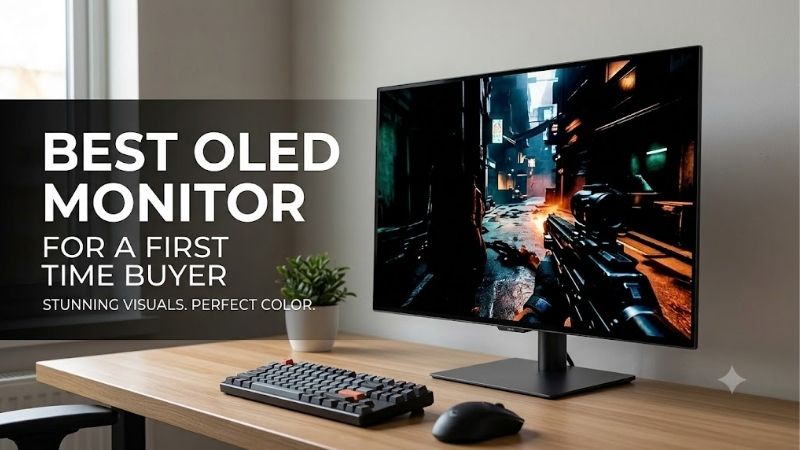
Best oled monitor for a first time buyer searches often begin with uncertainty about compatibility, picture quality, and expensive mistakes. My default recommendation is the Alienware AW2725D for 1440p gaming. OLED rewards varied games and movies; a desktop displaying spreadsheets throughout the workday needs greater consideration.
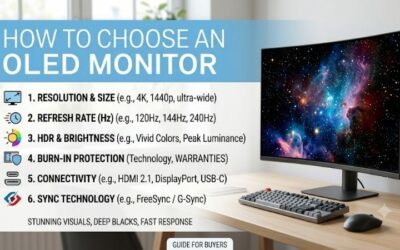
How to Choose an OLED Monitor
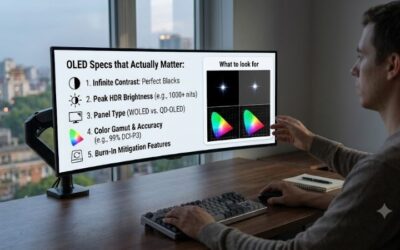
This guide identifies the best oled monitor for a first time buyer through four recommendations with distinct purposes. You will compare graphics requirements, screen dimensions, connectivity, and ownership costs before checkout. The recommendations connect published specifications with practical needs, including the limits of each configuration.
Match Resolution to Your PC
Resolution determines image detail and graphics workload. Rendering 4K requires substantially more pixels than rendering 1440p, making demanding games harder for an older graphics card. Compare performance in your preferred games before buying: advertised refresh rates describe display capability, rather than guaranteed gaming performance.
For a first OLED purchase, 27-inch 1440p balances image detail, manageable dimensions, and achievable performance. Higher resolution becomes worthwhile when detailed imagery outweighs maximum frame rates. Choose the Alienware AW2725D for that balanced starting point, or the ASUS ROG Swift OLED PG32UCDM for a graphics system prepared for 4K.
Choose a Shape You Can Live With
Screen geometry affects placement and viewing more than diagonal measurements suggest. Flat 16:9 displays accommodate standard video formats and familiar desktop arrangements. Ultrawides provide additional horizontal visibility in compatible games, but need extra space. Measure around speakers and check your favorite titles for 21:9 support.
Pronounced curvature brings the edges closer to a centrally seated viewer, although straight-line design work can feel unfamiliar. Preview a curved display before buying if previous monitors were flat. For racing simulations and immersive adventures, choose the LG UltraGear 34GS95QE-B when its ultrawide presentation matches your priorities.
Check Connections Beyond the Port Names
USB-C can conceal important differences between charging, peripheral connections, and video support. Confirm DisplayPort Alt Mode, power delivery, and laptop requirements separately before replacing a docking arrangement. Desktop gamers should prioritize compatible outputs rather than paying automatically for laptop-oriented features.
The ASUS combines a built-in KVM with USB-C charging up to 90W through its menu. MSI supplies USB-C video but only 15W charging, insufficient to replace most laptop adapters. That distinction matters when two computers share peripherals. Choose the ASUS ROG Swift OLED PG32UCDM when laptop connectivity simplifies your workstation.
Judge Value by Coverage and Features
The best oled monitor for a first time buyer needs an ownership plan beyond the discount badge. Compare checkout totals, explicit burn-in coverage, and accessories required for your setup. Coverage becomes less reassuring when seller eligibility or return conditions are unclear, especially when electronics arrive with defects.
Refresh rates deserve less attention when your computer seldom approaches their maximum. MSI lists three-year coverage including panel burn-in for its E2 version, providing reassurance alongside its gaming specifications. Choose the MSI MAG 271QPX QD-OLED E2 when its actual selling price is meaningfully below the Alienware alternative.
Top Picks
The shortlist for the best oled monitor for a first time buyer separates balanced 1440p gaming, conditional value, detailed 4K presentation, and immersive ultrawide play. These picks address different setups rather than ranking everything by refresh rate. Verify model numbers and sellers because similar names conceal different specifications.
| Product | Best For | Key Spec | Watch Out For |
|---|---|---|---|
| Alienware AW2725D | Best Overall | 2560 × 1440, 280Hz QD-OLED | USB-C is downstream, not laptop video |
| MSI MAG 271QPX QD-OLED E2 | Best Value | 2560 × 1440, 240Hz QD-OLED | USB-C charging is only 15W |
| ASUS ROG Swift OLED PG32UCDM | Best For 4K PC and Laptop Use | 3840 × 2160, 240Hz; up to 90W USB-C | Demanding resolution for gaming |
| LG UltraGear 34GS95QE-B | Best For Immersive Ultrawide Gaming | 3440 × 1440, 240Hz, 800R curve | Strong curve; uneven 21:9 support |
Alienware AW2725D: Best Overall
The Alienware AW2725D is my best oled monitor for a first time buyer focused primarily on PC gaming. Its flat, 27-inch-class QD-OLED display combines 2560 × 1440 resolution with a 280Hz maximum refresh rate. That combination accommodates competitive gaming without imposing the greater graphics workload associated with 4K resolution.
An adjustable stand and three-year warranty including burn-in strengthen the Alienware recommendation. Laptop connectivity is the substantial limitation: USB-C provides downstream connectivity and up to 15W power, without video input. Desktop gamers benefit most; laptop owners should expect separate charging and another video connection.
MSI MAG 271QPX QD-OLED E2: Best Value
The MSI MAG 271QPX QD-OLED E2 earns its value recommendation when its checkout price meaningfully undercuts the Alienware. Its 26.5-inch QD-OLED panel combines 2560 × 1440 resolution with 240Hz refresh capability. Two HDMI 2.1 inputs accommodate an additional gaming device without repeated cable changes between desktop and console sessions.
USB-C video connectivity and three-year coverage including panel burn-in make the MSI appealing beyond its refresh specification. However, 15W power delivery cannot replace most laptop charging adapters, limiting docking convenience. Confirm the E2 suffix before purchase: the similarly named non-E2 version has different refresh specifications.
ASUS ROG Swift OLED PG32UCDM: Best For 4K PC and Laptop Use
The ASUS ROG Swift OLED PG32UCDM combines a 31.5-inch viewable QD-OLED panel, 3840 × 2160 resolution, and 240Hz capability. It is the best oled monitor for a first time buyer seeking detailed imagery and shared desktop-laptop connectivity. Consider this configuration when graphics performance and desk space support the 4K presentation.
Its integrated KVM allows computers to share a keyboard and mouse, while USB-C charging simplifies compatible laptop setups. The primary drawback is demanding 4K rendering: reaching high frame rates requires a powerful graphics card. Charging compatibility also deserves attention because some laptops require more than 90W.
LG UltraGear 34GS95QE-B: Best For Immersive Ultrawide Gaming
The LG UltraGear 34GS95QE-B targets racing simulations, flight simulators, and adventures supporting widescreen presentation. Its 34-inch OLED panel features 3440 × 1440 resolution, 240Hz refresh capability, and pronounced 800R curvature. Extra horizontal space supplies the main attraction without requiring the pixel count of 4K.
Wraparound presentation particularly suits a dedicated gaming position rather than several people sharing it. Curvature also creates the main compromise: straight-line editing may feel awkward, while unsupported games and standard video can introduce side bars. Choose this LG for immersive ultrawide gaming instead of diagonal size alone.
Frequently Asked Questions
Selecting the best oled monitor for a first time buyer includes anticipating maintenance, text readability, and setup after installation. The following answers address those ownership questions and show when retaining an LCD makes sense. Consider everyday applications alongside gaming specifications before committing your budget.
Will an OLED Monitor Get Burn-In?
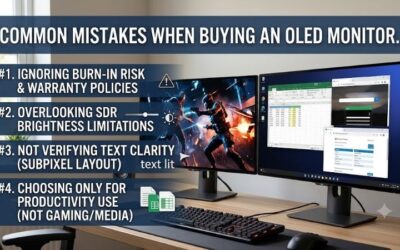
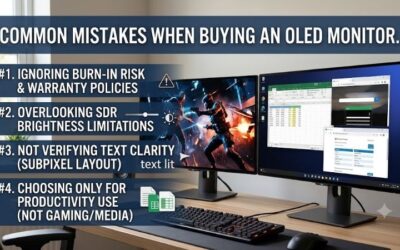
Burn-in remains possible with OLED, although ordinary gaming does not make permanent damage inevitable. Prolonged exposure to bright, static imagery increases the risk. Keep manufacturer protection enabled, configure screen sleep for inactivity, and permit recommended maintenance cycles to complete without repeatedly interrupting them.
Warranty coverage provides financial protection, without eliminating uneven pixel aging. Retain purchase documentation and confirm terms for the exact US model and seller. For dashboards or spreadsheets displayed throughout workdays, an LCD remains the more conservative recommendation because that workload repeatedly exposes static content.
Is OLED Good for Office Work and Small Text?
OLED handles office applications, but text readability deserves evaluation before keeping your purchase. Some OLED subpixel arrangements produce colored fringes around fine lettering, differing from conventional LCD lettering. That distinction matters for lengthy coding sessions and document editing rather than predominantly gaming workloads.
During the return window, inspect familiar documents using your preferred scaling and normal viewing distance. Promotional gaming screenshots reveal little about comfortable spreadsheet reading. The 4K ASUS provides greater pixel density than these 1440p picks, although resolution does not guarantee universally comfortable lettering.
Do I Need to Reach 240 FPS to Enjoy OLED?
No, reaching 240 FPS is unnecessary to appreciate OLED contrast and fast pixel transitions. The best oled monitor for a first time buyer should suit current gaming performance rather than force a graphics upgrade. Higher refresh rates provide useful headroom, but demanding adventures can remain worthwhile below the maximum refresh rate.
After installation, select the intended refresh setting in your operating system and check restrictive frame-rate caps within individual games. Both source and display must support the selected connection mode. For libraries running below 240 FPS, prioritize resolution, geometry, and purchase price over differences in maximum refresh.
Should I Buy OLED Instead of an IPS Monitor?
OLED is preferable when gaming and movies dominate your upgrade priorities and deep blacks without LCD backlight glow matter. IPS deserves consideration for bright workspaces and prolonged static application use. Assess the workload rather than assuming either technology guarantees better results across every mix of productivity and entertainment.
Keeping an existing LCD for productivity while adding OLED for entertainment can avoid replacing equipment that already works well. Account for desk space and available computer outputs before choosing this setup. Separate displays can accommodate conflicting priorities when spreadsheets dominate working hours and gaming fills evenings.
Final Thoughts
The best oled monitor for a first time buyer is the Alienware AW2725D for balanced 1440p gaming. Choose the MSI E2 when a meaningful discount justifies its value role, the ASUS for detailed 4K imagery and laptop connectivity, or the LG for immersive ultrawide gaming. Confirm compatibility and seller conditions before paying.