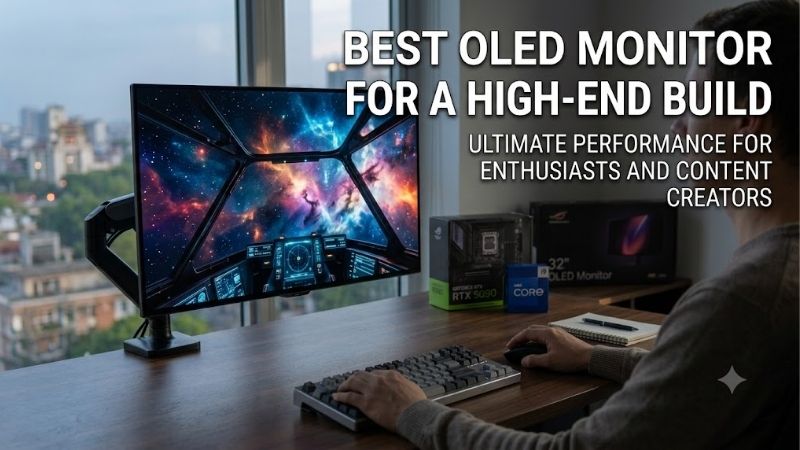
Best oled monitor for a high end build starts with the display workload, not the logo. A flagship GPU deserves 4K resolution and fast OLED response, but premium models still trade refresh flexibility, HDR behavior, connectivity, screen finish, and protection. This guide compares four real 32-inch-class choices so the upgrade serves a purpose.
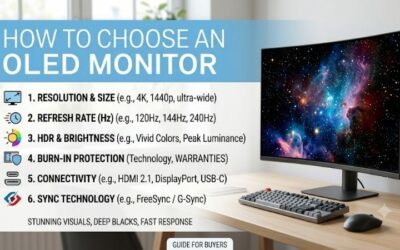
How to Choose an OLED Monitor
For this guide, the buying decision starts with GPU capability, desired refresh, panel behavior, and the devices on your desk. The four picks cover all-round performance, smart-monitor versatility, dual-mode esports speed, and curved HDR immersion. That keeps the comparison practical instead of rewarding the largest specification numbers.
Resolution And Refresh Rate
A 4K OLED at 240Hz is the strongest practical baseline for a premium platform. It gives a 32-inch screen roughly 140 pixels per inch and keeps motion exceptionally seamless. LG adds an FHD 480Hz mode, useful when esports titles benefit from extreme refresh rather than native detail, provided the GPU can sustain that workload.
For the best oled monitor for a high end build, buy only as much refresh as your GPU can feed. Alienware AW3225QF, MSI MPG 321URX QD-OLED, and Samsung Odyssey OLED G8 G80SD provide native 4K at 240Hz, while LG 32GS95UE-B adds 480Hz FHD. The first three favor detail; LG favors competitive flexibility for esports specialists.
Panel Type And Surface
Panel technology choice affects color, contrast, and how the monitor behaves under room lighting. MSI, Alienware, and Samsung use QD-OLED designs, while LG uses WOLED. The important distinction is not simply panel chemistry; it is how that technology combines with a glossy, anti-glare, curved, or glare-reducing surface.
Alienware’s 1700R curve favors cinematic immersion, Samsung’s OLED Glare Free treatment works well around bright surroundings, and LG’s anti-glare finish limits reflections. MSI stays flat for conventional desk geometry. Those differences make each model useful for a different room, so the right choice depends on where the display will live.
HDR Brightness And Contrast
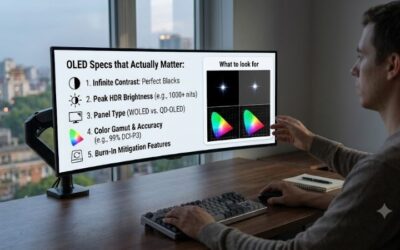
OLED already delivers pixel-level blacks, but HDR impact varies noticeably with peak brightness and the size of highlight areas. Alienware AW3225QF is rated at 1000 nits, LG 32GS95UE-B reaches 1300 cd/m² at a small HDR window, and MSI MPG 321URX also offers a 1000-nit peak specification on current manufacturer documentation.
Peak brightness should be weighed against room lighting and game style. Dark-room RPGs benefit heavily from OLED contrast, while HDR-heavy titles reward stronger highlights. Choose Alienware for curved HDR immersion, LG for high-peak Dual Mode flexibility, or MSI when HDR needs to share space with workstation-focused features.
Connectivity And OLED Care
A premium display may connect to a desktop, laptop, console, and accessories, so ports can matter as much as panel specifications. MSI provides HDMI 2.1, DisplayPort, USB-C with up to 90W power delivery, USB connectivity, and KVM. Samsung adds Wi-Fi, Bluetooth, speakers, and its Tizen smart platform for broader living-room use.
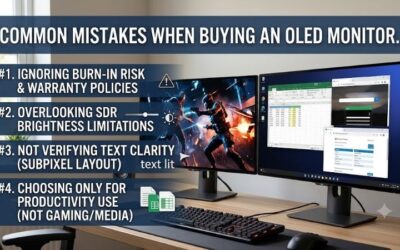
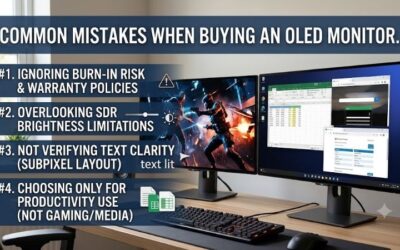
Protection deserves comparison because OLED is not carefree with static content. MSI and Alienware specify three-year burn-in coverage, Samsung states normal-use burn-in coverage, and LG provides OLED maintenance features with a shorter standard U.S. warranty. Those support differences can matter long after the first gaming session ends.
Top Picks
The best oled monitor for a high end build shortlist below targets four premium buying priorities for different users. MSI is Best Overall for 4K 240Hz QD-OLED, 90W USB-C, KVM, cooling, and burn-in coverage. Samsung is Best Value for broad smart features, LG targets esports speed, and Alienware focuses on curved HDR immersion.
| Product | Best For | Key Spec | Watch Out For |
|---|---|---|---|
| MSI MPG 321URX QD-OLED | Best Overall | 31.5-inch 4K 240Hz QD-OLED; 90W USB-C | Premium price class |
| Samsung Odyssey OLED G8 G80SD | Best Value | 32-inch 4K 240Hz OLED; Tizen | 250-nit typical brightness |
| LG 32GS95UE-B | Best For Competitive Gaming | 4K 240Hz / FHD 480Hz; 0.03ms | FHD mode lowers resolution |
| Alienware AW3225QF | Best For HDR Immersion | 32-inch 4K 240Hz QD-OLED; 1000-nit peak | Curved 1700R panel |
MSI MPG 321URX QD-OLED
For the best oled monitor for a high end build, MSI MPG 321URX QD-OLED is the Best Overall choice for a powerful PC workstation for demanding creators. Its 31.5-inch QD-OLED runs at 3840 x 2160 and 240Hz with 0.03ms GTG. HDMI 2.1 supports 4K at 240Hz, while USB-C provides DisplayPort video and up to 90W power delivery.
Its main advantage is flexibility without compromising flagship gaming basics. MSI adds KVM, OLED Care 2.0, a custom heatsink, and three-year burn-in coverage. The drawback is premium positioning, while some users may prefer a curved panel for cinematic gaming. For a flat workstation, its combination of ports, protection, and speed is complete.
Samsung Odyssey OLED G8 G80SD
For the best oled monitor for a high end build, Samsung Odyssey OLED G8 G80SD is the Best Value choice for a higher-grade display that doubles as an entertainment hub. Its 32-inch flat OLED runs at 3840 x 2160 and 240Hz, with 0.03ms GTG, 99% DCI coverage, HDMI 2.1, speakers, Wi-Fi, Bluetooth, and Tizen smart functions.
The strength is breadth: Gaming Hub, remote control, smart apps, and OLED Safeguard+ make it more versatile than a conventional monitor. The limitation is 250-nit typical brightness, so it is not ideal for buyers chasing maximum HDR punch in a bright room. For hybrid PC-and-media use, the feature mix is genuinely useful.
LG 32GS95UE-B
For the best oled monitor for a high end build, LG 32GS95UE-B is the Best For Competitive Gaming because Dual Mode switches between 4K at 240Hz and FHD at 480Hz. The 31.5-inch OLED provides 0.03ms GTG, 98.5% DCI-P3, and a rated 1300 cd/m² HDR peak at a 1.5% window for intense bright highlights for esports specialists.
The advantage is one screen for two very different gaming roles. The drawback is obvious in 480Hz mode: FHD sacrifices substantial detail compared with native 4K. Its anti-glare, low-reflection finish also favors practical everyday visibility over the glossier look some OLED buyers prefer in carefully controlled, darker rooms.
Alienware AW3225QF
For the best oled monitor for a high end build, Alienware AW3225QF is Best For HDR Immersion, combining a 32-inch 4K QD-OLED panel with 240Hz, 0.03ms response time, 1700R curvature, Dolby Vision, and 1000-nit brightness. Dell provides HDMI 2.1, DisplayPort, USB connectivity, and three-year panel exchange with OLED burn-in coverage.
The standout is the curved screen, which brings the edges closer for a more enveloping view at 32 inches. The tradeoff is geometry: designers wanting perfectly flat lines may prefer MSI, Samsung, or LG. It also lacks built-in speakers, so a separate audio setup is necessary for game audio and media on a premium desktop.
Frequently Asked Questions
For the best oled monitor for a high end build, buyers commonly ask whether 4K 240Hz is worthwhile, how burn-in coverage works, whether QD-OLED beats WOLED, and whether HDMI 2.1 is necessary. The answer depends on GPU strength, room lighting, and connected devices, so match the monitor’s strongest feature to your actual workload.
Is 4K 240Hz Worth It?
Yes, 4K 240Hz is worthwhile when a high-end GPU can sustain strong frame rates and you want sharp detail with fast motion. At 32 inches, 4K provides about 140 pixels per inch, while 240Hz refreshes every 4.17 milliseconds. It is demanding but sensible for modern flagship hardware in practice.
Esports is the main exception. Players chasing maximum competitive speed may prefer LG’s FHD 480Hz mode instead of rendering every game at 4K. For mixed gaming, MSI, Samsung, and Alienware retain native 4K at 240Hz, leaving one practical choice: extreme refresh for esports or consistently high resolution for broader gaming.
Is OLED Burn-In Covered?
Some premium OLED monitors include explicit burn-in coverage, but terms vary. MSI MPG 321URX and Alienware AW3225QF specify three-year coverage including burn-in, while Samsung states normal-use burn-in coverage. Read the warranty for your exact U.S. model because coverage can depend on usage conditions, purchase channel, and regional terms.
LG provides OLED maintenance features, but its U.S. product page lists a two-year parts and labor warranty instead of the three-year burn-in wording used by MSI and Alienware. Static desktop workloads deserve more caution, so use the panel-care tools and avoid leaving bright, unchanged interface elements displayed for extended periods.
Is QD-OLED Better Than WOLED?
Neither is universally better. QD-OLED is attractive for saturated color and HDR presentation, making MSI and Alienware strong premium choices. WOLED can be preferable when LG’s Dual Mode 480Hz option matters most, especially for competitive games where refresh flexibility outweighs maximum color-volume potential in everyday use.
Room lighting can change the decision. Glossier surfaces can look more vivid in controlled rooms, while glare-reduced designs are easier around windows. Samsung’s OLED Glare Free treatment and LG’s anti-glare finish therefore solve a practical visibility problem separate from panel type, while Alienware’s curve adds immersion.
Do I Need HDMI 2.1?
Yes, choose HDMI 2.1 when a current console or other source needs 4K at high refresh over HDMI. All four current picks provide HDMI 2.1, so basic compatibility is covered. The more useful comparison is what each monitor adds around that connection, including USB-C power, KVM, smart features, or simpler gaming-focused layouts.
MSI is the strongest desk-hub option because USB-C can deliver up to 90W and KVM supports multiple devices. Samsung goes further with Wi-Fi, Bluetooth, speakers, and Tizen. Alienware keeps the focus on gaming inputs, while LG centers Dual Mode around PC gaming rather than smart-TV functionality or integrated streaming apps.
Final Thoughts
The best oled monitor for a high end build should match the whole system, not merely the GPU. MSI is the strongest all-round choice, Samsung has the broadest lifestyle feature set, LG specializes in dual-mode esports, and Alienware is the immersive HDR pick. Choose the feature that changes your daily experience most often.