- Top Pick: Sceptre New 22-Inch Gaming Monitor, FHD 1080p, Up to 144Hz, HDMI, DisplayPort, Built-in Speakers, Machine Black (E225W-FW144 Series, 2026)
- Best Value: Samsung 27" Odyssey G5 (G51F) Series QHD (1440P) Gaming Monitor
- Premium Choice: ArcticPro 22 Inch Gaming Monitor 144Hz, FHD Computer Monitor, 105% sRGB
Shopping for a gaming monitor under $200 is genuinely harder than it looks. The sub-$200 tier is where marketing language does the heaviest lifting: panels advertise “1ms” response times that only apply in a specific overdrive mode, refresh rates that require DisplayPort to actually reach, and sRGB coverage figures measured under conditions no one explains. Meanwhile, the specs that matter most for how a game actually feels — panel type, real-world overdrive tuning, input lag, and whether the stand is usable — rarely appear on the box in any meaningful form.
This guide cuts through that. Below are six monitors that genuinely land under $200 in 2026, spanning 22-inch budget builds, 24-inch curved displays, and one 27-inch QHD panel that occasionally dips into range on sale. We’ll cover what to prioritize at this price, review the strongest picks individually, and answer the questions that come up most often. Every recommendation here is chosen on value-for-money terms — not “good for the price” as an excuse, but genuinely worth the money you’re spending.
As an Amazon Associate we earn from qualifying purchases at no extra cost to you.








⚡ Save on Your Next PC — Amazon Prime
Prime members get fast free shipping on the systems above, plus early access to Prime Day & Black Friday PC deals. New members get a 30-day free trial.
Watch: Best Gaming Monitor Under $200 — Video Review
How to Choose Gaming Monitor Under $200
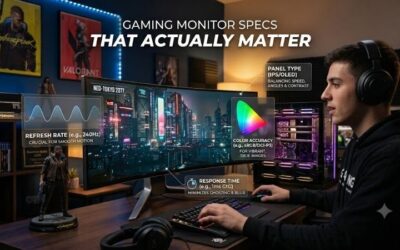
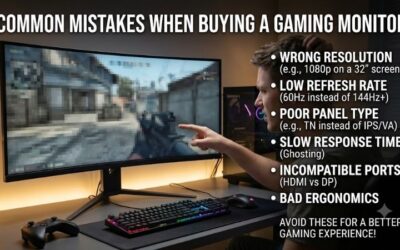
- Refresh rate over resolution: At this budget, a 144Hz 1080p panel will feel dramatically smoother in competitive shooters than a 60Hz 1440p one. Prioritize the higher refresh rate unless you’re primarily playing slower single-player titles, where the extra pixels are more noticeable.
- Panel type matters more than “1ms” claims: IPS panels give you better colors and viewing angles; VA panels deliver deeper contrast and better blacks but can smear in dark scenes; TN panels are fastest but look washed out. Most quoted response times are best-case MPRT figures, so treat them as marketing rather than specification.
- Check the ports before you buy: Many budget monitors only hit their maximum refresh rate over DisplayPort, with HDMI capped lower. Confirm your GPU has the right output and that the monitor includes the cable you need — some ship HDMI-only.
- Adaptive sync is non-negotiable: FreeSync (and G-Sync Compatible certification) eliminates screen tearing without the input lag penalty of V-Sync. It’s standard at this price now, so there’s no reason to buy a panel without it.
- Budget for a stand or mount: Sub-$200 monitors almost universally ship with tilt-only stands at a fixed, often too-low height. Confirm VESA compatibility (100x100mm is standard) and set aside $25–40 for an arm if ergonomics matter to you.
The Best Picks Reviewed
Sceptre 22-Inch 144Hz (E225W-FW144)
This is the most refresh-rate-per-dollar you’ll find in 2026, delivering a genuine 144Hz at 1080p on a 22-inch panel where that pixel density actually looks sharp. Built-in speakers and both HDMI and DisplayPort make it a strong choice for a first competitive build or a secondary display, though the compact size means it’s better suited to closer viewing distances.
Samsung 27″ Odyssey G5 (G51F)
The Odyssey G5 is the aspirational pick here — a 27-inch QHD panel that regularly drops near the $200 mark during sales events and delivers noticeably crisper text and game detail than any 1080p option on this list. If your GPU can drive 1440p at reasonable frame rates, this is the monitor that will feel like a genuine upgrade rather than a compromise.
ArcticPro 22 Inch 144Hz
ArcticPro’s 22-inch panel pairs 144Hz with 105% sRGB coverage, which is unusually good color performance for this tier and makes it more versatile than most budget gaming monitors for photo work or content consumption. It’s a sensible pick if you want competitive-grade smoothness without the washed-out look that typically comes with cheap high-refresh panels.
Sceptre 27-inch Prime (E275W-FW100T)
At 27 inches with 100Hz and full 100% sRGB coverage, this is the best pick for anyone who values screen real estate over maximum frame rates — ideal for RPGs, strategy games, and general desktop use. The frameless design and dual HDMI ports plus DisplayPort make it easy to run alongside a console, though 1080p stretched across 27 inches will look softer than smaller panels.
Philips 221V8LB 22-Inch
The Philips is the value play for mixed use: a 100Hz VA panel with flicker-free technology and VESA mounting, aimed at people who game a few hours a week but spend far more time working. VA contrast makes dark scenes and text noticeably richer than comparable IPS or TN panels at this price, at the cost of some motion clarity.
Frequently Asked Questions
Is 144Hz worth it over 60Hz at this budget?
Yes, and it’s the single most noticeable upgrade you can make under $200. The difference in motion clarity and responsiveness is immediately obvious in any fast-paced game, and it’s far more impactful than a modest resolution bump.
Can I get 1440p under $200 in 2026?
Occasionally, yes. The Samsung Odyssey G5 27-inch is the realistic option, though it typically requires waiting for a sale event. At full price, most QHD gaming monitors sit in the $220–280 range.
Do I need DisplayPort, or is HDMI enough?
For 144Hz at 1080p, modern HDMI 2.0 ports are sufficient on most monitors — but some budget panels cap HDMI at 120Hz or lower. Check the specific model’s port specifications, and use DisplayPort when available to be safe.
Are built-in speakers worth considering?
They’re a convenience feature, not an audio solution. Built-in monitor speakers are universally thin and quiet, but they’re genuinely useful as a backup or for a secondary setup where you don’t want another device on the desk.
Final Thoughts
For most buyers, the Sceptre 22-Inch 144Hz (E225W-FW144) is the smartest all-around purchase under $200 — it delivers the refresh rate that actually changes how games feel, without asking you to compromise elsewhere. If screen size matters more than frame rate, the Sceptre 27-inch Prime gives you significantly more desktop space with excellent color accuracy, and if you can catch it on sale, the Samsung Odyssey G5 27″ remains the best genuine step up in image quality this budget allows.
Top picks from this guide
 SamsungSamsung 27" Odyssey G5 (G51F) Series QHD (1440P) Gaming Monitor…$150 \xc2\xb7 99/100
 SceptreSceptre Curved 24-inch Gaming Monitor 1080p R1500 98% sRGB HDMI…$79 \xc2\xb7 99/100
 AcerAcer 27in FHD 1920x1080 IPS 120Hz Gaming Monitor | Office…$100 \xc2\xb7 99/100
 SceptreSceptre New 22-Inch Gaming Monitor, FHD 1080p, Up to 144Hz,…$65 \xc2\xb7 98/100