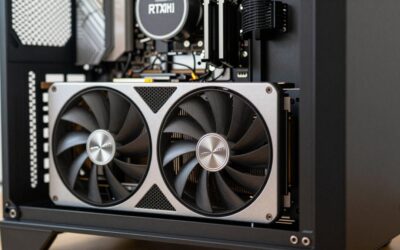
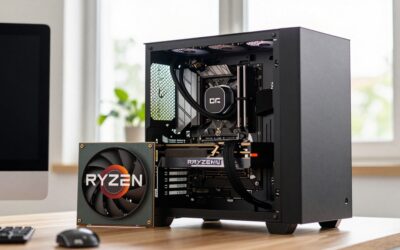
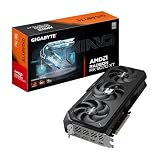
The GeForce RTX 5070 Ti is one of the most balanced graphics cards of this generation, delivering high-refresh 1440p and entry-level 4K performance without the eye-watering price of the flagship tier. But to unlock its full potential you need the best CPU for 5070 Ti builds, one that keeps the GPU fed with frames instead of throttling it at the processor level. Pair it with something too weak and you leave real performance on the table, especially in CPU-bound esports titles and simulation-heavy games.
- Top CPU Picks for the RTX 5070 Ti
- More CPUs Worth Considering for the RTX 5070 Ti
- Ryzen 7 9800X3D vs 7800X3D for the RTX 5070 Ti
- Upgrading From a Ryzen 5 5600X or Core i5-12600K
- RTX 5070 Ti CPU Pairing by Budget
- CPU Bottleneck for the RTX 5070 Ti: How to Check
- Setup Tips for a 5070 Ti and New CPU
- How We Compared
- Frequently Asked Questions
- Related Articles
This guide breaks down the top processors from AMD and Intel that pair perfectly with the 5070 Ti, whether you are chasing maximum frame rates, doing content creation on the side, or building the most sensible value machine possible.
As an Amazon Associate I earn from qualifying purchases.
Top CPU Picks for the RTX 5070 Ti
Every chip below has been chosen for its ability to avoid bottlenecking the RTX 5070 Ti at 1440p and 4K. The list spans budget-conscious options through to no-compromise gaming and productivity powerhouses.
| Product | Key Spec | Best For | Tier |
|---|---|---|---|
| AMD Ryzen 7 9850X3D / 9800X3D | 8 cores / 16 threads, 3D V-Cache | Absolute best gaming FPS | Premium |
| AMD Ryzen 7 7800X3D | 8 cores / 16 threads, 96MB L3 | Value gaming champion | Mid-range |
| Intel Core Ultra 7 270K Plus | 24 cores (8P + 16E) | Mixed gaming and productivity | Mid-range |
| AMD Ryzen 9 9900X | 12 cores / 24 threads | Gaming plus heavy multitasking | Mid-range |
| Intel Core Ultra 9 285K | 24 cores / 24 threads | Flagship all-round performance | Premium |
| AMD Ryzen 5 7600X | 6 cores / 12 threads | Budget 1440p builds | Budget |
| AMD Ryzen 7 9700X | 8 cores / 16 threads, 65W | Efficient cool-running builds | Mid-range |
AMD Ryzen 7 9850X3D

AMD Ryzen™ 7 9850X3D Desktop Processor
Included for '10 Best CPUs For 5070ti (2026 Guide)' as a representative home product in this roundup; selection reflects the product set returned for this topic.
View on AmazonThe Ryzen 7 9850X3D is AMD’s refresh of the 9800X3D, announced at CES 2026 and on sale since late January 2026. Under the lid it is the same recipe that made the 9800X3D the default recommendation for high-end GPUs: eight Zen 5 cores, sixteen threads and 96MB of L3 cache, with the 64MB 3D V-Cache die stacked underneath the core complex so the cores sit closest to the heatspreader. What changes is clock speed. The maximum boost rises from 5.2GHz to 5.6GHz while the 4.7GHz base clock and 120W TDP stay the same, and it drops straight into any AM5 motherboard with a current BIOS.
Who it is for: builders who want the fastest gaming CPU available for an RTX 5070 Ti and plan to keep the platform through one or two more GPU upgrades. Independent reviews from TechPowerUp, Gamers Nexus and Tom’s Hardware put it in first place on their gaming charts, but only by a small margin: typically up to around 4% ahead of the 9800X3D and roughly 15-24% ahead of the 7800X3D, depending on the game and resolution. That lead shows up most at 1080p and in CPU-heavy simulation, strategy and esports titles; at 4K the RTX 5070 Ti becomes the limit and the gap between all three X3D chips shrinks to almost nothing.
Strengths: the best 1% lows of any desktop chip in current review data, full overclocking and Precision Boost Overdrive support, and thermals that are easy to manage because the cache no longer sits on top of the cores. A good 240mm AIO or a high-end dual-tower air cooler is enough.
Drawbacks: it is a premium-tier part for an upper-mid-range GPU, and Tom’s Hardware measured noticeably higher power draw for its small performance gain. There is no cooler in the box, and older B650 or X670 boards may need a BIOS update before first boot.
How it compares: treat the 9850X3D and the 9800X3D as the same tier. If the 9800X3D is meaningfully cheaper, buy it and put the savings into a better monitor or a larger SSD. If the two are close in price, the 9850X3D is the one to take for the extra boost clock and longer shelf life.
AMD Ryzen 5 9600X

AMD Ryzen™ 5 9600X 6-Core, 12-Thread Unlocked Desktop Processor
Included for '10 Best CPUs For 5070ti (2026 Guide)' as a representative home product in this roundup; selection reflects the product set returned for this topic.
View on AmazonThe Ryzen 5 9600X is the sensible budget-tier choice for an RTX 5070 Ti build that targets 1440p high refresh or 4K. It uses six Zen 5 cores and twelve threads with 32MB of L3 cache, a boost clock of up to 5.4GHz and a 65W default TDP, all on the same AM5 socket as the X3D chips. That last point matters: you can start with a 9600X now and move to an X3D chip later without changing the motherboard or memory.
Who it is for: gamers who play mainly at 1440p or 4K, where the RTX 5070 Ti does most of the work. Published review data consistently shows six-core Zen 5 chips staying close to far more expensive CPUs once the resolution climbs, because the GPU becomes the bottleneck first. The money saved compared with an X3D chip is better spent on a 32GB DDR5-6000 kit, a larger SSD or a quality 750W power supply.
Strengths: very low power draw and heat, so a modest tower air cooler is enough; strong single-thread speed for its tier; and a direct upgrade path on AM5. It also leaves room in the budget for a B850 board with PCIe 5.0 M.2 support.
Drawbacks: at 1080p high refresh and in CPU-bound titles such as large strategy games or MMO raids, it falls clearly behind the X3D chips and the 1% lows are weaker. Six cores are also less comfortable if you stream with software encoding or run heavy background tasks while gaming. The retail box does not include a cooler.
How it compares: the 9600X replaces the Ryzen 5 7600X from our table as the budget pick, offering similar or slightly better gaming performance at lower power. If you see the Ryzen 5 7600 (non-X) for less, it is an equally valid budget route that even ships with a basic cooler. Step up to the 7800X3D if you play at 1080p or mostly CPU-heavy games.
Intel Core Ultra 7 270K Plus

Intel Core Ultra 7 processor 270K Plus, 24 cores (8 P-cores + 16 E-cores) up to 5.5 GHz
Included for '10 Best CPUs For 5070ti (2026 Guide)' as a representative home product in this roundup; selection reflects the product set returned for this topic.
View on AmazonThe Core Ultra 7 270K Plus is part of Intel’s Arrow Lake Refresh (Core Ultra 200S Plus), launched in March 2026 as a direct replacement for the Core Ultra 7 265K. It adds four efficiency cores for a total of 24 (8 performance cores plus 16 efficiency cores), boosts to 5.5GHz, carries 36MB of L3 cache and officially supports DDR5-7200 memory, up from DDR5-6400 on the original chips. It uses the same LGA 1851 socket and works in existing Z890 and B860 boards after a BIOS update.
Who it is for: RTX 5070 Ti owners whose PC is also a workstation. Notebookcheck found its multi-threaded performance in the same class as AMD’s 16-core Ryzen 9 9950X, which makes it excellent for video export, 3D rendering and code compilation. KitGuru described it as effectively an improved Core Ultra 9 285K at a much lower tier.
Strengths: outstanding multi-threaded throughput for the mid-range tier, good gaming performance (TechPowerUp places it level with the Ryzen 7 9700X in games), modest gaming temperatures, and Thunderbolt 4 support on many boards. Intel’s Binary Optimization Tool added a few percent in some titles in published reviews.
Drawbacks: X3D chips still deliver higher frame rates and better 1% lows, and some titles in launch reviews ran slower than on older Intel 14th-gen chips. LGA 1851 is not expected to receive further desktop generations, so the upgrade path is limited compared with AM5.
How it compares: it supersedes the Core Ultra 7 265K, which is still a fair choice if it is on sale. Choose it over the Ryzen 9 9900X if you want more cores at a similar tier, and choose a Ryzen 7 X3D instead if the PC is strictly for games.
Intel Core Ultra 5 250K Plus

Intel Core Ultra 5 processor 250K Plus, 18 cores (6 P-cores + 12 E-cores) up to 5.3 GHz
Included for '10 Best CPUs For 5070ti (2026 Guide)' as a representative home product in this roundup; selection reflects the product set returned for this topic.
View on AmazonThe Core Ultra 5 250K Plus is the budget Intel answer for a 5070 Ti build. It brings 18 cores (6 performance plus 12 efficiency cores), a 5.3GHz maximum boost, 30MB of L3 cache and the same DDR5-7200 memory support as its bigger sibling, and it replaces the Core Ultra 5 245K at the same tier.
Who it is for: buyers who prefer Intel, already own an 800-series motherboard, or want more multi-threaded headroom than a six-core Ryzen offers without paying for a Core Ultra 7. TechPowerUp’s review concluded that it closed the gaming gap between the older 245K and the Ryzen 5 9600X, so at 1440p and 4K with an RTX 5070 Ti it delivers very similar frame rates to the AMD budget pick.
Strengths: 18 physical cores at the budget tier, which helps with streaming and background tasks; cool running in games; and a feature-rich platform with plenty of USB and M.2 connectivity on most Z890 and B860 boards.
Drawbacks: uneven results in a handful of games compared with older Intel chips, a platform with no announced future CPU generations, and Z890 boards that generally sit a tier above comparable B850 boards on AM5. If you plan to drop in a faster CPU in two or three years, the Ryzen 5 9600X is the more flexible buy.
How it compares: set it next to the Ryzen 5 9600X: similar gaming results with an RTX 5070 Ti at higher resolutions, more cores for multitasking, but a weaker upgrade path. It is a better all-round chip than the Ryzen 5 7600X listed in our table.
More CPUs Worth Considering for the RTX 5070 Ti
The four picks above are the main shortlist. The six chips below fill in the value, productivity and older-budget options mentioned in the comparison table.
AMD Ryzen 7 9800X3D – Best CPU for 5070 Ti If the 9850X3D Costs More
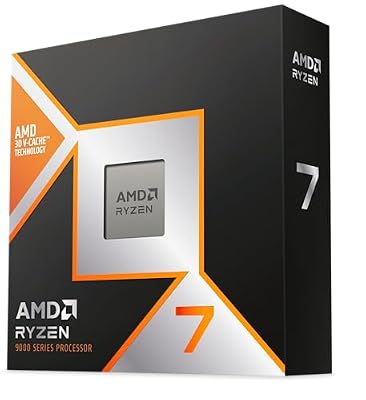
AMD RYZEN 7 9800X3D 8-Core, 16-Thread Desktop Processor
Included for '10 Best CPUs For 5070ti (2026 Guide)' as a representative home product in this roundup; selection reflects the product set returned for this topic.
View on AmazonThe Ryzen 7 9800X3D is the chip most guides still name as the default gaming CPU for an RTX 5070 Ti. It has eight Zen 5 cores, sixteen threads and the second-generation 3D V-Cache, and it sits within a few percent of the newer 9850X3D in published gaming data. At 1440p and 4K the RTX 5070 Ti is the limit, so the 9800X3D leaves no meaningful bottleneck.
- 8 cores / 16 threads, 96MB L3 with 3D V-Cache
- Socket AM5, DDR5 only
- Unlocked for overclocking
- No cooler in the box
Pros: Top-tier gaming frame rates and 1% lows; Runs cool for an X3D chip; Long AM5 upgrade path.
Cons: Premium tier price; Little real-world gain over cheaper X3D chips at 4K.
Skip it if you play mostly at 4K or on a tight budget; the Ryzen 5 9600X is enough.
AMD Ryzen 7 7800X3D – Best Value CPU for a 5070 Ti

AMD Ryzen 7 7800X3D 8-Core, 16-Thread Desktop Processor
Included for '10 Best CPUs For 5070ti (2026 Guide)' as a representative home product in this roundup; selection reflects the product set returned for this topic.
View on AmazonThe Ryzen 7 7800X3D is the value pick when the newest X3D chips cost too much. It uses the earlier Zen 4 design with 96MB of L3 cache, and published reviews place it within roughly 3 to 15 percent of the Zen 5 X3D chips depending on the game. With an RTX 5070 Ti at 1440p or 4K, that gap is usually small.
- 8 cores / 16 threads, 96MB L3 cache
- Socket AM5, 120W TDP
- Zen 4 architecture
- No cooler included
Pros: Lower price tier than the 9800X3D; Excellent gaming performance; Same AM5 platform.
Cons: Multiplier locked; Supply and pricing vary because it is an older model.
Skip it if you want the best 1% lows available at any price.
AMD Ryzen 7 9700X – Best Efficient Mid-Range Pick

AMD Ryzen™ 7 9700X 8-Core, 16-Thread Unlocked Desktop Processor
Included for '10 Best CPUs For 5070ti (2026 Guide)' as a representative home product in this roundup; selection reflects the product set returned for this topic.
View on AmazonThe Ryzen 7 9700X is a cool, quiet eight-core Zen 5 processor with a 65W default TDP. It lacks the stacked cache, so it trails X3D chips in gaming, but it is cheaper and handles productivity tasks comfortably. It suits small-form-factor builds and buyers who want a cool-running chip with an RTX 5070 Ti.
- 8 cores / 16 threads
- Zen 5, AM5 socket
- 65W default TDP
- Unlocked multiplier
Pros: Low power draw and easy cooling; Good all-round performance; Cheaper than X3D models.
Cons: Slower in CPU-bound games than an X3D; Value shrinks when 7800X3D prices drop.
Skip it if you play competitive esports at 1080p high refresh.
AMD Ryzen 9 9900X – Best for Gaming Plus Multitasking
The Ryzen 9 9900X has 12 cores and 24 threads, so it suits an RTX 5070 Ti PC that also edits video, compiles code or streams with software encoding. It games well but costs more than a 9700X without the cache boost of an X3D chip.
- 12 cores / 24 threads
- Zen 5, AM5 socket
- Unlocked multiplier
- No cooler included
Pros: Strong multi-threaded performance; Good gaming performance; Runs on AM5 boards.
Cons: Gaming results trail X3D chips; Needs a good 240mm cooler for sustained loads.
Skip it if your PC is mainly for games; pick a Ryzen 7 X3D instead.
Intel Core Ultra 9 285K – Best Flagship Intel Option

Intel Core Ultra 9 Processor 285K, 24 cores (8 P-cores + 16 E-cores) up to 5.7 GHz
Included for '10 Best CPUs For 5070ti (2026 Guide)' as a representative home product in this roundup; selection reflects the product set returned for this topic.
View on AmazonThe Core Ultra 9 285K is Intel’s top Arrow Lake desktop chip. It has 24 cores (8 performance plus 16 efficiency) and boosts up to 5.7GHz, which makes it strong for rendering, compiling and mixed work. It is not the best gaming CPU for an RTX 5070 Ti, but it is a good one when the PC doubles as a workstation.
- 24 cores (8 P-cores + 16 E-cores)
- Up to 5.7GHz boost
- LGA 1851 socket, DDR5
- Z890 or B860 boards
Pros: Excellent multi-threaded performance; Efficient compared with older Intel generations; Thunderbolt-ready boards.
Cons: Premium price tier; Limited future upgrade path on LGA 1851.
Skip it if you want maximum gaming performance per dollar.
AMD Ryzen 5 7600X – Best Older Budget Option

AMD Ryzen 5 7600X 6-Core, 12-Thread Unlocked Desktop Processor
Included for '10 Best CPUs For 5070ti (2026 Guide)' as a representative home product in this roundup; selection reflects the product set returned for this topic.
View on AmazonThe Ryzen 5 7600X is a six-core Zen 4 chip that still pairs well with an RTX 5070 Ti at 1440p and 4K. It fits buyers who find one on sale and want a simple, low-cost AM5 build with room to upgrade later. If the Ryzen 5 9600X costs about the same, take the newer chip.
- 6 cores / 12 threads
- Socket AM5, DDR5
- 105W TDP
- No cooler included
Pros: Low price tier; AM5 upgrade path to X3D; Strong at 4K.
Cons: Trails Zen 5 chips in efficiency; Weaker in CPU-heavy games.
Skip it if the 9600X is available at a similar price.
Why the Ryzen 7 9850X3D and 9800X3D Lead for 5070 Ti Gaming
The Ryzen 7 9850X3D, our top pick, and the near-identical 9800X3D sit at the top of the pile thanks to AMD’s second-generation 3D V-Cache design. The enormous pool of stacked L3 cache dramatically reduces memory latency in games, which is exactly what fast-paced titles crave. When you are pushing high frame rates at 1440p with the RTX 5070 Ti, these chips ensure the GPU is the limiting factor rather than the processor. Both are fully unlocked for overclocking, unlike the previous X3D generation, giving enthusiasts extra headroom.
The 7800X3D Value Alternative
If the newest X3D chip stretches your budget, the Ryzen 7 7800X3D remains a phenomenal partner for the 5070 Ti. It trades only a small amount of gaming performance for a lower price, and it slots into the same AM5 platform, meaning you get access to affordable motherboards and a long upgrade path. For pure gaming, this is the smartest money you can spend when picking the best CPU for 5070 Ti builds.
Intel Options for the 5070 Ti
Intel’s Core Ultra 7 270K Plus, Core Ultra 7 265K and Core Ultra 9 285K are strong all-rounders. They do not quite match the X3D chips in pure gaming, but they pull ahead in heavily threaded productivity workloads like video rendering and code compilation. If your rig does double duty as a workstation, the extra cores and threads justify the choice. The newer platform also brings improved power efficiency compared to prior Intel generations.
CPU Bottleneck Guide by Resolution
The RTX 5070 Ti is a 300W, 16GB GDDR7 card aimed at 1440p high refresh and entry-level 4K. How much CPU it needs depends mostly on resolution and target frame rate. The table below summarises the pattern seen across independent CPU reviews from TechPowerUp, Tom’s Hardware and Gamers Nexus.
| CPU tier | 1080p high refresh | 1440p | 4K |
|---|---|---|---|
| Ryzen 7 9850X3D / 9800X3D | No meaningful bottleneck; best 1% lows | No bottleneck | No bottleneck |
| Ryzen 7 7800X3D | Minor gap to Zen 5 X3D in CPU-heavy games | Within a few percent of the fastest chips | No bottleneck |
| Core Ultra 7 270K Plus / Ryzen 7 9700X | Noticeable gap to X3D in esports and sims | Small gap in CPU-bound titles | No bottleneck |
| Ryzen 5 9600X / Core Ultra 5 250K Plus / Ryzen 5 7600 | Clear gap to X3D; weaker 1% lows | Small gap in CPU-heavy games, fine elsewhere | Negligible |
| Older 6-core chips (Ryzen 5 5600X, Core i5-12600K) | Significant bottleneck | Noticeable in demanding games | Minor |
Two rules of thumb follow from the data. If you play at 1080p or chase 200fps-plus in competitive shooters, buy an X3D chip. If you play at 4K, a budget six-core chip leaves almost nothing on the table and the money is better spent elsewhere in the build.
Price Tiers and Platform Cost
The CPU is only part of the bill. The motherboard and memory a chip needs can narrow or widen the gap between options, so this table shows the full platform tier rather than the processor alone.
| CPU | Label | CPU tier | Typical board | Platform cost | Upgrade path |
|---|---|---|---|---|---|
| Ryzen 7 9850X3D | Fastest | Premium | B850 / X870 | Mid-range to premium | AM5, further CPUs expected |
| Ryzen 7 9800X3D | Best overall | Premium | B850 / X870 | Mid-range to premium | AM5 |
| Ryzen 7 7800X3D | Best value | Mid-range | B650 / B850 | Budget to mid-range | AM5 |
| Core Ultra 7 270K Plus | Best Intel / productivity | Mid-range | Z890 / B860 | Mid-range | LGA 1851, limited |
| Ryzen 5 9600X | Best budget | Budget | B650 / B850 | Budget | AM5 |
| Core Ultra 5 250K Plus | Budget Intel | Budget | B860 | Budget to mid-range | LGA 1851, limited |
A 32GB DDR5 kit is the right capacity for every row. On AM5, DDR5-6000 CL30 is the sweet spot; on the Arrow Lake Refresh chips, DDR5-7200 is officially supported but mainly pays off in bandwidth-sensitive workloads.
How to Choose the Right CPU for Your 5070 Ti
Start by defining your primary workload. Pure gamers at 1440p or 4K should prioritize the X3D chips because their cache advantage translates directly into smoother frame times. Creators and streamers benefit from higher core counts, making the Ryzen 9 or Core Ultra 9 more appealing. Consider your resolution too: at 4K the GPU does most of the heavy lifting, so even a mid-range chip like the Ryzen 5 7600X avoids meaningful bottlenecks.
Platform and Motherboard Considerations
AMD’s AM5 socket offers long-term support and DDR5 memory across the board, which future-proofs your build. Intel’s LGA 1851 platform is newer but comes with its own chipset lineup. Match your CPU to a board with adequate VRM cooling, especially if you plan to run the higher-wattage Ryzen 9 or Core Ultra 9 chips. Always confirm BIOS compatibility before buying so your chosen CPU posts on first boot.
Cooling Requirements to Pair With Your CPU
The X3D chips run cool and efficiently, so a solid air cooler or a 240mm AIO is plenty. Higher core-count chips like the 9900X or Core Ultra 9 285K generate more heat under sustained multithreaded loads, so a 280mm or 360mm liquid cooler is wise if you push them hard. Good cooling protects your investment and keeps boost clocks stable during long gaming sessions with the RTX 5070 Ti.
RAM and Memory Speed Recommendations
For the best CPU for 5070 Ti pairing, run a 32GB DDR5 kit at 6000MHz with tuned timings on AMD, as that sweet spot maximizes the Infinity Fabric performance. Intel platforms tolerate higher memory clocks, so you can push faster kits if your board supports them. Fast, low-latency memory complements the cache-heavy X3D chips and squeezes out every extra frame.
Future-Proofing Your Build
Choosing a platform with a clear upgrade path protects your money. AMD has committed to supporting AM5 through at least 2027, so a 7800X3D today can likely be swapped for a newer chip later without a new motherboard. That flexibility, combined with the RTX 5070 Ti’s strong performance, means your rig will stay competitive for years of gaming.
Ryzen 7 9800X3D vs 7800X3D for the RTX 5070 Ti
The Ryzen 7 9800X3D beats the 7800X3D by a few percent at 1440p and by single digits at 4K with an RTX 5070 Ti, because the GPU is the limit. Choose the 9800X3D if the price gap is small, you want an unlocked multiplier or you plan to keep the platform through a future GPU upgrade. Choose the 7800X3D if the savings can fund a better monitor, SSD or power supply.
Upgrading From a Ryzen 5 5600X or Core i5-12600K
Older six-core chips can bottleneck an RTX 5070 Ti at 1440p, especially in demanding games. If you already own an AM4 board, a drop-in Ryzen 7 5700X3D or 5800X3D is a cheaper step than a full platform change. If your board is old, the cleanest upgrade is a new AM5 platform with a Ryzen 5 9600X or a Ryzen 7 X3D, DDR5 memory and a B850 board.
RTX 5070 Ti CPU Pairing by Budget
- Budget tier: Ryzen 5 9600X or Core Ultra 5 250K Plus. Best at 1440p and 4K.
- Mid-range tier: Ryzen 7 7800X3D or Ryzen 7 9700X. Best gaming value.
- Premium tier: Ryzen 7 9800X3D or 9850X3D. Best 1% lows and the longest AM5 life.
- Workstation tier: Core Ultra 7 270K Plus, Ryzen 9 9900X or Core Ultra 9 285K. Best for video, rendering and code.
CPU Bottleneck for the RTX 5070 Ti: How to Check
A CPU bottleneck shows up as GPU usage below about 90 percent while one or more CPU cores stay near 100 percent. Test in a game that matches your target resolution. If GPU usage is high in your games, a faster CPU will not add frames. If it is low, an X3D chip is the most effective upgrade.
Setup Tips for a 5070 Ti and New CPU
- Update the BIOS first. A Ryzen 7 9850X3D on an older B650 or X670 board, or a Core Ultra 200S Plus chip on an early Z890 or B860 board, may need a newer BIOS to post. Boards with BIOS Flashback can update from a USB stick without a CPU installed.
- Enable EXPO or XMP. Memory runs at a slow default speed until you enable its profile. On AM5, set DDR5-6000 and keep the memory controller at a 1:1 ratio.
- Check Resizable BAR. It is usually enabled by default on current boards, but confirm it in the BIOS; Nvidia applies it per game in the driver.
- Plan the power supply. Nvidia recommends a 750W unit for the RTX 5070 Ti. A native 12V-2×6 cable from an ATX 3.1 PSU is tidier than the adapter included with most cards. Add headroom if you pair it with a Core Ultra 7 or Ryzen 9.
- Use frame generation sensibly. DLSS 4 Multi Frame Generation adds smoothness but relies on a healthy base frame rate, which is where a fast CPU helps. Aim for around 60fps before generated frames are added.
- Check cooler clearance and mounting. Most AM4 coolers fit AM5, and LGA 1851 uses LGA 1700 mounting. Confirm height clearance in your case before ordering.
How We Compared
We did not bench-test these processors ourselves. Picks are based on official AMD and Intel specifications, published gaming and productivity data from independent reviewers including TechPowerUp, Tom’s Hardware, Gamers Nexus, KitGuru and Notebookcheck, and owner reports on stability, BIOS support and thermals. We weighted gaming performance with an RTX 5070 Ti at 1440p and 4K most heavily, followed by platform cost, upgrade path, power draw and multi-threaded performance. Recommendations reflect the lineup available as of October 2026.
Frequently Asked Questions
What is the best CPU for 5070 Ti at 1440p?
The Ryzen 7 9850X3D, or the near-identical Ryzen 7 9800X3D, is the best CPU for 5070 Ti gaming at 1440p because the large 3D V-Cache reduces latency and keeps frame rates high in CPU-bound titles. If you want to save money without sacrificing much performance, the 7800X3D is an outstanding second choice that uses the same AM5 platform.
Will a Ryzen 5 7600X bottleneck the RTX 5070 Ti?
At 4K the Ryzen 5 7600X barely bottlenecks the RTX 5070 Ti because the GPU handles most of the workload at that resolution. At 1440p you may see a small difference in the most demanding esports titles, but for the vast majority of games the 7600X delivers a smooth, high-frame-rate experience on a budget.
Do I need an Intel or AMD CPU for the 5070 Ti?
Both brands work excellently with the RTX 5070 Ti. AMD’s X3D chips lead in pure gaming thanks to their cache advantage, while Intel’s Core Ultra processors shine in heavily threaded productivity tasks. Your choice should come down to whether gaming or content creation is your priority, and which platform fits your budget best.
How much RAM should I pair with a 5070 Ti build?
A 32GB DDR5 kit is the sweet spot for a modern RTX 5070 Ti build in 2026. On AMD platforms, 6000MHz memory with tight timings pairs perfectly with the best CPU for 5070 Ti options. This capacity handles gaming, streaming, and multitasking comfortably without forcing you into expensive high-capacity kits you likely will not need.
Does the 5070 Ti need liquid cooling for the CPU?
The GPU and CPU cooling are separate concerns. The X3D chips run cool enough for a quality air cooler, while higher core-count processors benefit from a 280mm or larger AIO under sustained loads. The RTX 5070 Ti itself comes with its own cooling solution, so your CPU cooler choice depends entirely on which processor you select.
Ready to build? Explore these related guides: good gaming laptop brands, Black Friday gaming PC deals, cheap OLED gaming laptops, RTX 5070 vs 5070 Ti laptops, more budget OLED gaming laptops, and 5070 vs 5070 Ti laptop comparison.
What is the best CPU for 5070 Ti if I only play at 4K?
The Ryzen 5 9600X is enough for 4K gaming with an RTX 5070 Ti. At 4K the GPU is the limit, so spend the savings on a 32GB DDR5 kit, a good SSD or a stronger power supply.
Is the Ryzen 7 9800X3D worth it with an RTX 5070 Ti?
Only if you play at 1080p high refresh, in CPU-heavy simulations or want the best 1% lows. At 1440p and 4K, the 7800X3D delivers most of the same experience for less.
Should I buy the Ryzen 7 7800X3D or the Ryzen 5 9600X for a 5070 Ti?
Buy the 7800X3D for 1440p high refresh or CPU-bound games, and the 9600X for 4K or a tight budget. Reviews show the 7800X3D ahead by roughly 8 to 13 percent in CPU-bound scenarios.
Can I use an old Ryzen 5 5600X with the RTX 5070 Ti?
Yes, but expect a bottleneck at 1440p in demanding games. A Ryzen 7 5700X3D is a low-cost drop-in upgrade on the same AM4 board.
What PSU do I need for an RTX 5070 Ti with these CPUs?
Nvidia recommends a 750W power supply for the RTX 5070 Ti. Add headroom with the Core Ultra 9 285K or Ryzen 9 chips.