Best budget nvme ssd choices have moved beyond replacing a SATA drive. Buyers now need to balance PCIe generation, NAND type, endurance, sustained-write behavior, capacity, and motherboard support. These four models cover distinct budget priorities without assuming every low-cost SSD performs the same. practical-planning
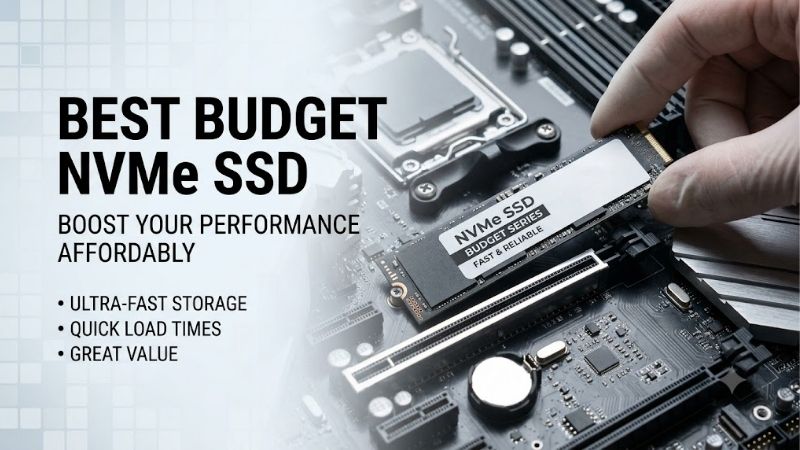
How to Choose a Budget NVMe SSD
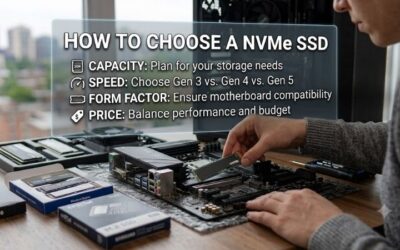
For buyers, the best budget nvme ssd choice depends on the workload, not the highest sequential number on the box. A 1TB boot drive, game library, and machine used for large file transfers can need different strengths. Check compatibility first, then capacity, endurance, flash type, and sustained performance before price.
PCIe Generation And Form Factor
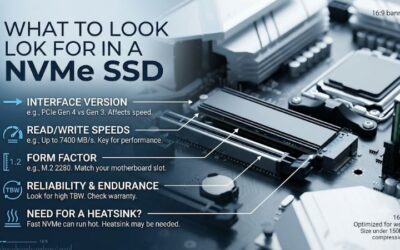
PCIe generation is the first compatibility check. A PCIe 4.0 drive can run in a compatible PCIe 3.0 slot, but the older interface caps its speed. Also confirm the M.2 2280 length and physical clearance around the slot, especially when a motherboard heatsink or laptop chassis leaves little room for installation in compact-system planning.
For a new mainstream desktop, the WD Blue SN5000 is an easy fit because it uses PCIe 4.0 x4 and M.2 2280. Older PCIe 3.0 systems can still use compatible Gen4 drives at reduced speeds. Choose this best budget nvme ssd when you want current interface support without paying for premium Gen5 hardware for current desktop upgrades.
Capacity And Endurance
Capacity should align with the games and documents you expect to keep locally, with usable headroom left for everyday operation realistically. Nearly full drives have less flexibility for large transfers. The Crucial P3 Plus stands out because its series reaches 4TB, while the other picks also cover 1TB and larger capacities.
Endurance is measured in TBW, or bytes written, and matters more for frequent writing than gaming. A higher rating gives more headroom for editing, work files, and repeated transfers. The WD Blue SN5000 and Silicon Power UD90 both rate their 1TB models at 600TBW. That makes the best budget nvme ssd class practical for sustained workloads.
NAND Type And Cache Behavior
NAND type and cache behavior explain why drives with similar headline speeds can behave differently during long transfers. TLC generally suits heavier writing better than QLC, while SLC caching can make short transfers look faster. Compare the SN5000 and MP44L when selecting the best budget nvme ssd for value and sustained behavior.
For everyday Windows, apps, gaming, and normal transfers, PCIe 4.0 already provides substantial bandwidth. The MP44L reaches 5,000/4,500MB/s, while the SN5000 reaches 5,150/4,900MB/s. Choose SN5000 for balance or MP44L when its lower-cost position saves enough money to matter on your specific build and storage plan in budget-first builds.
Thermal Management
Thermals matter during long reads or writes, especially when an M.2 slot sits under a graphics card or receives little airflow. A motherboard heatsink can help keep performance consistent without a large aftermarket cooler. Laptop users should check the original thermal design before adding hardware or changing the factory layout.
For thermal-conscious buyers, the WD Blue SN5000 works well with a normal motherboard M.2 heatsink, while the MP44L and UD90 are also mainstream Gen4 choices rather than oversized performance drives. A best budget nvme ssd should be matched to board airflow and heatsink clearance, not benchmark numbers alone for long-session stability.
Top Picks
The best budget nvme ssd choices become clearer with four distinct picks. WD Blue SN5000 is the best overall balance, TEAMGROUP MP44L is the best value, Silicon Power UD90 is best for gaming-focused builds, and Crucial P3 Plus is best for capacity when a larger library matters for budget-focused desktop builds today on PC.
| Product | Best For | Key Spec | Watch Out For |
|---|---|---|---|
| WD Blue SN5000 1TB | Best Overall | PCIe 4.0 x4; 5,150/4,900MB/s; 600TBW; 5-year warranty | Benefits over cheaper Gen4 drives can be small in light workloads |
| TEAMGROUP MP44L 1TB | Best Value | PCIe 4.0 x4; 5,000/4,500MB/s; 320TBW; 5-year warranty | No DRAM cache and lower 1TB endurance |
| Silicon Power UD90 1TB | Best For Gaming | PCIe 4.0 x4; 5,000/4,800MB/s; 600TBW; 5-year warranty | Value depends heavily on sale pricing |
| Crucial P3 Plus 2TB | Best For Capacity | PCIe 4.0; 5,000/4,200MB/s; 440TBW; 5-year warranty | QLC design is less suitable for very heavy sustained writes |
WD Blue SN5000 1TB — Best Overall
WD Blue SN5000 suits buyers who want a capable primary drive for Windows, applications, and games. Its 1TB model reaches 5,150MB/s sequential read and 4,900MB/s write, with 600TBW endurance and a five-year limited warranty. It is a strong everyday specification set for a mainstream desktop without unnecessary upgrades.
The main drawback is that light workloads rarely expose its speed advantage over cheaper Gen4 drives. Game loading and normal desktop use may feel similar. Buyers chasing the lowest sale price can favor MP44L, while storage-heavy systems may gain more practical value from the larger capacities offered by P3 Plus for everyday systems.
TEAMGROUP MP44L 1TB — Best Value
TEAMGROUP MP44L is the value pick for builders who want strong Gen4 numbers on a budget. The 1TB model reaches up to 5,000MB/s read and 4,500MB/s write, uses PCIe 4.0 x4, carries 320TBW endurance, and includes a five-year limited warranty. It fits gaming and general desktop workloads well overall mainstream-desktop-use.
The compromise is its 320TBW 1TB rating, which is lower than some alternatives. TEAMGROUP also lists no DRAM cache, so it is less attractive for unusually heavy sustained writes. For normal gaming and office use, those limits are easier to accept when the drive costs noticeably less than stronger endurance-focused options.
Silicon Power UD90 1TB — Best For Gaming
Silicon Power UD90 suits gaming-focused buyers who want high-speed PCIe 4.0 performance without paying premium flagship prices. Its 1TB version reaches 5,000MB/s read and 4,800MB/s write, supports PCIe Gen4 x4, carries a five-year manufacturer warranty, and is rated at 600TBW. That is a strong mix for game storage use.
The UD90 is less distinctive when pricing moves close to the SN5000, since their headline speeds are similar. Its 3.5mm-thick M.2 2280 body also deserves a clearance check in laptops or tight motherboard layouts. For a normal desktop, it remains a sensible performance-per-dollar gaming option with broad Gen4 fit for standard desktops.
Crucial P3 Plus 2TB — Best For Capacity
Crucial P3 Plus 2TB is the capacity pick for buyers who need more room without stepping into premium SSD pricing. The 2TB model reaches 5,000MB/s read and 4,200MB/s write, carries 440TBW endurance, and has a five-year limited warranty. The series also reaches 4TB for very large game libraries for capacity-focused builds.
The tradeoff is its QLC-oriented design and lower endurance per terabyte than some TLC alternatives, making it less appealing for huge sustained-write workloads. Crucial positions the P3 Plus for mainstream use, so it fits games, applications, documents, photos, and media better than constant workstation-style writing.
Frequently Asked Questions
Choosing the best budget nvme ssd also means checking details buyers often miss after comparing speed ratings. Before ordering, confirm the M.2 socket, PCIe generation, capacity, and workload fit. These checks matter because a cheaper drive can be a better purchase than a faster model used in the wrong role, in practice.
How Do I Know Whether A Budget NVMe SSD Will Fit My Motherboard?
How do I know whether a budget NVMe SSD will fit my motherboard? Check for an M.2 slot that supports NVMe and the drive’s standard 2280 form factor, then verify its PCIe generation. A Gen4 drive can work in a compatible Gen3 slot, but its bandwidth will be limited by that previous-generation connection on your own board.
Check the motherboard manual when several M.2 sockets are available because slots can differ in lane allocation and shared ports. Some boards disable certain SATA connectors or expansion lanes when particular M.2 sockets are used. This does not make the SSD bad, but it can change the rest of the storage layout for system planning.
Is A Budget NVMe SSD Good Enough For Gaming?
Is a budget NVMe SSD good enough for gaming? Yes. A quality PCIe 4.0 model is already fast enough for game installs and loading, so capacity and sustained behavior matter more than chasing premium benchmark numbers. The UD90 and MP44L are sensible choices when gaming is the main workload and the budget is tight on most gaming PCs.
Heavy video exports, large project files, or scratch workloads change that calculation. Sustained writes and endurance become more important than small game-loading differences. A TLC-focused option such as the SN5000 is easier to justify for that work, while the P3 Plus is better kept for less write-intensive storage and media use.
Do Budget NVMe SSDs Need A Heatsink?
Do budget NVMe SSDs need a heatsink? Usually not for ordinary desktop use, but a motherboard heatsink can help during long transfers or repeated heavy workloads. The goal is consistent performance, not keeping the drive cold at all times. Laptop users should follow the system’s original thermal design and clearance in most desktop setups.
A heatsink becomes more useful when an SSD sits under a graphics card, receives little airflow, or handles long transfers repeatedly. Avoid a cooler that blocks nearby components or interferes with the motherboard cover. For normal gaming storage, the stock motherboard heatsink is often enough when installed correctly with clear airflow.
Is 1TB Enough For A Budget Gaming PC?
Is 1TB enough for a budget gaming PC? For many builds, yes. It leaves useful room for Windows, applications, and a rotating game library without consuming too much of the build budget. Choose 2TB when several large games, recordings, or media projects will stay installed together for months without constant storage management.
Capacity also depends on the SSD’s role. A secondary game drive can justify a cheaper high-capacity model, while a primary drive used for frequent writes deserves stronger endurance and sustained behavior. That favors SN5000 for all-purpose use, while P3 Plus becomes more compelling for storage-heavy budgets and larger libraries.
Final Thoughts
The best budget nvme ssd purchase is not simply the drive with the lowest price or highest read-speed claim. Match the SSD to your motherboard, workload, capacity needs, and write pattern first. SN5000 is the strongest overall balance, MP44L delivers value, UD90 favors gaming, and P3 Plus offers the most capacity flexibility.