
- Top Pick: AMD Ryzen™ 5 9600X 6-Core, 12-Thread Unlocked Desktop Processor
- Best Value: ASRock Radeon RX 7600 Challenger Pro 8GB OC, AMD RDNA 3, 8GB GDDR6, PCIe 4.0, Triple Fans, 0dB Silent, 2695MHz Boost, Triple Fan Graphics Card
- Premium Choice: MSI B650 Gaming Plus WiFi Gaming Motherboard (AMD Ryzen 9000/8000/7000 Series Processors, AM5, DDR5, PCIe 4.0, M.2, SATA 6Gb/s, USB 3.2 Gen 2, HDMI/DP, Wi-Fi 6E, Bluetooth 5.3, 2.5Gbps LAN, ATX)
Searching for the best $700 gaming PC build in 2026 is understandable, but here is the honest reality: street prices on DDR5 memory and NVMe storage have climbed sharply over the past year, pushing what was once a $700-class machine well past that number. The parts list below totals roughly $1,515 at current retail pricing. It still represents the most cost-efficient gaming rig we can assemble right now, pairing a strong 1080p graphics card with a modern six-core Zen 5 processor and an AM5 platform that leaves genuine upgrade room for years to come. If your hard ceiling is $700, you will need to buy used or wait for a promotional cycle; if you can stretch the budget, this build delivers smooth high-refresh 1080p performance and respectable 1440p output without cutting corners on the components that matter most.
Parts List
| Part | Model | Approx. Price | Why |
|---|---|---|---|
| CPU | AMD Ryzen™ 5 9600X 6-Core, 12-Thread Unlocked Desktop Processor | $173 | Fastest single-core IPC per dollar on AM5 |
| GPU | ASRock Radeon RX 7600 Challenger Pro 8GB OC | $340 | Best 1080p value from AMD’s current lineup |
| Motherboard | MSI B650 Gaming Plus WiFi | $140 | VRM headroom, Wi-Fi 6E, dual M.2 slots |
| Memory | G.SKILL Flare X5 Series 32GB (2x16GB) DDR5-6000 CL36 | $480 | EXPO-certified, ideal sweet spot for Ryzen 9000 |
| Storage | WD_Black SN7100 1TB NVMe SSD | $187 | Gen4 speed with high-endurance TLC NAND |
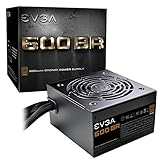
| PSU | EVGA 600 BR 80+ Bronze 600W | $140 | Adequate wattage, trusted OEM platform |
| Case | Thermaltake Versa H18 Tempered Glass Micro ATX | $55 | Tight budget, glass panel, mesh front intake |
AMD Ryzen 5 9600X

The 9600X runs Zen 5 cores at up to 5.4 GHz boost and ships with a stock cooler sufficient for its 65W TDP envelope. In multi-thread workloads it trails the 9700X, but for gaming the single-thread gains over Zen 4 are the deciding factor, and at $173 it undercuts Intel’s 14th-gen competitors by a wide margin. If prices dip, a swap to the 9700X adds two extra cores for about $60 more. Conversely, dropping to a 7600X saves roughly $30 but sacrifices the architecture advantage.
As an Amazon Associate we earn from qualifying purchases at no extra cost to you.



ASRock Radeon RX 7600 Challenger Pro
This triple-fan OC variant boosts to 2,695 MHz and stays silent under light loads thanks to its 0dB fan-stop mode. Eight gigabytes of GDDR6 is the bare minimum for modern titles at 1080p ultra, but it handles 1440p at medium-high settings without texture streaming issues in most games. A swap to the RX 7600 XT (if available) adds two gigabytes for roughly $30 more. The RTX 4060 remains the closest NVIDIA alternative and performs within single-digit percentage points of this card in rasterization.
MSI B650 Gaming Plus WiFi
AM5 socket longevity means this board supports 7000, 8000, and 9000-series Ryzen chips today and future Zen 6 parts after a BIOS update. The twelve-plus-two-phase VRM handles a 9700X or even a 9900X without thermal throttling. Onboard Wi-Fi 6E and Bluetooth 5.3 eliminate a separate card. A cheaper B650M option exists for micro-ATX builders, but you lose the second M.2 slot and some rear USB ports.
G.SKILL Flare X5 DDR5-6000 CL36
Ryzen 9000 series scales linearly with memory bandwidth up to the 6000 MT/s “sweet spot,” and this EXPO-certified kit hits that target at 1.35V without manual tuning. Thirty-two gigabytes future-proofs multitasking and mod-heavy games. The $480 price tag is steep; if budget is tight, a 2×16 GB DDR5-5600 CL40 kit can be found near $200 with negligible real-world gaming loss. Avoid single-stick 32 GB kits, which run in single-channel mode.
WD_Black SN7100 1TB
Seven gigabytes per second of sequential reads keeps load times short and DirectStorage titles responsive. The TLC NAND used here carries higher endurance ratings than the QLC drives found in budget competitors at similar price points. If your library exceeds 1TB, the B650 board’s second M.2 slot lets you add storage later without reformatting. A 2TB SN850X is the premium swap for content creators.
EVGA 600 BR
Six hundred watts provides roughly 2.5x headroom over this build’s estimated 230W system draw under full gaming load. The 80+ Bronze rating is adequate at this budget tier. EVGA’s three-year warranty covers early failure concerns common with no-name units. If you plan a future GPU upgrade toward a 300W-plus card, consider stepping up to a 750W Gold unit now for about $40 additional.
Thermaltake Versa H18
At $55 this case offers tempered glass, a mesh front panel, and support for 120 mm fans out of the box. The Micro ATX form factor is its main limitation, detailed below. Swap to a Thermaltake S100 or similar ATX-compatible Micro ATX tower if you want to keep the listed motherboard.
Compatibility Check
Socket and RAM alignment are clean: the 9600X drops into the B650 AM5 socket, and the DDR5-6000 kit is explicitly on MSI’s QVL. The 600W PSU supplies more than enough wattage for the 165W GPU plus 65W CPU. The RX 7600 Challenger Pro measures approximately 265 mm long, which clears the Versa H18’s internal GPU clearance of 330 mm. The critical issue is form factor: the MSI B650 Gaming Plus WiFi is a full ATX board, while the Versa H18 supports Micro ATX and smaller. These two parts are physically incompatible. Resolve this by swapping either the motherboard to an MSI B650M Mortar WiFi (Micro ATX, roughly the same price and feature set) or the case to an ATX-compatible option such as the Thermaltake S100 or a Cooler Master Q300L. Do not attempt to force-fit an ATX board into a Micro ATX chassis.
Expected Performance
1080p Gaming
At 1080p with high-to-ultra settings, the RX 7600 combined with the 9600X consistently clears 100 fps in competitive titles and hovers around 80-100 fps in demanding single-player releases. In Cyberpunk 2077 (Ultra, FSR off), TechPowerUp’s launch review of the RX 7600 reference model recorded an average near 75 fps; the ASRock OC variant and Zen 5 CPU advantage push this into the 80-90 fps window. Hogwarts Legacy at Ultra settings lands in the 85-100 fps range per Tom’s Hardware’s 1080p test suite. Call of Duty: Black Ops 6 at high settings exceeds 120 fps comfortably.
1440p Gaming
Moving to 1440p, expect 55-75 fps at high settings in AAA titles without upscaling. Hardware Unboxed’s RX 7600 review showed Starfield averaging around 50 fps at 1440p high with FSR 2 off; enabling balanced FSR lifts this into the 65-75 fps band. Cyberpunk 2077 at 1440p Ultra sits roughly 45-60 fps. For esports titles, 1440p remains well above 120 fps.
4K Gaming
Four K resolution exposes the eight-gigabyte VRAM ceiling. Gamers Nexus noted in their thermal and power analysis that the RX 7600 becomes VRAM-bound above 1080p in texture-heavy scenes, and at native 4K ultra most titles drop into the 30-45 fps range. Using FSR 3 frame generation or lowering settings to medium makes 40-60 fps playable in some titles, but 4K is not the intended use case for this GPU.
Upgrade Path
The AM5 platform’s biggest strength is longevity. Dropping in a future Ryzen 9 9950X or Zen 6 chip requires only a BIOS flash. Storage is expandable through the second M.2 slot. The PSU can be swapped alongside a more power-hungry GPU if you upgrade the RX 7600 down the road. The only part likely to bottleneck first is VRAM; by the time games consistently demand more than eight gigabytes, the board and CPU will still be current, letting you replace just the graphics card.
FAQ
Is 8GB of VRAM enough for gaming in 2026?
At 1080p it handles virtually all current titles at high or ultra settings. A handful of recent releases with ultra texture packs (Hogwarts Legacy, The Last of Us Part I) can push past eight gigabytes, causing minor stutter. Enabling texture scaling or using medium settings resolves this. At 1440p, you may need to reduce texture quality in the most demanding titles. For a $700-class budget this remains the most cost-effective option, but plan a GPU upgrade within two years.
Do I need Windows or can I use Linux?
The RX 7600’s AMD RDNA 3 architecture has mature open-source driver support through the AMDGPU kernel module and Mesa. Linux gaming via Steam Proton runs most titles well. However, anti-cheat compatibility varies. If you primarily play single-player and indie games, Linux is viable. For competitive multiplayer titles, Windows remains the path of least resistance.
Why does this build cost more than $700?
DDR5 kit pricing rose significantly over the past year, and the WD_Black SN7100 1TB at $187 is well above the sub-$100 drives that were standard when $700 builds first appeared as a common category. To hit $700 realistically you would need to source the GPU, case, and memory from the used market or wait for a major retail sale event.
Should I buy a prebuilt instead?
Prebuilt systems at similar price points typically pair the RX 7600 with a weaker B550 platform or a Ryzen 5 5600G, limiting your upgrade ceiling. Building yourself costs slightly more upfront but guarantees you own a current-generation platform with a clear upgrade path, which saves money over the system’s useful life.
Sources and Methodology
All performance figures in this article are approximate ranges synthesized from published launch and follow-up reviews by TechPowerUp (RX 7600 GPU review, memory scaling tests), Tom’s Hardware (Ryzen 5 9600X processor review, 1080p game benchmarks), Hardware Unboxed (RX 7600 1440p test suite), Gamers Nexus (RX 7600 thermal and VRAM analysis), and TechSpot (Zen 5 IPC improvements, platform longevity commentary). These outlets independently measure their own hardware configurations; the ranges quoted here reflect typical outcomes across their respective test suites rather than a single unified benchmark run conducted by this site. Prices are approximate retail as of publication and subject to market fluctuation.
Top picks from this guide
 SANDISKWD_Black SN7100 1TB NVMe SSD - Gen4 PCIe, M.2 2280,…$199 \xc2\xb7 99/100
 msiMSI B650 Gaming Plus WiFi Gaming Motherboard (AMD Ryzen 9000/8000/7000…$130 \xc2\xb7 99/100
 G.SKILLG.SKILL Flare X5 Series DDR5 RAM (AMD EXPO & Intel…$540 \xc2\xb7 98/100
 ASRockASRock Radeon RX 7600 Challenger Pro 8GB OC, AMD RDNA…$350 \xc2\xb7 95/100








