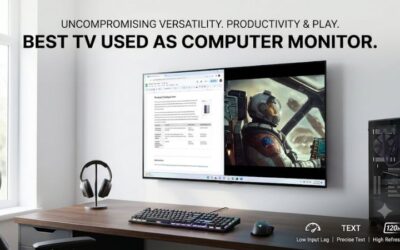
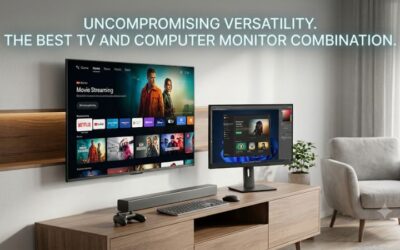
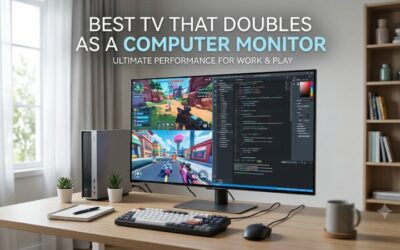
Finding the best small tv for pc monitor use means balancing screen size, resolution, text clarity, and connectivity rather than simply buying the smallest television available. A compact 32-inch model can fit a limited desk, while a 42- or 43-inch 4K television offers more room for multitasking and gaming. The strongest options also support clear PC text, responsive input, and suitable HDMI connections. This roundup focuses on televisions with useful screen sizes, verified specifications, and independently documented performance, including important compromises that buyers should understand before replacing a traditional monitor.
- Quick verdict: Which small TV is best for a PC monitor?
- Best small TV for PC monitor: Quick comparison
- How we selected these small TVs for PC use
- The best small TVs for PC monitor setups
- How to choose the best small TV for PC monitor use
- TV versus dedicated monitor: Which is better for a small desk?
- How to set up a small TV as a PC monitor
- Frequently asked questions
- Final verdict
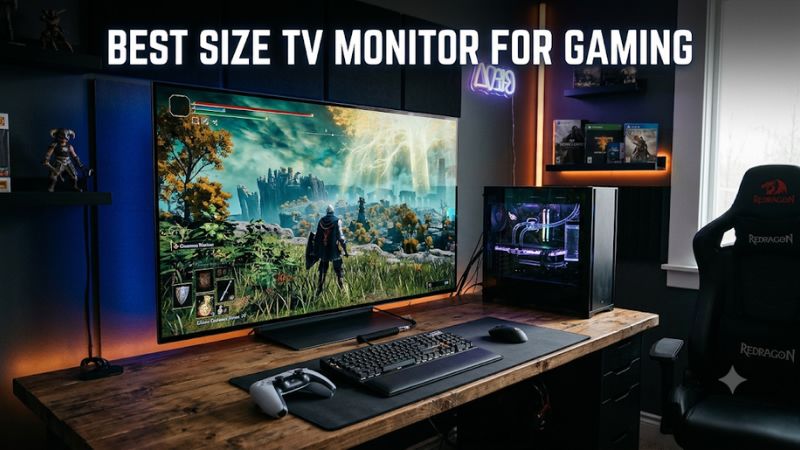
Quick verdict: Which small TV is best for a PC monitor?
The LG C6 OLED 2026 is the strongest overall choice if you want a compact television that can handle PC gaming, entertainment, and general desktop use. Its 42-inch version combines 4K resolution, a 165Hz refresh rate, HDMI 2.1 connectivity, and variable refresh rate support. However, its OLED subpixel arrangement is not ideal for everyone who spends long hours reading small text.
For a smaller physical footprint, the Samsung Q8F 32-inch is particularly interesting because it combines a relatively uncommon 32-inch 4K panel with smart TV functionality. Its 60Hz refresh rate makes it better suited to productivity and casual gaming than competitive play.
The Sony BRAVIA 3 II is a sensible middle-ground option for buyers who prefer a 43-inch LCD television. The Samsung S90H is worth considering when reflections are a major concern, while the Hisense QD6QF and Vizio Mini LED Quantum 4K provide more affordable alternatives with meaningful gaming and picture-quality compromises.
These recommendations are based on published specifications and independent RTINGS testing, not detailed research conducted for this article. The shortlist favors models with relevant screen sizes and documented PC or gaming characteristics rather than treating every small smart TV as a suitable monitor replacement.
Best small TV for PC monitor: Quick comparison
| TV | Best for | Resolution and refresh rate | Main drawback |
|---|---|---|---|
| LG C6 OLED 2026, 42-inch | Best overall | 4K, up to 165Hz | OLED text clarity limitations |
| Samsung Q8F, 32-inch | Best compact 4K | 4K, 60Hz | Limited gaming features |
| Sony BRAVIA 3 II, 43-inch | Best mid-range LCD | 4K, 120Hz | Weaker dark-room contrast |
| Samsung S90H OLED, 42-inch | Best for bright rooms | 4K, up to 165Hz | OLED cost and text considerations |
| Hisense QD6QF, 43-inch | Best inexpensive option | 4K, 60Hz | Basic gaming performance |
| Vizio Mini LED Quantum 4K, 43-inch | Best secondary display | 4K, 60Hz | Limited HDMI bandwidth and motion clarity |
The table identifies the relevant screen-size variants where available. Some models have different panel characteristics or specifications between sizes, so do not assume that testing on a larger version automatically establishes identical performance on a smaller one.
How we selected these small TVs for PC use
A television designed for living-room viewing does not automatically work well on a computer desk. PC users sit closer to the panel, interact with small text, move a mouse continuously, and may expect the same responsiveness they get from a dedicated gaming monitor.
We prioritized five factors when developing this shortlist.
-
Screen size: Models around 32–43 inches receive priority because they are more practical for desk environments than conventional 55-inch televisions.
-
Resolution: Native 4K is preferred because it provides sharper desktop details and more workspace than Full HD at comparable screen sizes.
-
Text clarity: Chroma 4:4:4 support and panel subpixel arrangements matter when displaying small fonts, spreadsheets, and application interfaces.
-
Gaming performance: Refresh rate, input lag, response behavior, HDMI bandwidth, and VRR support help distinguish casual-use televisions from gaming-capable models.
-
Practical limitations: Screen reflections, panel technology, viewing distance, and available HDMI inputs influence whether a television is comfortable for everyday PC use.
RTINGS’ 2026 PC-monitor and small-TV evaluations provide the primary independent testing reference for these recommendations. Its testing distinguishes general television picture quality from specific PC-monitor requirements, an important distinction when evaluating televisions that may look excellent in movies but less convincing on a desktop.
The best small TVs for PC monitor setups
LG C6 OLED 2026, 42-inch – Best overall
The LG C6 OLED 2026 is the most capable all-around option in this selection for buyers who want a television that can double as a premium PC gaming display. The 42-inch version is particularly relevant because it fits more desk environments than larger OLED televisions while retaining the core features of LG’s C-series lineup.
Its 3840 × 2160 resolution provides a detailed desktop image, and the native refresh rate reaches 165Hz. This combination makes the television suitable for both demanding single-player games and faster PC titles when the graphics hardware can produce enough frames.
The model also includes four HDMI 2.1 inputs with full 48Gbps bandwidth. That gives users flexibility when connecting a desktop, laptop, console, and other devices. VRR compatibility includes HDMI Forum VRR, AMD FreeSync, and NVIDIA G-SYNC compatibility.
One of its biggest advantages is OLED contrast. Individual pixels produce their own light, allowing the display to reproduce deep blacks without the haloing associated with conventional local dimming. This is useful for dark games, movies, and applications with dark interfaces.
RTINGS reports excellent motion handling and very low input lag in Game Optimizer mode. Its supported-resolution testing also confirms 4K at 165Hz and proper chroma 4:4:4 support. These characteristics make it a particularly strong choice for PC gaming.
There are important qualifications, though. OLED televisions use organic pixels, so static interface elements displayed for extended periods require more consideration than they do on conventional LCD panels. LG provides OLED Care features, but buyers who keep spreadsheets, browser toolbars, or development environments visible all day should consider their usage habits.
Text clarity is another consideration. RTINGS identifies a nonstandard RGWB subpixel arrangement on the C6. Although the television supports 4:4:4, Windows text rendering is not perfectly optimized for this layout.
Buy if:
-
You want a premium 42-inch 4K gaming television.
-
Your PC supports HDMI 2.1 and high-refresh-rate output.
-
You value OLED contrast, fast response, and VRR.
-
You also want a high-quality screen for movies and streaming.
Skip if:
-
You spend most of your working day reading small text.
-
You want to avoid OLED burn-in considerations.
-
Your desk is too shallow for a 42-inch display.
Samsung Q8F 32-inch – Best compact 4K TV
The Samsung Q8F is one of the more interesting choices for buyers who genuinely need a small television rather than a large screen marketed as a monitor replacement. Its 32-inch variant offers native 4K resolution, making it a relatively unusual option in a category where many compact televisions remain limited to Full HD.
At 3840 × 2160, the screen provides a high pixel density for its physical dimensions. This can be useful for reading documents, working with spreadsheets, browsing websites, and viewing detailed images at a desk.
The television uses a VA LCD panel and Samsung’s Tizen smart TV platform. The built-in operating system provides access to streaming applications, so the device can serve as both a computer display and a conventional television.
The most important limitation is refresh rate. The 32-inch version is a 60Hz model, with fewer advanced gaming features than larger premium televisions. That is not a major problem for office applications, streaming, and casual games, but it makes the Q8F less attractive for competitive gaming.
RTINGS identifies the Q8F as a particularly useful small-TV option because of its uncommon 32-inch 4K configuration. Its testing also notes that its overall picture quality is below that of more expensive models, so the high resolution should not be confused with premium image quality.
The compact dimensions are its biggest advantage. A 32-inch television is easier to accommodate on a standard desk than a 42- or 43-inch model. It can also work as a secondary display for a smaller workstation, provided the viewing distance is comfortable.
Buy if:
-
You specifically need a 32-inch television.
-
You want native 4K instead of Full HD.
-
You prioritize productivity and streaming over high-refresh-rate gaming.
-
Your desk has limited available space.
Skip if:
-
You need 120Hz or higher refresh rates.
-
You expect premium HDR brightness and contrast.
-
You want the strongest possible gaming performance.
Sony BRAVIA 3 II 43-inch – Best mid-range LCD option
The Sony BRAVIA 3 II offers a different approach from the OLED options in this roundup. Instead of prioritizing perfect blacks and extremely fast pixel transitions, it focuses on a practical LCD television configuration with a 43-inch screen and useful connectivity.
Its 4K resolution provides sufficient detail for general computer work, while its 120Hz native refresh rate makes it more versatile than conventional 60Hz small TVs.
One particularly useful characteristic is its matte screen finish. RTINGS reports that the BRAVIA 3 II handles reflections effectively, making it a reasonable option for moderately lit environments where windows or overhead lighting could interfere with desktop visibility.
The television also includes four HDMI 2.1-bandwidth ports and supports VRR. This gives users flexibility when connecting multiple gaming devices or a desktop PC. Its Google TV interface provides access to a broad range of streaming applications.
However, the LCD panel cannot reproduce the same black levels as the LG C6 or Samsung S90H OLED. In dark rooms, blacks can look gray, reducing contrast in dark games and movies.
The 43-inch size also requires some consideration before placing it on a desk. It provides more screen space than a conventional monitor, but users sitting very close may need to move their eyes and head more frequently.
Buy if:
-
You want a 43-inch 4K television.
-
You prefer LCD technology over OLED.
-
Your workstation has noticeable ambient light.
-
You want higher refresh-rate support and multiple HDMI inputs.
Skip if:
-
You prioritize perfect black levels.
-
Your main concern is premium dark-room image quality.
-
Your desk cannot comfortably accommodate a 43-inch screen.
Samsung S90H OLED 42-inch – Best for reflection-heavy rooms
The Samsung S90H OLED is a strong alternative to the LG C6 for users who want a compact premium television but have difficulty controlling reflections in their workspace.
Its standout feature is the matte screen coating. Unlike glossy displays that can produce noticeable mirror-like reflections, the S90H is designed to reduce the impact of bright objects and lighting in front of the screen.
This can make a meaningful difference when a desk faces a window or sits in a room with multiple light sources.
The S90H uses an OLED panel and supports 4K at up to 165Hz through four HDMI 2.1 ports. It also supports variable refresh rate, making it suitable for gaming PCs that can take advantage of its high refresh capabilities.
RTINGS identifies the television as a strong bright-room option, noting that its matte coating handles glare particularly well. Its review also explains that the North American lineup uses different panel configurations across certain screen sizes, so buyers should verify the exact variant rather than assuming all sizes behave identically.
Its main drawback is that the screen is not as bright as the LG C6 in every situation. It also lacks Dolby Vision support, which may matter to buyers who want that particular HDR format for supported video content.
As with other OLED televisions, prolonged desktop use requires reasonable care around static interface elements. Its matte finish solves a reflection problem, not every limitation associated with using an OLED as a productivity display.
Buy if:
-
Your room has distracting reflections.
-
You want a compact premium OLED television.
-
You play games that benefit from 4K at high refresh rates.
-
You value black levels and wide viewing angles.
Skip if:
-
You prefer a glossy screen.
-
Your main priority is maximum brightness.
-
You need a conventional RGB-subpixel productivity display.
Hisense QD6QF 43-inch – Best inexpensive option
The Hisense QD6QF is a practical alternative for buyers who want a 4K television without paying for premium OLED technology or advanced gaming features.
Its 43-inch size offers plenty of screen area for a secondary workstation, general browsing, streaming, and casual gaming. The native 4K resolution is also useful for displaying detailed desktop content, provided the computer and TV are configured correctly.
The television uses a VA LCD panel and supports a 60Hz native refresh rate. RTINGS reports that it can display 4K at 60Hz with VRR, although it does not offer the extensive gaming features found on the LG C6 or Samsung S90H.
Its Fire TV platform includes a broad selection of streaming applications, making it convenient for people who want entertainment functionality without an additional streaming box.
The trade-offs are more noticeable in demanding environments. RTINGS identifies slower pixel response, visible motion blur, and limited contrast performance because the model lacks local dimming. It also handles low-quality content differently from more expensive televisions, although its upscaling performance is a positive point in the review.
RTINGS.com
For PC users, this means the QD6QF makes more sense as an inexpensive productivity and entertainment display than as a serious competitive gaming screen.
Buy if:
-
You want a 43-inch 4K television for basic PC use.
-
Your budget is more important than advanced gaming features.
-
You primarily browse, stream, and play casual games.
-
You want built-in Fire TV functionality.
Skip if:
-
You need high-refresh-rate 4K gaming.
-
You are sensitive to motion blur.
-
You regularly work in dark rooms and prioritize deep blacks.
Vizio Mini LED Quantum 4K 43-inch – Best secondary TV monitor
The Vizio Mini LED Quantum 4K is worth considering when you need a relatively affordable secondary display with a 43-inch screen.
Its VQM43C-1001 variant uses an IPS LCD panel and supports native 4K at 60Hz. It also supports 1080p at 120Hz, making it more flexible for certain gaming situations than a basic 60Hz television.
The IPS panel provides wide viewing angles, which can be useful when the screen is not positioned directly in front of the viewer. Its Mini LED backlight also provides local dimming, although RTINGS found that its dark-room contrast and local-dimming performance are not particularly impressive.
For PC use, the RGB subpixel arrangement and 4:4:4 support are relevant advantages for text clarity. However, the lack of HDMI 2.1 bandwidth means it cannot provide the same 4K high-refresh-rate experience as premium alternatives.
Independent testing also identifies noticeable motion blur and limited image processing. These limitations matter when gaming at high speeds or viewing dark content.
RTINGS.com+1
The Vizio is therefore best treated as a secondary display or general-purpose television rather than a replacement for a high-performance gaming monitor.
Buy if:
-
You want a 43-inch 4K secondary display.
-
You primarily work at 60Hz.
-
You value wide viewing angles.
-
You want a television that can also handle casual gaming.
Skip if:
-
You need 4K at 120Hz or higher.
-
You play fast-paced competitive games.
-
You prioritize dark-room contrast and motion clarity.
How to choose the best small TV for PC monitor use
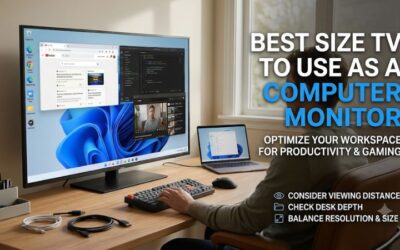
Choosing between a 32-inch, 42-inch, or 43-inch television is not simply a matter of buying the largest screen your budget allows. The right option depends on desk depth, viewing distance, desktop workload, and how much gaming you intend to do.
A television that looks impressive from a couch can become uncomfortable when positioned directly in front of a keyboard. Before purchasing, consider the following specifications.
Choose a suitable screen size
Screen size determines how much physical space the display occupies, but it does not directly determine image sharpness.
A 32-inch 4K television offers relatively high pixel density and is easier to fit into a compact workspace. It is a particularly sensible choice for people who spend much of their time reading documents or browsing websites.
A 42-inch television provides a larger working area without moving too far beyond the dimensions of many conventional desks. It is a good compromise for users who want a combination of productivity and entertainment.
A 43-inch television can provide additional room for multitasking, but it requires a deeper desk or a wall-mounted installation to remain comfortable.
Consider these general use cases:
| Screen size | Recommended setup | Main advantage |
|---|---|---|
| 32 inches | Small desk or secondary display | Compact footprint |
| 42 inches | Gaming and productivity | Balance of screen area and desk usability |
| 43 inches | Larger desk or wall mount | More room for multiple applications |
| 48 inches | Deep desk or viewing from farther away | Large entertainment and gaming display |
These are practical categories, not strict ergonomic limits. Your viewing distance and personal comfort should determine the final choice.
Prioritize native 4K resolution
For a television used at a computer desk, 3840 × 2160 is generally preferable to 1920 × 1080.
The difference becomes especially important when displaying small fonts, detailed images, and multiple application windows.
A 32-inch 1080p television can show noticeable pixel structure when viewed closely. A 32-inch 4K television distributes four times as many pixels across approximately the same physical area, creating a much sharper image.
The Samsung Q8F is particularly relevant here because its 32-inch version offers native 4K resolution.
However, resolution is not the only factor determining desktop quality. A television must also support the appropriate chroma format, scaling, and computer input settings.
If text looks blurry despite selecting 4K, check whether the television supports chroma 4:4:4 in PC mode.
Check the refresh rate and gaming capabilities
A 60Hz television is sufficient for general office work, browsing, video playback, and casual gaming.
A 120Hz or 144Hz television can provide smoother movement, particularly in fast-paced games. A 165Hz model offers additional headroom for compatible gaming PCs.
However, the advertised refresh rate must be supported at the resolution you intend to use.
Some televisions support 120Hz only at 1080p or other reduced resolutions. Others offer 4K at 120Hz or higher through compatible HDMI 2.1 ports.
Before purchasing, check:
-
Native panel refresh rate.
-
Maximum supported refresh rate at 3840 × 2160.
-
HDMI bandwidth and supported input formats.
-
VRR compatibility.
-
Game Mode input lag.
-
Whether chroma 4:4:4 remains available at the selected refresh rate.
For example, the Vizio Mini LED Quantum 4K supports 4K at 60Hz and 1080p at 120Hz, while the LG C6 supports 4K up to 165Hz. These are very different gaming capabilities despite both televisions being marketed as 4K displays.
RTINGS.com+1
Understand chroma 4:4:4 and text clarity
Chroma 4:4:4 is particularly important when using a TV for productivity.
Video content often uses chroma subsampling to reduce the amount of color information transmitted. This is usually acceptable for movies, but small computer fonts and colored interface elements can look less precise.
A television that correctly displays 4:4:4 preserves the full color information for each pixel, helping maintain cleaner text edges.
However, even a television that supports 4:4:4 may have a nonstandard subpixel layout that affects Windows font rendering.
This is why the LG C6 and Samsung S90H deserve separate consideration from conventional RGB LCD televisions. Their gaming capabilities are impressive, but people who spend most of the day reading small text may prefer a dedicated productivity monitor.
For desktop use, check independent testing rather than relying only on the manufacturer’s advertised resolution.
Consider OLED versus LCD
OLED and LCD televisions have different strengths when used as computer displays.
OLED provides individually controlled pixels, deep blacks, excellent contrast, and extremely fast pixel transitions. These characteristics make it attractive for gaming and entertainment.
However, OLED introduces a burn-in consideration when static desktop elements remain visible for extended periods. Taskbars, application menus, and fixed interface elements can create uneven pixel wear over time.
LCD televisions avoid the same organic-pixel burn-in mechanism and can be more practical for static desktop workloads. Their weaknesses depend on the panel type.
VA panels generally offer stronger native contrast but can have narrower viewing angles. IPS panels typically provide wider viewing angles, although black levels may be weaker.
The right technology depends on whether you prioritize gaming, long working sessions, contrast, or resistance to static-content wear.
Check desk depth and mounting compatibility
A small TV can still be physically inconvenient if its stand occupies too much desk space.
Check the width and depth of the included stand, not just the advertised screen size. Some televisions have wide feet positioned near the edges, which can interfere with speakers, keyboard trays, or other accessories.
VESA mounting compatibility is another useful consideration. A compatible wall mount or monitor arm can free up desk space, but you must verify the television’s mounting pattern and total weight against the mount’s specifications.
Do not assume that a monitor arm rated for a 32-inch monitor can safely support a heavier 42-inch television.
Also consider the location of HDMI ports. Rear-facing connections can become difficult to access when a TV is mounted close to a wall.
TV versus dedicated monitor: Which is better for a small desk?
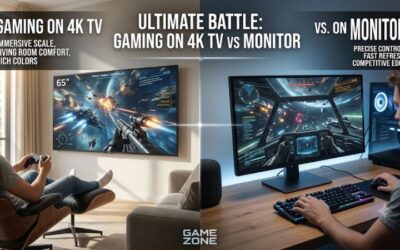
A television can replace a conventional monitor, but it is not necessarily the better purchase for every computer setup.
A dedicated monitor is generally designed for close-range use. It usually offers more predictable desktop ergonomics, easier height and tilt adjustment, and a greater range of compact sizes.
A television provides different advantages, including built-in streaming applications, larger screen sizes, integrated speakers, and convenient entertainment features.
| Feature | Small TV | Dedicated monitor |
|---|---|---|
| Typical screen size | 32–43 inches in this roundup | 24–32 inches commonly |
| Smart streaming | Often built in | Model dependent |
| High refresh rate | Available on premium models | Widely available |
| Desktop text clarity | Depends on chroma and subpixel layout | Usually optimized for PC |
| Ergonomics | Often requires a separate mount | Frequently includes adjustable stands |
| Static-content considerations | OLED requires burn-in awareness | Depends on panel technology |
| Input connectivity | Primarily HDMI | HDMI, DisplayPort, USB-C, depending on model |
A television makes more sense when you want one display for gaming, streaming, and occasional desktop use. A dedicated monitor is usually more convenient when your primary task involves reading, writing, spreadsheets, or coding throughout the day.
You should also compare the total cost of the setup. A television may require a separate mount, external speakers, or additional desk space. A monitor may already include an adjustable stand and PC-oriented connectivity.
When a small TV is the better choice
Choose a television if you want to combine computer gaming and entertainment without maintaining separate screens.
For example, a 42-inch LG C6 can function as a high-refresh-rate PC gaming display while also providing access to streaming applications through webOS.
A 32-inch Samsung Q8F is more appropriate when you want a compact television that can also serve as a sharp desktop display.
When a dedicated monitor is the better choice
Choose a conventional monitor if you sit very close to the screen and spend most of your time working with text.
A 27-inch or 32-inch 4K monitor may provide a more comfortable viewing experience than a television with similar resolution but a larger physical footprint.
You may also benefit from DisplayPort, USB-C connectivity, ergonomic adjustment, and more predictable Windows text rendering.
A television is not automatically cheaper or more practical once you include the accessories needed to integrate it into a workstation.
How to set up a small TV as a PC monitor
Once you have selected a television, configure it correctly to avoid blurry text, unnecessary image processing, and input delays.
Use the correct HDMI connection
Connect the computer directly to an HDMI port on the television whenever possible.
For 4K at 60Hz, a compatible HDMI 2.0 connection is generally sufficient. For 4K at 120Hz or higher, you need compatible HDMI 2.1 hardware and a suitable cable.
Check the TV manual to identify which HDMI ports support the highest bandwidth. Some models reserve their best gaming capabilities for specific inputs.
Enable PC mode
Look for a PC input label or dedicated PC picture mode in the television’s settings.
This can help the TV handle computer signals correctly and reduce unnecessary image processing.
Also check whether the television supports 4:4:4 chroma in the selected mode. This is especially important for people who regularly read small text.
Set the native resolution in Windows
Open Settings, select System, and then Display.
Choose your television and set the resolution to its native panel resolution. For the models in this roundup, that means 3840 × 2160.
Next, open Advanced display to select the appropriate refresh rate.
If the interface looks too small, adjust Windows scaling instead of lowering the resolution. A 125% or 150% scaling setting can be a reasonable starting point for a 4K television, although the best setting depends on screen size and viewing distance.
Adjust picture processing
Disable overscan so the entire desktop remains visible.
You should also consider disabling unnecessary noise reduction and motion smoothing. These features are designed primarily for video playback and may interfere with the appearance or responsiveness of computer content.
For gaming, enable Game Mode or an equivalent low-latency setting.
Finally, test small text, colored interface elements, and moving images before deciding that the setup is ready for everyday use.
Frequently asked questions
What is the smallest TV that works well as a PC monitor?
A 32-inch 4K television is a practical starting point for users who want a genuinely compact TV-based desktop. The Samsung Q8F is an example because its 32-inch variant combines 4K resolution with smart TV functionality. Smaller televisions are available, but many use lower resolutions that are less suitable for close-range desktop work.
Is a 32-inch TV too small for a computer monitor?
No. A 32-inch TV can work very well on a small desk, especially when it has native 4K resolution. Its main limitation is that many compact televisions offer only 60Hz refresh rates and fewer gaming features than larger premium models.
Is a 42-inch TV too big for a desk?
It depends on desk depth and viewing distance. A 42-inch television can be comfortable when positioned far enough away, but it may feel overwhelming on a shallow desk. Check the physical dimensions and consider wall mounting if the included stand occupies too much space.
Should I buy a 4K or 1080p small TV for PC use?
4K is generally preferable because it provides sharper text and more desktop workspace. A 1080p model can still work for casual entertainment or a secondary display, but it offers less detail when viewed closely. The Samsung Q8F is particularly interesting for people who specifically want 32-inch 4K resolution.
Is OLED good for using a TV as a computer monitor?
OLED can provide excellent gaming performance, contrast, and motion clarity. However, prolonged exposure to static desktop elements creates a burn-in consideration. If you use spreadsheets, development tools, or other static applications for many hours daily, an LCD television may be a more practical option.
Do I need HDMI 2.1 for a small TV monitor?
Not necessarily. HDMI 2.0 is generally sufficient for 4K at 60Hz, which works well for productivity and casual gaming. HDMI 2.1 becomes important when you want 4K at 120Hz or higher, provided the television and graphics card support the same signal format.
Can I use a TV as a dual-monitor setup?
Yes. You can connect a television as a second display alongside an existing monitor. Windows allows you to extend or duplicate the desktop, so you can keep applications on one screen while using the other for gaming, video, or additional workspace. Make sure both displays support compatible resolutions and refresh rates.
Final verdict
The LG C6 OLED 2026 is the strongest overall choice for buyers who want a compact premium television with 4K resolution, high refresh rates, HDMI 2.1, and excellent gaming responsiveness. Its 42-inch size provides a useful balance between desktop functionality and entertainment.
For a smaller workspace, the Samsung Q8F 32-inch stands out because its native 4K resolution is unusual in this screen-size category. The Sony BRAVIA 3 II is a worthwhile LCD alternative, while the Samsung S90H offers excellent reflection handling for rooms with challenging lighting.
The Hisense QD6QF and Vizio Mini LED Quantum 4K are more appropriate for basic desktop use and secondary-display setups than demanding PC gaming.
Ultimately, prioritize native 4K resolution, chroma 4:4:4 support, appropriate refresh rates, and comfortable viewing distance. A television that fits your desk and delivers clear text will be more useful than a larger model with impressive specifications but poor desktop ergonomics.