If you’re asking why are oled tvs cheaper than oled monitors, start with the sale and the specs. A discounted TV may cost less than a compact 4K gaming monitor because the two target different buyers. The monitor’s higher refresh rate, desk-friendly size, ports, or warranty can still make it the better buy.
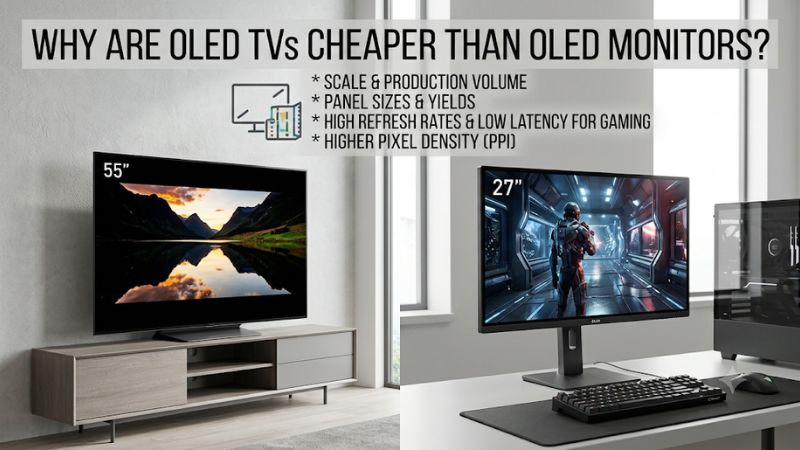
Why are OLED TVs cheaper than OLED monitors in some stores?
An OLED TV can undercut an OLED monitor when the television is discounted or the monitor carries features designed for desktop gaming. Screen size alone explains little. Compare products by model year, condition, resolution, refresh rate, and what you can actually buy at the price shown on the page.
The pricing pattern can run the other way. In one set of U.S. listing snapshots, Dell displayed $849.99 for its 32-inch Alienware AW3225QF, while Best Buy displayed $999.99 for the 42-inch LG C6. Best Buy also showed an older 42-inch LG C5 at $899.99 on clearance, but that listing showed the TV as
unavailable. These were displayed item prices before any checkout adjustments. They illustrate how the ranking can change across models and generations, and how a clearance price can remain visible after buying it stops being an option.
A large TV can still look cheaper on a cost-per-inch basis. That’s a useful measure if you are furnishing a living room. For a computer desk, a better question is how much it costs to get sharp text at your seating distance, the refresh rate you can use, and the inputs you need. The extra diagonal
can be a benefit from a couch and a reason to pass on the same screen at a desk.
What accounts for the price difference?
Several factors can move the price you see, from the age of a model to the design of its panel and electronics. The most visible factors are the ones you can check directly. Compare the checkout price, the exact variant, and the available features before drawing conclusions about what the panel
costs to make.
Why are OLED TVs cheaper than OLED monitors during some sales?
A promotion can change the comparison more quickly than any manufacturing improvement. TV model transitions can put a previous generation beside a new release at a different price, while monitor brands also discount existing models and introduce new sizes or refresh rates. The useful comparison is
between two offers you could actually buy today.
Retailer labels require some care. A retailer’s comparable value and a manufacturer’s estimated value describe different reference points, so compare the amount you pay rather than the amount the page says you save. Check whether the product is new, open-box, refurbished, or sold through a
marketplace seller. A TV with an attractive advertised price and no shipping or pickup option belongs outside your shortlist. If the price depends on a membership, financing, or another purchase, account for that before comparing it with a straightforward sale.
Compare like stages of the product cycle when you want to understand the underlying price difference. A clearance TV and a newly released monitor can answer the question of what to buy this week. A pair of similarly aged models at ordinary selling prices tells you more about how the two categories
are positioned. Keep those comparisons separate, especially when a deal headline makes the price gap look permanent.
Manufacturing scale can help, but retail prices reveal little about yield
A mature product category can spread tooling, development, and distribution costs across more units. Standardized production can also make repeat runs easier to plan. Those mechanisms explain why scale can matter, while the price of an individual OLED TV or monitor still depends on how its
manufacturer and retailer choose to sell it.
OLED monitors are a growing market in their own right. TrendForce reported that worldwide OLED monitor shipments reached about 2.74 million units in 2025, up 92% from the previous year, and cited aggressive fourth-quarter promotions as a contributor. That growth matters because a smaller or younger
category can develop its own production scale and price competition. It also shows why the explanation that only TVs go on sale breaks down when you look at the monitor market.
Panel manufacturing adds another wrinkle. The number of panels that can be cut from a substrate depends on the panel dimensions and factory layout, while yield depends on how many usable panels meet the intended specifications. A compact panel uses less area per screen, but an efficient layout and
good yield cannot be inferred from diagonal size alone. The manufacturer would need to disclose its own production and cost data to establish how much these factors contributed to the price of a particular model.
Smaller 4K screens put the same pixels into less space
A 32-inch 4K monitor and a 42-inch 4K television both display 3840 × 2160 pixels. Using their nominal sizes, that works out to about 138 pixels per inch on the monitor and 105 on the TV. The monitor concentrates the same image into less area, which is useful when you read menus or text at arm’s
length.
Tighter pixel spacing changes the panel design. That can affect the engineering needed to meet a panel’s performance targets, but pixel density cannot tell you whether a specific panel has higher production costs or lower yields. A larger OLED TV also needs more display area and has its own
brightness, power, and thermal requirements. Neither the extra square inches on the TV nor the finer pixel pitch on the monitor establishes a bill of materials.
For the buyer, the density difference matters even when the manufacturing explanation is uncertain. If you edit code or work with small spreadsheet labels from a desk chair, the smaller panel can give fine details a cleaner appearance at that distance. Subpixel layout and font rendering also affect
the result, so compare your actual applications. If you can move the larger screen back, its pixels take up less of your field of view and the difference may bother you less.
A gaming monitor can charge for features you will only use at a desk
Some OLED monitors target buyers who want high refresh, low display lag, DisplayPort, and an adjustable stand in a compact cabinet. A gaming TV can prioritize HDMI inputs, built-in apps, speakers, and a large image. Each design offers things that matter to its intended audience, so compare the
features you will use.
Dell specifies 3840 × 2160 at up to 240 Hz for the Alienware AW3225QF. It also lists DisplayPort and HDMI support and an adjustable stand. That combination can make sense if you have a gaming PC and want one screen for both fast play and daily work. A TV that costs less can still offer enough
refresh for your games while giving you a larger picture and the convenience of a remote. Conversely, a television can have expensive video processing, audio, or panel features that push its price above a monitor.
Some other OLED monitors include features such as USB-C power delivery or a keyboard and mouse switch. Treat these as model-specific. If you never dock a laptop, such features offer little reason to spend more. If a display replaces an external dock or gives your PC and work laptop a convenient way
to share peripherals, it can save hardware or daily effort. A feature matters when it solves a problem in your setup.
How to tell whether the cheaper screen is the better buy
Work through the decisions in the order you will experience them. First see whether the screen fits from your usual seat. Then check the connection, picture, and refresh rate you can use. Finally compare the total cost and service terms. An attractive display price matters only after the setup meets
your needs.
| If you mainly need | What to compare | What can erase the apparent savings |
|---|---|---|
| Close-range desktop work | Screen width, text clarity, stand adjustment, wake behavior | A wall mount or a deeper desk to make a TV comfortable |
| High-frame-rate PC gaming | Refresh at 4K over the intended port, VRR, motion | An adapter, dock, or GPU output that limits refresh |
| Console gaming and movies | HDMI game modes, sound, and viewing distance | Paying for monitor refresh beyond your console’s output |
| A work laptop and gaming PC | USB-C video and power, input switching, and any needed hub | Separate charging or docking hardware |
| Several years of daily use | U.S. warranty terms, image retention coverage, and returns | Service exclusions or an inconvenient return policy |
Measure width and distance before comparing the diagonals
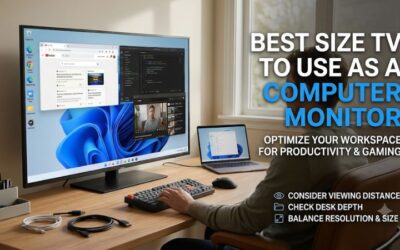
A nominal 32-inch 16:9 display is about 28 inches wide, and a 42-inch display is about 37 inches wide. That extra width can improve movies and controller games from farther back. It can also move window controls and game HUD elements toward the edge of your view when both screens sit at the same
distance.
Mark the panel width where you plan to put it. Sit normally and check whether you can look from the center to both upper corners without repeatedly shifting your posture. Then account for the actual stand, including how far it brings the panel forward. A shallow desk can make a large TV feel closer
than the room measurements suggest. If a mount would fix that, include its price and check whether the wall, stand, or arm can accommodate the model’s weight and mounting pattern.
Check the second seat if the display will be shared. A compact monitor can be easy to read from the desk yet make subtitles too small from a bed or couch. A large TV can work from both places if it sits behind the desk and you use suitable system scaling. If you spend eight hours at the keyboard and
only occasionally watch from farther away, give more weight to the desk position.
Match refresh and inputs to the hardware you already use
A refresh rate is useful only if the device can send the mode you want and your applications benefit from it. Start with the actual HDMI or DisplayPort output on your computer. Check what the display accepts on that input at 4K, and confirm whether features such as HDR and variable refresh work in
the intended combination.
For a gaming PC, a 240 Hz monitor makes the strongest case if you regularly play titles that run well above 120 fps at your chosen settings. If your games are generally below that range or you mainly play cinematic titles with a controller, your money may go farther toward the screen size and room
setup you prefer. Check a familiar game and pay attention to how steady it feels. A peak benchmark number can overstate the difference you’ll notice during normal play.
Console buyers should verify support for the console’s specific HDMI modes. PlayStation documents a 120 Hz output setting for compatible games and displays. A 240 Hz monitor won’t raise a console game’s frame-rate ceiling. If two screens both accept the console modes you use, compare the viewing
distance, audio, and price. If the PC passes through a dock or receiver, test it directly first, then add the equipment back one device at a time to identify any connection limits.
Compare text, warranty, and total cost at checkout
An OLED display can serve both work and games, but a desk setup exposes weaknesses that may be invisible from a couch. Test small colored text, switching between sources, and wake from sleep. Then read the written coverage for the exact U.S. model, especially if the screen will show the same
toolbars or dashboards for hours.
For text, start at native 4K with the correct PC input mode. Use RGB or 4:4:4 chroma if the connection offers it, then check your actual apps at a comfortable scaling level. If text looks soft, verify the signal before drawing conclusions about the panel. Compare your most common work screen as well
as a favorite game. The screen you enjoy at night still has to work for the tasks that occupy most of the day.
For service, distinguish warranty length from what the warranty covers. Dell lists burn-in coverage as part of the service terms on the AW3225QF product page. Other monitors and TVs can have different terms, and a retailer’s return policy is a separate question. Check the seller, region, condition,
and applicable coverage before giving the warranty a dollar value. Then add shipping, sales tax, a mount, cables, or any extra audio gear that one setup requires. Compare those final totals for models you can actually order.
Questions that can change the buying decision
The price question often comes down to which feature you would notice every day. A TV may deliver the image size you want for less money, while a monitor may be easier to read and position. Start with your actual seat and devices, then compare the current offers once you know which requirements are
essential.
Is a cheaper OLED TV necessarily worse for gaming?
A lower-priced OLED TV can be a good gaming display when it accepts your intended signal, has a suitable low-latency mode, and fits the room. Compare input lag and motion with similar test conditions where available. A monitor’s maximum-refresh result won’t tell you how it behaves at a console’s 60
or 120 Hz output.
From a couch, a larger picture and built-in controls can be more useful than refresh you cannot use. From a desk, a compact screen can make a fast multiplayer game easier to follow because important information stays closer to the center of your view. Make the comparison from the right seat and at
the same settings before spending extra.
Should you wait for an OLED monitor sale?
If a compact screen, DisplayPort, or higher refresh is essential, waiting for a discount on a model that fits can make more sense than buying a TV you would need to rearrange the room for. Track the exact SKU, condition, and checkout total. Ignore clearance listings you cannot order and confirm that
a cheaper offer has the service terms you expect.
If your current screen already handles the tasks that matter, use it to test your priorities. Try sitting farther back, capping a game to a lower frame rate, or running a typical work session at your preferred scaling. That tells you whether a sale solves a real problem or only gives you a larger
diagonal for less money.
If you’re comparing a used OLED TV with a new monitor, ask how the used display was operated and inspect it with solid gray and colored screens where possible. Check for uneven areas or persistent outlines, then compare the seller’s return window against the new monitor’s coverage. The price
difference is easier to evaluate when you know what recourse you have if a defect appears after purchase.
Conclusion
OLED TVs can cost less when a retailer discounts them or when the monitor you’re comparing includes desktop features that carry a premium. Choose the TV if you want a larger image and can sit far enough back. Choose the monitor if close-range text, high refresh, or PC connectivity matters more. Compare available checkout prices for the exact models.