
You do not need to spend $300 or more to enjoy smooth, responsive PC gaming. The best low budget monitor for gaming can deliver a high refresh rate, adaptive sync, decent colors, and reliable motion handling without taking a large portion of your PC-building budget. For most buyers, a 24-inch 1080p monitor or a 27-inch 1440p IPS display makes the most sense. This roundup focuses on affordable models with independent testing, useful manufacturer specifications, and clearly explained compromises, with a target budget of approximately $100–$220 before tax and shipping.
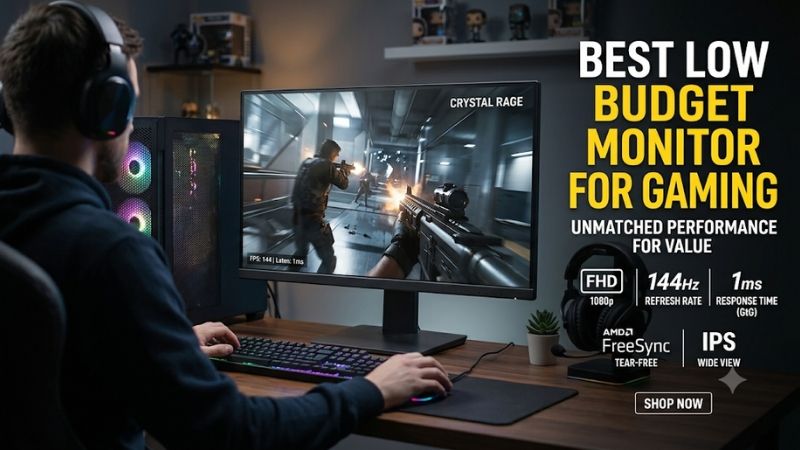
Best low budget monitor for gaming: quick verdict
The right purchase depends on whether you prioritize competitive performance, image quality, screen size, or the lowest possible price.
For most budget-conscious PC gamers, the KTC H27T22S is an attractive starting point because it combines 1440p resolution, a 180Hz refresh rate, and IPS technology at a particularly competitive price. Competitive players who want to spend less should look at the Dell SE2426HGS, which offers 240Hz at 1080p.
The AOC Q27G3XMN is worth considering when HDR picture quality matters more than staying strictly below $200. Its Mini LED backlight offers capabilities rarely found in inexpensive gaming monitors, although its current manufacturer-listed price sits slightly above the target budget.
Quick comparison table
| Monitor | Best for | Resolution | Refresh rate | Main drawback |
|---|---|---|---|---|
| KTC H27T22S | Best overall value | 1440p | 180Hz | Tilt-only stand |
| Dell SE2426HGS | Best inexpensive competitive gaming | 1080p | 240Hz | Limited contrast and HDR |
| MSI G274QPF-QD | Best 1440p connectivity | 1440p | 170Hz | Weak contrast |
| LG 24GS65F-B | Best compact IPS alternative | 1080p | 180Hz | Limited HDR performance |
| AOC Q27G3XMN | Best HDR picture quality | 1440p | 180Hz | VA black smearing and VRR flicker |
The target budget excludes taxes and shipping. Some models approach or exceed $200 depending on the retailer, availability, and promotions. Their inclusion does not mean that every listed price is a guaranteed permanent deal.
The comparison also separates advertised maximum refresh rates from native resolutions and real-world performance. A 240Hz monitor does not automatically produce better gaming visuals than a well-tuned 180Hz display.
How we selected the best low budget monitor for gaming
Budget monitor shopping involves several compromises. Manufacturers frequently advertise impressive refresh rates and extremely low response times, but those specifications do not tell the entire story.
The selection emphasizes actual gaming performance rather than marketing numbers.
RTINGS provides useful independent measurements for several models in this category, including the Dell SE2426HGS, LG 24GS65F-B, and AOC Q27G3XMN. Its testing evaluates response behavior, input lag, refresh-rate compliance, VRR, brightness, contrast, and other characteristics. Its October 2026 budget gaming recommendations also recognize the importance of comparing monitor cost with performance and availability.
We considered the following characteristics when choosing the products.
-
Resolution and size: Full HD is suitable for compact 24-inch displays, while 1440p provides additional detail on 27-inch screens.
-
Refresh rate: 144Hz to 240Hz is sufficient for most budget gaming setups, depending on the computer’s frame-rate output.
-
Response time: Actual pixel transitions matter more than an advertised 1ms figure.
-
Adaptive sync: FreeSync and G-SYNC compatibility help reduce tearing when frame rates fluctuate.
-
Panel technology: IPS provides wide viewing angles, VA generally offers stronger native contrast, and Mini LED improves HDR through local dimming.
-
Connectivity and ergonomics: DisplayPort, HDMI, stand adjustment, and VESA mounting influence everyday usability.
We also considered the graphics card requirements associated with each resolution. A low-cost monitor should not force buyers into an unnecessarily expensive GPU upgrade just to achieve playable frame rates.
The recommendations are intended primarily for desktop PC gamers in the United States. Console users should pay particular attention to HDMI capabilities because some inexpensive monitors cannot accept the same high-refresh signals available through DisplayPort.
Individual monitor recommendations
KTC H27T22S: Best overall value for 1440p gaming
The KTC H27T22S is one of the most interesting options for gamers who want to move beyond Full HD without paying premium-monitor prices.
It features a 27-inch Fast IPS panel with a native 2560 x 1440 resolution and a 180Hz refresh rate. KTC also specifies adaptive sync, HDR support, and a 1ms GTG response-time rating. Its combination of screen size, resolution, and refresh rate makes it suitable for competitive multiplayer games and visually demanding single-player titles.
The biggest advantage is its balance.
A 27-inch 1440p display offers noticeably more desktop space and image detail than a 24-inch 1080p screen. This is useful in games with detailed environments, where additional resolution makes textures and distant objects easier to distinguish.
Independent testing from DisplayNinja found that the H27T22S delivers fast response behavior, smooth variable refresh rate performance, and good color reproduction after calibration. Its measured brightness reached 355 nits, while its measured contrast ratio was approximately 1,156:1. These are DisplayNinja’s measurements, not manufacturer claims.
The monitor also has some limitations.
Its IPS panel cannot produce the deep blacks of an OLED or a good VA display. Dark scenes can therefore look somewhat gray, particularly in a room with the lights turned off.
The included stand supports tilt adjustment but does not provide built-in height adjustment, swivel, or pivot. Buyers who want more ergonomic flexibility may need a VESA monitor arm.
Connectivity includes two HDMI 2.0 inputs and two DisplayPort 1.4 connections. It is useful for connecting multiple devices, but HDMI 2.0 does not offer the same bandwidth as HDMI 2.1. Do not purchase it expecting unrestricted 4K/120Hz console functionality.
Newegg’s KTC-Official listing showed a $149.99 promotional price with a listed coupon, compared with a $199.99 regular price. The promotion is conditional and can change, so check the final checkout price.
Buy if you want a large 1440p gaming display, a high refresh rate, and good value without moving into premium pricing.
Skip if you need a fully adjustable stand, strong HDR performance, or guaranteed HDMI 2.1 compatibility.
Dell SE2426HGS: Best inexpensive monitor for competitive gaming
The Dell SE2426HGS is a particularly appealing option for players who care more about responsiveness than resolution.
It uses a 23.8-inch Fast IPS panel with a native Full HD resolution of 1920 x 1080 and a 240Hz maximum refresh rate. This combination is especially suitable for competitive shooters, fast multiplayer games, and esports titles where motion clarity matters more than having the highest possible pixel count.
Dell lists a 0.5ms GTG response-time mode, with additional response settings of 1ms, 3ms, and 5ms depending on the selected overdrive mode. The monitor also supports FreeSync Premium Pro. Its stand provides height, swivel, and tilt adjustment.
The main advantage is how accessible 240Hz gaming has become.
You no longer need an expensive 1440p display to enjoy a very high refresh rate. A 1080p panel is easier for a graphics card to drive, which makes it easier to achieve high frame rates in games such as Counter-Strike 2, Valorant, and Overwatch 2.
Independent RTINGS testing found that the SE2426HGS has consistently fast response behavior and low input lag across its refresh-rate range. It also supports common VRR formats, helping reduce tearing when the GPU’s frame rate changes.
However, RTINGS identified inverse ghosting at lower refresh rates. This can produce unwanted visual trails when overdrive settings are too aggressive.
Picture quality is another compromise. The IPS panel has relatively low contrast, making blacks look gray in dark environments. It also lacks local dimming and has limited HDR color performance. Its 1080p resolution is less detailed than a 1440p alternative at the same viewing distance.
Dell listed the monitor at $119.99 on its US store during research, making it a particularly interesting choice for buyers trying to remain near $120 before tax and shipping.
Buy if you play competitive PC games, want 240Hz, and prefer spending less on the monitor so more of your budget can go toward the graphics card.
Skip if you primarily play cinematic single-player games or want a strong HDR experience.
MSI G274QPF-QD: Best 1440p option for connectivity and adjustability
The MSI G274QPF-QD is an alternative for gamers who want a combination of 1440p resolution, high refresh rate, and more flexible connectivity.
It features a 27-inch Rapid IPS panel with a native resolution of 2560 x 1440 and a 170Hz maximum refresh rate. MSI uses quantum-dot technology to expand the panel’s color gamut, while its gaming features include AMD FreeSync Premium and G-SYNC compatibility.
One of its most useful features is USB-C with DisplayPort Alternate Mode.
The connection supports video input and up to 15W power delivery. That is convenient for connecting a compatible laptop, although 15W is insufficient to charge most performance-oriented laptops while gaming.
The stand is more versatile than the one supplied with many inexpensive displays. It provides height adjustment, tilt, swivel, and pivot functionality.
MSI specifies a maximum 170Hz refresh rate through DisplayPort overclocking. The default refresh rate is 165Hz, and the monitor’s HDMI 2.0b connections support up to 144Hz at 1440p. Buyers should connect through DisplayPort when they want the full advertised refresh rate.
Independent RTINGS testing found that this monitor provides low input lag and consistent response behavior across its VRR range. However, some motion blur remains behind fast-moving objects.
Its biggest weakness is picture quality. The native contrast ratio is relatively low, and the monitor has poor black uniformity. Dark scenes can look gray or cloudy instead of producing deep blacks.
HDR performance is also limited. The DisplayHDR 400 specification does not guarantee impressive HDR visuals, and this model lacks the local dimming needed for more convincing highlight control.
Price information requires some caution. US price trackers listed the monitor around $196, although other listings were higher. Verify the seller and condition rather than assuming every listing is below $200.
Buy if you need a 27-inch 1440p display with USB-C video input and a fully adjustable stand.
Skip if deep blacks, excellent HDR, or the best motion clarity at this price are your priorities.
LG UltraGear 24GS65F-B: Best compact 1080p IPS alternative
The LG UltraGear 24GS65F-B is designed for gamers who prefer a straightforward 24-inch Full HD display.
It uses an IPS panel with a native 1920 x 1080 resolution and a 180Hz refresh rate. LG also specifies a 1ms GTG response time, HDR10 support, up to 99% sRGB color gamut, AMD FreeSync, and NVIDIA G-SYNC compatibility.
Its physical design is one of its more practical advantages.
The stand supports tilt, height, and pivot adjustments. Height adjustment is particularly useful for users who spend long periods sitting at a desk, while pivot makes it easier to rotate the display for portrait-oriented content or a secondary-monitor arrangement.
The 180Hz refresh rate is a comfortable upgrade over traditional 60Hz and 75Hz monitors. It provides smoother motion in fast-paced games without requiring a graphics card to produce the same frame rates needed to take full advantage of 240Hz.
RTINGS independently researched this exact model and found that it has low input lag and consistently fast response behavior. FreeSync VRR and G-SYNC compatibility are additional benefits for PC gamers using either AMD or NVIDIA graphics cards.
However, the monitor does not provide perfect motion clarity. RTINGS found some blur behind fast-moving objects.
Its contrast ratio is also limited, so black areas look gray in dark environments. The absence of local dimming means HDR highlights do not stand out particularly well.
Another important limitation is its console compatibility. RTINGS found that it supports only 1080p at up to 120Hz and 1440p at 60Hz with the PS5, PS5 Pro, and Xbox Series X|S. It is therefore more appropriate for PC gaming than for someone seeking the best possible console signal.
LG listed the 24GS65F-B at $189.99 on its US product catalog during research. That places it close to the top of this article’s price range, where its value becomes less attractive against the faster Dell SE2426HGS.
Buy if you prefer a compact IPS screen with height and pivot adjustment and find it at a competitive discount.
Skip if its price approaches $190 and you can purchase a faster 240Hz alternative for substantially less.
AOC Q27G3XMN: Best affordable HDR gaming monitor
The AOC Q27G3XMN is the most visually ambitious option in this roundup.
Unlike conventional budget IPS monitors, it uses a VA panel with Mini LED backlighting. Its 27-inch display has a native 2560 x 1440 resolution and a 180Hz maximum refresh rate. The Mini LED system provides 336 local-dimming zones, while AOC specifies VESA DisplayHDR 1000 certification.
This technology gives the monitor a significant advantage in HDR gaming.
Instead of relying on a conventional backlight that illuminates large sections of the screen, Mini LED uses many smaller independently controlled zones. This helps create darker backgrounds next to bright highlights.
Games featuring explosions, nighttime environments, glowing lights, and high-contrast scenes can look more convincing as a result.
RTINGS’ independent testing found that the Q27G3XMN delivers excellent HDR picture quality for its price category. Its response behavior is also fast overall, with low input lag and VRR support.
The main weakness comes from its VA panel.
Although VA technology provides stronger native contrast than most inexpensive IPS displays, it can produce black smearing behind moving objects in dark scenes. RTINGS also identified distracting VRR flicker when frame rates fluctuate.
The connectivity is another consideration. The monitor includes HDMI 2.0 inputs and DisplayPort 1.4, rather than HDMI 2.1. Its advertised 180Hz maximum also depends on the appropriate connection and display mode.
The AOC US product page listed the Q27G3XMN from $218.49 during research. That puts it slightly beyond the target budget. It makes more sense as a stretch purchase or a discount opportunity than as a strict under-$200 recommendation.
There is also an alternative model worth understanding: the Q27G40XMN is a separate North American Best Buy-oriented product with 1,152 dimming zones and different stand and DisplayPort characteristics. Do not assume that reviews of one model describe the other.
Buy if you want 1440p, high refresh, and substantially better HDR contrast than conventional budget IPS displays.
Skip if you primarily play fast competitive shooters in dark environments or need HDMI 2.1.
What to look for when buying an affordable gaming monitor
Choosing a monitor based on its refresh rate alone can lead to an expensive mistake. A good budget display needs to match your graphics card, preferred games, desk space, and expectations for image quality.
Choose 1080p or 1440p based on your GPU
Resolution affects how demanding games are for your graphics card.
A 1080p monitor displays 1920 x 1080 pixels, while a 1440p monitor displays 2560 x 1440 pixels. The latter has approximately 78% more pixels, producing sharper images and additional desktop space.
For someone using an entry-level graphics card, 1080p is often the more sensible choice. It reduces the rendering workload and makes it easier to achieve high frame rates in competitive games.
A 24-inch 1080p monitor is particularly practical because its pixel density is reasonable for typical desk viewing distances.
A 27-inch 1440p monitor makes more sense for gamers with stronger midrange or high-end GPUs. It provides sharper image detail without requiring the graphics card to handle a full 4K workload.
The KTC H27T22S is a good example of an affordable 1440p upgrade, while the Dell SE2426HGS makes more sense when maximizing frame rates is the priority.
Do not automatically choose 1440p because it offers more pixels. A graphics card that struggles to maintain your target frame rate can make a higher-resolution monitor a less satisfying purchase.
Understand refresh rate and actual response time
Refresh rate measures how frequently a monitor updates its image each second.
A 60Hz monitor refreshes 60 times per second, whereas a 144Hz monitor can refresh 144 times per second. Higher refresh rates can make camera movement, character animation, and mouse-controlled gameplay appear smoother.
For most budget gaming systems, the following ranges are useful:
| Refresh rate | Suitable gaming use |
|---|---|
| 75Hz–100Hz | Casual gaming and everyday use |
| 120Hz–144Hz | General PC gaming |
| 165Hz–180Hz | Competitive and mixed gaming |
| 200Hz–240Hz | High-frame-rate competitive gaming |
However, refresh rate and pixel response time are different specifications.
A monitor can refresh at 240Hz while still showing noticeable blur if its pixels cannot transition quickly enough.
This is why independent response-time measurements matter. Also, avoid automatically choosing the most aggressive overdrive setting. Excessive overdrive can create inverse ghosting, where bright or dark trails appear around moving objects.
For example, RTINGS identified inverse ghosting at lower refresh rates on the Dell SE2426HGS, even though its overall response performance was consistently fast. This illustrates why advertised response-time figures should not be treated as a complete measure of motion quality.
Choose the right panel technology
Affordable gaming monitors generally use IPS or VA LCD panels.
IPS is usually the safer option for someone who wants balanced colors, wide viewing angles, and consistent image quality. It works particularly well for mixed gaming and productivity setups.
VA panels offer stronger native contrast, making dark scenes look deeper. However, some inexpensive VA panels have slower dark-color transitions, which can produce black smearing during fast movement.
Mini LED is a backlighting technology rather than a separate LCD panel type. It adds more precise local dimming and can substantially improve HDR performance.
The AOC Q27G3XMN demonstrates what this technology can achieve in a relatively affordable gaming monitor. However, its VA panel still has motion-related compromises.
OLED generally delivers better contrast and pixel response, but it is usually outside the strict low-budget category. Paying extra for OLED is not necessary when your main goal is simply to obtain a reliable high-refresh gaming display.
Check adaptive sync and graphics card compatibility
Screen tearing occurs when the monitor displays parts of different frames during an update.
Adaptive sync technologies help the monitor synchronize its refresh behavior with the graphics card’s frame delivery.
AMD FreeSync is widely supported among budget gaming monitors. NVIDIA G-SYNC compatibility allows many FreeSync displays to work with compatible GeForce graphics cards.
Before buying, check the exact monitor’s compatibility documentation and the supported connection.
For example, the LG 24GS65F-B supports FreeSync and NVIDIA G-SYNC compatibility, while the MSI G274QPF-QD supports FreeSync and G-SYNC compatibility according to its product and independent review documentation.
Remember that adaptive sync does not increase your computer’s frame rate. It helps coordinate the display with the frame rate your GPU can already produce.
Do not overlook connectivity and ergonomics
A low-cost monitor can have excellent specifications but still be inconvenient to use.
Check the available connections before purchasing. DisplayPort is particularly useful for PC gaming because some monitors support their maximum refresh rates only through DisplayPort.
HDMI connections may have lower refresh-rate limits depending on the monitor’s resolution and supported bandwidth.
Ergonomics are equally important.
A monitor with height adjustment can make it easier to position the screen comfortably. Swivel and pivot adjustments are useful for users who regularly change their desktop arrangement.
The KTC H27T22S has a tilt-only stand, whereas the MSI G274QPF-QD provides considerably more adjustment. The difference may justify spending more for users who spend many hours at their desks.
Finally, check VESA mounting compatibility if you already own a monitor arm or intend to purchase one later.
Frequently asked questions
How much should I spend on a budget gaming monitor?
A reasonable starting budget is approximately $100–$200 before tax and shipping.
At this level, buyers can find 1080p monitors with refresh rates between 144Hz and 240Hz. Some discounted 1440p models also offer 165Hz to 180Hz.
Spending slightly more can make sense if you want Mini LED backlighting or better HDR performance, but it is not necessary for a good basic gaming experience.
Is a 144Hz monitor still good for gaming?
Yes. A 144Hz monitor remains suitable for most gaming genres.
It offers substantially smoother motion than a conventional 60Hz display and is sufficient for many casual and competitive gamers.
A 180Hz or 240Hz monitor can provide additional smoothness, but the difference becomes less important if your computer cannot consistently generate enough frames.
Is a cheap IPS monitor better than a VA monitor?
Neither technology is automatically better.
IPS generally provides wider viewing angles and consistent colors, while VA typically delivers stronger native contrast.
For competitive shooters, a fast IPS panel is often a sensible starting point. For slower games with darker environments, a VA monitor can offer a more satisfying contrast experience.
Always consider independent response-time testing before deciding.
Can a low-budget gaming monitor work with PS5 and Xbox?
Yes. Many affordable gaming monitors support console gaming through HDMI.
However, check the exact resolution and refresh-rate modes supported by the monitor. Some inexpensive models accept only 1080p at 120Hz, while others support 1440p at 120Hz.
An advertised 180Hz or 240Hz refresh rate does not guarantee that a console can use those modes.
Should I buy a used gaming monitor to save money?
A used monitor can be a reasonable option when the discount is substantial and the condition is verified.
Check for dead pixels, backlight bleed, uneven brightness, scratches, damaged ports, and intermittent connection problems.
Test the screen at its native resolution and maximum refresh rate. Also verify that adaptive sync works correctly with your graphics card.
A refurbished model from a reputable seller with a return policy may be a safer purchase than an untested private-sale unit.
Final verdict
The best low-budget monitor is not necessarily the one with the highest refresh rate or the lowest advertised price.
The KTC H27T22S is the strongest starting point for gamers who want 27-inch 1440p resolution, 180Hz refresh, and responsive IPS performance without spending much. The Dell SE2426HGS is the better choice for competitive players who prioritize 240Hz and want to keep spending close to $120.
For better HDR, the AOC Q27G3XMN is worth considering when its price approaches $200. The MSI G274QPF-QD is a useful alternative for buyers who need USB-C and an adjustable stand.
Ultimately, prioritize the resolution your graphics card can handle, independently verified motion performance, and the features you will actually use. A well-chosen $150 monitor can be a much smarter purchase than an expensive display whose capabilities your gaming PC cannot fully utilize.









