
- Quick verdict: choosing the best monitor for gaming and movies
- Quick comparison of the best entertainment gaming monitors
- How we selected the best monitor for gaming and movies
- Best overall: ASUS ROG Swift OLED PG32UCDM Gen3
- Best dual-mode entertainment display: LG UltraGear 32GX870B-B
- Best compact 4K option: Dell Alienware AW2725Q
- Best ultrawide gaming and movie monitor: ASUS ROG Swift OLED PG34WCDN
- Best large cinematic display: LG UltraGear 45GX950A-B
- Best budget Mini-LED alternative: AOC Q27G3XMN
- Choosing the right screen for gaming and movie watching
- Frequently asked questions
- Final verdict
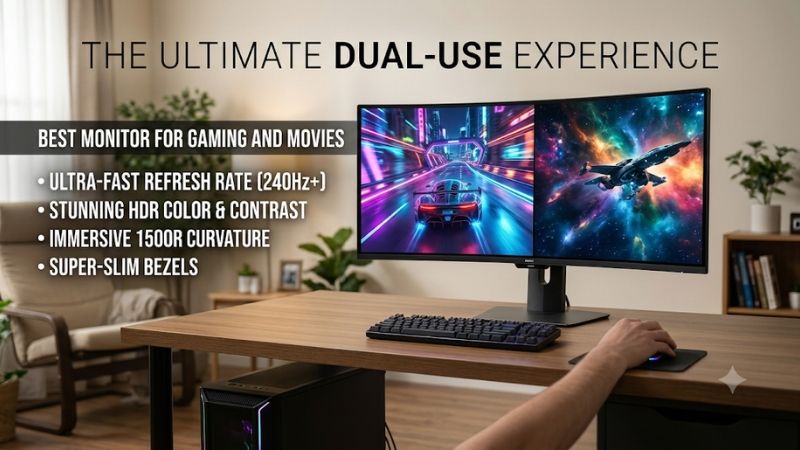
A great entertainment display should make movie scenes look cinematic while keeping gameplay smooth and responsive. The best monitor for gaming and movies needs more than a high refresh rate: strong contrast, accurate colors, convincing HDR, and a resolution that preserves detail in both games and films are equally important. This roundup covers six options, including 4K QD-OLED, dual-mode WOLED, ultrawide OLED, and budget-friendly Mini-LED displays, to help PC and console gamers choose the right screen.
Quick verdict: choosing the best monitor for gaming and movies
The ASUS ROG Swift OLED PG32UCDM Gen3 is the best overall choice. Its 32-inch 4K QD-OLED panel combines a 240Hz refresh rate, Dolby Vision support, deep blacks, vivid colors, and excellent HDR performance. It is particularly attractive for buyers who want one premium screen for PC gaming, console gaming, and movie streaming.
The LG UltraGear 32GX870B-B is the alternative for players who want a 4K OLED with two gaming modes. It supports 240Hz at 4K and 480Hz at 1080p, while its matte coating is useful for managing reflections.
For smaller desks, the Dell Alienware AW2725Q provides a 27-inch 4K QD-OLED panel with 240Hz and Dolby Vision. The ASUS ROG Swift OLED PG34WCDN offers a more immersive 34-inch ultrawide experience, while LG’s 45GX950A-B takes that cinematic approach further with its enormous 45-inch 5K2K screen.
Finally, the AOC Q27G3XMN is the budget alternative. Its Mini-LED backlight, 1440p resolution, and 180Hz refresh rate make it an interesting choice for gamers who want strong HDR without paying OLED prices.
The best choice depends on room lighting, viewing distance, preferred movie aspect ratios, gaming hardware, and how much you are willing to spend.
Quick comparison of the best entertainment gaming monitors
| Monitor | Best for | Resolution | Refresh rate | Panel |
|---|---|---|---|---|
| ASUS ROG Swift OLED PG32UCDM Gen3 | Best overall | 4K | 240Hz | Tandem QD-OLED |
| LG UltraGear 32GX870B-B | Dual-mode gaming | 4K / 1080p | 240Hz / 480Hz | Tandem WOLED |
| Dell Alienware AW2725Q | Compact 4K entertainment | 4K | 240Hz | QD-OLED |
| ASUS ROG Swift OLED PG34WCDN | Ultrawide gaming and movies | 3440 × 1440 | 360Hz | Tandem QD-OLED |
| LG UltraGear 45GX950A-B | Large cinematic experience | 5K2K | 165Hz / 330Hz | WOLED |
| AOC Q27G3XMN | Affordable HDR entertainment | 1440p | 180Hz | VA Mini-LED |
The price range is intentionally broad because no specific budget was supplied. The selected monitors range from approximately $220 to $1,800 in US listings checked on November 9, 2026. Prices are before tax and generally exclude shipping. Promotional offers should be checked again before purchase.
How we selected the best monitor for gaming and movies
A gaming monitor is not automatically a good movie display. A screen can offer 360Hz and extremely fast response times while producing disappointing dark scenes or weak HDR highlights. Likewise, a television-oriented display may have excellent contrast but lack the refresh rate, adaptive sync, or input responsiveness expected by PC gamers.
The selection process focuses on five areas.
First, contrast and black levels matter for cinematic content. OLED is particularly effective because individual pixels can switch off completely, producing deep blacks without the blooming associated with LCD backlights.
Second, HDR performance determines how effectively a display reproduces bright highlights and dark details. OLED and Mini-LED can both produce impressive HDR, although they achieve it differently. OLED controls individual pixels, while Mini-LED controls groups of backlight zones.
Third, refresh rate and pixel response influence gameplay. A 144Hz display can already feel smooth, while 240Hz and 360Hz models provide additional benefits for competitive gaming. However, the computer must produce enough frames to take advantage of those refresh rates.
Fourth, resolution and screen size affect movie detail and viewing comfort. A 32-inch 4K monitor offers a different experience from a 34-inch ultrawide or 45-inch curved display.
Finally, connectivity, Dolby Vision support, VRR compatibility, and practical limitations are considered. Independent testing from RTINGS, Tom’s Hardware, and other established publications provides the basis for measured performance claims. Manufacturer documentation is used for official specifications.
No firsthand testing is claimed. The recommendations distinguish manufacturer specifications from independent measurements and real-world observations.
RTINGS.com+3
Best overall: ASUS ROG Swift OLED PG32UCDM Gen3
The ASUS ROG Swift OLED PG32UCDM Gen3 is the most complete option for people who want a monitor for both gaming and movie watching. Its 31.5-inch fourth-generation Tandem QD-OLED panel combines 3840 × 2160 resolution with a 240Hz refresh rate.
The display’s biggest advantage is its ability to reproduce dark scenes and bright highlights simultaneously. Because OLED pixels are individually illuminated, they can turn completely off when displaying black. This produces excellent contrast without the halos that can appear around bright objects on conventional LCD monitors.
That characteristic is particularly useful for movie genres such as science fiction, horror, and action. Dark environments retain depth, while highlights from explosions, lights, and reflections stand out against darker backgrounds.
ASUS also supports Dolby Vision, which is important for viewers using compatible streaming devices and an Xbox Series X|S. Dolby Vision uses dynamic metadata to adjust HDR presentation scene by scene rather than relying only on a fixed HDR10 presentation. The actual result still depends on the source, application, and display settings.
RTINGS recommends this model as its best multimedia monitor in its October 2026 guide. Its testing highlights excellent HDR picture quality, deep dark-room blacks, vivid colors, and strong brightness for an OLED display. The same monitor also performs exceptionally well in gaming, with a near-instantaneous response time and low input lag.
RTINGS.com+1
Gaming connectivity is another major strength. The monitor includes DisplayPort 2.1a UHBR20, two HDMI 2.1 ports, and USB-C with up to 90W power delivery. It also supports common variable-refresh-rate formats and includes an integrated KVM switch for sharing peripherals between connected computers.
The newer BlackShield coating is an important improvement over earlier QD-OLED generations. RTINGS found that it helps maintain lower black levels in bright rooms compared with older glossy QD-OLED panels. However, the screen can still appear gray in strong ambient light, so it is not immune to lighting conditions.
There are other limitations. QD-OLED’s triangular subpixel arrangement can produce color fringing around text. OLED also carries a long-term burn-in risk when static elements remain displayed for extended periods. The monitor’s OLED Care Pro features help manage this issue but do not eliminate it.
ASUS lists the PG32UCDM Gen3 at $1,299 in its US store during the research period.
Buy it if you want excellent HDR movies, 4K detail, Dolby Vision, and high-refresh gaming in one premium display. Skip it if you mainly use your monitor in direct sunlight or want to avoid OLED maintenance.
Best dual-mode entertainment display: LG UltraGear 32GX870B-B
The LG UltraGear 32GX870B-B is a compelling choice for buyers who want both cinematic image quality and extreme gaming speed. Its 31.5-inch fourth-generation Tandem WOLED panel operates at 3840 × 2160 and 240Hz, with an alternative 1920 × 1080 mode reaching 480Hz.
The dual-mode feature is particularly useful for people who play different types of games. The native 4K mode preserves fine details in movie scenes and visually demanding titles. The 1080p 480Hz mode reduces the rendering workload and allows competitive games to run at very high frame rates.
For movie watching, the OLED panel provides deep blacks and strong contrast. Its matte surface also helps reduce distracting reflections from room lighting. Compared with a glossy QD-OLED, this can be a more practical option when a desk is positioned near lamps or overhead lighting.
RTINGS tested the exact model and found that it delivers excellent gaming responsiveness, sharp motion, and deep blacks alongside bright highlights. It also described the monitor as capable of accurate SDR reproduction in its sRGB mode. However, it noted that bright colors are not especially vivid, and VRR flicker can become distracting in dark scenes when frame rates fluctuate.
RTINGS.com+1
LG includes HDMI 2.1, DisplayPort 2.1, and USB-C with up to 90W power delivery. This gives the display flexibility for a gaming PC, modern console, and compatible laptop. The monitor also supports FreeSync Premium Pro and NVIDIA G-SYNC compatibility.
One important limitation for movie fans is the absence of Dolby Vision. It supports HDR content, but Xbox owners who specifically want Dolby Vision should consider the ASUS PG32UCDM Gen3 or Dell AW2725Q instead.
RTINGS.com
The LG US catalog lists the monitor at $1,399.99, while a Best Buy listing showed a $999.99 promotional price during the research pass. The lower price is a retailer-specific offer rather than a guaranteed regular price.
Buy it if you want 4K OLED movies and the flexibility to switch to 480Hz competitive gaming. Skip it if Dolby Vision is essential or you want more vivid HDR colors from a QD-OLED panel.
Best compact 4K option: Dell Alienware AW2725Q
Not everyone has the desk space for a 32-inch monitor. The Dell Alienware AW2725Q offers a smaller alternative without sacrificing the resolution or refresh rate of many larger premium models.
Its 26.7-inch QD-OLED panel supports 3840 × 2160 resolution and a 240Hz refresh rate. This gives it a particularly high pixel density of approximately 166 pixels per inch, making images and text look detailed at typical desktop viewing distances.
For movie watching, the QD-OLED panel delivers deep blacks and vivid colors. It also supports Dolby Vision HDR and VESA DisplayHDR True Black 400. The combination makes it suitable for watching HDR films and streaming content from compatible sources.
Tom’s Hardware described the display as one of the fastest 4K OLED options available during its review and highlighted its strong HDR image quality, accurate color out of the box, and responsive gameplay.
Tom’s Hardware
RTINGS also lists the AW2725Q as an upper-mid-range multimedia recommendation. Its testing identifies excellent dark-room picture quality and vivid color reproduction, although the monitor does not perform as well in bright rooms because ambient lighting can raise the apparent black level. It is also less bright than the larger ASUS alternative.
RTINGS.com+1
Connectivity includes two HDMI 2.1 connections, with one supporting eARC, and DisplayPort 1.4 with DSC. Dell also provides USB connectivity, although its USB-C downstream charging is limited to 15W rather than the laptop-charging capability of more expensive models.
The smaller screen is both an advantage and a limitation. It fits compact desks and provides excellent image sharpness, but it cannot produce the same large cinematic viewing area as a 32-inch or ultrawide display. Movie enjoyment also depends on viewing distance; sitting too far away makes the screen feel considerably smaller.
Dell listed the AW2725Q at $799.99 during the November 9, 2026 research check, reduced from an estimated value of $899.99.
Dell USA
Buy it if you want a compact 4K OLED, Dolby Vision support, and high-refresh gaming. Skip it if you prefer a large screen for movies or regularly watch content in a brightly lit room.
Best ultrawide gaming and movie monitor: ASUS ROG Swift OLED PG34WCDN
The ASUS ROG Swift OLED PG34WCDN is designed for people who want a more immersive screen without moving to the enormous size of a 45-inch monitor. Its 34-inch curved QD-OLED panel has a 3440 × 1440 resolution, a 21:9 aspect ratio, and a maximum refresh rate of 360Hz.
The ultrawide format is a major advantage for supported PC games. Racing games, open-world adventures, and cinematic titles can use the additional horizontal space to create a wider view. It also suits films with cinematic widescreen aspect ratios, which can occupy more of the panel than they would on a conventional 16:9 display.
Its fifth-generation Tandem RGB QD-OLED panel offers 99% DCI-P3 coverage, 135% sRGB gamut area, and a manufacturer-listed peak HDR brightness of 1,300 nits. ASUS also specifies a Delta E value of 2 or less and a 0.03ms gray-to-gray response time. These figures make it an attractive display for colorful entertainment and HDR gaming, although advertised gamut coverage should not be confused with guaranteed color accuracy in every picture mode.
Republic of Gamers|ROG Việt Nam+1
RTINGS’ review identifies the PG34WCDN as a premium ultrawide gaming display with sharp motion and strong picture quality. Its 360Hz refresh rate is particularly useful for competitive gamers who want an ultrawide aspect ratio without giving up extremely high refresh rates.
RTINGS.com+1
Connectivity is also comprehensive. ASUS includes DisplayPort 2.1, two HDMI 2.1 ports, USB-C with up to 90W power delivery, and a three-port USB hub. Its 1800R curve is less aggressive than the 800R curvature of LG’s much larger 45-inch option.
However, the 21:9 format is not ideal for every movie or gaming device. Many shows and movies are distributed in 16:9, leaving black bars along the sides. Consoles also generally output 16:9 signals rather than native ultrawide resolutions. RTINGS confirms that modern console signals appear with black bars on this monitor.
RTINGS.com
The ASUS US store listed the PG34WCDN at $1,299 during the research check.
Buy it if you enjoy cinematic PC games, widescreen films, and extremely fast ultrawide gaming. Skip it if you mainly watch standard 16:9 shows or play on a console.
Best large cinematic display: LG UltraGear 45GX950A-B
For buyers who want something closer to a personal home theater, the LG UltraGear 45GX950A-B offers a significantly larger viewing area. Its 44.5-inch-class curved WOLED panel uses a 5120 × 2160 resolution, commonly called 5K2K, and supports a native refresh rate of 165Hz.
The 21:9 aspect ratio is the defining feature. It creates a wide viewing area for cinematic games and films, while the 5K2K resolution preserves more detail than older 45-inch 3440 × 1440 ultrawide displays.
At approximately 125 pixels per inch, the screen also offers better text clarity than many earlier large-format ultrawide OLED monitors. LG advertises 98.5% DCI-P3 coverage, a typical contrast ratio of 1.5 million to one, and a peak brightness of up to 1,300 nits at 1.5% average picture level.
LG USA
For gaming, the monitor supports a second mode that changes the resolution to 2560 × 1080 and raises refresh to 330Hz. That makes it more versatile than a conventional ultrawide with a fixed refresh rate. You can use native 5K2K for detailed adventures and movies, then select the faster mode for competitive games.
LG includes DisplayPort 2.1, FreeSync Premium Pro, NVIDIA G-SYNC compatibility, and a 0.03ms advertised gray-to-gray response time. The anti-glare, low-reflection surface also helps manage some ambient light.
LG USA
RTINGS’ review confirms the monitor’s native 165Hz mode, 330Hz dual mode, and 800R curvature. It also notes that the model is different from the bendable LG 45GX990A-B, so buyers should check the suffix carefully.
RTINGS.com
There are important compromises. The 800R curve is aggressive, and the monitor needs a substantial desk. A 16:9 video will leave black bars on both sides, while 21:9 content uses more of the available screen. Some cinematic films with wider aspect ratios may still show small black bars at the top and bottom.
The large display also demands meaningful GPU performance when rendering games at native 5120 × 2160. A high-end graphics card is a better match if you intend to use the full resolution with demanding games.
LG’s US listing showed $1,799.99 during the research period.
Buy it if you want a very large ultrawide screen for immersive PC games and widescreen films. Skip it if your desk is small, you primarily watch standard 16:9 content, or your GPU cannot comfortably handle 5K2K gaming.
Best budget Mini-LED alternative: AOC Q27G3XMN
The AOC Q27G3XMN is the most affordable option in this roundup. It uses a 27-inch 2560 × 1440 VA panel with Mini-LED backlighting, 336 local dimming zones, and a maximum refresh rate of 180Hz.
Although it cannot match a premium OLED display in pixel-level contrast control, its local dimming system provides a substantial improvement over ordinary edge-lit LCD monitors. The backlight can adjust different sections of the screen independently, helping bright highlights stand out against darker movie scenes.
AOC specifies VESA DisplayHDR 1000 certification, 700-nit brightness, and a wide color gamut. Its VA panel also has stronger native contrast than conventional IPS displays, making dark-room movie viewing more satisfying.
RTINGS found that the AOC performs particularly well for HDR movies and gaming. Its local dimming creates deep blacks alongside bright highlights, while its sRGB mode offers excellent color accuracy. The review also identifies visible black smearing behind fast-moving objects and VRR flicker when frame rates fluctuate.
RTINGS.com+1
The monitor’s 1440p resolution is a sensible fit for a 27-inch screen and does not require as much GPU power as 4K. Its 180Hz refresh rate also provides a smooth gaming experience, particularly for players using midrange graphics cards.
The main connectivity limitation is its HDMI 2.0 bandwidth. It has two HDMI 2.0 inputs and DisplayPort 1.4, rather than HDMI 2.1. That means it cannot take full advantage of the 4K 120Hz signal path available on modern consoles. For PC gaming, DisplayPort is the preferred connection when targeting its maximum refresh rate.
RTINGS.com+1
AOC’s US product page showed offers starting at $218.49 through Amazon during the research check. The exact seller and final shipping cost should be confirmed before ordering.
AOC Monitors
Buy it if you want affordable HDR movies, deep LCD contrast, and responsive 1440p gaming. Skip it if you need 4K resolution, HDMI 2.1, or OLED-level motion clarity.
Choosing the right screen for gaming and movie watching
The product specifications only tell part of the story. Your room, content format, graphics card, and viewing distance can make one monitor much more suitable than another.
OLED versus Mini-LED for cinematic picture quality
OLED is generally the strongest choice for dark-room movie watching. Its ability to switch off individual pixels produces deep blacks, so scenes with stars, shadows, and nighttime environments retain their intended contrast.
QD-OLED and WOLED both provide excellent black levels, but they differ in color behavior, coatings, and brightness characteristics. QD-OLED often delivers particularly vivid color, while some newer WOLED panels have improved brightness and reflection handling.
Mini-LED is worth considering when you watch movies in a brighter room or use your display for static desktop applications throughout the day. Its backlight can produce very bright highlights, and it does not carry the same organic-pixel burn-in concern as OLED. The trade-off is blooming around bright objects and less precise black control.
The AOC is an excellent budget example of Mini-LED technology, while the ASUS PG32UCDM Gen3 represents the premium OLED approach.
Choose 16:9 or ultrawide based on your content
Most desktop monitors use a 16:9 aspect ratio, which is suitable for standard streaming shows, console games, and most YouTube videos. A 32-inch 4K monitor is a versatile choice if you regularly switch between different content types.
Ultrawide monitors use a 21:9 aspect ratio. This format can be more immersive for supported PC games and cinematic movies, but it is not universally compatible with video content. Standard 16:9 material appears with black bars on the left and right.
Before choosing an ultrawide, consider the streaming services and games you use most frequently. If you mainly watch television series, sports, and console content, a standard 16:9 monitor is generally more convenient.
Consider the graphics card and gaming resolution
Resolution directly affects GPU workload. Rendering at native 4K requires substantially more processing than rendering at 1440p. This is particularly important when targeting 160Hz, 240Hz, or higher refresh rates.
A high-end GPU is recommended for native 4K gaming at high refresh rates. If you have a midrange graphics card, a 1440p screen such as the AOC Q27G3XMN or ASUS PG34WCDN can be a more balanced option.
Upscaling technologies such as NVIDIA DLSS and AMD FSR can improve achievable frame rates in supported titles, but they should not be confused with native rendering performance. Your actual results will vary by game and graphics settings.
Check HDR and audio requirements
HDR10 and Dolby Vision are different standards, and support varies by monitor and connected device. A monitor that supports Dolby Vision does not necessarily support every HDR format available through a streaming application.
Check the complete playback chain, including the graphics card, console, streaming device, operating system, and application. For Xbox owners who specifically want Dolby Vision, the ASUS PG32UCDM Gen3 and Dell AW2725Q are particularly relevant.
Also consider audio. Many gaming monitors have basic speakers or no integrated speakers at all. For movies, a separate headset, desktop speaker system, or soundbar can make a greater practical difference than paying for a minor refresh-rate upgrade. Verify whether the monitor has an audio output or speakers before purchasing.
Understand OLED maintenance and long-term use
OLED monitors can develop permanent burn-in after prolonged exposure to static images. This matters if you frequently leave a desktop interface, taskbar, or application window displayed for many hours.
Use the manufacturer’s OLED protection features, automatic screen-off functions, and pixel-refresh routines. Avoid keeping static images at maximum brightness unnecessarily.
A burn-in warranty is also worth considering, particularly on expensive monitors. Read the actual warranty terms rather than assuming all OLED manufacturers provide identical coverage.
Frequently asked questions
Is a gaming monitor good for watching movies?
Yes. Modern gaming monitors can offer excellent movie quality, particularly models with OLED or Mini-LED panels. Look for deep contrast, good HDR performance, accurate colors, and a screen size that suits your viewing distance.
Is 4K better than 1440p for watching movies?
Generally, 4K provides more detail, especially on 32-inch or larger screens. However, 1440p can still look excellent on a 27-inch monitor and is less demanding on your graphics card when gaming.
Is a 240Hz monitor worth buying for movies?
A 240Hz monitor does not make a 24 FPS movie play at 240 FPS. However, it can provide a smoother gaming experience while still displaying movies at their intended frame rate. Refresh rate should not be the primary reason to buy a monitor for film watching.
Are ultrawide monitors better for movies?
They can be better for cinematic films with widescreen aspect ratios, especially those close to 2.39:1. However, standard 16:9 movies and television shows display black bars along the sides. A conventional 16:9 monitor is more versatile for mixed content.
Should I choose OLED or Mini-LED for gaming and streaming?
Choose OLED if you prioritize deep blacks, fast response, and excellent dark-room picture quality. Choose Mini-LED if you prefer higher sustained brightness, watch in a brighter environment, or want to avoid OLED burn-in concerns.
Final verdict
The ASUS ROG Swift OLED PG32UCDM Gen3 is the best overall choice because it combines 4K resolution, a 240Hz refresh rate, excellent HDR, Dolby Vision, and outstanding OLED contrast. It offers the most balanced experience for premium gaming and movie watching.
The LG UltraGear 32GX870B-B is a strong alternative for players who want dual-mode functionality and a matte OLED screen. Dell’s Alienware AW2725Q is ideal for smaller desks, while the ASUS PG34WCDN and LG 45GX950A-B offer increasingly immersive ultrawide experiences.
For buyers who want to spend considerably less, the AOC Q27G3XMN delivers impressive Mini-LED HDR performance at a much lower price.
Choose based on your favorite content, room lighting, graphics card, and preferred screen size. A display with excellent contrast and the right aspect ratio can make movie nights more enjoyable while remaining fast enough for demanding modern games.









