
The best gaming monitor for dark room gaming should preserve deep blacks without hiding shadow detail or surrounding every bright object with a distracting halo. OLED is the strongest starting point when black levels and freedom from backlight blooming matter most. Mini LED is an alternative when you want strong HDR highlights and spend long hours displaying static desktop content. These six monitors cover compact 1440p setups, detailed 4K gaming, curved screens, and ultrawide immersion.
- Quick verdict: Choosing the best gaming monitor for dark room gaming
- Quick comparison
- How we selected these monitors
- MSI MPG 321URX QD-OLED: A complete flat 4K option
- ASUS ROG Strix OLED XG27AQDMG: Glossy 1440p for PC gaming
- LG 27GS95QE-B: Matte OLED with a practical screen size
- AOC Q27G3XMN: Mini LED without moving to 4K
- Samsung Odyssey Neo G7: Curved 4K Mini LED
- Alienware AW3423DWF: An ultrawide option if available
- How to choose the best gaming monitor for dark room use
- Set up your monitor for nighttime gaming
- Frequently asked questions
- Final verdict
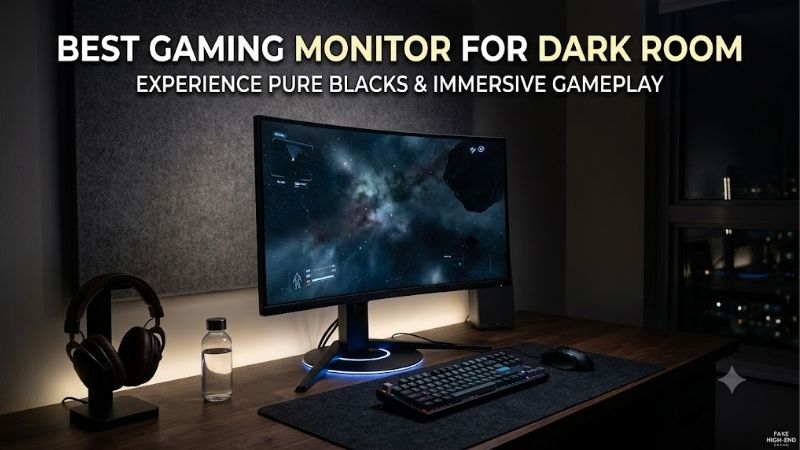
Quick answer: For most people in 2026, the best gaming monitor for dark room is the MSI MPG 321URX QD-OLED — our #1 rated choice. See the full ranked comparison, alternatives and buying advice below.
Quick verdict: Choosing the best gaming monitor for dark room gaming
For a flat 4K setup, the MSI MPG 321URX QD-OLED is the most complete starting point on this shortlist. Its 31.5-inch panel combines pixel-level light control, a 240Hz refresh ceiling, and connections suited to both PCs and modern consoles. Its strengths are especially relevant in a controlled room, where ambient light does less to compromise QD-OLED black levels.
For a smaller PC-focused setup, consider the ASUS ROG Strix OLED XG27AQDMG. Its glossy WOLED panel provides deep blacks and a 1440p resolution that is less demanding to render than 4K. Choose the LG 27GS95QE-B instead if you prefer a matte screen surface and HDMI 2.1 connectivity.
The AOC Q27G3XMN and Samsung Odyssey Neo G7 provide Mini LED alternatives. Both combine VA panels with local dimming, making them more suitable for this use than conventional LCD monitors without effective local dimming. They still produce some blooming and have motion-related limitations.
The Alienware AW3423DWF is an ultrawide option to consider if you find remaining stock from a suitable seller. Dell’s US page showed it as sold out during research, so it should be treated as a conditional purchase rather than an assured current offer.
Quick comparison
| Monitor | Best fit | Panel and resolution | Maximum refresh rate | Main limitation |
|---|---|---|---|---|
| MSI MPG 321URX QD-OLED | Flat 4K gaming on PC and console | 31.5-inch QD-OLED, 3840 × 2160 | 240Hz | Static-content wear risk; ambient light can raise black levels |
| ASUS ROG Strix OLED XG27AQDMG | Glossy 1440p PC gaming | 26.5-inch viewable WOLED, 2560 × 1440 | 240Hz through DisplayPort | HDMI bandwidth limits |
| LG 27GS95QE-B | Matte 1440p OLED setup | 27-inch OLED, 2560 × 1440 | 240Hz | Text fringing and static-content wear considerations |
| AOC Q27G3XMN | Flat 1440p Mini LED gaming | 27-inch VA, 2560 × 1440 | 180Hz through DisplayPort | Dark smearing, blooming, and VRR flicker |
| Samsung Odyssey Neo G7 | Curved 4K Mini LED gaming | 32-inch VA, 3840 × 2160 | 165Hz | Strong curvature and lower-refresh motion compromises |
| Alienware AW3423DWF | Ultrawide PC immersion | 34-inch QD-OLED, 3440 × 1440 | 165Hz through DisplayPort | Limited console fit and uncertain remaining availability |
These are use-case recommendations, not a measured fastest-to-slowest ranking. Maximum refresh rate also describes the monitor’s supported signal, not the frame rate your GPU will produce.
How we selected these monitors
Selection prioritized black levels, local dimming quality, shadow visibility, HDR presentation, and gaming behavior. Those factors determine how a monitor looks after the room lights go down more directly than a headline brightness number.
Manufacturer specifications establish resolution, panel technology, input connections, and supported refresh rates. RTINGS’ original testing provides evidence about practical limitations, including blooming, motion artifacts, ambient-light behavior, and variable-refresh-rate flicker.
This is a research-based guide without original detailed research. No current “best budget” or “best value” award is assigned because comparable verified US offers were not established across all six products.
Several models are established products rather than newly released screens. Their inclusion reflects documented suitability, not a claim that they outperform every newer alternative. Confirm the exact model, seller, condition, and return policy before buying.
MSI MPG 321URX QD-OLED: A complete flat 4K option
The MPG 321URX combines a 31.5-inch 3840 × 2160 QD-OLED panel with a 240Hz refresh rate. Its appeal in a dark room comes from individually controlled pixels: black areas can remain black beside bright effects without the backlight halos associated with LCD local dimming.
RTINGS’ testing supports its deep blacks, vivid HDR colors, rapid pixel response, and low input lag. That combination suits atmospheric single-player games while retaining the responsiveness needed for faster genres.
Connectivity is another strength. MSI specifies HDMI 2.1, DisplayPort 1.4a, and USB-C video with up to 90W power delivery. The USB-C connection can simplify a compatible laptop setup, although demanding gaming laptops may still need their original charger.
The important limitations are OLED wear and lighting sensitivity. Repeated static desktop elements contribute to cumulative wear, while strong ambient light can give dark areas a raised, slightly purple appearance. A controlled room directly addresses the latter weakness.
Buy if: You want a large flat 4K display for gaming across PCs and consoles.
Skip if: Your workload consists mainly of unchanged desktop interfaces.
Alternative: Choose the Neo G7 for a curved Mini LED approach, or the ASUS for a smaller 1440p OLED setup.
ASUS ROG Strix OLED XG27AQDMG: Glossy 1440p for PC gaming
The original XG27AQDMG uses a glossy WOLED panel with 2560 × 1440 resolution and a 240Hz maximum refresh rate through DisplayPort. Its 26.5-inch viewable area suits a conventional desktop without requiring a large screen.
Its glossy surface is appealing when room reflections are controlled. Combined with OLED black levels, it presents dark scenes without LCD blooming. RTINGS also found fast pixel response and low input lag.
Connection limits require attention. ASUS lists HDMI 2.0 inputs with a lower refresh ceiling than DisplayPort. The monitor therefore makes more sense as a PC-focused choice when you want its full 240Hz capability.
Variable refresh flicker is another consideration. ASUS includes an OLED Anti-Flicker setting, but RTINGS reports that reducing flicker can introduce stuttering. It is a trade-off rather than a universal fix.
This recommendation applies to XG27AQDMG, not the separately named Gen2 XG27AQDMGR.
Buy if: You want glossy OLED presentation and use a compatible DisplayPort connection.
Skip if: You require the most flexible console feature support or cannot control reflections.
Alternative: The LG 27GS95QE-B offers a matte surface and HDMI 2.1.
LG 27GS95QE-B: Matte OLED with a practical screen size
The LG 27GS95QE-B combines a 27-inch 1440p OLED panel with a 240Hz refresh rate. It is a useful alternative to glossy OLED models when you prefer reflections to appear more diffused.
Its dark-room strengths remain those of OLED: deep blacks, no local-dimming halos, and fast pixel transitions. RTINGS’ testing also identifies strong SDR picture quality, making the monitor relevant even when your favorite games lack worthwhile HDR support.
LG specifies DisplayPort 1.4 and HDMI 2.1 connectivity. That gives it a different connection balance from the original XG27AQDMG, particularly for a desk shared between a PC and console.
There are familiar compromises. RTINGS notes colored fringing around text, while larger HDR highlights are dimmer than small ones. OLED care also matters when the screen repeatedly displays fixed interface elements.
Buy if: You want a compact OLED gaming screen with a matte finish.
Skip if: Crisp desktop text is your overriding priority or your use is dominated by static applications.
Alternative: Choose the ASUS for glossy presentation or the MSI for a larger 4K workspace.
AOC Q27G3XMN: Mini LED without moving to 4K
The Q27G3XMN uses a 27-inch 1440p VA panel with 336 local-dimming zones and a maximum 180Hz refresh rate. It is a distinct alternative for buyers who want meaningful HDR capability while retaining an LCD panel.
Its VA contrast and Mini LED backlight help dark scenes look deeper than they do on many conventional IPS gaming monitors. Local dimming also allows highlights to stand out against darker backgrounds.
The distinction from OLED is important: each backlight zone covers many pixels. A bright subtitle or small light can therefore illuminate surrounding dark content. More convincing contrast does not mean blooming disappears.
RTINGS also reports some dark smearing and distracting VRR flicker with changing frame rates. Those weaknesses matter in precisely the dark scenes this monitor otherwise handles well.
AOC documents up to 180Hz through DisplayPort, while HDMI is limited to 144Hz. There is no USB-C docking arrangement to simplify a laptop connection.
Buy if: You want flat 1440p Mini LED gaming and accept its local-dimming compromises.
Skip if: Blooming or dark-motion trailing is especially distracting to you.
Alternative: The LG removes backlight blooming; the Neo G7 adds 4K resolution and curvature.
Samsung Odyssey Neo G7: Curved 4K Mini LED
The 32-inch Odyssey Neo G7 covered here is the S32BG75 family, with US model LS32BG752NNXGO. It combines a 3840 × 2160 VA panel, Mini LED local dimming, a 165Hz refresh rate, and a pronounced 1000R curve.
Its appeal is a detailed, enveloping picture with bright HDR highlights. Samsung specifies 1,196 dimming zones, although zone count alone cannot establish local-dimming quality. RTINGS confirms useful contrast enhancement while also identifying visible blooming.
Motion behavior deserves equal attention. RTINGS reports increased inverse ghosting at lower refresh rates with VRR enabled, plus flicker when frame rates change. A powerful GPU does not eliminate every difficult scene, so consider how consistently your games run.
The curve is a personal fit question. It can suit a centered gaming position but may be less appealing for shared viewing or work involving straight-line layouts.
Buy if: You want a large curved 4K screen with Mini LED HDR.
Skip if: You prefer flat screens or are sensitive to lower-refresh motion artifacts.
Alternative: The MSI offers flat 4K OLED; the AOC provides a smaller flat Mini LED option.
Alienware AW3423DWF: An ultrawide option if available
The AW3423DWF uses a curved 34-inch QD-OLED panel with 3440 × 1440 resolution. Dell documents up to 165Hz over DisplayPort and 100Hz over HDMI.
Its wider format can make supported PC games feel more expansive, while OLED preserves black backgrounds without local-dimming halos. RTINGS confirms excellent dark-room black levels and fast pixel response.
Its limitations make this a specialized recommendation. Changing frame rates can produce noticeable VRR flicker, and ambient light raises black levels. Modern consoles do not provide ultrawide gameplay, so they leave unused space at the sides rather than filling the screen correctly.
Availability is also material. Dell’s US page showed the monitor as sold out during research. Consider it only if a reputable seller offers the exact model with suitable condition, return terms, and warranty eligibility.
Buy if: Your PC games support ultrawide output and you find an appropriate offer.
Skip if: Console gaming is your main use or availability forces an unattractive purchase.
Alternative: The MSI provides a conventional 16:9 format with 4K resolution.
How to choose the best gaming monitor for dark room use
Start with black levels, then check shadow detail
Deep black and visible shadow detail are separate qualities. A monitor can produce an impressive black background while making nearby dark tones difficult to distinguish.
That matters in horror games, dim interiors, and nighttime environments. You should still see intended differences between dark clothing, walls, and objects rather than having everything merge together.
Use a game’s calibration screen before changing shadow-enhancement settings. Raising the black level excessively can expose hidden detail at the expense of the atmosphere you bought the display to preserve.
Understand OLED and Mini LED differences
OLED controls light at the pixel level. Mini LED is an LCD backlight technology that controls groups of pixels through dimming zones.
OLED is the cleaner choice when small bright objects against darkness are your main concern. Mini LED can produce strong highlights while avoiding OLED-specific cumulative wear considerations.
Neither label guarantees an ideal experience. OLED can show VRR flicker, brightness changes, or text fringing. Mini LED can produce blooming, delayed dimming changes, and lost shadow detail. Choose the compromise that affects your actual use least.
Do not rank HDR by peak brightness alone
Peak brightness usually describes particular test conditions, not the brightness of the whole screen during every scene. Small highlights and large bright areas can behave differently.
In a dark room, the relationship between bright and dark areas matters as much as the brightest possible highlight. Strong blacks, appropriate tone mapping, and preserved detail can be more useful than an impressive isolated number.
HDR certification helps identify capabilities, but it should accompany model-specific testing. It does not replace an assessment of local dimming, color behavior, and real-game presentation.
Treat VRR flicker as a separate buying criterion
Variable refresh rate helps synchronize the display with changing game output. Some monitors also show visible brightness fluctuations when frame timing changes, particularly in dark scenes.
That makes flicker especially relevant for this roundup. A display can deliver excellent contrast and still distract you during unstable gameplay or loading transitions.
Improve frame-time consistency where possible. Test the game with VRR enabled and disabled before deciding which presentation you prefer. Anti-flicker settings may involve their own compromises, so evaluate the result rather than assuming the feature name guarantees improvement.
Match resolution to your graphics hardware
1440p is a sensible starting point for many gaming PCs because it offers useful detail without the rendering workload of 4K. It is also well suited to a 27-inch desk setup.
4K makes more sense when you want fine detail, use a larger screen, or share the monitor with desktop work. Reaching high frame rates remains dependent on the game, GPU, and settings.
An ultrawide 3440 × 1440 screen adds horizontal workspace and rendering demand compared with standard 1440p. Check game support before buying; extra width is only useful when the software handles it appropriately.
Consider daytime use and static content
A monitor chosen for nighttime gaming may still spend most of its operating hours showing work applications. That changes the decision.
For OLED, consider repeated taskbars, spreadsheets, timelines, and other fixed elements. Follow the manufacturer’s maintenance guidance and let scheduled care routines complete.
For Mini LED, evaluate text, viewing angles, and desktop local-dimming behavior. A monitor that looks impressive in a dark game may show distracting brightness changes around ordinary windows. Your daytime workload deserves the same consideration as your gaming sessions.
Set up your monitor for nighttime gaming
Begin with moderate SDR brightness. The goal is a comfortable picture that preserves detail, not the brightest image the screen can produce.
Disable unnecessary dynamic-contrast effects while establishing a baseline. Leave essential OLED protection functions enabled. On Mini LED, compare local-dimming modes using the same scene, looking at subtitles, small lights, and shadow detail.
Use HDR for content that benefits from it, then follow the operating system and game calibration steps. Avoid stacking several brightness or shadow adjustments without checking their combined effect.
Control direct reflections from desk lamps, RGB equipment, and nearby screens. A dim light behind the monitor can be preferable to a bright light facing it, though placement remains a matter of comfort.
Finally, test representative games during the return period. Include a dark scene, a fast-moving sequence, and a title with inconsistent frame rates. Those reveal more than a vivid showroom demonstration.
Frequently asked questions
Is OLED always better than Mini LED in a dark room?
OLED is generally preferable for black levels and freedom from backlight blooming. Mini LED can be a better ownership fit when static desktop use dominates or you prefer its HDR brightness characteristics. The choice depends on the complete workload, not just room lighting.
Can an IPS monitor work well for nighttime gaming?
Yes, particularly when it has effective local dimming. A conventional IPS monitor without it usually has more visible grayness in dark scenes than OLED or a high-contrast VA alternative. Panel type alone is insufficient; the backlight system and measured behavior matter.
Should I use maximum brightness with HDR?
Follow the monitor’s HDR guidance and calibrate the source appropriately. HDR controls do not necessarily behave like SDR brightness controls. Avoid forcing an uncomfortable overall picture simply to make highlights stronger, and check that bright details remain visible rather than clipping together.
Does glossy always look better than matte in darkness?
No. Glossy surfaces can look appealing when reflections are controlled, while matte surfaces diffuse reflections and may be easier to accommodate. Even a mostly dark room can contain visible lamps or RGB lighting. Choose the surface around your actual setup.
Will a 240Hz monitor make dark scenes clearer?
It can improve motion presentation when the system supplies enough frames, but refresh rate does not improve black levels or local dimming by itself. Pixel response, overdrive behavior, frame timing, and contrast all influence what you see.
Final verdict
Start with the MSI MPG 321URX for flat 4K OLED gaming, or choose between the ASUS XG27AQDMG and LG 27GS95QE-B for a smaller 1440p setup. The AOC Q27G3XMN and Samsung Neo G7 offer distinct Mini LED alternatives, while the AW3423DWF remains conditional on suitable availability. Prioritize contrast, shadow visibility, and flicker behavior before maximum brightness. Those qualities have the greatest practical effect when the room lights go down.
Ready to decide? Our #1 pick for 2026 is the MSI MPG 321URX QD-OLED.
Live price & availability on Amazon.









