
The best budget monitor under $100 in this shortlist is the Acer KB242Y G0BI for most desktop users: its observed $79.99 sale price buys a 23.8-inch Full HD IPS screen with 120Hz support through HDMI. The Philips 221V8LB3S is the lower-priced compact desktop alternative, the AOPEN 27SA2 EBI offers a larger picture, and the AOC 16E10 serves portable second-screen use. These recommendations apply to verified US product prices before tax, shipping, and accessories, with different trade-offs for each type of setup.
- Quick verdict: The best budget monitor under $100 for different needs
- Quick comparison table
- How we selected these monitors
- Acer KB242Y G0BI: Our first choice for a normal desktop
- Philips 221V8LB3S: The compact desktop alternative
- AOPEN 27SA2 EBI: For a larger picture without exceeding the product-price limit
- AOC 16E10: For an inexpensive portable second screen
- Buying guide: How to choose the best budget monitor under $100
- Frequently asked questions
- Final verdict
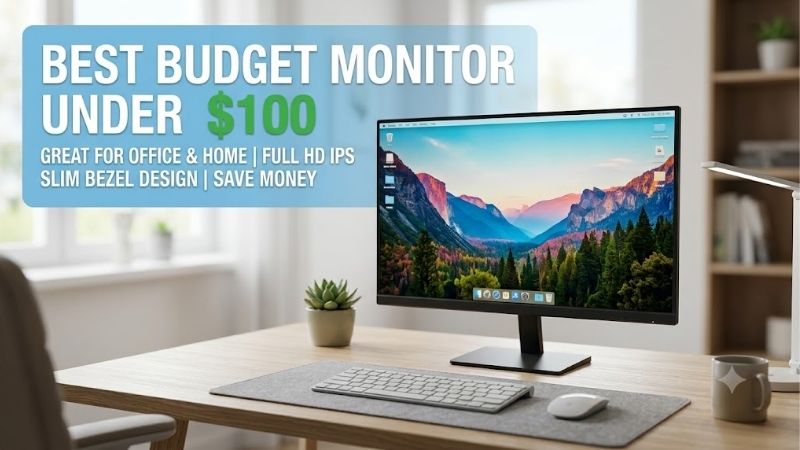
Quick answer: For most people in 2026, the best budget monitor under $100 is the Acer KB242Y G0BI, UM.QK2AA.003 — our #1 rated choice. See the full ranked comparison, alternatives and buying advice below.
Quick verdict: The best budget monitor under $100 for different needs
Choose the Acer KB242Y G0BI when you want a conventional main monitor for browsing, schoolwork, office applications, and some gaming. Its 23.8-inch size is a sensible starting point for a normal desk, and HDMI provides the documented 120Hz mode.
Consider the Philips 221V8LB3S when you prefer a smaller desktop screen and want to spend less. Its VA panel and overclockable 120Hz ceiling make it a different proposition from the Acer’s IPS design.
Choose the AOPEN 27SA2 EBI when physical screen size matters more than pixel density. It retains Full HD resolution on a larger 27-inch panel and offers a 100Hz refresh rate.
The AOC 16E10 is the portable option. Its small Full HD IPS screen makes sense beside a laptop, but it should not be treated as a cheaper substitute for a full-size primary desktop display.
Four models are included because each has a distinct role and an established sub-$100 offer. Similar variants and products with conflicting or over-budget current prices were excluded.
Quick comparison table
Prices were observed on October 14, 2026, on new-product US listings. They exclude sales tax, shipping charges, adapters, and optional accessories. Sale prices can change, so recheck eligibility before purchasing.
| Exact model | Observed price | Seller | Screen and panel | Native resolution | Refresh capability | Main compromise |
|---|---|---|---|---|---|---|
| Acer KB242Y G0BI, UM.QK2AA.003 | $79.99 sale | Acer US Store | 23.8-inch IPS | 1920 × 1080 | 120Hz through HDMI; 75Hz through VGA | Simple stand and limited connection options |
| Philips 221V8LB3S | $69.99 | B&H Photo Video | 21.5-inch VA | 1920 × 1080 | Up to 120Hz with overclock enabled over HDMI | Smaller screen; maximum refresh is an overclock mode |
| AOPEN 27SA2 EBI, UM.HS2AA.E07 | $89.99 sale | Acer US Store | 27-inch IPS | 1920 × 1080 | 100Hz | Lower pixel density than smaller Full HD screens |
| AOC 16E10 | $69.99 sale | B&H Photo Video | 15.6-inch portable IPS | 1920 × 1080 | 60Hz | Small workspace and host connection requirements |
These prices establish product-price eligibility, not a guaranteed delivered total under $100. A monitor advertised at $99.99 has almost no room for tax or added costs.
How we selected these monitors
Eligibility required an identifiable exact model, a new-product US offer below $100, and documentation supporting its core display characteristics. Manufacturer product pages and datasheets provided technical evidence, while manufacturer stores or retailer listings established price.
The shortlist covers four distinct tasks: a balanced desktop display, a smaller VA screen, a larger IPS screen, and a portable companion. It does not attempt to make every product equally suitable for every buyer.
This is a research-based roundup. We have not performed detailed research, measured response times, assessed uniformity across multiple samples, or tested these monitors against one another.
The Acer and AOPEN recommendations depend on observed promotional pricing. The ranking should be reconsidered if those offers expire. A model’s historical price does not qualify it for a current under-$100 recommendation.
Acer KB242Y G0BI: Our first choice for a normal desktop
The Acer KB242Y G0BI, part number UM.QK2AA.003, combines a 23.8-inch IPS panel with native 1920 × 1080 resolution. Acer documents 120Hz through HDMI and 75Hz through VGA.
Its observed sale price provides a useful balance of screen size, panel technology, and refresh capability. That combination makes it our first candidate for a mixed-use desktop without a specialized requirement.
HDMI is the important connection for the faster mode. Acer lists an HDMI cable in the package, along with the US power cord. The display supports tilt adjustment and a 100 × 100mm VESA mounting pattern.
Buy if you want a reasonably sized Full HD main screen and your computer has a suitable HDMI output. Skip if you need a larger physical picture, USB-C connectivity, or an extensively adjustable stand. The AOPEN is the larger-screen alternative.
Do not interpret Acer’s advertised response-time figure as a complete gaming-performance measurement. The specification alone does not establish motion quality or input delay against competing displays.
Before upgrading from a similar screen, identify the benefit. Moving from a satisfactory Full HD high-refresh monitor to another basic Full HD model may be less worthwhile than keeping the existing display and saving the budget.
Philips 221V8LB3S: The compact desktop alternative
The Philips 221V8LB3S uses a 21.5-inch VA panel with Full HD resolution. Its manufacturer datasheet describes a maximum 120Hz refresh rate as an overclock mode rather than an unqualified native-refresh specification.
At the observed price, it is a lower-cost desktop candidate for smaller spaces. Its physical screen is smaller than the Acer’s while displaying the same native pixel count.
Philips specifies HDMI and VGA inputs, adaptive-sync support, a tilt-adjustable stand, and 100 × 100mm VESA mounting. The maximum documented resolution-and-refresh mode requires HDMI.
Buy if compact size and the lower purchase price match your priorities. Skip if you specifically want a larger IPS screen or prefer not to depend on an overclock setting for maximum refresh. The Acer KB242Y G0BI is the alternative.
If enabling the manufacturer’s overclock mode produces an abnormal image, Philips advises disabling it through the monitor menu. Treat the setting as a supported option to evaluate, rather than a reason to promise identical results on every system.
VA specifications also do not substitute for transition testing. This guide makes no claim that the Philips matches the Acer in every fast-motion scene, despite their similar maximum refresh numbers.
AOPEN 27SA2 EBI: For a larger picture without exceeding the product-price limit
The AOPEN 27SA2 EBI, part number UM.HS2AA.E07, offers a 27-inch IPS panel, native 1920 × 1080 resolution, and a 100Hz refresh rate. Its verified sale offer qualifies it for this roundup.
The larger physical screen is the reason to consider it. It can suit buyers who prioritize larger-looking content or watch from farther away than a compact desk arrangement.
However, it does not provide more desktop pixels than the smaller Full HD models. At the same scaling setting, content appears larger because those pixels occupy more physical space.
Acer’s store identifies HDMI and VGA connections and AMD FreeSync support. Verify compatible operation with your graphics hardware instead of assuming every output provides identical behavior.
Buy if a larger Full HD image is what you want. Skip if close-up text sharpness is the priority or if the desk is too shallow for comfortable placement. The 23.8-inch Acer is the more compact IPS alternative.
Avoid choosing solely by diagonal size. A larger screen can be the better match for one desk and a less useful fit for another. Compare the normal viewing position, available width, and intended application before ordering.
AOC 16E10: For an inexpensive portable second screen
The AOC 16E10 is a 15.6-inch portable IPS monitor with native 1920 × 1080 resolution at 60Hz. Its observed single-unit offer falls below the stated product-price ceiling.
Its role is extending a laptop workspace or providing a small secondary display. It is not the main recommendation for a permanent desktop because its physical workspace is much smaller.
AOC’s datasheet lists two USB-C connections for signal and power, plus mini-HDMI. Full HD USB-C video uses DisplayPort Alt Mode, so the host must provide the appropriate output capability.
The listed package includes a USB-C cable and smart cover. An HDMI-to-mini-HDMI cable may be an additional purchase, and an HDMI arrangement still needs a suitable power source.
Buy if portability is essential and the computer supports the intended connection. Skip if you need a large primary screen or want refresh rates above 60Hz. The Acer is the conventional desktop alternative.
Confirm the exact single-monitor listing. Multipacks can show an attractive per-unit amount while requiring a much larger total purchase. That does not satisfy a one-monitor budget in the same way as a single-unit offer.
Buying guide: How to choose the best budget monitor under $100
Define whether $100 means product price or total spending
The distinction determines which offers actually fit. This guide uses a product price below $100 because no delivery location or tax treatment was supplied.
If $100 is your absolute checkout limit, reserve room for local sales tax, shipping, and any missing accessory. A product slightly below the threshold may still exceed your spending limit.
For example, a $99.99 product subject to a hypothetical 8% sales tax would cost about $107.99 before other charges. The calculation illustrates the issue; it is not an estimate of your actual tax.
Choose from the final checkout total when the limit is strict. Do not rely on a rebate, optional credit-card benefit, or uncertain future discount to make an otherwise over-budget purchase qualify.
Start with 1080p and the right physical size
For these verified offers, Full HD is the common native resolution. The useful question is how much physical screen you want at that pixel count.
A smaller Full HD panel places pixels closer together, while a larger one makes content physically larger at the same scaling. Neither automatically provides more room for applications.
For a normal close-up desktop, the 23.8-inch Acer is our starting point. The Philips suits a more compact arrangement, and the AOPEN prioritizes physical size. The portable AOC serves a separate task.
Measure the space before buying. Include stand depth and room for the keyboard, speakers, and mouse rather than checking only whether the panel’s width fits.
Choose panel technology without overgeneralizing
IPS and VA describe different LCD panel approaches. They provide useful context, but they do not establish an individual model’s complete performance.
The IPS options here are reasonable candidates for mixed desktop use. The VA Philips offers another choice for buyers whose priorities fit its documented characteristics.
Do not infer professional color accuracy, excellent HDR, or consistent sample quality from a panel-type label. None of those qualities was established by this research.
Likewise, a VA display’s stated contrast should not be confused with the enormous dynamic contrast figures sometimes used in marketing. Compare the specification being described before treating two numbers as equivalent.
Distinguish refresh rate from game frame rate
Refresh rate describes how often a screen can update. Game frame rate describes how many frames the computer produces. A faster display does not make the computer render faster.
Moving from 60Hz to 100Hz or 120Hz can provide additional update opportunities when the system delivers enough frames. The effect still depends on the application and frame consistency.
The Acer’s documented 120Hz HDMI mode is different from the Philips’s overclockable maximum. The AOPEN has a 100Hz specification, while the portable AOC remains a 60Hz choice.
For competitive gaming, these specifications are a starting point rather than a measured performance ranking. Without matched testing, we cannot declare a winner for response behavior or input latency.
Confirm ports before choosing the cheapest offer
Check the actual computer output. The desktop models offer HDMI and VGA, while the portable AOC adds a different USB-C and mini-HDMI arrangement.
Use HDMI for the Acer’s full documented refresh capability. A VGA connection can display an image but does not provide the same maximum mode.
A USB-C laptop port must support the video functionality required by the portable monitor. A connector that supports charging or data alone is insufficient evidence.
Check adapters and docks as well. Their supported signal modes can restrict the final resolution or refresh, and buying one may erase the savings from a lower-priced screen.
Assess the stand before budgeting for an arm
Basic stand adjustment is a common compromise in this price range. Determine whether the supplied stand puts the image at a useful height and angle.
A VESA-compatible display can provide another mounting route, but an arm is an additional purchase. Include that cost before deciding that the complete setup fits your budget.
Verify both the mounting pattern and the monitor’s supported installation instructions. Matching the hole pattern alone does not establish that every arm or screw length is suitable.
For a portable screen, evaluate the cover or support arrangement for the surface you actually use. The ability to travel with a display does not guarantee the same stability or placement flexibility as a desktop stand.
Check audio and accessories separately
Do not assume that a monitor includes speakers because it accepts HDMI audio. Check the exact model’s audio specifications.
If you already use headphones or external speakers, integrated audio may add little value. If you need sound and have no existing solution, include an appropriate option in the total cost.
Compare the contents of the exact regional package. The Acer lists an HDMI cable, while the portable AOC’s datasheet lists USB-C. Their accessory requirements are different.
Treat retailer bundles carefully. A multipack, an open-box unit, or an accessory listing can appear in a search for the monitor without representing the same purchase.
Keep new and used offers in separate comparisons
All featured price offers are for new products. Used or refurbished displays can be useful, but they bring different condition and support questions.
For a used purchase, verify the exact model, panel condition, included power supply, ports, and return terms. Missing accessories can turn a seemingly cheaper offer into the more expensive setup.
Do not transfer a new-product warranty statement to a used marketplace listing without confirming eligibility. Seller coverage and manufacturer coverage are separate questions.
If buying locally, test the intended connection before paying where practical. A display that works through one input has not automatically demonstrated that every input or refresh setting functions correctly.
Recheck the offer when purchasing
The product detail page should control the buying decision, rather than a search snippet or category-page preview. During research, some apparent sub-$100 results led to higher-priced product pages.
Recheck the exact suffix and part number, condition, seller, stock status, and product price. Then inspect the delivered total.
After connecting, set the native resolution and intended refresh in the operating system. A high-refresh display may initially run at a lower setting.
During the return period, inspect text, normal brightness, pixel defects, and stability at the intended mode. Assess the screen in your actual room rather than relying only on the manufacturer’s image.
Frequently asked questions
Can I buy a useful monitor under $100 without buying used?
Yes. The four observed new-product offers in this shortlist qualify before tax and additional costs. Their roles differ, so choose the screen that meets your requirements rather than automatically selecting the lowest amount. Recheck pricing because promotional offers may expire.
Is a 27-inch monitor better than a smaller Full HD screen?
It provides a larger physical image, not additional native pixels. A smaller Full HD screen has higher pixel density. Choose the larger size for its physical presentation, and the smaller size when close-up text clarity and compact placement are more important.
Does 120Hz mean every game will run at 120fps?
No. The monitor can accept or display an appropriate high-refresh signal, but the computer and game determine frame production. The supported input mode, operating-system setting, and connection also matter. A monitor purchase cannot remove a CPU or graphics performance limitation.
Should I wait for a better sale?
Wait if your current display is satisfactory and the available offers do not meet a specific need. Buy when a verified offer fits both the requirements and final spending limit. This guide does not predict future prices or claim that a particular sale will return.
Can these monitors charge a laptop?
The desktop selections are not presented as USB-C docking or laptop-charging solutions. The portable AOC uses USB-C for signal and power, but its datasheet does not establish a high-wattage laptop-charging feature. Keep laptop charging separate unless the exact required capability is documented.
Final verdict
The Acer KB242Y G0BI is our first recommendation for a conventional desktop at its verified sale price. It offers a useful 23.8-inch Full HD IPS format and documented 120Hz operation through HDMI.
Choose the Philips 221V8LB3S for a smaller, lower-priced desktop screen, the AOPEN 27SA2 EBI for a larger picture, or the AOC 16E10 when portability is the actual requirement.
Verify the price, connection, and checkout total before buying. The best purchase under a tight limit is the screen that completes the job without requiring overlooked extras.
Ready to decide? Our #1 pick for 2026 is the Acer KB242Y G0BI, UM.QK2AA.003.
Live price & availability on Amazon.









