
The best 4k gaming monitors under 300 should match your games and graphics hardware, not simply display a 4K badge. The MSI MAG 272URDF E16 is the strongest feature-based recommendation near the budget ceiling, while the MAG 275UPD E14 offers high-refresh gaming for less. The Dell S2725QS suits a shared gaming-and-work desk, and the ASUS VY27UQ is a conditional choice for slower games. This shortlist separates native 4K refresh rates from lower-resolution modes and explains the compromises that matter before buying.
- Best 4K gaming monitors under 300: Quick verdict
- Quick comparison table
- How these monitors were selected
- MSI MAG 272URDF E16: The most complete gaming feature set
- MSI MAG 275UPD E14: The lower-cost high-refresh choice
- Dell S2725QS: The mixed gaming-and-work choice
- ASUS VY27UQ: A conditional option for slower games
- How to choose the best 4K gaming monitors under 300
- Frequently asked questions
- Final verdict
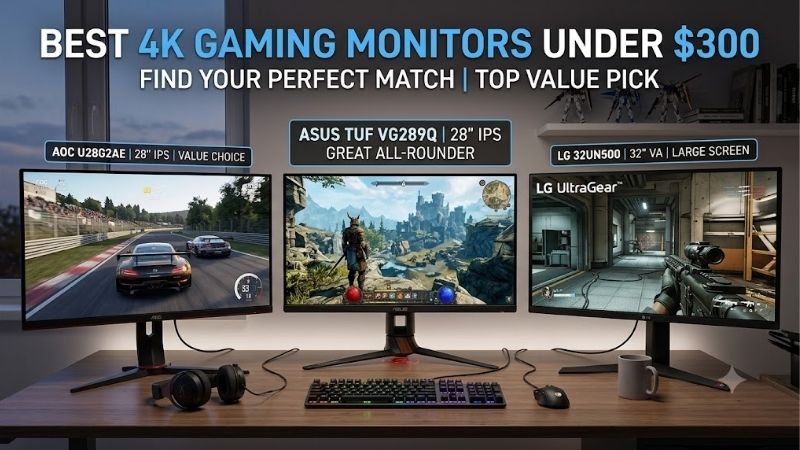
Quick answer: For most people in 2026, the best 4k gaming monitors under 300 is the MSI MAG 272URDF E16 — our #1 rated choice. See the full ranked comparison, alternatives and buying advice below.
Best 4K gaming monitors under 300: Quick verdict
For a gaming-first PC, start with the MSI MAG 272URDF E16. Its documented combination of 4K 160Hz, a separate 1080p 320Hz mode, FreeSync Premium, an adjustable stand, and console support makes it the most complete gaming package here. MSI Global
The MSI MAG 275UPD E14 is the lower-cost high-refresh alternative. It reaches 144Hz at 4K and 288Hz at 1080p, although its specified brightness is lower than the E16 model’s. us.msi.com
The Dell S2725QS is the practical mixed-use choice. You get 4K 120Hz, FreeSync Premium, useful stand adjustments, and integrated speakers. It fits buyers who want gaming capability without making gaming the desk’s only purpose. Dell USA
The ASUS VY27UQ is limited to 60Hz. Consider it for slower games when its lower price leaves money for other needs; it is not the competitive-gaming recommendation. www.asus.com
US price evidence was checked on October 13, 2026. “Under $300” refers to the monitor before sales tax and shipping. Some offers sit just below the ceiling, so a strict $300 delivered budget requires a lower purchase price.
Quick comparison table
Every model below has a native resolution of 3840 × 2160. Refresh rates describe documented maximum modes, not measured motion clarity or guaranteed game frame rates.
| Monitor | Screen | Maximum at native 4K | Separate Full HD mode | Best fit | Important limitation |
|---|---|---|---|---|---|
| MSI MAG 272URDF E16 | 27-inch Rapid IPS | 160Hz | 320Hz | Gaming-first PC and console setup | Almost no budget room for tax |
| MSI MAG 275UPD E14 | 27-inch IPS | 144Hz | 288Hz | Lower-cost high-refresh PC gaming | Specified SDR brightness of 250 nits |
| Dell S2725QS | 27-inch IPS | 120Hz | Not a featured dual-mode option | Gaming, work, and entertainment | No USB-C docking |
| ASUS VY27UQ | 27-inch IPS | 60Hz | No high-refresh dual mode | Slower games and everyday use | Limited refresh and stand adjustment |
How these monitors were selected
The selection required an exact model, native 4K resolution, identifiable US price evidence below $300, and documented features relevant to gaming. Manufacturer specifications supplied the technical basis; retailer pages established offer context.
This is a research-based buying guide. No original detailed research or matched laboratory results were supplied. Recommendations therefore reflect verified capabilities and practical fit rather than claims about measured response times, overshoot, input lag, or panel uniformity.
A longer list would require accepting weaker evidence. Several researched candidates had sold-out listings, unavailable new units, refurbished offers, or inconsistent model suffixes. Four qualified recommendations are more useful than treating an expired promotion as a current purchase option.
The two MSI models are included because their differences affect a real buying decision: purchase cost, brightness, refresh modes, and connectivity. They are not simply different colors of the same display.
The ASUS occupies a separate casual-gaming category. Its inclusion does not imply that 60Hz competes equally with 144Hz or 160Hz for fast games.
MSI MAG 272URDF E16: The most complete gaming feature set
The MAG 272URDF E16 is a 27-inch Rapid IPS monitor with a documented 160Hz ceiling at 4K. Its separate dual mode supports 1920 × 1080 at up to 320Hz. MSI Global
That flexibility suits a library containing both visually detailed games and competitive shooters. You can keep native 4K for desktop work and slower titles, then use the lower-resolution mode when frame rate takes priority.
MSI specifies FreeSync Premium, typical SDR brightness of 400 nits, DisplayHDR 400, and height, swivel, tilt, and pivot adjustments. The adjustable stand can avoid an immediate monitor-arm purchase.
The documentation also lists HDMI 2.1 inputs, DisplayPort 1.4a, and a USB 2.0 hub. The hub is useful for basic peripherals, but its presence does not mean USB-C laptop charging or high-speed external storage connectivity.
MSI explicitly documents console output modes including 2160p at 120Hz and VRR support for PS5 and Xbox. That makes it the clearest console-oriented option in this shortlist, based on manufacturer evidence. MSI Global
Its limitations need perspective. A 320Hz mode does not prove excellent pixel transitions, and DisplayHDR 400 does not establish premium HDR performance. No such measured advantages are claimed here.
Buy if you want the broadest documented gaming capabilities within the budget.
Skip if the final checkout exceeds your hard limit or the additional features will go unused. The E14 is the alternative when saving money matters more than the brighter specification and USB hub.
MSI MAG 275UPD E14: The lower-cost high-refresh choice
The MAG 275UPD E14 supplies native 4K at up to 144Hz and a separate 1080p mode at up to 288Hz. Its 27-inch IPS panel and adjustable stand make it a credible gaming-first alternative to basic 60Hz displays. us.msi.com
The important advantage is access to high refresh without spending the entire monitor allocation. A lower purchase price can leave room for tax, the right cable, or another upgrade that improves the complete setup.
MSI’s specification page lists FreeSync Premium, HDMI 2.1, and DisplayPort 1.4a. The US store showed a new unit below $300 with stock indicated during research. us.msi.com
The principal documented compromise is 250-nit SDR brightness. That may be sufficient in controlled lighting, but it provides less specified brightness headroom than the E16. Position the desk to reduce direct reflections instead of assuming maximum brightness will solve every lighting problem.
Its advertised 1ms MPRT figure should not be read as an average gray-to-gray response measurement. Motion picture response time and pixel-transition timing describe different things, and neither marketing number establishes real-world superiority by itself.
Buy if high-refresh 4K and dual-mode flexibility are the priorities.
Skip if bright-room use, a USB hub, or the E16’s explicitly documented console modes justify spending more. Compare the actual price gap rather than upgrading solely for a slightly higher refresh ceiling.
Dell S2725QS: The mixed gaming-and-work choice
The Dell S2725QS combines a 27-inch IPS screen, native 4K at up to 120Hz, and FreeSync Premium. It also includes two 5W speakers and a stand with height, swivel, tilt, and pivot adjustment. Dell USA
That package is useful for someone who works at the same desk where they play. The stand helps position the screen correctly, while basic integrated audio can reduce desktop clutter.
A 120Hz ceiling offers more display updates than 60Hz, but it does not establish that the Dell has better measured motion handling than every lower-refresh alternative. Pixel transitions and overdrive behavior still matter.
Dell documents support for 4K 120Hz through its HDMI inputs and DisplayPort connection. Check the computer or console’s matching output mode rather than assuming a compatible connector guarantees the whole chain.
The QS model does not provide USB-C docking. Buyers comparing Dell names should keep the exact suffix consistent; the S2725QC is a different purchasing decision.
Buy if you need one monitor for work, casual gaming, and entertainment and value integrated speakers.
Skip if esports is the main purpose and you want a dedicated high-refresh Full HD mode. The MSI models offer that flexibility. Also skip if one-cable laptop charging is essential to your workspace.
ASUS VY27UQ: A conditional option for slower games
The ASUS VY27UQ is a 27-inch IPS monitor with native 4K resolution, Adaptive-Sync, and a maximum refresh rate of 60Hz. It includes two 2W speakers, HDMI inputs, and DisplayPort. www.asus.com
Its role is specific. Strategy games, puzzles, slower adventures, and mixed everyday use can benefit from sharp 4K detail without requiring an esports-oriented display.
The lower purchase price can be attractive if your system rarely produces high frame rates at 4K. However, compare the savings with the MSI E14 before giving up high refresh. A small price difference would weaken the ASUS’s case.
ASUS lists 350-nit typical brightness and a tilt-only stand. A 100 × 100mm VESA mount provides a positioning alternative, but a separate arm adds cost.
The HDMI ports are labeled version 2.1 using TMDS. That does not change the screen’s documented 60Hz ceiling. Port branding cannot turn this into a 4K 120Hz display.
Buy if your games are slower, your budget benefits from the saving, and 60Hz is acceptable.
Skip if competitive shooters, fast racing, or high-refresh console play are central. The Dell or MSI models are better matched by their documented refresh capabilities.
How to choose the best 4K gaming monitors under 300
Match resolution to the games your PC can run
A 4K screen contains approximately 8.3 million pixels. That is four times the pixel count of 1920 × 1080, but it does not imply a fixed fourfold performance penalty.
Game engines, graphics settings, CPU limits, and rendering techniques affect the result. Avoid universal claims that a particular graphics card always reaches a certain frame rate at 4K.
Check benchmarks for your actual GPU and representative games, with comparable settings. Native rendering, upscaling, and frame generation should be identified separately.
If your PC struggles, reducing expensive settings can be more useful than immediately replacing hardware. Ray tracing, shadows, and other effects can have very different costs across games.
A high-refresh monitor remains useful when you cannot fill its ceiling in every title. However, if competitive performance dominates your purchase, a good 1440p screen may produce a better overall balance.
Understand dual mode before comparing headline numbers
Dual-mode displays pair different resolutions with different refresh ceilings. The MSI E16’s 320Hz figure belongs to Full HD; the E14’s 288Hz figure also belongs to Full HD.
Neither monitor displays native 4K at those higher rates. Compare the 4K column first if detailed rendering is your reason for buying.
Full HD on a 27-inch panel has a lower pixel density than native 4K. That trade-off may be worthwhile for competitive play, but it should be deliberate.
Switching modes also requires checking the game’s resolution, the operating system’s selected refresh rate, and the monitor’s settings. A mode advertised on the box may not become active automatically.
Do not assume a dual-mode screen replaces every dedicated esports display. Its pixel response, processing behavior, and gaming performance still require evidence beyond the refresh number.
Prioritize VRR alongside maximum refresh
Variable refresh rate allows a compatible screen to coordinate its refresh timing with the source’s frame delivery. AMD explains that FreeSync can reduce tearing and related visual disruption when used with compatible hardware. amd.com
The useful question is whether the complete setup supports the intended VRR mode. DisplayPort support on a PC does not automatically establish equivalent operation through HDMI on a console.
FreeSync Premium includes low frame rate compensation requirements. LFC repeats frames when needed to keep compatible operation below the ordinary VRR range; it does not create new game frames or make a slow game run faster. amd.com
Enable the relevant settings in the monitor and graphics driver, then confirm operation. If flickering or interruptions occur, troubleshoot the connection and settings before assuming the advertised feature is working correctly.
Verify console capabilities separately
A monitor’s PC refresh ceiling is not a promise that a console uses the same mode. PS5 supports 4K 120Hz output, but a game’s supported performance mode and the connected display determine the available experience. playstation.com
Sony’s setup guidance separates resolution, 120Hz output, VRR, and HDR. Check each rather than treating one successful picture as proof that every feature works.
The MSI E16 has particularly useful manufacturer documentation for console modes and VRR. For other models, verify the exact console feature you require before purchase.
Also distinguish output resolution from internal rendering. A console can send a 4K signal while a game renders internally at a lower or dynamic resolution.
Connect directly during initial setup. Receivers, switches, capture devices, and adapters can introduce limitations that are absent when the console is connected straight to the monitor.
Treat response-time claims carefully
A 0.5ms or 1ms specification is not a complete description of motion clarity. Manufacturers may publish minimum transitions or figures tied to particular settings.
Aggressive overdrive can improve some transitions while introducing bright or dark trails. A higher setting is therefore not automatically the best choice.
MPRT figures should also be distinguished from gray-to-gray measurements. Comparing them as interchangeable numbers produces an unreliable ranking.
When independent tests exist, look for response behavior across several refresh rates, including the range where your games usually run. A setting that works well near maximum refresh may behave differently at lower rates.
This shortlist does not claim a measured motion winner because comparable testing was not established.
Keep HDR expectations proportional to the budget
HDR10 signal support and DisplayHDR 400 are different specifications, but neither alone proves a dramatic HDR experience.
Highlight brightness, black levels, local contrast, and tone mapping all influence what you see. A display may accept HDR while offering a less convincing presentation than a more capable screen.
The MSI E16’s brighter specification is meaningful for comparison, but it does not justify describing it as a premium HDR monitor.
Evaluate these options primarily for sharpness, refresh modes, VRR, connections, and positioning. If cinematic HDR is the central goal, seek measured evidence and consider whether increasing the budget would address that requirement more effectively.
Check ergonomics, connections, and total cost
A monitor that sits too low can need an arm or riser. Integrated speakers can avoid a separate purchase, while a USB hub can simplify peripheral connections.
Compare the setup cost you will actually pay. The cheapest panel is not necessarily the cheapest comfortable workstation.
For high-refresh 4K, confirm the source output, cable, monitor input, and any intermediate device. Read supported modes instead of relying solely on HDMI or DisplayPort version labels.
Marketplace listings require another check: seller, condition, included accessories, and return terms. Refurbished and new offers should not be treated as equivalent purchases.
A price just under $300 leaves little room for sales tax. If $300 is your complete budget, prioritize a lower-priced eligible offer.
Frequently asked questions
Is 4K 60Hz still good for gaming?
It can suit slower games and players who prioritize detail. It is less attractive for competitive shooters when comparable high-refresh options fit the budget. The ASUS recommendation is conditional on that use case and a worthwhile saving.
Is 160Hz much better than 144Hz?
The refresh ceiling increases, but the numbers alone do not establish a better overall display. At these rates, stand adjustment, brightness, measured pixel behavior, VRR operation, and price can matter more than the difference between the two ceilings.
Will a 4K monitor improve my game’s frame rate?
No. The monitor determines what it can display; the PC or console determines what it renders. Changing resolution or graphics settings can affect performance, but buying a higher-refresh screen does not automatically increase the game’s frame rate.
Can I play at 1440p on a 4K monitor?
A supported lower-resolution input can be displayed, although scaling may soften the image compared with native resolution. In supported games, upscaling can provide another option while keeping the output at 4K. Compare the visual result rather than assuming every method looks identical.
Should I buy a refurbished model to get better specifications?
Only when the saving and purchase terms justify it. Confirm the exact variant, condition, supplied accessories, return arrangements, and applicable warranty. This shortlist does not use a refurbished price to establish eligibility for a new-unit recommendation.
Final verdict
The MSI MAG 272URDF E16 is the strongest feature-based choice for a gaming-first setup near $300. The MAG 275UPD E14 is the more affordable route to high-refresh 4K and dual-mode flexibility.
Choose the Dell S2725QS when gaming shares the desk with work and entertainment. Consider the ASUS VY27UQ only when slower games, a lower price, and an acceptable 60Hz ceiling fit your needs.
Confirm the exact model and final checkout total, then enable the correct resolution, refresh rate, and VRR settings. The right purchase is the monitor whose verified capabilities match the way you actually play.
Editorial Source Log
All sources accessed October 13, 2026. Observed page prices exclude sales tax and any shipping charges. Retrieved listings may contain cached offer information; fulfillment and checkout totals were not independently confirmed.
| Exact model | US price evidence | Technical evidence and limitations |
|---|---|---|
| MSI MAG 272URDF E16 | Best Buy listing: $299.99; Sold by Best Buy; new listing with Add to Cart | Manufacturer specifications and US retailer listing. Confirms 4K 160Hz, Full HD 320Hz, FreeSync Premium, 400-nit typical SDR brightness, USB 2.0 hub, stand adjustments, and documented console modes. |
| MSI MAG 275UPD E14 | MSI US store: $249.99; Product Condition: New; In Stock shown | Manufacturer specifications and MSI US store. Confirms 4K 144Hz, Full HD 288Hz, FreeSync Premium, and 250-nit SDR brightness. The 1ms claim is MPRT. |
| Dell S2725QS | Dell US: $279.99; Add to Cart shown | Dell US product page. Confirms 4K 120Hz through HDMI and DisplayPort, IPS, FreeSync Premium, speakers, and stand adjustments. No USB-C docking. |
| ASUS VY27UQ / 90LM09U3-B011B0 | Best Buy marketplace: $195.85; Beach Audio Inc; new offers shown | ASUS specifications and US retailer listing. Manufacturer establishes 4K 60Hz, Adaptive-Sync, speakers, and tilt-only stand. Retailer structured highlights incorrectly reported Full HD/144Hz and were disregarded. |
Supporting references:
- AMD FreeSync technology and FreeSync Premium requirements: VRR and low frame rate compensation.
- Sony PS5 video-output guidance: resolution, 120Hz output, VRR, and connection troubleshooting.
Excluded candidates: KTC H27P22S showed Sold Out. The Acer Nitro VG270K V4 new-unit listing showed unavailable in new condition; other retrieved offers involved refurbished inventory. An Acer Predator listing resolved to a different V6 variant with a selected offer above budget. These were not used to establish current new-unit recommendations.
Amazon verification: An Acer Nitro VG270K L1 Amazon page was retrieved, but usable current price, seller, and availability evidence could not be established. Amazon purchase availability was not verified for the featured models.
Editorial overlap: The earlier “best 4k monitor under 300” draft covers broader office and entertainment intent. This article emphasizes gaming modes, VRR, console compatibility, and rendering trade-offs. If both drafts are intended for the same website, review whether one consolidated buying guide better serves the overlapping intent. A complete sitewide duplication audit was not performed.
Testing limitations: No original hands-on measurements or comparable independent motion tests were established. Rankings are feature-based editorial judgments, not laboratory performance rankings.
Ready to decide? Our #1 pick for 2026 is the MSI MAG 272URDF E16.
Live price & availability on Amazon.









