
W oled gaming monitor listings often obscure major distinctions behind the same OLED promise. A glossy 1440p screen, a dual-mode 4K model, and a curved ultrawide serve different desks and games. Buying on contrast alone can leave you with distracting reflections, soft desktop text, or refresh capacity your computer cannot utilize.
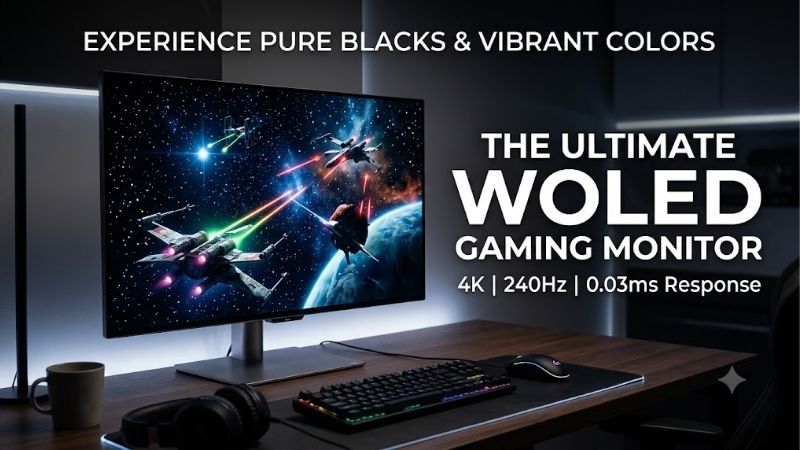
Quick answer: Our top pick in 2026 is the LG UltraGear 32GS95UE-B — our #1 rated choice. See the full ranked comparison, alternatives and buying advice below.
How to Choose a WOLED Gaming Monitor
A w oled gaming monitor should match how you actually play. This guide compares four verified WOLED models through resolution, usable refresh rate, surface finish, and screen shape. The selections are based on manufacturer specifications and practical trade-offs, rather than invented benchmarks or claims of firsthand testing.
Resolution and Pixel Density
Resolution determines image detail, while pixel density describes pixel concentration across the display. A 32-inch 4K panel suits intricate environments and frequent desktop reading. Standard 1440p reduces graphics workload, which helps preserve performance when demanding visual settings overwhelm your current graphics card.
Choose resolution before chasing refresh records. Native 4K carries a heavier rendering workload than 2560×1440, so a w oled gaming monitor can benefit from fewer pixels when performance matters most. For detailed games and occasional productivity, the LG UltraGear 32GS95UE-B provides the strongest resolution-focused option here.
Refresh Rate and PC Performance
Refresh rate measures how often the panel updates, not how rapidly your computer generates frames. A 480Hz ceiling favors esports players with exceptional performance in their preferred games. For demanding adventures closer to 100fps, that extra capacity delivers less benefit than improving resolution or choosing a more comfortable screen size.
At 240Hz, refresh intervals last approximately 4.17ms; at 480Hz, intervals last about 2.08ms. That difference does not halve total system latency, since rendering and input processing still contribute. When your competitive games consistently deliver very high frame rates, the ASUS ROG Swift OLED PG27AQDP offers native 1440p at 480Hz.
Glossy or Matte Surface
Surface finish determines ambient reflection characteristics. Glossy coatings retain a clear-looking surface but introduce distinct window reflections. Matte finishes scatter reflections, with a different visual texture. Neither treatment replaces sensible positioning against direct sunlight or bright lamps facing the screen.
Assess your lighting before selecting a w oled gaming monitor, particularly with limited positioning flexibility. Glossy is most appealing with strong reflections outside your viewing area; texture-sensitive buyers may prefer its clarity. For a controlled gaming room and a conventional desktop footprint, choose the ASUS ROG Strix OLED XG27AQDMG.
Screen Size and Aspect Ratio
Screen format determines compatibility as well as immersion. A flat 16:9 display fits standard console images and conventional desktop arrangements. A curved 21:9 ultrawide expands horizontal presentation in supported games, but its increased width and deeper shape require clearance around speakers, accessories, and your keyboard.
Ultrawide support varies across gameplay sequences and cinematic presentations. Competitive modes may restrict the image to 16:9, limiting ultrawide purchasing advantages. For racing simulations and exploration games that support native 21:9, the LG UltraGear 39GS95QE-B supplies the most immersive presentation in this shortlist.
Top Picks
Choosing a w oled gaming monitor means deciding which strength deserves your budget. These four picks cover versatile 4K gaming, conditional value, high-refresh competition, and curved ultrawide immersion. Their differences matter more than shared OLED marketing, so compare the specifications and drawbacks before reading the recommendations.
| Product | Best For | Key Spec | Watch Out For |
|---|---|---|---|
| LG UltraGear 32GS95UE-B | Best Overall | 32-inch class; 4K 240Hz or 1080p 480Hz | Faster mode sacrifices image detail |
| ASUS ROG Strix OLED XG27AQDMG | Best Value when discounted | 26.5-inch viewable; glossy 1440p 240Hz | Distinct reflections from bright light sources |
| ASUS ROG Swift OLED PG27AQDP | Competitive Gaming | 26.5-inch viewable; 1440p 480Hz | Requires exceptionally strong system performance |
| LG UltraGear 39GS95QE-B | Immersive Gaming | 39-inch class; 3440×1440 240Hz; 800R | Lower pixel density and pronounced curvature |
LG UltraGear 32GS95UE-B: Best Overall
The LG UltraGear 32GS95UE-B is the best overall pick for a varied gaming library. Its 32-inch class panel supports 3840×2160 at 240Hz, plus a separate 1920×1080 mode at 480Hz. The main advantage is flexibility: detailed adventures and competitive shooters can use different display modes without requiring separate monitors.
The drawback is resolution loss in the faster mode: 1080p cannot reproduce native 4K detail across this screen. Demanding 4K gaming also requires substantial graphics performance. Choose this w oled gaming monitor when you alternate between detailed environments and fast shooters, rather than purchasing it only for its maximum refresh rate.
ASUS ROG Strix OLED XG27AQDMG: Best Value
The ASUS ROG Strix OLED XG27AQDMG is the best value candidate when discounted well below faster alternatives. Its 26.5-inch viewable glossy WOLED panel combines 2560×1440 with 240Hz. That balance suits players seeking OLED contrast and a clear-looking surface without needing the hardware performance that makes 480Hz worthwhile.
The glossy finish introduces a limitation: bright windows or lamps can create distinct reflections that interrupt darker games. Its 240Hz ceiling also trails the competitive ASUS pick. This w oled gaming monitor makes sense with genuinely attractive checkout pricing; compare newer versions before assuming an older listing delivers better value.
ASUS ROG Swift OLED PG27AQDP: Best for Competitive Gaming
The ASUS ROG Swift OLED PG27AQDP targets competitive PC players prioritizing 480Hz alongside native 2560×1440 detail. Its 26.5-inch viewable panel avoids the resolution reduction required by the LG’s fastest mode. That advantage is useful for players who value rapid updates and detailed environments during fast matches.
The disadvantage is that its headline benefit requires substantial overall system performance. A title running at 160fps cannot supply fresh frames for every 480Hz update. Choose the PG27AQDP after verifying competitive-game performance; otherwise, its additional refresh capacity may offer limited practical improvement.
LG UltraGear 39GS95QE-B: Best for Immersive Gaming
The LG UltraGear 39GS95QE-B is the immersive-gaming choice, pairing a 39-inch class screen with 3440×1440 resolution, 240Hz, and an assertive 800R curve. Its 21:9 format gives compatible games a wider presentation. Racing simulations and exploration titles are stronger matches than games that enforce a standard aspect ratio.
The compromise is pixel density: a large screen with 1440 vertical pixels offers less fine-text definition than the 32-inch 4K LG. Its pronounced curve also deserves checking against your usual seating position. Buy it for expansive supported gameplay, rather than expecting the superior desktop definition available on the 4K model.
Frequently Asked Questions
A w oled gaming monitor also brings ownership questions that refresh-rate labels cannot answer. Understanding the technology, burn-in precautions, realistic frame-rate requirements, and desktop readability helps prevent unsuitable purchases. These answers focus on daily use rather than assuming every OLED buyer has identical priorities.
What Does WOLED Mean in a Gaming Monitor?
WOLED means white organic light-emitting diode, combining white illumination with color filtering. These monitors provide individual pixel illumination without conventional LCD backlighting. That distinction produces deep blacks without local-dimming halos around illuminated objects. The additional white subpixel contributes to luminance.
The spaced phrase identifies the WOLED category, but a listing that says only OLED leaves panel technology unspecified. Some competing gaming monitors use QD-OLED instead. Verify the exact model’s specifications before checkout, particularly when a retailer groups multiple sizes or generations within an identical listing.
Can a WOLED Gaming Monitor Develop Burn-In?
Yes, WOLED monitors can develop burn-in when repeated static elements contribute to uneven pixel aging. Taskbars, logos, and fixed game interfaces deserve attention during prolonged use. Protective software reduces exposure and manages panel maintenance, but it does not make persistent static content harmless or guarantee permanent immunity.
Keep the manufacturer’s protection features active, allow scheduled maintenance to complete as instructed, and configure sleep during idle periods. Varying content reduces recurring exposure across identical areas. If an unchanged work interface dominates every day, consider an LCD before committing to OLED for your primary desktop.
Do I Need 480fps for a 480Hz Monitor?
No, you do not need 480fps for 480Hz monitor operation, but lower frame rates leave some refreshes without newly rendered content. Benefits depend on actual performance, synchronization settings, and the game. A 480Hz purchase becomes most justifiable when your favorite competitive titles already run at exceptionally high frame rates.
Measure performance in the games and settings representing normal gameplay, including demanding matches rather than empty practice scenes. CPU limitations can prevent high frame rates despite graphics-card upgrades. If your normal results stay far below 240fps, the glossy 240Hz ASUS represents a more proportionate investment than the 480Hz model.
Is WOLED Suitable for Gaming and Office Work?
Yes, WOLED supports productivity alongside gaming, although small text sometimes exhibits colored fringing because its subpixel arrangement differs from conventional RGB-stripe LCDs. Higher pixel density reduces fringing visibility at similar distances. The 32-inch 4K LG is the strongest starting point here for frequent reading and writing.
Evaluate your own browser, documents, and spreadsheets during the return period, with comfortable scaling and normal seating. Font rendering varies between applications, making isolated demonstrations unreliable. Check both light and dark interfaces before deciding whether the monitor’s text presentation satisfies your productivity requirements.
Final Thoughts
The right w oled gaming monitor depends on the compromise you accept. Choose the LG UltraGear 32GS95UE-B for 4K versatility, the ASUS ROG Strix OLED XG27AQDMG when discounted, the ASUS ROG Swift OLED PG27AQDP for competitive speed, or the LG UltraGear 39GS95QE-B for immersion. Confirm your lighting, hardware capability, and model before buying.
Ready to decide? Our #1 pick for 2026 is the LG UltraGear 32GS95UE-B.
Live price & availability on Amazon.









