What to look for in an oled monitor requires distinguishing the panel’s strengths from overall product functionality. Deep blacks cannot compensate for distracting reflections, awkward connections, or excessive graphics-performance demands. Prioritize workload and lighting compatibility, then judge speed, clarity, and ownership costs.
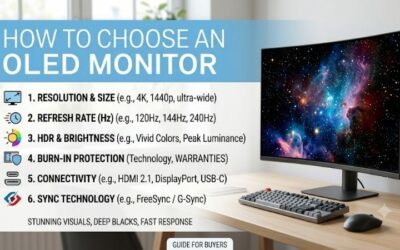
How to Choose an OLED Monitor
This guide explains what to look for in an oled monitor through four practical criteria and four specific recommendations. It compares resolution, refresh rate, screen finish, and connection requirements while keeping warranty terms in view. The aim is a useful match for your desk, with purchase recommendations and clearly explained compromises.
Resolution and Graphics Workload
Resolution determines image detail and graphics-card rendering workload. At comparable screen sizes, 4K packs more pixels into each inch than 1440p, improving fine detail in games and desktop content. The tradeoff is higher graphics demand and the possible need for scaling to keep interface elements comfortably readable.
Deciding what to look for in an oled monitor requires considering demanding games and customary viewing distance. A 4K panel contains 2.25 times as many pixels as 1440p, without proportionally predictable frame-rate differences. If image detail matters and graphics performance permits, the Alienware AW2725Q is the sharper option here.
Refresh Rate and Real Frame Rates
Refresh rate sets display-update frequency, rather than guaranteeing graphics-card frame output. A fast panel helps competitive gaming most with consistently high-performance graphics output. Paying for additional refresh capacity is less compelling if preferred titles are demanding adventures with moderate frame rates.
All four picks reach at least 240Hz, so choose between them according to actual performance requirements. A higher refresh rate cannot accelerate graphics-card rendering, and a 240Hz screen remains useful below 240 fps. For competitive players prioritizing manageable 1440p rendering, the Alienware AW2725D adds 280Hz headroom.
Screen Finish and Ambient Light
Screen finish determines surface interaction with ambient illumination. Glossy coatings preserve a clear image but can reveal distinct reflections, while matte coatings spread reflected light into a broader haze. Assess window and lamp positioning around the workstation before deciding your preferred reflection-handling compromise.
If you favor glossy clarity, control over surrounding room light becomes a purchase requirement. Repositioning lamps or adjusting screen placement may help, but a reflective surface still reveals surrounding light sources. For a gaming space with controllable lighting, the ASUS ROG Strix OLED XG27AQDMG is the glossy WOLED choice.
Connections and Ownership Terms
Connection requirements include video support, refresh limits, and charging needs. A USB-C connector cannot establish video-input functionality or adequate laptop charging. Read the supported modes for your chosen connection, then check the written burn-in coverage instead of assuming lifetime protection from advertised safeguards.
Think about what to look for in an oled monitor before paying for unnecessary docking functionality. For a desktop, HDMI and DisplayPort may cover your routine; laptops require different considerations. If occasional USB-C video is useful and separate laptop charging is acceptable, the MSI MAG 271QPX QD-OLED E2 provides that flexibility.
Top Picks
Determining what to look for in an oled monitor requires distinguishing competitive gaming from detail-focused viewing. Alienware AW2725D is the balanced starting point, MSI competes on discounted value, ASUS favors glossy viewing, and Alienware AW2725Q serves 4K buyers. These picks assess specifications, not personal testing.
| Product | Best For | Key Spec | Watch Out For |
|---|---|---|---|
| Alienware AW2725D | Best Overall | 1440p QD-OLED, 280Hz | USB-C does not accept video |
| MSI MAG 271QPX QD-OLED E2 | Best Value when discounted | 1440p QD-OLED, 240Hz | USB-C charging limited to 15W |
| ASUS ROG Strix OLED XG27AQDMG | Glossy Viewing | 1440p WOLED, 240Hz | HDMI refresh limited to 144Hz |
| Alienware AW2725Q | 4K Detail | 4K QD-OLED, 240Hz, 166 PPI | Greater graphics workload |
Alienware AW2725D: Best Overall
The Alienware AW2725D is best overall for gaming buyers avoiding native-4K graphics demands. Its 27-inch class QD-OLED display combines 2560 x 1440 resolution with 280Hz refresh. A compact base and adjustable stand accommodate conventional workstations, while its peripheral hub simplifies access to frequently connected USB peripherals.
Dell lists three-year support with Advanced Exchange, including burn-in, strengthening its ownership proposition. The drawback is its USB-C downstream connection: up to 15W charging, without display-video input. It suits a desktop gaming setup, but comprehensive single-cable laptop docking requires a different monitor.
MSI MAG 271QPX QD-OLED E2: Best Value
The MSI MAG 271QPX QD-OLED E2 is best value with substantial checkout savings against AW2725D. Its 26.5-inch QD-OLED panel delivers 1440p at 240Hz, retaining fast OLED gaming without a 4K workload. HDMI 2.1 supports full QHD refresh, and USB-C accepts video from compatible devices for occasional multi-device configurations.
When judging what to look for in an oled monitor, consider MSI’s charging limitation: USB-C power delivery is only 15W. Most gaming laptops still need a separate dedicated charger. MSI states three years of warranty including panel burn-in; verify the E2 suffix because similarly named variants have different refresh rates.
ASUS ROG Strix OLED XG27AQDMG: Best for Glossy Viewing
The ASUS ROG Strix OLED XG27AQDMG is best for glossy viewing in a controlled room. Its 26.5-inch viewable WOLED panel runs at 2560 x 1440 and 240Hz, with 120mm of stand height adjustment. Choose it for the surface finish and flexible positioning, especially when matte coatings conflict with personal viewing preferences.
Its substantial connection compromise is HDMI 2.0, which limits HDMI refresh to 144Hz; DisplayPort is needed for 240Hz. ASUS lists a three-year warranty including panel burn-in. Confirm that the listing is for this original XG27AQDMG rather than the Gen2 XG27AQDMGR, because shared branding cannot establish equivalent connectivity.
Alienware AW2725Q: Best for 4K Detail
The Alienware AW2725Q is best for 4K detail on a compact gaming desk. Its 27-inch class QD-OLED panel combines 3840 x 2160 resolution with 240Hz and a listed 166 pixels per inch. That density distinguishes it from the 1440p picks, giving detail-focused buyers a concrete reason to consider it over a less expensive 1440p gaming monitor.
The disadvantage is the graphics workload: demanding games at native 4K can require lower settings or upscaling to maintain satisfactory gameplay. Dell lists three-year support and Advanced Exchange, including burn-in. Its USB-C port is downstream charging rather than video input, preventing comprehensive single-cable laptop docking.
Frequently Asked Questions
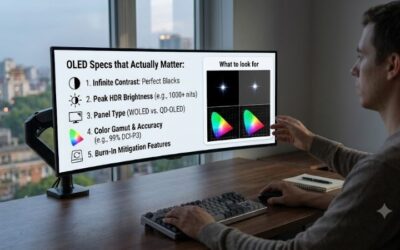
Questions about what to look for in an oled monitor usually extend beyond headline specifications during everyday use. Peak brightness, text appearance, and protection features require context for meaningful purchasing comparisons. These answers clarify the remaining tradeoffs and help you evaluate a new screen during the retailer’s return period.
Does Peak Brightness Tell You How Bright the Desktop Looks?
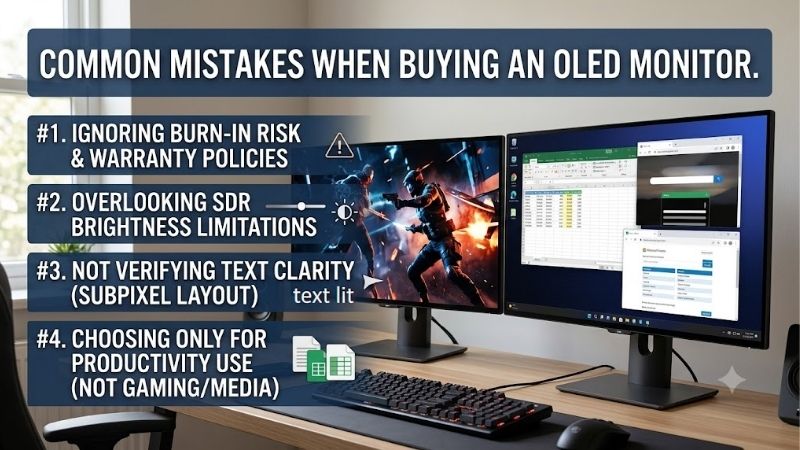
No, peak HDR brightness does not describe the brightness of a full white desktop. Peak ratings apply under particular conditions, often involving small bright areas within an otherwise darker image. If you browse or work in daylight, sustained SDR brightness and reflection handling outweigh maximum-brightness marketing specifications.
For example, MSI specifies 250 nits for SDR and a 1,000-nit HDR peak at 3% average picture level. Those figures describe distinct conditions rather than interchangeable performance promises. When comparing screens, use measurements from equivalent modes and window sizes instead of judging everyday visibility through peak-output specifications.
Is OLED a Good Choice for Office Work?
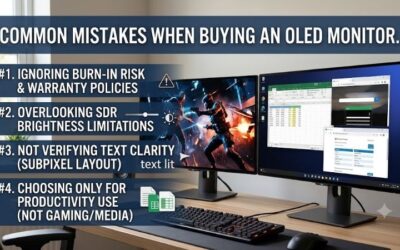
No, an OLED monitor is not automatically ideal for office work. Different subpixel arrangements can affect small-text appearance, and static applications create an ownership tradeoff beyond gaming. If coding or spreadsheets dominate your day, prioritize readable typography and suitable brightness over impressive dark-scene contrast.
When assessing what to look for in an oled monitor, try familiar documents at your normal scaling during the return period. Personal typography preferences outweigh general recommendations. A separate office LCD may make sense, but include its purchase price and required desk space when evaluating the complete upgrade.
Can OLED Get Burn-In With Protection Enabled?
Yes, burn-in remains possible despite enabled protection features. Repeated static elements can produce uneven pixel aging and persistent visible patterns. Temporary image retention is not necessarily permanent damage, but neither warranty coverage nor a care menu guarantees universally suitable usage patterns for an OLED panel.
Follow the manufacturer’s care schedule, permit automatic maintenance completion, and use display sleep during idle periods. Avoid forcing long manual refresh cycles beyond manufacturer-recommended intervals. Retain the receipt and model details, because coverage depends on the applicable terms, seller eligibility, and purchase documentation.
Do You Need 240 FPS for a 240Hz OLED Monitor?
No, maximum-refresh performance is unnecessary for enjoyable gaming. Variable refresh can synchronize the display with compatible graphics output, while OLED contrast remains relevant in slower games. However, refresh capacity cannot remove a computer’s rendering bottleneck, so prioritize graphics-card upgrades if performance disappoints.
Evaluate actual gameplay promptly, including demanding scenes with uneven frame times. Variable refresh does not guarantee universally flicker-free gameplay, and initial operating-system settings may default to reduced refresh frequencies. Verify the active display mode before assuming a new screen is failing to deliver its advertised refresh rate.
Final Thoughts
Knowing what to look for in an oled monitor requires matching tradeoffs to everyday workloads. Start with AW2725D for balanced 1440p gaming, choose MSI for meaningful savings, ASUS for glossy viewing, or AW2725Q for 4K detail. Keep the graphics workload, connection limits, and ownership terms alongside contrast when comparing purchase suitability.