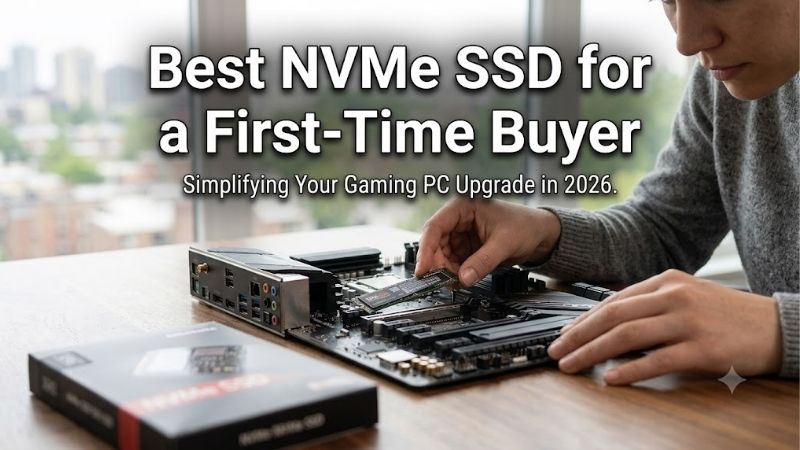
Best nvme ssd for a first time buyer choices can look identical until one drive fails to fit your laptop or costs more without improving performance. Start with slot compatibility and capacity before advertised speed. These four recommendations address everyday upgrades, economical storage, demanding desktop use, and compact devices.
Quick answer: For most people in 2026, the best nvme ssd for a first time buyer is the Samsung 990 EVO Plus 2TB — our #1 rated choice. See the full ranked comparison, alternatives and buying advice below.
How to Choose an NVMe SSD
Choosing the best nvme ssd for a first time buyer means separating physical fit from performance claims. This guide compares specific 2TB versions through four purchasing criteria, and explains each tradeoff. Specifications come from manufacturer documentation; the selections do not imply personal benchmark or installation claims.
Compatibility
M.2 describes a physical format, while NVMe identifies the storage protocol. A socket accepting an M.2 SATA drive does not automatically support these NVMe models. Confirm the computer’s supported protocol, drive length, and mounting position before purchasing; connector appearance alone cannot establish electrical or mechanical compatibility.
The best nvme ssd for a first time buyer must fit without improvised mounting. Three picks here use M.2 2280, meaning approximately 22-by-80 mm; compact 2230 drives shorten length to 30 mm. Choose the Corsair MP600 MINI 2TB for an approved 2230 installation rather than forcing a longer desktop drive into limited space.
Capacity and Cost
Storage needs should include the operating system, applications, games, future downloads, updates, and temporary application files. Advertised capacity is not identical to the usable space shown after formatting. More capacity can postpone another upgrade, but buying unnecessary performance can leave less budget for capacity.
Compare complete checkout prices at the same capacity, including any required enclosure for migration. A 2TB drive makes sense when a smaller option would require future replacement, though basic office workloads may need less. Choose the WD Blue SN580 2TB when its delivered price preserves savings over faster alternatives.
Workload
Peak sequential speeds describe large transfers, not guaranteed responsiveness universally. Your system’s PCIe generation and lane allocation can also limit throughput. Assess sustained transfer requirements separately from everyday browsing or gaming, and avoid interpreting a higher read specification as proportionally faster loading.
To choose the best nvme ssd for a first time buyer, evaluate controller resources alongside bandwidth. DRAM stores mapping information; some alternatives use a small host memory buffer instead. Neither arrangement guarantees every workload result. Choose the Samsung 990 PRO 2TB when its onboard DRAM suits demanding desktop use.
Cooling and Software
A fast SSD still needs a suitable installation. Desktop heatsinks can interfere with laptop clearance, while laptop thermal pads have device specific requirements. Follow the computer’s cooling arrangement instead of stacking accessories, and compare firmware management tools rather than assuming identical utility features.
Before opening the computer, back up important files and follow its service instructions for shutdown and handling. Firmware tools cannot replace those precautions or recover failed drives. Choose the Samsung 990 EVO Plus 2TB when its compatible bare drive layout and Samsung Magician management suit your planned installation.
Top Picks
The best nvme ssd for a first time buyer depends on the host and workload, so these recommendations have separate roles. Overall balance, conditional value, demanding desktop use, and compact device compatibility deserve different choices. Every specification below refers to the selected 2TB version rather than another capacity’s specifications.
| Product | Best For | Key Spec | Watch Out For |
|---|---|---|---|
| Samsung 990 EVO Plus 2TB | Best Overall | Up to 7,250 MB/s sequential reads | No dedicated onboard DRAM |
| WD Blue SN580 2TB | Best Value | Up to 4,150 MB/s sequential reads | Lower transfer ceiling |
| Samsung 990 PRO 2TB | Demanding desktop workloads | Up to 7,450 MB/s reads; 2GB DRAM | Older slots limit throughput |
| Corsair MP600 MINI 2TB | Compatible compact devices | M.2 2230; 3D TLC NAND | Requires verified 2230 mounting support |
Samsung 990 EVO Plus 2TB: Best Overall
The Samsung 990 EVO Plus 2TB is my overall pick for everyday PC upgrades when reasonably priced against budget alternatives. Samsung rates sequential reads up to 7,250 MB/s and writes up to 6,300 MB/s. Its TLC flash and Magician support provide a clear combination of storage capacity, performance, and management tools.
Its drawback is the absence of dedicated onboard DRAM, a consideration for specialized workloads involving repeated dataset access. Buyers choosing the best nvme ssd for a first time buyer should distinguish EVO Plus from the original 990 EVO. Pay for the model and workload, rather than treating similar Samsung names as interchangeable.
WD Blue SN580 2TB: Best Value
The WD Blue SN580 2TB suits buyers prioritizing storage capacity over maximum transfer speed. Its single sided M.2 2280 layout and TLC flash make it a practical option for compatible systems without an oversized factory heatsink. Ratings include sequential reads up to 4,150 MB/s and 900 TBW endurance, with a five year limited warranty.
The disadvantage is its lower throughput ceiling compared with the two Samsung recommendations. That becomes relevant when your workflow frequently transfers large files between fast devices. Choose the SN580 when checkout pricing saves money; if discounts place a faster model nearby, its value advantage becomes less persuasive.
Samsung 990 PRO 2TB: Best for Desktop Workloads
The Samsung 990 PRO 2TB is the specialist choice for larger projects and frequent desktop storage activity. Its published specifications include up to 7,450 MB/s sequential reads, 6,900 MB/s writes, and 2GB of onboard DRAM. The concrete advantage is dedicated DRAM alongside high PCIe 4.0 throughput and documented 1,200 TBW endurance.
Its limitation is that those peak rates require an appropriate PCIe 4.0 connection; an older or restricted slot prevents advertised bandwidth. Paying for this tier is difficult to justify for browsing. Choose it when your desktop workload benefits, while recognizing that write caching affects published transfer results.
Corsair MP600 MINI 2TB: Best for Compact Devices
The Corsair MP600 MINI 2TB addresses compact systems that require M.2 2230 storage, including supported handhelds and tablets. Corsair specifies a PCIe 4.0 NVMe interface and 3D TLC flash. Its meaningful advantage is providing substantial internal capacity in a 30 mm long format where the three 2280 recommendations cannot fit.
The drawback is narrower installation suitability: a desktop with only an 80 mm mounting position does not automatically support it. Device revisions also matter, so verify the exact device through its service documentation. Buy the MINI when compact fit is required, and avoid confusing it with Corsair’s different CORE MINI models.
Frequently Asked Questions
Questions about the best nvme ssd for a first time buyer usually concern compatibility, installation, cooling, and whether premium speed deserves extra spending. These decisions are connected but not interchangeable. The answers below explain purchase checks and where a technically compatible upgrade may deliver limited value.
Will It Fit?
No, compatibility depends on protocol, physical dimensions, and system requirements. An M.2 socket alone cannot guarantee the required electrical compatibility or NVMe boot support for your proposed installation. Check the system documentation, including slot specific restrictions, before treating an available connector as universal approval.
Some motherboard slots share resources with connectors, while portable systems can restrict clearance or drive length. Review the planned configuration as a whole rather than checking the SSD alone. If documentation remains unclear, obtain system manufacturer confirmation before purchasing instead of relying on a superficially similar machine.
Do I Need a Heatsink?
Not automatically; cooling requirements depend on the SSD, enclosure, airflow, and intended workload. A desktop motherboard may supply a compatible heatsink, while a laptop can require original thermal pads. Choose the drive version that matches these provisions rather than assuming a larger aftermarket accessory improves every installation.
Match bare drives to the host’s cooling instructions, especially around laptop covers or graphics cards. Avoid installing a bulky desktop heatsink into restricted portable hardware. If temperatures cause concern after installation, assess the approved cooling arrangement rather than modifying the drive’s labels or surrounding chassis.
Is Gen5 Necessary?
No, most first upgrades do not require it. A PCIe 5.0 upgrade deserves consideration when the host and workload benefit from its bandwidth, with suitable cooling and pricing. For first upgrades, capacity and compatibility deserve priority over paying for peak throughput that applications or slower connected devices cannot exploit.
For the best nvme ssd for a first time buyer, naming requires scrutiny: the 990 EVO Plus supports PCIe 4.0 x4 or 5.0 x2, not full four lane Gen5 throughput, an important bandwidth distinction. Compare actual specifications and operating requirements instead of treating every product mentioning Gen5 as equivalent to faster implementations.
Clone or Reinstall?
Clone when preserving an installation matters; reinstall when you want a clean environment and can restore applications and files separately. Neither choice removes the need for a verified backup. Migration also requires enough destination space and an NVMe compatible connection method, especially in a single slot laptop.
Before erasing the original drive, confirm that the replacement boots correctly and that important files are accessible after migration. Keep any encryption recovery information available. An NVMe enclosure used for migration must support the drive’s protocol; an M.2 SATA enclosure is not an interchangeable substitute.
Final Thoughts
The best nvme ssd for a first time buyer prioritizes fit, capacity, and sensible spending. Choose the 990 EVO Plus for balance, SN580 for verified savings, 990 PRO for demanding desktop use, or MP600 MINI for approved compact upgrades. Compare 2TB versions and costs before paying extra for a specification your system cannot use.
Ready to decide? Our #1 pick for 2026 is the Samsung 990 EVO Plus 2TB.
Live price & availability on Amazon.