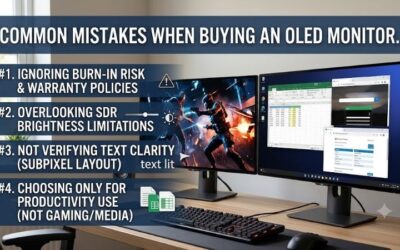
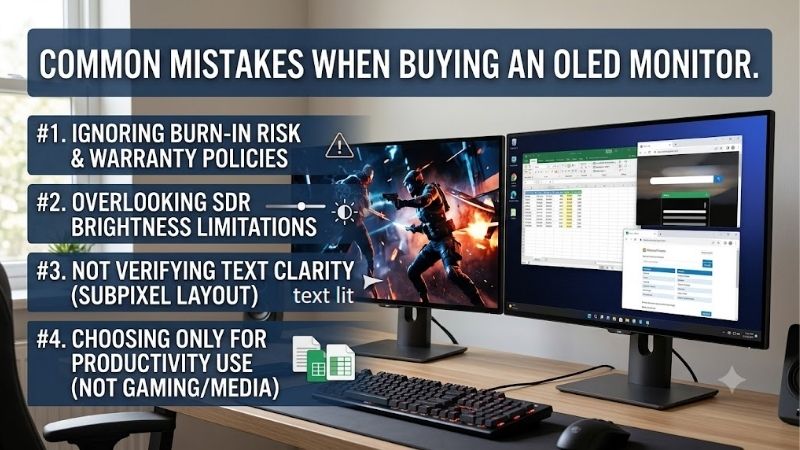
Common mistakes when buying an oled monitor begin with expecting a premium panel to solve every display problem. A glossy screen can reflect your window, a fast panel can outpace your GPU, and office text may disappoint. Match the screen to your daily workload, and treat burn-in protection as risk reduction rather than guaranteed immunity.
How to Choose an OLED Monitor
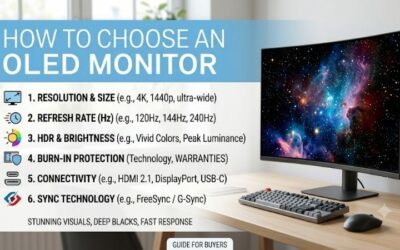
This guide connects common mistakes when buying an oled monitor to four practical checks: graphics performance, screen finish, connections, and ownership terms. Four real 1440p models illustrate the tradeoffs. The comparisons identify worthwhile features, meaningful compromises, and when an ordinary LCD remains the better purchase.
Match Resolution and Refresh to Your PC
Buying refresh capacity your games cannot use encourages overspending. Resolution determines rendering workload; refresh rate determines the display’s update ceiling. Every recommendation here uses 2560 x 1440, keeping the comparison focused on mainstream gaming without the graphics-performance demands associated with native 4K.
Among common mistakes when buying an oled monitor, confusing refresh rate with frame rate is costly. A 280Hz panel cannot generate extra frames, though it remains usable below maximum refresh. For competitive games your PC runs quickly, the Alienware AW2725D provides additional refresh headroom without requiring native-4K rendering.
Choose a Finish for Your Room
Ignoring room lighting can turn appealing showroom visuals into a distracting desktop experience. Glossy finishes show sharper reflections, while matte coatings spread reflected light across the surface. Neither approach defeats direct window reflections. Consider lamp positioning and daylight exposure during typical gaming sessions.
Among common mistakes when buying an oled monitor, overlooking surface finish is preventable. Accept reflection tradeoffs deliberately rather than trusting promotional photographs. For a dim gaming room where glossy clarity matters, the ASUS ROG Strix OLED XG27AQDMG offers glossy WOLED with a clearly defined lighting requirement.
Check Refresh Limits on Each Input
Assuming every input supports the advertised maximum refresh rates can leave a new monitor running below expectations. The supported timing for each connection matters more than the presence of an HDMI socket. This matters for laptops or consoles without compatible outputs, because adapters cannot guarantee equivalent capabilities.
The original ASUS model here reaches 240Hz through DisplayPort but only 144Hz through HDMI, providing a sensible DisplayPort option with clearly documented limitations. If surrounding glare matters and full-speed HDMI connectivity is necessary, the LG 27GS93QE-B supports QHD at 240Hz through HDMI 2.1 on compatible hardware.
Compare Coverage Before Discounts
Assuming equivalent three-year warranties distorts discount comparisons. Read whether permanent panel burn-in is explicitly covered, alongside regional eligibility and seller-specific conditions. Protection routines still matter: warranty coverage addresses eligible failures, but does not make repeated static content harmless.
Compare the exact model suffix, condition, return period, and final checkout total before judging promotional value. Saving money is useful with appropriate functionality and warranty eligibility. When priced meaningfully below Alienware, the MSI MAG 271QPX QD-OLED E2 combines 240Hz gaming with stated burn-in coverage.
Top Picks
Avoiding common mistakes when buying an oled monitor means choosing acceptable compromises, beyond advertised specification ceilings. Alienware is the balanced pick, MSI earns value status on a worthwhile discount, and LG and ASUS address distinct viewing environments. These selections assess published specifications, not personal testing.
| Product | Best For | Key Spec | Watch Out For |
|---|---|---|---|
| Alienware AW2725D | Best Overall | 1440p QD-OLED, 280Hz | USB-C does not accept video |
| MSI MAG 271QPX QD-OLED E2 | Best Value when discounted | 1440p QD-OLED, 240Hz | USB-C power delivery limited to 15W |
| LG 27GS93QE-B | Reducing Sharp Reflections | 1440p OLED, 240Hz, anti-glare finish | Coating trades glossy clarity for diffuse reflections |
| ASUS ROG Strix OLED XG27AQDMG | Glossy Viewing | 1440p WOLED, 240Hz | HDMI refresh limited to 144Hz |
Alienware AW2725D: Best Overall
The Alienware AW2725D is best overall for gaming buyers prioritizing fast 1440p gaming and straightforward support. Its 27-inch class QD-OLED panel supports 280Hz, accommodating high-performance competitive gameplay. The adjustable stand and compact base also make sense on desks with limited usable keyboard and mouse space.
Dell lists three-year support with Advanced Exchange, including OLED burn-in, a practical advantage over ambiguous coverage. Its USB-C downstream connection supplies up to 15W but lacks video-input functionality. That limitation prevents comprehensive single-cable laptop docking, despite the convenient downstream charging connection.
MSI MAG 271QPX QD-OLED E2: Best Value
The MSI MAG 271QPX QD-OLED E2 is best value with substantial savings against Alienware. Its 26.5-inch QD-OLED panel offers 1440p resolution at 240Hz, preserving the core appeal of fast OLED gaming. HDMI 2.1 and USB-C video input give it connection flexibility without requiring expensive 4K graphics-performance upgrades.
One of the common mistakes when buying an oled monitor is assuming USB-C means full laptop docking. MSI’s power delivery is limited to 15W, requiring separate gaming-laptop power adapters. The stated three-year warranty includes panel burn-in; verify the E2 suffix, because non-E2 variants have different refresh specifications.
LG 27GS93QE-B: Best for Reducing Sharp Reflections
The LG 27GS93QE-B is best for buyers avoiding distracting reflections in a shared or moderately lit room. Its 27-inch class OLED display combines 2560 x 1440 resolution, 240Hz refresh, and an anti-glare finish. Full QHD refresh through compatible HDMI 2.1 equipment makes it useful for desktops using supported HDMI connections.
The finish trades glossy clarity for more diffuse reflections, which may disappoint buyers expecting a mirror-smooth surface. LG also needs competitive sale pricing beside discounted OLED alternatives. Choose it for the coating and connection match, while checking the applicable U.S. warranty rather than assuming identical international coverage.
ASUS ROG Strix OLED XG27AQDMG: Best for Glossy Viewing
The ASUS ROG Strix OLED XG27AQDMG is best for glossy-screen enthusiasts with controllable lighting. Its 26.5-inch viewable WOLED panel supports 1440p at 240Hz, and the stand provides 120mm of height adjustment. That combination suits a dedicated gaming desk with controlled lighting and a preference for glossy surface clarity.
HDMI’s 144Hz ceiling is its substantial drawback for buyers expecting equivalent performance across connections. ASUS lists three years of warranty including panel burn-in, strengthening the ownership proposition. This pick is the original XG27AQDMG, not the Gen2 XG27AQDMGR; their connection specifications remain distinct.
Frequently Asked Questions
Questions about common mistakes when buying an oled monitor often surface after delivery, when everyday use reveals a mismatch. Text appearance, brightness claims, and panel maintenance deserve attention beforehand. These answers separate a genuine product limitation from a setting issue or an expectation the technology cannot meet.
Is OLED Better for Office Work?
No, OLED is not automatically better for office work. Its subpixel layout can affect small-text appearance, and static applications create ownership considerations beyond varied gaming. If documents, spreadsheets, or coding dominate your day, judge typography at your normal viewing distance before prioritizing gaming-oriented contrast.
Inspect familiar documents during the return period at your customary operating-system scaling. Text preferences differ, so a favorable gaming review cannot determine personal typography preferences. Maintaining a separate productivity LCD may be practical, but include purchase expenditure and workstation space in the overall upgrade budget.
Does Peak HDR Brightness Apply to the Whole Screen?
No, a peak HDR brightness rating does not describe the brightness of a full white desktop. Peak figures usually apply with specified test conditions and limited bright areas. For regular daylight usage, sustained SDR brightness and reflection handling are more relevant than advertised maximum-brightness marketing specifications.
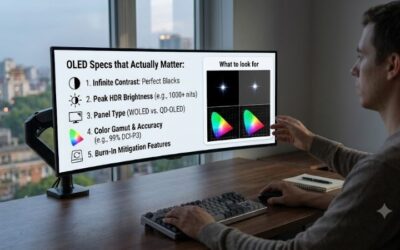
Overreading brightness claims is one of the common mistakes when buying an oled monitor. MSI specifies 250 nits for SDR and a 1,000-nit HDR peak at 3% average picture level, illustrating the difference. Compare measurements taken under similar conditions instead of assuming the HDR peak carries over to browsing or spreadsheets.
Can OLED Still Get Burn-In With Protection Enabled?
Yes, OLED can still develop permanent burn-in despite manufacturer-provided safeguards. Repeated interface elements can age pixels unevenly, producing persistent visible patterns after content changes. Temporary image retention is not necessarily permanent damage, but warranty eligibility never replaces manufacturer-recommended maintenance.
Follow the manufacturer’s pixel-care schedule, permit automatic maintenance completion, and use display sleep during idle periods. Do not force long manual refresh cycles beyond manufacturer-recommended intervals. Keep the receipt and serial details accessible, because any warranty claim depends on the applicable terms and purchase documentation.
Should You Buy an Open-Box OLED Monitor?
No, you should not assume an open-box OLED is a bargain based solely on discounts. Previous usage, missing accessories, panel condition, and coverage eligibility can change its value. A low price matters less if the seller offers limited recourse or the remaining warranty does not cover your particular ownership concerns.
Request the complete model designation and documented condition, then check applicable return-policy provisions. On arrival, inspect uniform backgrounds, connection stability, and physical condition promptly. A used panel’s history may remain unknown, so weigh the savings against a new unit with unambiguous purchase documentation.
Final Thoughts
The common mistakes when buying an oled monitor are easier to avoid when specifications match daily use. Start with Alienware for balanced gaming, MSI for meaningful savings, LG for diffuse reflections, or ASUS for glossy viewing. If office work dominates or the screen weakens your graphics-card budget, an LCD can still be the wiser purchase.