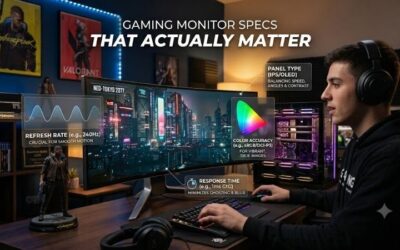
Best gaming monitor for a high end build starts with pairing the display to the hardware you already paid for. A flagship GPU can push far more pixels and frames than a basic 1440p screen, yet premium 4K OLED monitors still differ in motion modes, ports, panel finish, HDR behavior, and desk-friendly features for serious systems.
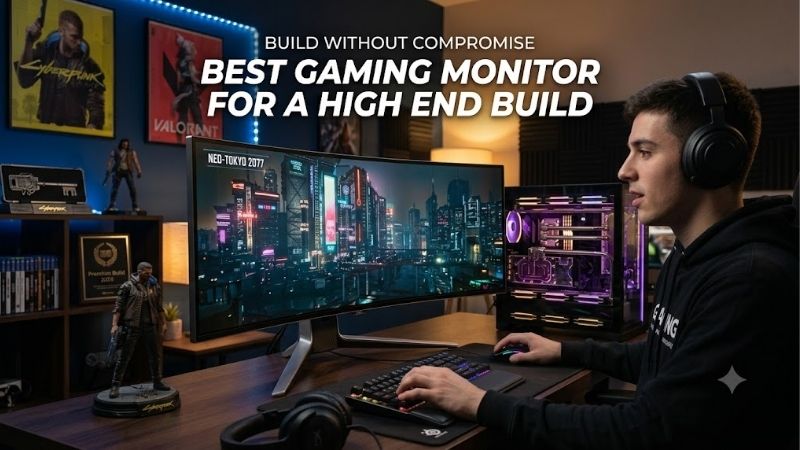
Quick answer: For most people in 2026, the best gaming monitor for a high end build is the ASUS ROG Swift OLED PG32UCDM3 — our #1 rated choice. See the full ranked comparison, alternatives and buying advice below.
How to Choose The Right Gaming Monitor
Choosing the best gaming monitor for a high end build means looking beyond headline refresh rate. Resolution and refresh rate determine how much GPU power you can exploit, while the sweet spot depends on game type, graphics hardware, seating distance, and willingness to trade maximum detail for higher competitive frame rates. Four picks follow.
4K Resolution And Refresh Rate
For a premium PC, 4K at 240Hz is the high-end target because it pairs high pixel density with substantial motion headroom. The catch is that many AAA titles will not sustain 240 fps at native 4K, so buyers must decide whether maximum image detail or ultra-high refresh matters more for their actual library.
ASUS ROG Swift OLED PG32UCDM3 and Samsung Odyssey OLED G8 G80SD both deliver 4K at 240Hz, while LG 32GS95UE-B adds a 480Hz Full HD mode. LG suits esports players who will exploit lower-resolution modes, while ASUS and Samsung make far more sense for native-4K-first play on an enthusiast-class gaming build consistently.
OLED Panel And HDR
OLED is a strong fit for a high-end desk because it delivers near-instant pixel response and deep blacks that LCD panels struggle to match. QD-OLED can also produce vivid color, but bright-room reflections, text clarity, and OLED care requirements matter more than a headline contrast number during mixed desktop work and long sessions.
ASUS PG32UCDM3 uses Tandem QD-OLED, Alienware AW3225QF uses QD-OLED with Dolby Vision, and Samsung G80SD uses OLED with HDR10+ Gaming. For dark-room cinematic play, these three are especially strong fits, while LG 32GS95UE-B adds peak HDR brightness and anti-glare treatment for a more practical bright-room setup without overcomplicating the choice.
Inputs, Bandwidth, And PC Features
A high-end GPU makes the connection standard important. HDMI 2.1 is essential for modern consoles and 4K high-refresh use, while future-forward DisplayPort bandwidth becomes more valuable as standards evolve. USB-C can also turn a gaming monitor into a cleaner hub for a laptop or secondary system on a premium high-end desk setup.
ASUS PG32UCDM3 is the connectivity leader with DisplayPort 2.1a, HDMI 2.1, and 90W USB-C power delivery. Samsung G80SD adds smart-TV functions, while Alienware AW3225QF keeps a simpler gaming-first setup. Pick ASUS for a complex desk, Samsung for mixed entertainment, or Alienware for fewer extras and cleaner focus overall.
Screen Shape, Size, And Ergonomics
A 32-inch 4K screen gives a high-end PC space for detail without ultrawide width. Flat panels keep geometry straightforward for work, while a curve can feel more immersive in games. Stand adjustment and desk depth matter because premium OLED monitors are physically substantial on smaller desks and smaller workstations.
LG 32GS95UE-B, Samsung G80SD, and ASUS PG32UCDM3 are flat, while Alienware AW3225QF uses a 1700R curve. Choose Alienware when immersion is the priority, or remain with a flat-screen model when precision aiming, windows, and desktop productivity favor a predictable screen surface throughout long gaming and work sessions.
Top Picks
The best gaming monitor for a high end build is not universal because these displays solve different problems. The comparison table distinguishes the four picks by role at a glance, then the detailed sections explain which buyers should choose each model and which limitation is worth accepting for the intended use.
| Product | Best For | Key Spec | Watch Out For |
|---|---|---|---|
| ASUS ROG Swift OLED PG32UCDM3 | Best Overall | 32-inch 4K 240Hz Tandem QD-OLED | Premium feature set and OLED care still required |
| LG UltraGear OLED 32GS95UE-B | Best For Competitive FPS | 4K 240Hz / FHD 480Hz Dual Mode | FHD mode gives up 4K sharpness |
| Samsung Odyssey OLED G8 G80SD | Best For Mixed Gaming & Media | 4K 240Hz OLED, Tizen | Smart features add complexity |
| Alienware 32 AW3225QF | Best Value | 4K 240Hz QD-OLED, 1700R | Curved screen is less neutral for desktop work |
ASUS ROG Swift OLED PG32UCDM3 — Best Overall
ASUS ROG Swift OLED PG32UCDM3 is the best gaming monitor for a high end build when you want a current flagship with minimal practical compromises. Its 31.5-inch 4K Tandem QD-OLED panel runs at 240Hz, reaches a reported 1,500,000:1 contrast ratio, and adds Dolby Vision, G-SYNC compatibility, and 90W USB-C power delivery.
The standout advantage is its combination of image quality and modern bandwidth, including DisplayPort 2.1a UHBR20. The weakness is that OLED care and premium pricing remain part of ownership, while some buyers may never use the advanced I/O. It suits enthusiasts building a feature-rich workstation-gaming desk with one display.
LG UltraGear OLED 32GS95UE-B — Best For Competitive FPS
LG UltraGear OLED 32GS95UE-B is the best gaming monitor for a high end build for players who genuinely switch between cinematic 4K gaming and competitive frame rates. Its 31.5-inch OLED runs at 3840×2160 up to 240Hz, then changes to 1920×1080 up to 480Hz, with a quoted 0.03ms GtG response time and straightforward dual-mode switching.
LG also uses an anti-glare, low-reflection treatment and includes G-SYNC compatibility plus FreeSync Premium Pro. The trade-off is simple: its 480Hz mode sacrifices 4K clarity, so it makes most sense for owners with a strong GPU who play demanding AAA games and latency-sensitive esports titles on the same high-end display.
Samsung Odyssey OLED G8 G80SD — Best For Mixed Gaming & Media
Samsung Odyssey OLED G8 G80SD is the best gaming monitor for a high end build when gaming is only part of the screen’s job. Its 32-inch flat OLED offers 4K resolution, 240Hz refresh, 0.03ms GtG response, 99% DCI coverage, and integrated Tizen smart features for streaming, apps, and media on one desk.
The useful advantage is flexibility beyond a standard PC monitor, including HDR10+ Gaming, FreeSync Premium Pro, G-SYNC compatibility, and Samsung’s smart interface. The drawback is extra software and TV-style functionality you may not need. It fits a desk where one screen also handles console play, streaming, and media.
Alienware 32 AW3225QF — Best Value
Alienware 32 AW3225QF is the best gaming monitor for a high end build for buyers who want premium 4K OLED gaming performance without chasing the newest feature stack. The 32-inch QD-OLED panel runs at 240Hz, uses a 1700R curve, supports Dolby Vision and DisplayHDR True Black 400, and connects through HDMI 2.1 and DisplayPort 1.4.
Its major benefit is a focused design backed by Dell’s three-year Advanced Exchange and Premium Panel Exchange coverage that includes OLED burn-in. The limitation is the curved screen, which can be less natural for desktop work. It is the sensible choice when immersive gaming matters more than workstation neutrality.
Frequently Asked Questions
People shopping for a premium display often assume that a bigger frame-rate number automatically makes a monitor better. In practice, the best gaming monitor for a high end build depends on whether your GPU can use the panel’s full refresh range and whether games benefit from 4K detail, ultra-high refresh, or both. That matters more than a headline maximum alone.
Is 240Hz Worth It At 4K?
Yes, especially when your GPU can drive high frame rates in the games you play most. A 240Hz 4K panel has room for competitive smoothness without giving up desktop sharpness, but demanding AAA titles may spend much of their time well below 240 fps. In that case, adaptive sync matters more than the ceiling.
Also remember that refresh rate only helps when the system can feed it. LG’s 480Hz mode is a purpose-built escape hatch for esports, while ASUS and Samsung keep the focus on native 4K. Choose according to your actual frame-rate targets, not just the maximum number printed on the box, across mixed-genre game libraries.
Do You Need OLED For A High-End Gaming PC?
No. OLED is excellent for contrast, response speed, and HDR impact, but premium high-quality LCD can still make sense in high-glare rooms or for owners who keep static desktop interface content visible for long periods. The key question is whether OLED’s image advantages justify its maintenance demands and long-term longevity considerations.
For a gaming-heavy setup, the OLED picks here make a strong case because all four deliver fast response characteristics. ASUS and Alienware favor QD-OLED color and contrast, while LG adds dual-mode flexibility. Samsung is appealing when the monitor must also behave like a smart entertainment display for mixed daily use.
Is 32 Inches Too Large For 4K Gaming?
Not for most high-end desks, provided you sit at a comfortable, sensible viewing distance. A 32-inch 4K panel offers enough pixel density for sharp text while making fine game detail easier to appreciate than on a smaller 1440p display. The bigger issue is desk depth, stand placement, and viewing distance on most desks.
Flat screens from ASUS, LG, and Samsung are straightforward for mixed desktop and work use, while Alienware’s 1700R curve adds immersion without becoming ultrawide. A curved 32-inch panel can also feel natural in games, but design, spreadsheets, and document work may favor flat geometry for predictable lines and windows.
Should You Buy A Flat Or Curved Gaming Monitor?
Flat is the safer default when one screen serves gaming, work, and content creation because straight lines and window layouts remain predictable. A curve becomes more persuasive when gaming immersion is the priority, particularly in darker rooms where the screen often dominates your field of view and seating stays centered.
Alienware AW3225QF is the curved option present, using a 1700R radius, while LG, Samsung, and ASUS stay flat. That does not make Alienware weaker in games; it simply gives a specialized viewing shape. Choose the form factor that matches your workstation habits rather than treating curve as a performance enhancement.
Final Thoughts
For a flagship PC, the best gaming monitor for a high end build should complement your hardware, not advertise premium specifications. ASUS leads overall, LG is the esports specialist, Samsung is the versatile entertainment choice, and Alienware is the value-focused choice for gamers wanting immersive 4K OLED at 240Hz.
Ready to decide? Our #1 pick for 2026 is the ASUS ROG Swift OLED PG32UCDM3.
Live price & availability on Amazon.