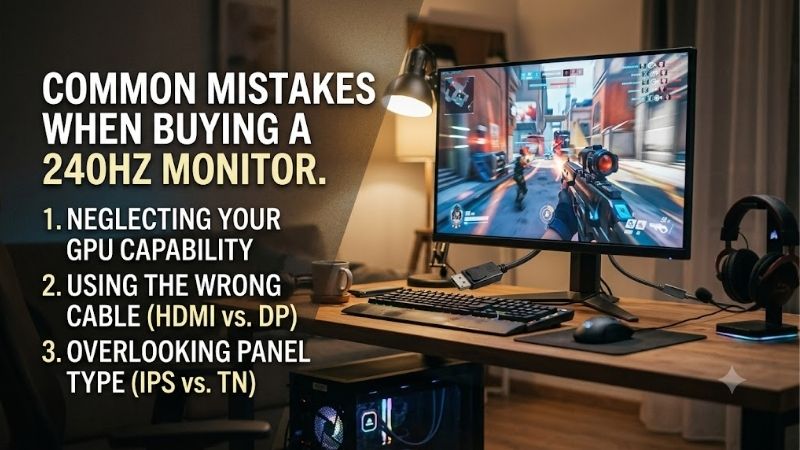
Common mistakes when buying a 240hz monitor often begin with disappointing results: an expensive screen arrives, yet movement remains blurry and gameplay feels uneven. Refresh rate cannot compensate for inadequate hardware, restricted connections, or unsuitable panel characteristics. Match the purchase to your actual gaming priorities.
How to Choose a 240Hz Monitor
This guide examines common mistakes when buying a 240hz monitor through four purchasing criteria and four specific models. It connects resolution, motion characteristics, input compatibility, and everyday habits to practical recommendations. Each selection addresses a different priority, helping you identify which compromises deserve your budget.
Match Resolution to Your Actual Frame Rates
A 240Hz display refreshes every 4.17 milliseconds, but new frames depend on your computer. Benchmark gameplay using your preferred graphics settings, including crowded fights. High averages can conceal slowdowns, so examine frame-rate consistency. Additional resolution increases rendering demands on an already struggling GPU.
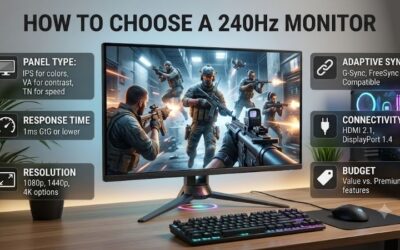
Treating 1440p as a free upgrade is among the common mistakes when buying a 240hz monitor. It contains about 78% more pixels than 1080p, though performance loss varies by game. Choose MSI G274QPX for a capable 1440p PC, or BenQ ZOWIE XL2546X when a smaller 1080p screen better fits your frame rate target and play style.
Compare Panel Behavior, Not Just Response Claims
Refresh rate measures update frequency; pixel response describes transitions of colors. Neither specification guarantees clean movement. Gray-to-gray and moving picture response time describe different measurements, making direct comparisons misleading. A 0.5ms MPRT advertisement does not establish superiority over a 1ms GtG display.
Panel technology provides useful expectations without replacing measurements of visible trails and bright overshoot halos. TN supports a focused esports configuration, while OLED produces deep blacks through self-lit pixels. Choose BenQ ZOWIE XL2546X for its DyAc 2 option, or LG 27GR95QE-B when OLED contrast complements your gaming priorities.
Verify the Exact Input and Supported Display Mode
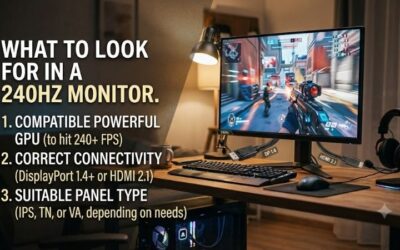
Verify the connection path before ordering: computer output, adapters, docks, cable, and display input. Matching connector shapes do not establish support for a resolution and refresh combination. Among common mistakes when buying a 240hz monitor, overlooking input limits can prevent access to the advertised performance.
MSI G274QPX illustrates this: its specifications support 1440p at up to 240Hz through DisplayPort, versus 144Hz through HDMI. That restriction changes suitability for HDMI-only laptops, regardless of rendering performance. For desktops equipped with compatible DisplayPort outputs, MSI G274QPX remains a sensible higher-resolution choice.
Budget for Desk Use as Well as Gaming
Screen dimensions affect text sharpness at any given resolution, while desk depth influences viewing distance. Consider ambient lighting and whether applications remain visible all day. Curved 27-inch screens can suit immersive gaming; smaller flat displays provide another approach for compact desks and competitive play.
Price alone misses those daily tradeoffs. AOC C27G2Z offers a curved 1080p route when budget matters more than crisp small text; LG 27GR95QE-B suits buyers willing to follow OLED care guidance. Choose AOC C27G2Z for that budget gaming role, or LG 27GR95QE-B when varied gaming takes priority over a static desktop routine.
Top Picks
These recommendations connect common mistakes when buying a 240hz monitor with four buying priorities. Selections reflect specifications and practical suitability, rather than detailed research claims. Compare current listings, seller conditions, and complete model identifiers before ordering; similar names can describe different displays.
| Product | Best For | Key Spec | Watch Out For |
|---|---|---|---|
| MSI G274QPX | Best Overall | 27-inch Rapid IPS, 1440p, 240Hz | HDMI limited to 1440p/144Hz |
| AOC C27G2Z | Best Value | 27-inch VA, 1080p, 240Hz, 1500R | Coarser desktop text; value depends on price |
| BenQ ZOWIE XL2546X | Competitive FPS | 24.5-inch Fast TN, 1080p, 240Hz, DyAc 2 | Less workspace; off-center viewing compromises |
| LG 27GR95QE-B | OLED Gaming | 27-inch-class OLED, 1440p, 240Hz | Persistent static content requires care |
MSI G274QPX — Best Overall
MSI G274QPX is the overall recommendation for mixed gaming and productivity. Its flat 27-inch Rapid IPS panel combines 2560 x 1440 resolution with 240Hz, providing finer desktop detail and additional workspace compared with 1080p. Choose it when your computer supports QHD gaming without sacrificing the frame-rate consistency you prioritize.
Its strength is combining desktop detail with high refresh instead of committing to a specialist esports format. The HDMI restriction remains a drawback for incompatible systems. Favor this model when spreadsheets, browsing, and PC gaming share one display, provided your chosen connection supports the required resolution and refresh.
AOC C27G2Z — Best Value
AOC C27G2Z is a conditional value pick: consider it when a current offer undercuts the alternatives enough to justify its compromises. The curved 27-inch VA panel combines 1920 x 1080 resolution, 240Hz, and 1500R curvature. Compared with either QHD selection, its lower pixel count reduces rendering workload without shrinking the display.
Coarser text is the principal compromise: 1080p spreads fewer pixels across the same diagonal than QHD. Ignoring desktop readability ranks among common mistakes when buying a 240hz monitor. This recommendation assumes gaming dominates your routine and the discount compensates for resolution; frequent close-up reading favors a sharper alternative.
BenQ ZOWIE XL2546X — Best for Competitive FPS
BenQ ZOWIE XL2546X targets players who spend most of their time in competitive shooters. Its 24.5-inch Fast TN panel uses 1920 x 1080 resolution at 240Hz, and DyAc 2 adds a motion-clarity option. The smaller format can fit a close desk setup without the broad view of a 27-inch screen, a useful preference for focused play.
Its compromise is specialization: 1080p provides less desktop workspace than either QHD selection, while TN viewing characteristics matter when sitting off-center. Purchase it for the competitive layout and motion feature instead of expecting a productivity upgrade. Buyers prioritizing office work should consider MSI instead.
LG 27GR95QE-B — Best for OLED Gaming
LG 27GR95QE-B fits a gamer who wants OLED contrast alongside high refresh. This 27-inch-class model uses 2560 x 1440 resolution and 240Hz, with both G-SYNC Compatible and FreeSync Premium support listed. Its self-lit pixels make it a distinct option for dark scenes, especially if you value picture depth as well as fast play.
OLED requires attention to persistent content. LG warns that taskbars, icons, and game menus can cause temporary image retention. Keep protection features enabled and permit standby when idle. This selection suits varied gaming and buyers comfortable following care guidance; an always-visible dashboard is a weaker match.
Frequently Asked Questions
Remaining common mistakes when buying a 240hz monitor concern expectations after purchase. Additional refresh cannot ensure wins, unsupported consoles cannot use every update, and replacement cables cannot improve rendering speed. These answers address upgrade value, frame-rate requirements, console compatibility, and setup problems.
Is a 240Hz Monitor Worth It Over 144Hz?
Yes, particularly for fast PC games frequently running above 144 fps. Refresh intervals decrease from 6.94ms at 144Hz to 4.17ms at 240Hz. The improvement is smaller than the transition from 60Hz to 144Hz; anticipate incremental visual improvements in movement and timing rather than transformed gameplay or automatic wins.
For slower strategy games or cinematic titles running at moderate frame rates, resolution may deliver more value. Your existing display’s motion characteristics also influence the improvement. Judge the upgrade against your games, and favor clear return conditions when unsure whether the difference warrants the expense.
Do I Need 240 FPS to Use a 240Hz Monitor?
No. A 240Hz display operates below 240 fps, although lower rates supply fewer unique frames each second. Performance depends on more than refresh capacity alone. Variable refresh rate coordinates supported display updates with graphics output, reducing tearing within operating limits rather than generating additional game frames.
Testing only easy scenes is among the common mistakes when buying a 240hz monitor. Examine crowded matches and demanding environments using sustainable graphics settings. Consistent slowdowns suggest investigating processor or graphics limitations before committing your upgrade budget to a faster display that cannot correct those bottlenecks.
Can PS5 or Xbox Series X Use a 240Hz Monitor?
Yes, but those consoles cannot exploit the entire 240Hz refresh capacity. BenQ specifies 1080p at 120Hz for PS5 and Xbox Series X/S on XL2546X, and Xbox advertises up to 120 fps. Purchasing this category solely to obtain 240 fps console gameplay therefore leaves additional refresh capability unused, regardless of the monitor’s advertised maximum.
A screen can still make sense if you share it with a gaming PC, but confirm the supported console mode on the exact model. Game support and console settings also affect whether 120Hz is available. For a console-only desk, compare image quality, input support, and cost before paying extra for a refresh rate the console cannot use.
Why Does My New 240Hz Monitor Show Only 60Hz?
Configuration or connection restrictions can explain a missing refresh option. In Windows, open Settings, System, Display, then Advanced display; select the monitor and choose an available refresh rate. This adjusts supported operation, rather than overriding hardware limits or making unsupported display modes available.
When 240Hz remains unavailable, compare the resolution against your manual’s input specifications and bypass docks with a direct graphics connection. Check games for separate refresh restrictions or frame-rate caps. Complete checks during the return period, so you can resolve incompatibility while seller remedies remain available.
Final Thoughts
Avoid common mistakes when buying a 240hz monitor by matching the screen to your PC and routine. MSI G274QPX is the balanced QHD choice, AOC C27G2Z the conditional value pick, BenQ ZOWIE XL2546X the focused FPS option, and LG 27GR95QE-B the OLED route. Confirm the input mode and seller terms before committing to any of them.