Best 32gb ram for a high end build searches often begin with a confusing choice: buy a sensible DDR5-6000 kit or purchase faster memory beyond your system’s capabilities. The right answer depends on your CPU, motherboard, cooler, and workload. Start with a matched kit, then prioritize verified compatibility over the largest number.
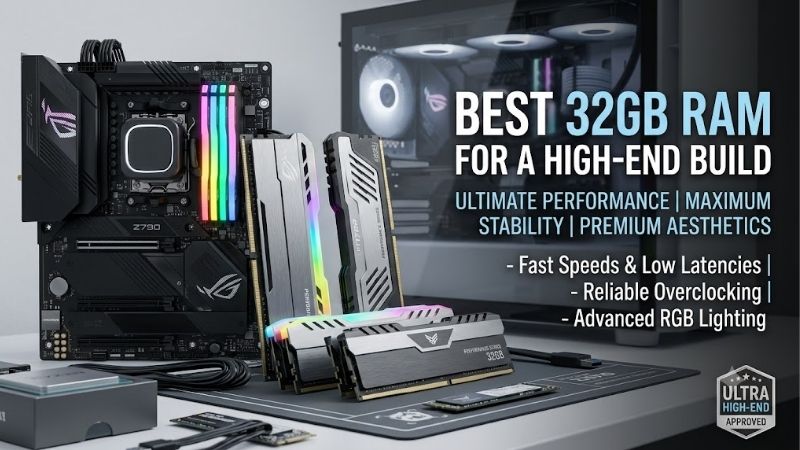
Quick answer: For most people in 2026, the best 32gb ram for a high end build is the Kingston FURY Beast DDR5-6000 CL30 — our #1 rated choice. See the full ranked comparison, alternatives and buying advice below.
How to Choose 32GB RAM
This guide compares the best 32gb ram for a high end build across four real DDR5 kits, covering balanced use, value, air-cooled systems, and compatible Intel platforms. The buying criteria focus on profiles, speed, physical fit, and price to prevent mismatched purchases and avoidable configuration problems during assembly.
Check Platform Compatibility
DDR5 and DDR4 are physically incompatible, so verify motherboard specifications before purchasing any modules. These picks are desktop DDR5 UDIMM kits, not laptop memory or registered workstation modules. Also confirm that the motherboard’s memory support list covers your kit, processor generation, and module population.
XMP and EXPO provide stored overclocking presets; advertised speeds remain dependent on the CPU’s memory controller and firmware. For the best 32gb ram for a high end build across supported AMD and Intel systems, Kingston FURY Beast DDR5-6000 CL30 offers both profile formats in the selected 32GB kit, providing cross-platform flexibility.
Balance Speed and Latency
Transfer rate and CAS latency measure different characteristics. DDR5-6000 CL30 has a theoretical CAS delay of 10 nanoseconds, while DDR5-7200 CL34 is about 9.44 nanoseconds. Those figures describe memory-access timing, not total system latency, and they cannot predict performance in individual games without relevant testing.
Faster memory primarily benefits bandwidth-sensitive applications, while controller settings and other timings influence the result. Higher transfer rates cannot establish universal application-performance advantages. For an Intel build with verified compatibility, consider G.SKILL Trident Z5 RGB DDR5-7200 CL34 after verifying motherboard support.
Measure Cooler Clearance
Memory height matters when tower-cooler fans overhang the DIMM slots. Compare the cooler’s published RAM clearance with the module height and available case space. Raising the fan may solve interference, but it increases overall cooler height, so memory interference can become case-panel interference in a cramped enclosure.
RGB lighting provides customization without increasing performance, and taller decorative modules can reduce cooling flexibility. A plain heat spreader often makes more sense beneath overhanging fans that conceal lighting. For a restrained build with a compact memory design, choose Corsair Vengeance DDR5-6000 CL30 after checking clearance.
Compare Layout and Value
All four choices use two 16GB DIMMs, giving 32GB total without populating every slot on a typical four-slot board. This leaves physical expansion space, but adding another kit later can reduce achievable speed or introduce instability. If your workload already requires additional capacity, purchase one validated kit with sufficient capacity.
Price comparisons should match capacity, timings, profiles, and return terms rather than brand alone. A premium heat spreader cannot establish superior performance, and stock changes can reverse the value ranking. For an understated AMD-oriented build, choose G.SKILL Flare X5 DDR5-6000 CL30 when competitively priced against alternatives.
Top Picks
The best 32gb ram for a high end build should fit a specific platform and budget, so these selections are recommendations by use case rather than a benchmark ranking. Kingston provides profile flexibility, Flare X5 targets value, Corsair favors a restrained air-cooled build, and Trident Z5 offers higher bandwidth for supported Intel systems.
| Product | Best For | Key Spec | Watch Out For |
|---|---|---|---|
| Kingston FURY Beast DDR5-6000 CL30 | Best Overall | KF560C30BBEK2-32; 2×16GB; 6000 MT/s; CL30-36-36; 1.4V; EXPO/XMP | Higher profile voltage than the selected Flare X5 kit. |
| G.SKILL Flare X5 DDR5-6000 CL30 | Best Value when competitively priced | F5-6000J3038F16GX2-FX5; 2×16GB; CL30-38-38-96; 1.35V; 33mm height | Lower rated bandwidth than the selected 7200 MT/s kit. |
| Corsair Vengeance DDR5-6000 CL30 | Best For Air-Cooled Builds | CMK32GX5M2B6000Z30; 2×16GB; 6000 MT/s; CL30; non-RGB | A price premium does not establish better gaming performance. |
| G.SKILL Trident Z5 RGB DDR5-7200 CL34 | Best For Compatible Intel Builds | F5-7200J3445G16GX2-TZ5RK; 2×16GB; CL34-45-45-115; 1.4V; XMP 3.0 | Achieving 7200 MT/s depends on motherboard and CPU capability. |
Kingston FURY Beast: Best Overall
Kingston FURY Beast DDR5-6000 CL30 is the Best Overall starting point for compatible gaming desktops handling everyday creative workloads. The selected KF560C30BBEK2-32 kit contains two 16GB DIMMs, with a rated 6000 MT/s profile at 30-36-36 timings and 1.4V. Dual-profile support simplifies platform selection without guaranteeing compatibility.
One disadvantage: its 6000 MT/s profile uses 1.4V, compared with the selected Flare X5 kit’s 1.35V specification, and achieving rated performance remains hardware-dependent. For buyers weighing the best 32gb ram for a high end build, this is a balanced choice rather than guaranteed power-efficiency or benchmark leadership.
G.SKILL Flare X5: Best Value
G.SKILL Flare X5 DDR5-6000 CL30 earns Best Value when priced below similarly specified alternatives. The F5-6000J3038F16GX2-FX5 kit combines 32GB in two modules with 30-38-38-96 timings at 1.35V. Its 33mm module height is helpful beneath overhanging coolers, and the unlit design eliminates unnecessary concealed lighting.
Its limitation is performance headroom: the rated 6000 MT/s profile offers less theoretical bandwidth than the selected 7200 MT/s Trident kit. Bandwidth-sensitive Intel workloads may benefit from faster memory. For an AMD-focused gaming build, however, its practical fit and specification can justify choosing it over a decorative premium.
Corsair Vengeance: Best For Air-Cooled Builds
Corsair Vengeance DDR5-6000 CL30 is Best For Air-Cooled Builds when its compact, non-RGB design suits the cooler layout. The CMK32GX5M2B6000Z30 kit supplies 32GB as two 16GB DIMMs, with a rated 6000 MT/s CL30 profile. Its aluminum heat spreaders provide a restrained appearance that works well in a desktop built around a large tower cooler.
The tradeoff is limited differentiation from other 6000 CL30 kits: a higher purchase price would need justification through fit, support, or availability instead of assumed gaming gains. If the best 32gb ram for a high end build sits beneath a cooler fan, this Corsair makes sense, but a cheaper compatible Flare X5 may serve the same purpose.
G.SKILL Trident Z5 RGB: Best For Compatible Intel Builds
G.SKILL Trident Z5 RGB DDR5-7200 CL34 is Best For Compatible Intel Performance Builds. The F5-7200J3445G16GX2-TZ5RK kit contains two 16GB DIMMs, rated at 7200 MT/s with 34-45-45-115 timings and 1.4V through Intel XMP 3.0. Compared with 6000 MT/s, it provides a theoretical bandwidth increase of 20 percent, plus configurable RGB lighting.
The downside is a more demanding speed target: motherboard limitations or CPU variability may prevent reliable operation at 7200 MT/s. RGB styling also matters little if a cooler obscures the modules. Choose it only when platform support and the workload justify the extra complexity, and avoid treating the advertised rate as guaranteed performance.
Frequently Asked Questions
Questions about the best 32gb ram for a high end build usually concern capacity, speed, module layout, and setup. The answers below explain where 32GB is sufficient, when faster memory deserves attention, and what to check after installation. They also address upgrade assumptions that can leave an expensive desktop unnecessarily complicated.
Is 32GB Enough for High-End Gaming?
Yes, 32GB is a sensible capacity for many high-end gaming PCs, accommodating concurrent voice chat, browsing, and background applications. It is not a universal ceiling, however. Large mod collections, demanding simulation games, and memory-heavy creative projects can push usage beyond that capacity during demanding sessions.
Check peak memory consumption in your actual workload before committing to 32GB. Frequent paging under pressure justifies additional capacity rather than faster modules. A workstation handling high-resolution editing, virtualization, or extensive datasets may need 64GB or more even when a gaming-focused system does not.
Is DDR5-7200 Worth the Premium?
No, DDR5-7200 is not automatically worth more than DDR5-6000. Its bandwidth advantage only becomes useful when the platform runs the profile reliably and the application benefits. In GPU-limited games, a faster kit may produce little visible improvement, while memory-controller behavior can alter results even at similar advertised timings.
When choosing the best 32gb ram for a high end build, compare tests using your CPU family and representative graphics settings. A high-refresh competitive workload deserves different scrutiny from a visually demanding 4K game. Spend on the 7200 kit only when the expected benefit is relevant, instead of equating higher system cost with necessity.
Are Two Sticks Better Than Four?
Two 16GB sticks are generally the more practical starting point for a 32GB DDR5 desktop. Compared with four modules, they place less load on the memory controller and facilitate higher-frequency operation. Install them in manufacturer-recommended slots, commonly A2 and B2, following the motherboard’s supplied installation diagram carefully.
Four sticks can make sense when capacity requirements demand them, but supported speeds may be lower. Two separately purchased kits are not equivalent to one four-module kit validated together, despite matching labels. Follow the motherboard’s population guidance and choose a single matched kit rather than planning unvalidated mixed-kit expansion.
Must You Enable XMP or EXPO?
Yes, the advertised overclocked speed usually requires enabling the relevant memory profile. First confirm stable operation at default settings, then select the supported XMP or EXPO profile in the BIOS and save the change. The board may spend extra time training memory on the next boot; follow its guidance before diagnosing failure.
After enabling the profile, run a memory stability test and exercise your normal workloads before trusting the system with important tasks. Errors, repeated crashes, or failed boots justify returning to defaults and checking firmware or compatibility. Follow documented voltage guidance rather than applying arbitrary increases.
Final Thoughts
The best 32gb ram for a high end build fits the platform before chasing speed. Choose Kingston for flexibility, Flare X5 for value, Corsair for a restrained cooler-friendly setup, or Trident Z5 for supported Intel bandwidth. Verify the exact kit, compare current prices, and prioritize stable operation over unattainable specifications.
Ready to decide? Our #1 pick for 2026 is the Kingston FURY Beast DDR5-6000 CL30.
Live price & availability on Amazon.