For the better part of a decade, the wired versus wireless debate in gaming mice had a simple answer: if you cared about winning, you plugged in. That answer expired somewhere around 2021, and by 2026 it looks genuinely quaint. Modern 2.4 GHz gaming receivers running at 1,000 Hz — and increasingly 4,000 Hz or 8,000 Hz on flagship models — deliver click-to-photon latency that sits comfortably inside the margin of error against a USB cable. The question is no longer “which one is faster,” but “which one fits how you actually play.”
That shift matters because the trade-offs have moved somewhere less obvious. Wired mice are now the budget-and-simplicity option: lighter for the money, never flat, never firmware-quirky. Wireless mice have absorbed the performance crown but ask you to think about charge cycles, dongle ports, and a modest weight penalty from the battery. Below are six of the most reliable wireless picks in 2026, spanning the sub-$40 tier up to enthusiast territory, so you can see exactly what the cable is costing you — or saving you.
As an Amazon Associate we earn from qualifying purchases at no extra cost to you. Product prices and availability are accurate as of the date shown and are subject to change.





⚡ Save on Your Next PC — Amazon Prime
Prime members get fast free shipping on the systems above, plus early access to Prime Day & Black Friday PC deals. New members get a 30-day free trial.
Watch: Wired vs Wireless Gaming Mouse in 2026 — Video Review
Quick Verdict
Buy wired if you want the absolute lowest price per gram, hate managing batteries, or play exclusively at a desk with a mousepad-friendly cable routing setup. Buy wireless if you value a clean desk, play across multiple devices, or want a mouse that travels — and know that at 1,000 Hz the latency difference is imperceptible in real matches. For most players in 2026, something like the Logitech G305 Lightspeed makes the wired argument hard to defend on anything but price.
Key Differences
- Latency: Wired is theoretically first past the post, but modern 2.4 GHz links like Logitech’s Lightspeed and Razer’s HyperSpeed land within roughly a millisecond — below human perception thresholds.
- Weight: Wired mice skip the battery entirely and routinely hit 45–60 g. Wireless models carry 10–25 g of cell, though the G703 Lightspeed and similar designs distribute it well.
- Price per feature: At any given budget, a wired mouse gives you a better sensor, better switches, or both. Wireless charges a premium for the radio.
- Drag and consistency: Even a paracord cable applies variable tension across a swipe. Wireless removes that variable completely, which is the underrated real advantage.
- Uptime: A cable never dies mid-round. Wireless requires charging or an AA swap, though the Basilisk V3 X HyperSpeed and G305 both run for hundreds of hours per battery.
- Connectivity: Wireless models increasingly add Bluetooth alongside the dongle, letting one mouse serve a gaming PC, a laptop, and a tablet.
Wired Gaming Mice: The Value and Simplicity Play
A wired mouse in 2026 is an exercise in removing variables. There is no pairing, no dongle to lose, no battery percentage to monitor, and no firmware handshake to fail before a ranked match. For competitive players on a strict budget, this is still the most efficient way to buy performance: the money that would have gone into a radio and a cell goes into a better optical sensor, optical switches, and a lighter shell instead.
The costs are real but narrow. Cable drag never fully disappears — a bungee helps, but you are still managing tension on every wide swipe at low DPI. Cables also fray at the strain relief over a few years, and they tether you to one machine. If your setup is a single desktop and your priority is the lowest possible weight per dollar, none of that will bother you. If you regularly move between devices or keep a minimal desk, it will bother you constantly.
Wireless Gaming Mice: The 2026 Default
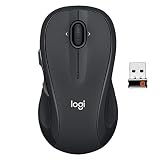
Wireless has won on merit, not marketing. The Logitech G305 Lightspeed remains the clearest proof: a HERO-sensor mouse running off a single AA that lasts for months of casual play, available in Black, White, and Lilac, at a price that undercuts plenty of wired competitors. Step up and the Logitech G703 Lightspeed adds a rechargeable cell, a larger ergonomic shell, and optional POWERPLAY mousepad charging that removes the battery question entirely.
Razer’s Basilisk V3 X HyperSpeed makes the dual-connectivity case: HyperSpeed 2.4 GHz for gaming, Bluetooth for a work laptop, plus nine programmable controls and a genuinely excellent scroll wheel. At the value end, the Redragon M810 PRO packs 10,000 DPI, remappable buttons, and RGB into a budget wireless package for players who want the untethered feel without the brand premium. Across all four, the trade you are making is a few grams and a charging habit — not performance.
Which Should You Buy?
- For competitive FPS on a budget: pick the Logitech G305 Lightspeed — lowest-risk wireless entry point, with the sensor to back it up.
- For large hands and long sessions: pick the Logitech G703 Lightspeed for its fuller ergonomic shell and rechargeable battery.
- For MMO, MOBA, or work-and-play crossover: pick the Razer Basilisk V3 X HyperSpeed for its extra programmable buttons and Bluetooth switching.
- For the tightest budget with RGB: pick the Redragon M810 PRO — the most features per dollar in wireless.
- For a matching or minimalist setup: pick the G305 in White or Lilac, which perform identically to the Black model.
Frequently Asked Questions
Is wireless still slower than wired in 2026?
Measurably, by a fraction of a millisecond on 1,000 Hz links — and less than that on 4K/8K polling models. It is not a difference you can feel or react to, and it has not been a legitimate reason to avoid wireless for several years.
Does Bluetooth work for gaming?
Not well. Bluetooth polls far slower than a dedicated 2.4 GHz dongle and adds noticeable lag. Use it for travel, laptops, and productivity, and switch to the receiver for anything competitive.
How long do gaming mouse batteries actually last?
AA-powered models like the G305 and Basilisk V3 X HyperSpeed are rated for hundreds of hours of gameplay. Rechargeable models such as the G703 typically run 40–60 hours per charge with lighting off and top up over USB-C while you play.
Does a heavier wireless mouse hurt my aim?
Below roughly 100 g, weight is mostly preference rather than performance. Consistency of glide and grip comfort matter more than shaving 15 g, especially for arm-aim players at lower sensitivities.
Final Verdict
Wired mice remain the honest value choice and the right call if you want maximum sensor and minimum grams for the money — but in 2026 that is the only argument left standing. Wireless has closed the latency gap, extended battery life past the point of daily concern, and eliminated cable drag entirely, and options like the Logitech G305 Lightspeed prove you no longer need a flagship budget to get there. Unless price is the deciding factor, go wireless and stop thinking about it.