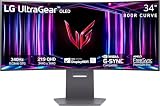
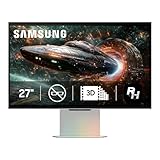
Walk into any 2026 gaming setup and you’ll find the same fork in the road: a gently wrapped curved panel, or a traditional flat screen. The debate used to be simple — curved monitors were expensive, slow, and mostly for productivity. That’s no longer true. Curvature has trickled down into 240Hz budget panels, ultrawide esports displays, and even sub-$150 office-adjacent screens, which means the question is no longer “can I afford curved?” but “does curved actually help the way I play?”
The honest answer is that it depends almost entirely on screen size, seating distance, and genre. A 24-inch curved panel behaves very differently from a 34-inch ultrawide, and a competitive Valorant player has different priorities than someone sinking 200 hours into a single-player RPG. Below we break down where each panel geometry genuinely wins, where the difference is marketing noise, and which specific 2026 models are worth your money.
As an Amazon Associate we earn from qualifying purchases.






⚡ Save on Your Next PC — Amazon Prime
Prime members get fast free shipping on the systems above, plus early access to Prime Day & Black Friday PC deals. New members get a 30-day free trial.
Watch: Curved vs Flat Gaming Monitor: 2026 Guide — Video Review
Quick Verdict
Curved monitors are the better pick for immersive single-player gaming, sim racing, and anything 27 inches or larger — especially ultrawides like the Sceptre 34-inch C345B, where the curve is functionally mandatory. Flat monitors remain the smarter buy for competitive shooters at 24–25 inches, for anyone doing color-critical creative work, and for multi-monitor arrays where flat panels tile cleanly. If you’re buying a single large display for mixed gaming and media, curved wins on comfort more often than not.
Key Differences
- Field of view: Curved panels bend the edges toward your eyes so more of the screen sits at a consistent viewing distance; flat panels place the corners noticeably farther away, which becomes obvious past 27 inches.
- Curve radius matters: A 1500R panel like the SANSUI 27-inch 240Hz wraps more aggressively than an 1800R panel like the Samsung Essential S3 — lower number, tighter curve, shorter ideal seating distance.
- Geometry and straight lines: Flat screens render straight lines as straight lines, which matters for CAD, photo editing, spreadsheets, and pixel-precise UI work. Curved panels introduce mild distortion that most gamers stop noticing within a week.
- Reflections: Curved glass can gather and stretch light sources across the panel, so a bright window behind you is more disruptive than on a flat matte screen.
- Mounting and desk fit: Flat panels sit flush against walls and tile side-by-side without awkward gaps. Curved models still take VESA mounts — the Sceptre C248W supports it — but multi-monitor alignment is fiddlier.
- Price parity: In 2026 there is essentially no curved tax at 1080p. You can get a curved 240Hz panel for what a flat 165Hz panel cost two years ago.
Curved Gaming Monitors
Curvature earns its keep through peripheral coverage. On the SANSUI 32-inch Curved 240Hz, the panel is large enough that a flat version would push the corners meaningfully out of your natural focus cone; the curve pulls them back in and reduces the micro head-turns that cause fatigue over long sessions. The same logic applies to the SANSUI 27-inch 1500R, which pairs 240Hz and 1ms MPRT with 130% sRGB coverage and a 4000:1 contrast ratio — a combination that handles both twitch shooters and dark, atmospheric games without the washed-out blacks common on cheap flat IPS panels.
Ultrawides are the strongest case of all. The Sceptre 34-inch C345B-QUT168 runs 3440 × 1440 at up to 180Hz with a 1500R curve, and at that width a flat panel would be genuinely uncomfortable — the far edges would sit several inches farther from your eyes than the center. For sim racing, flight sims, strategy games, and productivity multitasking, this is the format that makes curvature feel less like a feature and more like basic ergonomics. At the entry level, the Sceptre C248W and Samsung Essential S3 show how far the price floor has dropped for a competent curved 1080p panel.
Flat Gaming Monitors
Flat panels still dominate competitive play for a reason. At 24 to 25 inches — the standard for CS2, Valorant, and Overwatch pros — the entire screen already falls within your focal cone, so curvature adds nothing while introducing slight edge distortion that can subtly affect how you read crosshair placement and flick distances. Muscle memory built on flat panels transfers cleanly between tournament setups, and that consistency is worth more to serious players than immersion.
Flat screens also win on versatility. If you edit photos or video, design, or run a home office on the same display, geometric accuracy is non-negotiable. Flat panels are easier to wall-mount, easier to pair in dual or triple arrays, and less prone to reflection smearing in bright rooms. If your budget is stretched, buying flat at a higher refresh rate or better panel quality generally beats buying curved at the same price.
Which Should You Buy?
- For competitive FPS: Pick flat at 24–25 inches, or if you want the curve anyway, the SANSUI 27-inch 240Hz gives you esports-grade speed without compromise.
- For immersive single-player and sim racing: Pick curved — the Sceptre 34-inch ultrawide is the clearest upgrade in this category.
- For a big-screen console and PC hybrid setup: Pick the SANSUI 32-inch Curved 240Hz for scale and refresh rate at a 1080p-friendly price.
- For budget builds under $150: Pick the Sceptre C248W 24-inch or the Samsung Essential S3 — both deliver a solid curved experience cheaply.
- For creative work plus gaming: Pick flat, or accept mild distortion and choose a wide-gamut curved panel with strong sRGB coverage.
Frequently Asked Questions
Does a curved monitor improve gaming performance?
Not directly. Curvature affects comfort and immersion, not frame rates or input lag. Refresh rate, response time, and adaptive sync — FreeSync on the SANSUI and Sceptre models — are what actually influence competitive performance.
What curve radius should I look for?
1500R suits typical desk distances of 60–90cm and is the most common gaming spec. 1800R, as on the Samsung Essential S3, is gentler and more forgiving if you sit farther back or use the monitor for mixed work.
Is a curved monitor worth it at 24 inches?
Marginally. At that size the effect is subtle, so buy on panel quality and refresh rate first. The curve is a pleasant bonus, not a reason to pay extra.
Do curved monitors cause eye strain?
Generally the opposite — consistent viewing distance tends to reduce fatigue. Low blue light modes, like the one on the SANSUI 27-inch, help further during long sessions.
Final Verdict
Buy curved if your monitor is 27 inches or larger, if you play story-driven or simulation games, or if you’re stepping up to ultrawide — the Sceptre 34-inch C345B and SANSUI 27-inch 240Hz are the standout picks in 2026. Stick with flat if you’re a competitive shooter player at 24 inches, need geometric accuracy for creative work, or are building a multi-monitor array. At current prices, curvature is no longer a premium you pay for; it’s simply a fit question, and the right answer is whichever geometry matches your desk, your distance, and the games you actually play.