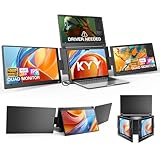
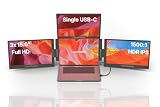
- Top Pick: KYY Triple Screen Laptop Monitor Extender 15.6" Quad Laptop Screen Extender
- Best Value: EfficFold TriCreate 16 FHD 16" Triple Portable Monitor Extender for Laptop
- Premium Choice: 15.6" Laptop Screen Extender, 1080P FHD Triple Portable Monitor for Laptops, Ultra-Slim Travel Dual Monitor Fit for 12"-17.3" Laptops, USB-C Plug&Play Extended Screen Compatible with Win/Mac/Android
A portable 3-display monitor turns a single laptop into a mobile triple-screen workstation, and for spreadsheet warriors, traders, and developers on the road it is a genuine game changer. These folding attachments clip to your laptop lid and unfold two extra panels beside your built-in screen, delivering the kind of expansive multitasking real estate you normally only get at a desk, packed into something you can carry in a backpack.
The category ranges from lightweight triple extenders to premium four-screen setups, and they differ in panel size, weight, resolution, and compatibility. We compared the leading options, from KYY and EfficFold to Aura Displays, to help you find the right balance of screen area and portability.
As an Amazon Associate we earn from qualifying purchases at no extra cost to you. Product prices and availability are accurate as of the date shown and are subject to change.





🛒 Best Price Today on Amazon
Prime members get fast, free shipping on everything above, plus member-only deals. New members get a 30-day free trial — cancel anytime.
Design & Build
These attachments mount to the back of your laptop lid and deploy two panels that swing out to the sides. The KYY triple and quad screen extender maximizes screens for power users, while the EfficFold TriCreate 16 offers larger 16-inch FHD panels for more working area. Aura Displays takes a premium approach with the Triple Go 18.5-inch Max and Triple Boost Pro 15.6-inch, emphasizing build quality and generous screen size. Lighter options keep weight manageable for daily carry. Fit is critical, since most attach to laptops between 12 and 17.3 inches, so confirm your machine is in range before buying.
Performance
Image quality is strong across the board, with 1080p FHD IPS panels standard and USB-C plug-and-play the key convenience. The EfficFold and larger Aura models deliver more screen area, while the Thrygo 13.5-inch option stands out with a high-resolution 3000×2000 3:2 panel and 100 percent sRGB for color-accurate work in a compact size. Most drive the extra panels over USB-C, though some laptops need an additional cable for power or a second video output. Refresh rates sit at 60Hz, which is smooth for productivity, dashboards, code, and media, if not fast competitive gaming.
Pros & Cons
- A full triple-screen workflow that folds into a laptop bag.
- USB-C plug-and-play keeps setup fast and cables minimal.
- Large-panel and high-res options for more space or sharper detail.
- Added lid weight can stress thinner laptop hinges over time.
- Mac and multi-display support varies, so compatibility needs checking.
Alternatives to Consider
For the most screen real estate, the Aura Displays Triple Go 18.5-inch Max or EfficFold TriCreate 16 give you larger panels, while the KYY quad extender adds a fourth screen for power users. If you want a compact, color-accurate companion display instead of a full triple, the Thrygo 13.5-inch high-res panel is excellent. Always verify your laptop size and operating system support before purchasing.
Related Guides
- Acer OLED Monitor (2026)
- Best 4K Gaming Monitor For Xbox Series X (2026)
- Dual Stacked Monitor Stand (2026)
- Best Monitors For Multi Monitor Setup (2026)
Frequently Asked Questions
Will a triple display work with my laptop?
Most fit laptops between 12 and 17.3 inches, but check both the size range and whether your laptop can drive multiple external displays.
Do I need more than one cable?
Ideally one USB-C cable handles the panels, but some laptops require an extra cable for power or additional video output.
How heavy are these setups?
They add a few pounds to your lid. Larger 16 to 18.5-inch panels weigh more, while compact models ease travel.
Are they good for gaming?
They run at 60Hz FHD, ideal for productivity and media, but not fast competitive gaming.
Verdict
A portable 3-display monitor unlocks a true mobile workstation. For maximum screen area, the Aura Displays Triple Go and EfficFold TriCreate 16 lead, while the Thrygo 13.5-inch is the pick for compact, color-accurate work. Confirm laptop compatibility first, and you will transform how you work on the road.