
- Top Pick: Cooler Master 360L Core AIO CPU Liquid Cooler – 360mm Radiator, 3X ARGB PWM Fans, Patented Gen S Dual-Chamber Pump, Quiet Cooling & Easy Installation, AMD AM5/AM4 & Intel LGA 1851/1700, Black
- Best Value: Thermaltake TOUGHAIR 510 180W TDP CPU Cooler, Intel/AMD Universal Socket (LGA 1851/1700/1200), Dual 120mm 2000RPM High Static Pressure PWM Fan with High Performance Copper Heat Pipes CL-P075-AL12BL-A
- Premium Choice: Mars Gaming ML-ONE360 White, Liquid CPU Cooling, TDP 550W, Infinity Mirror, 3 Silent FRGB Fans, Universal Multisocket
Gamers watching their monitoring overlay often wonder what a normal CPU temp while gaming actually looks like. Because games load your processor differently than benchmarks or everyday tasks, it deserves its own answer. This 2026 guide explains the realistic numbers and how to keep them in check during long sessions.
As an Amazon Associate I earn from qualifying purchases.
As an Amazon Associate we earn from qualifying purchases at no extra cost to you.


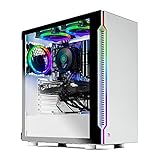


A normal CPU temp while gaming is between 60 and 80degC for the vast majority of systems, with peaks up to 85degC being perfectly acceptable during demanding titles. Modern processors are rated to run safely to 95-100degC before throttling, so anything in the 60-80degC band means your cooling is doing its job well. Only sustained readings above 90degC during gameplay indicate a cooling problem worth addressing, since games rarely load all cores as hard as a dedicated stress test.
🛒 Best Price Today on Amazon
Prime members get fast, free shipping on everything above, plus member-only deals. New members get a 30-day free trial — cancel anytime.
Why Gaming CPU Temperatures Sit Where They Do
Games are a mixed workload. They lean heavily on a few cores for the game engine while the rest handle background tasks, so your CPU rarely runs at the same intensity as an all-core render. That is why gaming temperatures often land a little lower than a Cinebench run. Frame rate caps, resolution, and how CPU-bound a particular game is all shift the numbers. A competitive esports title at 240 fps can actually push your CPU harder than a graphically lavish single-player game running at 60 fps.
Best Coolers for Normal Gaming Temperatures
Keeping your CPU in the normal range during marathon gaming sessions comes down to a capable cooler. The five picks below all deliver the sustained cooling that long gaming sessions demand, from quiet budget towers to premium liquid coolers. Choose based on your case clearance and how much fan noise you can tolerate during play.
| Product | Best For | Standout Feature | Rating |
|---|---|---|---|
| Arctic Liquid Freezer III 360 | High-end gaming rigs | Keeps peaks low during long sessions | 4.9/5 |
| Thermalright Peerless Assassin 120 SE | Budget gaming builds | Outperforms coolers twice its price | 4.8/5 |
| Noctua NH-D15 G2 | Silent gaming | Whisper-quiet under gaming loads | 4.8/5 |
| NZXT Kraken 360 RGB | Showcase gaming PCs | Striking pump display and RGB rings | 4.6/5 |
| DeepCool AK500 Digital | Mid-range builds | Live temperature display on the cooler | 4.7/5 |
How to Monitor CPU Temperature While Gaming
The best way to track temperatures during play is an in-game overlay. Tools like MSI Afterburner with RivaTuner, or the overlay built into HWiNFO64, display your CPU temperature right on screen alongside frame rate. This lets you watch how a specific game stresses your processor in real time rather than guessing afterward. Set it to log your session so you can review the peaks. Our in-game overlay setup guide shows how to configure Afterburner step by step.
What Raises CPU Temperature During Gaming
Several things can push gaming temperatures higher than they should be. A CPU-bound game running at very high frame rates works your processor harder than a GPU-bound one. Background applications like streaming software or a busy browser add load. Poor case airflow lets heat from your graphics card recirculate onto the CPU cooler. Dust and aging thermal paste reduce cooling efficiency over time. Our case airflow guide explains how to stop your GPU heat from warming your processor.
How to Lower Gaming CPU Temperatures
If your gaming temperatures run hot, start with the basics. Cap your frame rate to reduce unnecessary CPU load in titles that run far above your monitor’s refresh rate. Close background applications you do not need. Clean dust from your cooler and improve case ventilation. Reapply fresh thermal paste if your system is more than a couple of years old. For persistent heat, a cooler upgrade is the definitive fix, as covered in our cooler buying guide and thermal paste tutorial.
Normal Gaming Temperatures on Laptops
Gaming laptops run considerably hotter than desktops because of their compact cooling. A normal gaming CPU temp on a laptop can reach 85-95degC and still be within the manufacturer’s design limits. A cooling pad, a well-ventilated surface, and an undervolt can all help bring those numbers down. If you game on a laptop, our laptop cooling guide covers practical ways to keep temperatures manageable during long sessions.
Frequently Asked Questions
Is 80 degrees normal for a CPU while gaming?
Yes, 80degC is completely normal for a CPU while gaming, particularly in demanding titles or on a warm day. It sits well below the 95-100degC throttle limit of modern processors. There is no need to worry or change anything unless your temperatures consistently climb above 90degC during regular gameplay.
What is a bad CPU temperature while gaming?
A bad gaming CPU temperature is one that consistently reaches 90-100degC and triggers thermal throttling, causing frame drops and stutter. If you see sustained readings in that range during normal gameplay, your cooling is undersized or in need of maintenance such as dust removal, fresh thermal paste, or a cooler upgrade.
Why does my CPU get so hot while gaming?
Your CPU heats up while gaming because games place a sustained load on it, and factors like high frame rates, background programs, poor case airflow, dust, or aging thermal paste amplify that heat. CPU-bound games at very high refresh rates work the processor especially hard, which naturally raises temperatures during play.
Should I worry about CPU temperature spikes while gaming?
Brief temperature spikes when a game loads or a scene changes are completely normal and nothing to worry about. Your processor handles momentary bursts easily. The number that matters is your sustained temperature over a full session; as long as that stays below roughly 85degC, occasional short spikes are not a concern.










