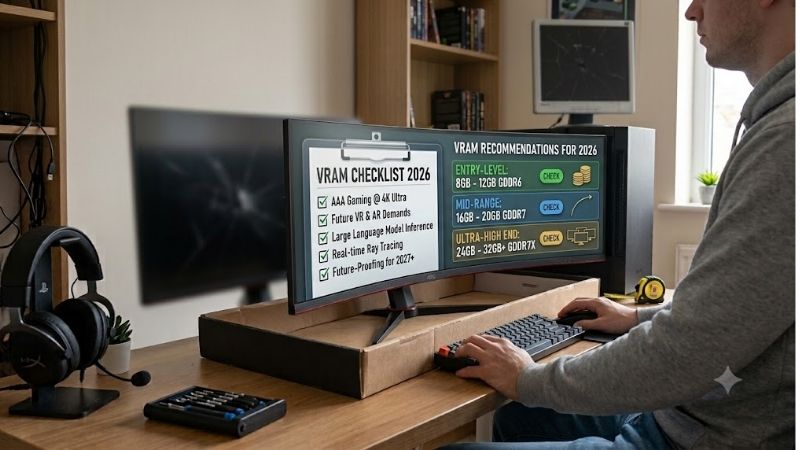
VRAM checklist 2026 addresses a frustrating purchase: choosing between graphics cards with identical memory capacities but different capabilities. Texture problems, inconsistent frame times, and failed renders require different solutions. Match your workload with sufficient memory and appropriate performance before spending.
How to Choose a Graphics Card
This vram checklist 2026 compares four desktop graphics processors through capacity, bandwidth, software compatibility, and system requirements. The recommendations distinguish mainstream gaming from demanding creative workloads. Each selection answers a specific buying need, with its limitations explained before you purchase.
Capacity and Workload
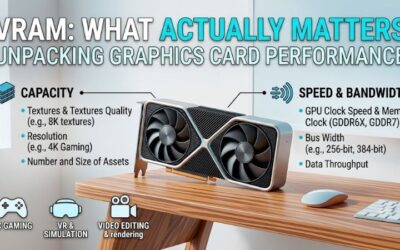
Capacity determines how much graphics data remains accessible locally, including textures, geometry, and temporary processing buffers. Insufficient memory can require transfers through slower system resources. However, additional capacity does not automatically accelerate rendering when the existing workload already fits comfortably.
Treat your vram checklist 2026 as a workload assessment rather than a capacity contest. Evaluate demanding projects and actual game settings before estimating future requirements. Larger allocations alone do not prove memory pressure. For workloads demonstrably exceeding 16GB, the NVIDIA GeForce RTX 5090 provides 32GB capacity.
Bandwidth and Rendering Speed
Bandwidth describes memory throughput, while capacity describes available storage space. Neither specification replaces the graphics processor’s rendering capability. Compare performance at your intended resolution with identical settings, particularly when deciding between products advertising matching capacities but occupying different tiers.
The NVIDIA GeForce RTX 5060 Ti 16GB combines GDDR7 with a 128-bit interface; the NVIDIA GeForce RTX 5070 Ti uses GDDR7 across 256 bits. Those specifications distinguish products sharing 16GB capacity. Interface width alone cannot establish performance, but demanding gaming buyers should evaluate the RTX 5070 Ti’s higher GPU tier.
Software Compatibility
A vram checklist 2026 needs application requirements alongside hardware specifications. Supported operating systems, processing backends, and plug-ins determine whether your software can actually utilize a purchase. This becomes particularly relevant for local AI or rendering workflows requiring CUDA rather than generic graphics support.
For gaming, investigate reconstruction and frame generation support within your preferred titles instead of assuming universal compatibility. These technologies vary by implementation and cannot substitute for sufficient memory. Buyers prioritizing gaming with compatible applications should include the AMD Radeon RX 9070 XT in comparisons.
Power and Installation
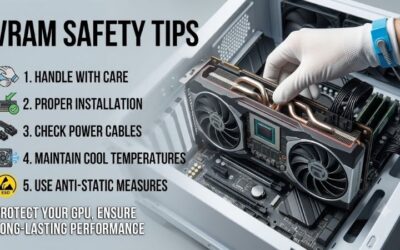
Installation requirements include card dimensions, connector clearance, and adequate system power. Retail boards sharing a processor can differ substantially in cooling arrangements and physical dimensions. Follow the graphics card and power supply manufacturers’ instructions, including cable requirements, before committing to an upgrade.
Reference graphics power spans 180W for the RTX 5060 Ti through 575W for the RTX 5090, affecting cooling and power supply planning. Partner specifications can differ, so investigate the exact retail board. For 16GB capacity with comparatively restrained power requirements, consider the NVIDIA GeForce RTX 5060 Ti 16GB first.
Top Picks
These selections apply the vram checklist 2026 to four distinct purchasing priorities. Recommendations concern GPU models rather than individual manufacturers’ cooler designs. Reference specifications establish the comparison; retail dimensions, warranties, and pricing require separate inspection. Role labels describe this guide’s recommendations.
| Product | Best For | Key Spec | Watch Out For |
|---|---|---|---|
| NVIDIA GeForce RTX 5070 Ti | Best Overall | 16GB GDDR7; 256-bit | Same capacity as cheaper 16GB options |
| NVIDIA GeForce RTX 5060 Ti 16GB | Best Value | 16GB GDDR7; 180W reference power | Lower GPU tier; separate 8GB version |
| AMD Radeon RX 9070 XT | Best For Radeon Gaming | 16GB GDDR6; 256-bit | Application compatibility requirements |
| NVIDIA GeForce RTX 5090 | Best For Large Local Workloads | 32GB GDDR7; 575W reference power | Purchase cost and system requirements |
NVIDIA GeForce RTX 5070 Ti: Best Overall
The RTX 5070 Ti combines 16GB GDDR7, a 256-bit interface, and 300W reference graphics power. This combination makes it the balanced recommendation for demanding gaming alongside compatible creative applications. Its attraction is higher-tier processing capability without requiring the flagship’s substantial system power commitment.
The disadvantage is unchanged capacity compared with less expensive 16GB alternatives. Additional spending cannot accommodate projects exceeding that memory pool simply because the processor belongs to a higher tier. Select this model when rendering performance needs improvement; reconsider when insufficient capacity is the primary limitation.
NVIDIA GeForce RTX 5060 Ti 16GB: Best Value
The RTX 5060 Ti 16GB supplies GDDR7 capacity with a comparatively modest 180W reference graphics power rating. It suits buyers prioritizing memory headroom and manageable system requirements over higher-tier rendering performance. NVIDIA also offers an 8GB configuration, making verification of the complete listing especially important.
Within this vram checklist 2026, the value comes from buying 16GB without moving to a flagship GPU. Its limits include a 128-bit interface and a lower processing tier. Demanding games may need reduced settings; the extra memory does not make every 4K preset run well. Choose it for capacity on a budget, with realistic speed targets.
AMD Radeon RX 9070 XT: Best For Radeon Gaming
The RX 9070 XT supplies 16GB GDDR6 through a 256-bit interface, with AMD specifying bandwidth up to 640GB/s. It is the gaming-oriented Radeon alternative for buyers whose applications support the platform. Its advantage here is combining substantial capacity with another manufacturer’s gaming feature ecosystem and supported software options.
The main drawback is work software that requires CUDA: extra memory cannot fix an unsupported backend. This does not mean Radeon lacks support for all creative tasks; check each app you use. Its 304W reference board power also asks more of your system than the RTX 5060 Ti, despite both cards offering the same 16GB capacity.
NVIDIA GeForce RTX 5090: Best For Large Local Workloads
The RTX 5090 provides 32GB GDDR7, doubling the capacity of this guide’s other selections. That distinction benefits compatible rendering or local AI workloads whose working sets exceed 16GB. The advantage is additional single-GPU workspace; justify the purchase through measured requirements rather than an unspecified desire for future-proofing.
The drawback is cost beyond the card itself. NVIDIA lists 575W graphics power and a 1000W system power recommendation for its reference setup. Check the exact board and the rest of your PC before buying. Even 32GB has limits, so use estimates for your actual projects rather than assuming every large job will fit comfortably.
Frequently Asked Questions
These answers finish the vram checklist 2026 by separating a lack of capacity from other causes of slow performance. Memory readings, resolution labels, and impressive specs can all mislead without context. Work out which limit affects your own games or projects before paying for a larger pool that may not solve the issue.
Is 8GB Enough in 2026?
Yes, 8GB remains sufficient for workloads comfortably fitting that capacity, including lighter gaming scenarios. It cannot guarantee compatibility with every demanding title, texture modification, or maximum-quality preset. Assess actual performance at your intended resolution instead of treating a calendar year as a universal hardware requirement.
For purchasing decisions, weigh savings against expected ownership duration and upcoming software requirements. An inexpensive 8GB option can be reasonable within a constrained budget. However, verify configuration carefully: the RTX 5060 Ti’s 8GB and 16GB versions share their family name, while offering materially different capacity ceilings.
Is 16GB Enough for 4K?
Often, yes, but adequate capacity does not guarantee adequate rendering performance. A game’s assets might occupy less than 16GB while its lighting or geometry overwhelms the processor. Texture modifications and demanding effects can alter requirements, so investigate the particular game, preset, and output resolution rather than capacity alone.
Check frame time consistency as well as average frame rates in reviews. A decent average can hide rough moments when you enter a new area or load a complex scene. None of these 16GB picks guarantees maximum-quality play in future releases. Their fit depends on how hard the game pushes the GPU as well as how much memory it needs.
Does More VRAM Increase Speed?
No, extra capacity mainly helps when insufficient memory constrains the workload. Otherwise, unused capacity may deliver little performance improvement. Processing capability, bandwidth, CPU limitations, and application support remain relevant. These factors explain why the three 16GB recommendations serve different buyers despite equal capacities.
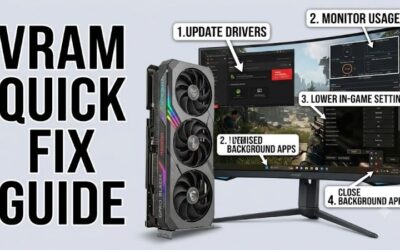
Allocation figures cannot establish insufficient capacity because applications may reserve more memory than they now require. Compare matching gameplay scenes after reducing texture quality, observing frame time changes. Improvement can suggest memory pressure, although shader compilation, storage performance, or CPU limitations may contribute.
How Much VRAM Does Local AI Need?
Local AI needs depend on the model, precision, context length, and runtime. This vram checklist 2026 therefore starts with estimates for the exact job rather than a fixed target for everyone. Model weights are only part of the working set; temporary buffers and context storage also need room, so file size alone is not enough.
Some tools move part of an AI job to system RAM, but that changes speed and does not turn RAM into equally fast GPU memory. Check whether your chosen runtime supports this option before buying. When 16GB is a proven limit and the software supports the hardware, the RTX 5090 provides more room for the workload on one card.
Final Thoughts
Apply the vram checklist 2026 to your actual constraint: processing speed, memory capacity, or software compatibility. Favor the RTX 5070 Ti for balance, RTX 5060 Ti 16GB for restrained requirements, and RX 9070 XT for Radeon gaming. Choose the RTX 5090 for demonstrated capacity needs beyond 16GB, budgeting for installation requirements.