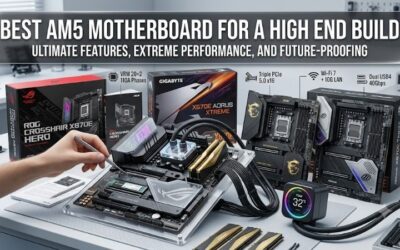
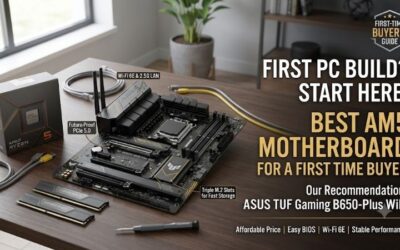
Is an am5 motherboard worth it in 2026? Usually, for a new Ryzen desktop; replacing capable AM4 hardware requires stronger justification. This specification-based review examines four motherboards through platform expenditure, storage bandwidth, enclosure compatibility, and connectivity, identifying sensible purchases without invented benchmarks.
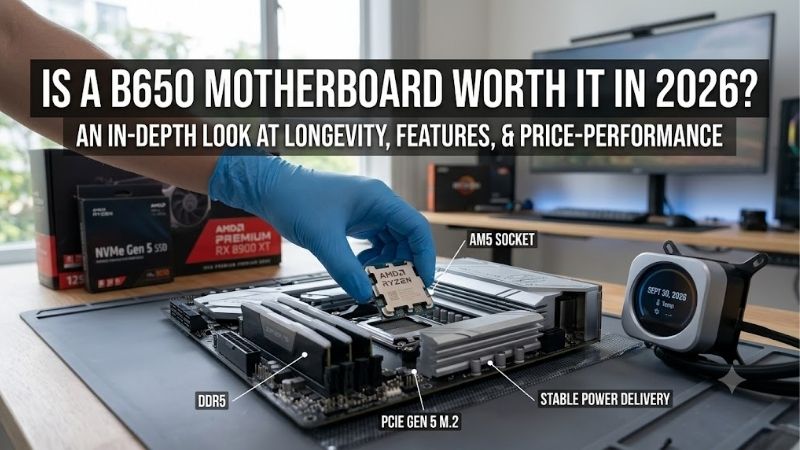
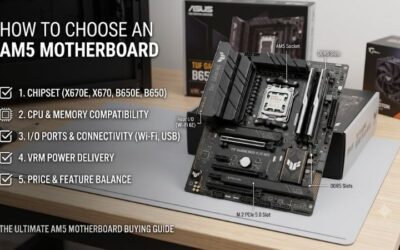
How to Choose an AM5 Motherboard
For anyone asking is an am5 motherboard worth it in 2026, this review connects specifications with purchase decisions. Motherboards enable processor performance rather than independently generating faster gameplay. Assess the complete platform budget alongside storage requirements, enclosure dimensions, and device compatibility before purchasing.
Platform Cost
Platform expenditure includes motherboard, processor, DDR5 memory, and potentially replacement cooler mounting hardware. Existing AM4 processors and DDR4 modules are incompatible. A fresh configuration gains newer Ryzen options; replacing existing equipment requires identifiable performance improvements. Compare the ASRock B650M-HDV/M.2 first.
Ask is an am5 motherboard worth it in 2026 before funding unused connectivity. Lower motherboard expenditure preserves budget for graphics performance or sufficient memory capacity, potentially improving everyday workloads more directly. For wired gaming desktops requiring modest expansion, choose the ASRock B650M-HDV/M.2 as the value baseline.
Storage Bandwidth
Storage planning requires examining connection bandwidth alongside socket quantity. Multiple M.2 connectors can provide unequal speeds, while shared resources restrict expansion. Separate game libraries, editing projects, and scratch storage justify additional connections; ordinary single-drive configurations rarely require premium chipsets.
The ASRock X870E Nova WiFi provides five M.2 sockets, including a fifth supporting PCIe 3.0 x2 or SATA. Occupying that connector disables its secondary expansion slot. This compromise favors onboard storage over additional cards. Choose the ASRock X870E Nova WiFi when substantial local storage outweighs secondary expansion requirements.
Case Compatibility
Enclosure compatibility determines usable motherboard dimensions and influences access. Mini-ITX enables compact desktops but restricts expansion; ATX requires larger enclosures while accommodating more connections. Verify motherboard support, graphics-card clearance, cooling compatibility, and cables before committing to a smaller chassis.
The ASUS ROG Strix B850-I Gaming WiFi measures 170 by 170 mm and provides one primary expansion slot. Its compact format benefits single-GPU desktops where physical footprint matters, although additional PCIe cards require alternative solutions. Choose the ASUS ROG Strix B850-I Gaming WiFi for genuinely space-constrained installations.
Networking and USB
Connectivity should reflect existing peripherals, network infrastructure, and external storage. Faster Ethernet cannot accelerate slower internet service, while USB-C describes connector shape rather than guaranteeing USB4 bandwidth. Compare rear connections and internal headers against your actual equipment before financing premium features.
The MSI MAG B850 Tomahawk MAX WiFi combines 5Gb Ethernet with Wi-Fi 7, accommodating wired storage networks and wireless installations. Rear USB-C connections operate at 10Gbps rather than USB4 speeds. Choose the MSI MAG B850 Tomahawk MAX WiFi for versatile everyday networking when high-bandwidth USB4 peripherals are unnecessary.
Top Picks
For shoppers asking is an am5 motherboard worth it in 2026, these recommendations illustrate distinct buyer priorities. Rankings represent specification-based assessments rather than detailed research. Compare current motherboard, processor, and memory bundle totals; advertised chipset prestige cannot compensate for expensive features you never use.
| Product | Best For | Key Spec | Watch Out For |
|---|---|---|---|
| MSI MAG B850 Tomahawk MAX WiFi | Best Overall | Four M.2 sockets; 5Gb Ethernet | M2_3 runs at PCIe 4.0 x2 |
| ASRock B650M-HDV/M.2 | Best Value | Two DDR5 slots; 2.5Gb Ethernet | No built-in Wi-Fi |
| ASUS ROG Strix B850-I Gaming WiFi | Best For Compact Builds | Mini-ITX; two storage M.2 sockets | Only one PCIe expansion slot |
| ASRock X870E Nova WiFi | Best For Storage and USB4 | Five M.2 sockets; two 40Gbps USB4 ports | Fifth M.2 disables secondary PCIe slot |
MSI MAG B850 Tomahawk MAX WiFi — Best Overall
The MSI MAG B850 Tomahawk MAX WiFi earns Best Overall here for conventional ATX desktops balancing gaming, networking, and storage. Four M.2 sockets and four DDR5 slots provide useful configuration flexibility. Its 5Gb Ethernet benefits compatible local storage networks, although ordinary internet connections seldom exploit that bandwidth.
Storage expansion involves compromises: M2_3 operates at PCIe 4.0 x2 and shares resources with the lower expansion slot. Four sockets therefore provide unequal connections. When assessing is an am5 motherboard worth it in 2026, this model offers convincing everyday versatility, provided rear USB4 connectivity is outside your requirements.
ASRock B650M-HDV/M.2 — Best Value
The ASRock B650M-HDV/M.2 earns Best Value consideration for straightforward wired gaming desktops. Specifications include 2.5Gb Ethernet, two DDR5 slots, and two storage M.2 sockets, including PCIe 5.0 x4 capability with suitable processors. Its micro-ATX dimensions accommodate smaller compatible enclosures without requiring Mini-ITX restrictions.
Built-in wireless connectivity is absent, and two memory sockets restrict additional-module upgrades. Include wireless equipment expenditure when comparing checkout totals. For shoppers asking is an am5 motherboard worth it in 2026, this model makes financial sense when its purchase savings exceed the expense of adding missing features.
ASUS ROG Strix B850-I Gaming WiFi — Best For Compact Builds
The ASUS ROG Strix B850-I Gaming WiFi earns Best For Compact Builds through desktop Ryzen compatibility in a Mini-ITX layout. Ryzen 7000 and 9000 processors enable PCIe 5.0 x16 graphics and PCIe 5.0 x4 connectivity across both M.2 sockets. Its principal advantage is accommodating capable desktop components within appropriately compact enclosures.
Expansion remains restrictive: two memory sockets and one PCIe slot limit additional hardware beyond onboard storage and graphics. Enclosure selection also requires cooling and cable planning. When evaluating is an am5 motherboard worth it in 2026, this recommendation prioritizes physical footprint over conventional expansion flexibility.
ASRock X870E Nova WiFi — Best For Storage and USB4
The ASRock X870E Nova WiFi earns Best For Storage And USB4 through five M.2 sockets and two rear 40Gbps USB4 connections. This combination accommodates substantial local libraries alongside compatible external storage. Video editors and storage-focused desktop users gain concrete connectivity benefits without installing additional controllers.
Secondary expansion is limited: the additional long PCIe slot operates at PCIe 3.0 x2 and becomes unavailable with M2_5 populated. Demanding capture or networking cards therefore require compatibility planning. Select this motherboard for onboard storage density and USB4, rather than assuming its premium chipset guarantees unrestricted expansion.
Frequently Asked Questions
Answering is an am5 motherboard worth it in 2026 requires separating replacements from fresh builds. Existing hardware performance, memory replacement costs, and actual connectivity requirements influence the result. These practical questions explain when platform migration delivers value and where compatibility assumptions become expensive.
Should I Upgrade From AM4 to AM5?
Yes, AM5 is worth considering for a new build, but a strong AM4 PC may still meet your needs. If your games are limited by the graphics card, a platform swap can deliver less than a GPU upgrade. Check CPU usage, GPU load, and frame-time behavior in the games you play before assuming that an older socket is holding you back.
The exception is a workload that clearly needs more CPU speed or cores than your present system can provide. Compare a compatible AM4 CPU upgrade with a full AM5 bundle, including DDR5 and any cooler changes. Keep the existing PC if the cheaper path meets your target; move platforms when the total gain justifies the cost.
Can I Reuse DDR4 Memory With AM5?
No, AM5 desktop boards require DDR5, so an existing DDR4 kit cannot be reused. That makes memory part of the platform budget rather than an optional later purchase. Choose enough capacity for your games and applications first, then compare rated speed and timings without assuming that the fastest advertised kit is the best buy.
An EXPO profile is memory overclocking, and its rated speed is not guaranteed for every CPU, board, or module layout. Check the board’s memory support list for the exact kit, and prefer one matched set to mixed modules. For a first build, stable operation at supported settings matters more than chasing the highest number.
Does X870E Improve Gaming Performance Over B650 or B850?
No, a higher chipset tier does not automatically make the same processor faster in your games. Its main benefit is the connections and expansion it enables, provided the board implements them well. With comparable CPU settings, memory, and adequate power delivery, choose between boards by the devices you need to attach.
The exception is a workload that relies on extra storage or faster external links, where a richer board can remove a real bottleneck. The Nova’s USB4 ports are a concrete reason to spend more; an unused port is not. Check current bundle deals as well, since a discounted premium board can sometimes beat a basic model on total cost.
Will Every AM5 Board Support Future Ryzen Processors?
No, a matching AM5 socket does not guarantee support for every future Ryzen processor. The exact board needs suitable firmware and an entry on its CPU support list. Buy for a processor supported today, and treat a possible later upgrade as added value rather than the only reason to accept a board’s price or compromises.
When you do upgrade, confirm the required BIOS version before removing the old CPU. If an update is needed, follow the manufacturer’s steps for that exact board and keep power uninterrupted during the process. A firmware flash can enable a supported CPU, but it cannot add physical ports or fix a layout that no longer fits your needs.
Final Thoughts
So, is an am5 motherboard worth it in 2026? Yes for a new Ryzen desktop. Choose MSI for balanced ATX connectivity, ASRock HDV for budget efficiency, ASUS for compact installations, or Nova for storage and USB4. Retain capable AM4 equipment until verified performance limitations justify replacing processor, motherboard, and memory together.