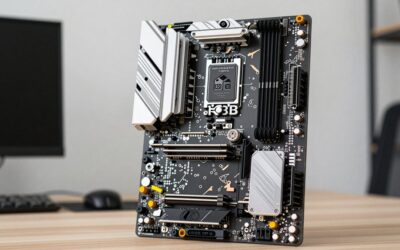
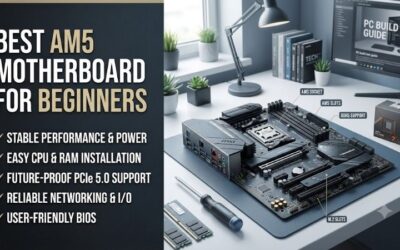
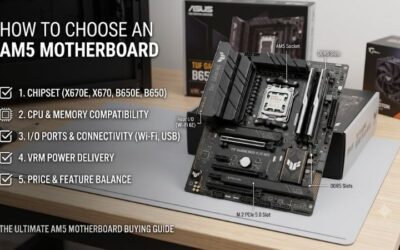
Best budget am5 motherboard is not necessarily the board with the lowest price. B650 models can differ in VRM strength, memory expansion, M.2 slots, networking, and size. This guide compares four real AM5 boards and explains which features matter for a low-cost Ryzen gaming PC and future upgrades.
How to Choose AM5 Motherboards
Shopping for the best budget am5 motherboard gets harder when boards share the same B650-chipset but differ in power-delivery, DIMM-slots, M.2-connections, networking, and form factor. The four picks below cover distinct needs, so you’ll match the motherboard to your Ryzen CPU, case, storage-plan, and upgrade-expectations.
VRM Power Delivery
VRM power-stages regulate power sent to the processor, while heatsinks help remove heat around that circuitry. Phase count alone doesn’t define a board, but it helps compare models in one price class. ASRock B650M-HDV/M.2 and MSI PRO B650M-A WIFI both use 8+2+1 power-designs for mainstream-Ryzen systems built for everyday gaming and work.
A Ryzen-5 or Ryzen-7 gaming-build doesn’t automatically need an oversized power-section, but sustained heavy workloads make stronger VRM hardware more useful. ASUS TUF GAMING B650-PLUS WIFI uses 12(60A)+2(60A)+2 stages with enlarged heatsinks. For lighter CPUs, ASRock B650M-HDV/M.2 keeps the power-design more budget-focused.
Memory Slots And Capacity
Four DDR5-slots are useful when an initial 32GB or 64GB kit may grow later. MSI PRO B650M-A WIFI, ASUS TUF GAMING B650-PLUS WIFI, and ASRock B650M Pro RS WiFi each provide four DIMM-slots, leaving two positions open after a standard 2x16GB installation. Expansion room matters for long-term builds without replacing the original kit.
Two DIMM-slots can make sense when you know the system will stay at one matched kit. ASRock B650M-HDV/M.2 uses two DDR5-slots and supports memory up to 7200+ MT/s overclocked, while the other boards offer four-slot flexibility. Choose the two-slot ASRock for a fixed-memory build, or MSI and ASUS when later expansion matters.
M.2 Storage And PCIe
Two M.2-sockets cover many gaming-PCs, but three become useful when you already expect separate drives for Windows, games, and projects. ASRock B650M-HDV/M.2 combines one PCIe 5.0 x4 and one PCIe 4.0 x4 socket, while ASUS TUF GAMING B650-PLUS WIFI provides three, including one PCIe 5.0 x4 position for faster storage on the primary SSD.
Slot count is only half the story because connection width changes available bandwidth. ASRock B650M Pro RS WiFi has one Gen5-x4, one Gen4-x4, and one Gen4-x2 M.2 position, while MSI PRO B650M-A WIFI provides two Gen4-x4 sockets. Pick ASRock Pro RS for three-drive flexibility, or MSI when two full-speed Gen4 slots are enough.
Networking And Form Factor
Built-in Wi-Fi is worthwhile when Ethernet is inconvenient, and it can remove the need for a separate adapter. MSI PRO B650M-A WIFI and ASRock B650M Pro RS WiFi include Wi-Fi 6E with 2.5GbE, while ASUS TUF GAMING B650-PLUS WIFI pairs Wi-Fi 6 with 2.5GbE. Those differences matter for wireless desktops and fast local networks.
Case format also belongs in the connectivity decision because compact and full-size boards serve different build plans. ASRock B650M-HDV/M.2, MSI PRO B650M-A WIFI, and ASRock B650M Pro RS WiFi are micro-ATX, while ASUS TUF GAMING B650-PLUS WIFI is ATX. Choose an mATX-board for tighter cases, or ASUS when extra expansion room fits.
Top Picks
For the best budget am5 motherboard, the right board should match the rest of the parts. ASRock B650M-HDV/M.2 focuses on essential value, MSI PRO B650M-A WIFI balances connectivity, ASRock B650M Pro RS WiFi adds storage and wireless options, and ASUS TUF GAMING B650-PLUS WIFI adds stronger power-delivery and ATX expansion.
| Product | Best For | Key Spec | Watch Out For |
|---|---|---|---|
| ASRock B650M-HDV/M.2 | Best Value | 8+2+1 Dr.MOS, 2 DDR5 slots, Gen5-x4 + Gen4-x4 M.2, 2.5GbE | No onboard Wi-Fi; only 2 DIMM slots |
| MSI PRO B650M-A WIFI | Best Overall | 8+2+1 power, 4 DDR5 slots, Wi-Fi 6E, 2.5G LAN, 2 Gen4-x4 M.2 | No Gen5 M.2 slot |
| ASRock B650M Pro RS WiFi | Best For Storage And Wireless | 4 DDR5 slots, Wi-Fi 6E, 3 M.2, 2.5GbE | Third M.2 slot is Gen4-x2 |
| ASUS TUF GAMING B650-PLUS WIFI | Best For High-Core Ryzen Builds | 12(60A)+2(60A)+2 stages, 3 M.2, Wi-Fi 6, 2.5GbE | ATX size |
ASRock B650M-HDV/M.2 — Best Value
ASRock B650M-HDV/M.2 is Best Value for a lean AM5-system that doesn’t need onboard Wi-Fi. It supports Ryzen-7000, 8000, and 9000 processors, uses 8+2+1 Dr.MOS power, two DDR5 DIMMs, 2.5GbE, and two M.2-sockets. One is PCIe 5.0 x4, giving a budget-build a modern primary-SSD path. It suits a fixed-memory wired build in a compact case.
The limitation is its two-DIMM-layout and missing wireless-module. Once both memory-slots are occupied, a capacity upgrade means replacing the existing kit rather than adding more sticks. For the best budget am5 motherboard role, that is an acceptable trade when the plan is a fixed 32GB or 64GB wired system built to stay unchanged.
MSI PRO B650M-A WIFI — Best Overall
MSI PRO B650M-A WIFI is Best Overall for buyers who want four DIMM-slots and built-in wireless in a micro-ATX-board. It supports Ryzen-7000, 8000, and 9000 processors, DDR5 up to 7200+ MT/s overclocked, two PCIe 4.0 x4 M.2-sockets, 2.5G LAN, Wi-Fi 6E, and an 8+2+1 Duet Rail power system. Its compact layout simplifies installation.
Its main drawback is storage generation: both onboard M.2-sockets are PCIe 4.0 x4, with no Gen5 M.2 position. For the best budget am5 motherboard role, that is easy to accept in a gaming-PC using one or two Gen4 SSDs, but buyers planning several next-generation drives may prefer a board with three sockets and a Gen5 path.
ASRock B650M Pro RS WiFi — Best For Storage And Wireless
ASRock B650M Pro RS WiFi is Best For Storage And Wireless when a compact AM5-system needs three M.2-sockets. It provides one PCIe 5.0 x4, one PCIe 4.0 x4, and one PCIe 4.0 x2 M.2-slot, plus four DDR5 DIMMs, 2.5GbE, Wi-Fi 6E, and 8+2+1 50A Dr.MOS power in a 24.4cm square board. It also includes BIOS Flashback and an I/O shield.
The third M.2 slot is the main compromise because it runs at PCIe 4.0 x2 rather than x4, so those drives get less overall bandwidth. For the best budget am5 motherboard role, that matters when several NVMe drives will be filled. For one OS drive and one secondary drive, the layout remains flexible for most users in practice.
ASUS TUF GAMING B650-PLUS WIFI — Best For High-Core Ryzen Builds
ASUS TUF GAMING B650-PLUS WIFI is Best For High-Core Ryzen Builds that need stronger power-hardware and full-size expansion. It uses 12(60A)+2(60A)+2 power-stages, four DDR5-slots, three M.2-sockets, 2.5Gb Ethernet, Wi-Fi 6, and an ATX 30.5cm by 24.4cm footprint. Its primary M.2-slot supports PCIe 5.0 x4 for sustained CPU loads.
Its trade-off is physical size and a less recent wireless standard than Wi-Fi 6E boards. For the best budget am5 motherboard role, it makes more sense when the case-supports ATX and the processor or storage-plan benefits from stronger expansion hardware. A small-case buyer should not pay for a board that cannot fit the chassis.
Frequently Asked Questions
Most budget AM5 questions about the best budget am5 motherboard come down to whether B650 is enough, how much VRM hardware a CPU needs, whether onboard Wi-Fi is worth paying for, and how many M.2-slots make sense. Match those features to the processor, case, storage-plan, and network instead of shopping by chipset name alone.
Is B650 Enough For A Budget AM5 Build?
Yes, B650 is enough for many mainstream AM5 gaming-PCs. Current B650 boards support Ryzen-7000, 8000, and 9000 processors, DDR5, and NVMe-storage, with feature differences by model. ASRock B650M-HDV/M.2 proves that a compact board can retain 2.5GbE and a PCIe 5.0 M.2-slot while keeping the design focused for a typical desktop-build.
A more feature-rich board becomes useful when you need wireless-networking, several NVMe-drives, four DIMM-slots, or stronger power-delivery. MSI PRO B650M-A WIFI and ASUS TUF GAMING B650-PLUS WIFI cover those needs better than the simplest boards. The right B650 choice is determined by your parts list rather than the chipset label.
Do Budget AM5 Motherboards Need Strong VRMs?
No, most budget AM5 builds don’t need extreme VRM hardware. A well-cooled board with adequate power-stages is enough for mainstream-Ryzen processors, while stronger designs become more useful for high-core-count CPUs and sustained workloads. ASUS TUF GAMING B650-PLUS WIFI uses 12(60A)+2(60A)+2 stages for that heavier-duty use.
Avoid judging VRMs by phase count alone because heatsink size, power-stage rating, airflow, processor limits, and firmware also affect behavior. ASRock B650M-HDV/M.2 and MSI PRO B650M-A WIFI use 8+2+1 designs that fit ordinary gaming-builds well. Spend more only when the CPU or workload can use the added headroom. For budget-builds.
Is Built-In Wi-Fi Worth Paying For?
Built-in Wi-Fi is worth paying for when the PC cannot use a reliable Ethernet cable. MSI PRO B650M-A WIFI and ASRock B650M Pro RS WiFi include Wi-Fi 6E, while ASUS TUF GAMING B650-PLUS WIFI uses Wi-Fi 6. Integrated wireless also saves a PCIe or USB slot, which can matter in compact systems with limited expansion space.
Skip onboard Wi-Fi when the desktop already sits beside a router or switch and wired networking is convenient. ASRock B650M-HDV/M.2 is a strong example because it keeps 2.5GbE but omits wireless-hardware. Remember that Wi-Fi 6E’s 6GHz band also requires a compatible router, so the newer radio isn’t automatically useful in every home.
How Many M.2 Slots Do I Need?
Two M.2-slots are enough for most gaming-PCs, since one can hold the operating system and applications while another stores games or projects. MSI PRO B650M-A WIFI provides two PCIe 4.0 x4 sockets, which is plenty for a common one- or two-drive setup without paying for a larger storage-layout for common gaming and productivity storage.
Three M.2-slots become more useful when several NVMe-drives are planned from the start. ASRock B650M Pro RS WiFi and ASUS TUF GAMING B650-PLUS WIFI both provide three positions, but their bandwidth layouts differ. Check each socket’s PCIe mode before buying multiple SSDs, especially for a Gen5-drive. Before installing each drive.
Final Thoughts
The best budget am5 motherboard is the board that matches your CPU, case, memory plan, storage count, and network-needs without paying for extras. ASRock B650M-HDV/M.2 keeps costs focused, MSI adds balanced wireless connectivity, ASRock Pro RS expands storage, and ASUS adds heavier power-delivery for demanding AM5 builds.