Best B650 motherboard 2026 choices now cover strong AM5-CPUs, fast DDR5, Gen5-SSD support, and useful connectivity. This roundup compares four real boards across power delivery, storage, networking, and build features, helping you match the board to your CPU, case size, SSD plans, and upgrade priorities without needless extras.
How To Choose The Best B650 Motherboard
Choosing B650 is less about the biggest feature-list and more about balancing CPU-power, SSD-expansion, network-speed, and case-space. The AM5-socket can serve compact-value systems or high-end gaming PCs, but board-layouts differ in ports, lanes, storage, and upgrade room. That keeps the best B650 motherboard 2026 choice build-dependent.
Power Delivery And VRM
Power-delivery feeds the CPU under sustained-load, not just short-boosts. Look for adequate phases, capable power-stages, and substantial heatsinks when pairing B650 with Ryzen 9 or long productivity-workloads; Ryzen 5/7 builds allow more flexibility. Case airflow still matters, because even a strong VRM needs effective heat-removal.
The best B650 motherboard 2026 pick here depends on the CPU and workload. Gigabyte B650 Aorus Elite AX uses a 14+2+1 design with 70A stages, while ASRock B650M Pro RS WiFi uses 8+2+1 Dr.MOS. Both are sensible choices for different budgets. For heavier CPU loads, Gigabyte B650 Aorus Elite AX has more power-stage headroom.
Storage And PCIe Layout
Storage-layout determines how easily the system can grow. Three M.2 slots are a useful floor for a boot drive, game library, and future workspace-SSD, while Gen5 M.2 matters more for newer high-end drives than mature Gen4 models. Also check lane sharing and heatsinks before filling every storage-position for future-upgrades.
The best B650 motherboard 2026 storage-fit also depends on lane-routing. ASUS TUF Gaming B650-Plus WiFi has three M.2 slots, including one PCIe 5.0 x4 slot with Ryzen 7000/9000, while Gigabyte B650 Aorus Elite AX combines one Gen5 and two Gen4 M.2 slots with heatsinks. For Gen5 storage, Gigabyte B650 Aorus Elite AX is the clearest fit.
Networking And Rear I/O
For a gaming-desktop, 2.5Gb Ethernet is useful when your router, switch, or NAS supports it, while Wi-Fi 6E adds 6GHz for compatible-networks. Wireless is not essential for wired builds, so compare it with the board’s other I/O. Rear-USB count matters too when you keep many peripherals connected. Compatibility with the access-point still matters.
The best B650 motherboard 2026 networking-fit should match your existing network. MSI MAG B650 Tomahawk WiFi and Gigabyte B650 Aorus Elite AX provide 2.5GbE and Wi-Fi 6E, while ASUS TUF Gaming B650-Plus WiFi uses Wi-Fi 6. ASRock B650M Pro RS WiFi also combines 2.5GbE with Wi-Fi 6E, giving compact builders a wireless option.
Form Factor And BIOS Features
Form factor can rule out a board before specifications matter. ATX offers more room for expansion cards and headers, while micro-ATX helps in compact cases. BIOS-recovery and debug-features also matter because they can save time with new CPUs or memory kits. Fan-header-count becomes useful when cooling grows more complex.
ASRock B650M Pro RS WiFi is the compact choice, while MSI MAG B650 Tomahawk WiFi, Gigabyte B650 Aorus Elite AX, and ASUS TUF Gaming B650-Plus WiFi use ATX layouts. The best B650 motherboard 2026 fit for easier-setup also depends on debug-features: ASUS adds Q-LED and BIOS FlashBack, while MSI and Gigabyte provide BIOS-recovery tools.
Top Picks
These four picks cover the most useful B650 buying paths without padding the list with near-duplicates. The best B650 motherboard 2026 shortlist uses MSI for I/O and SATA storage, Gigabyte for Gen5 M.2, ASUS for build-friendly troubleshooting, and ASRock for compact value. Each model has a distinct reason to be here today.
| Product | Best For | Key Spec | Watch Out For |
|---|---|---|---|
| MSI MAG B650 Tomahawk WiFi | Best Overall | 3x PCIe 4.0 M.2, 6x SATA, 2.5GbE, Wi-Fi 6E | No Gen5 M.2; ATX-only |
| Gigabyte B650 Aorus Elite AX | Best For Fast Storage | 1x PCIe 5.0 x4 M.2, 2x PCIe 4.0 x4 M.2, 70A VRM stages | Primary GPU slot is PCIe 4.0 |
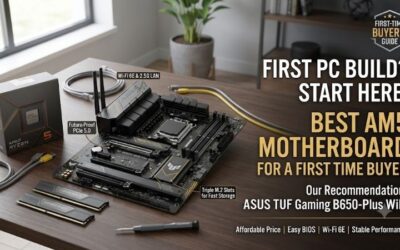
| ASUS TUF Gaming B650-Plus WiFi | Best For DIY Builds | 3x M.2, 1x PCIe 5.0 x4 M.2, 2.5GbE | Wi-Fi 6, not Wi-Fi 6E |
| ASRock B650M Pro RS WiFi | Best Value | Micro-ATX, 1x Gen5 x4 + 1x Gen4 x4 + 1x Gen4 x2 M.2 | PCIe 4.0 x16 graphics slot; basic ALC897 audio |
MSI MAG B650 Tomahawk WiFi
Best Overall is MSI MAG B650 Tomahawk WiFi for builders prioritizing versatile I/O and extensive storage. It supports Ryzen 7000/8000/9000, four DDR5 DIMMs up to 256GB, three PCIe 4.0 M.2 slots, and six SATA ports. Four EZ Debug LEDs and Flash BIOS support simplify troubleshooting for demanding gaming builds for demanding builds.
Its practical advantage is rear I/O: 20Gbps Type-C, multiple 10Gbps Type-A ports, 2.5GbE, Wi-Fi 6E, and Flash BIOS. The drawback is that every M.2 socket is PCIe 4.0, so Gen5-SSD buyers should choose another motherboard. The 30.5 by 24.4cm ATX footprint also requires a full-size ATX case for Gen4-focused builds.
Gigabyte B650 Aorus Elite AX
Best for fast storage is Gigabyte B650 Aorus Elite AX, designed for gamers and creators needing a more forward-looking SSD layout. Its 14+2+1 digital VRM uses 70A power stages, while storage includes one PCIe 5.0 x4 M.2 and two PCIe 4.0 x4 M.2 slots. M.2 thermal guards support sustained workloads during heavy workloads.
The board also has four DDR5 DIMMs, 2.5GbE, Wi-Fi 6E, Q-Flash Plus, and a PCIe 4.0 x16 graphics slot. The watch-out is the PCIe 4.0 GPU connection, so its Gen5 advantage is storage-focused rather than graphics-focused. That suits SSD-led builds more than future-Gen5 graphics plans for storage-first users planning upgrades.
ASUS TUF Gaming B650-Plus WiFi
Best for DIY builders is ASUS TUF Gaming B650-Plus WiFi, especially for users who value troubleshooting aids and a straightforward ATX layout. It supports Ryzen 7000/8000/9000, four DDR5 DIMMs up to 256GB, three M.2 slots, and a primary Gen5 x4 M.2 slot with compatible CPUs. BIOS FlashBack is available for first-time builders.
ASUS adds Q-LED status lights, Q-Latch, a pre-mounted I/O shield, BIOS FlashBack, and four chassis fan headers. The compromise is wireless-networking: Wi-Fi 6 replaces Wi-Fi 6E, although 2.5GbE is included. The third M.2 slot also shares bandwidth with the secondary x16 slot, which matters for multi-card expansion.
ASRock B650M Pro RS WiFi
Best Value is ASRock B650M Pro RS WiFi for compact systems needing strong storage and networking. Its 9.6 by 9.6-inch micro-ATX footprint supports four DDR5 DIMMs up to 256GB, plus one Gen5 x4 M.2, one Gen4 x4 M.2, and one Gen4 x2 M.2. That is exceptionally flexible for compact cases for space-constrained gaming PCs.
The board also provides 2.5GbE, Wi-Fi 6E, BIOS Flashback, and an 8+2+1 Dr.MOS power design. The main limitation is expansion: its graphics slot is PCIe 4.0 x16, and the smaller layout leaves less room for add-in cards than ATX alternatives. Realtek ALC897 audio is also more basic than MSI’s ALC4080.
Frequently Asked Questions
The best B650 motherboard 2026 questions usually come down to compatibility, memory, storage, and whether older B650 boards still make sense beside newer platforms. The answers are straightforward, but the details depend on CPU generation, BIOS support, case size, and the exact storage or networking features you expect to use.
Is B650 Still Worth Buying In 2026?
Yes. A B650 board can still make sense in 2026 when you want an AM5-system with Ryzen 7000/8000/9000 support and do not need every feature of a newer, more-expensive chipset. The key is comparing each board’s storage, networking, I/O, and expansion layout rather than assuming the chipset name tells the whole story.
For example, MSI MAG B650 Tomahawk WiFi has three Gen4 M.2 slots and six SATA ports, while ASUS TUF Gaming B650-Plus WiFi adds a Gen5 M.2 slot. That means a B650-purchase can remain practical, but the right model depends on whether your next upgrade is more storage, faster networking, or another expansion-card.
Does B650 Support Ryzen 9000 CPUs?
Yes, supported B650 models can run Ryzen 9000 processors, but you should verify the exact processor-compatibility list and BIOS-state before assembly. MSI, ASUS, Gigabyte, and ASRock currently list Ryzen 9000 compatibility on the four boards in this roundup, alongside Ryzen 7000 and 8000 support.
BIOS-recovery matters here because an older board-revision or firmware level may need an update before a newer processor works. Gigabyte provides Q-Flash Plus, ASUS provides BIOS FlashBack, MSI includes a Flash BIOS button, and ASRock includes BIOS Flashback, so check the procedure before choosing a board for a drop-in CPU-upgrade.
How Much DDR5 RAM Can A B650 Board Handle?
Four DDR5-DIMM slots are standard across these boards, with MSI MAG B650 Tomahawk WiFi, ASUS TUF Gaming B650-Plus WiFi, and Gigabyte B650 Aorus Elite AX listing up to 256GB, while ASRock also lists up to 256GB. Actual speed support still depends on the CPU, memory-kit, slot-population, and firmware.
For a gaming-build, two matched-DDR5 modules are usually simpler to run than filling all four slots, especially when targeting higher-memory speeds. Enable an EXPO profile only after confirming the kit is on the board’s support list when possible, because rated overclocked speeds vary with the CPU, DIMM configuration, and firmware.
Do I Need A Gen5 M.2 SSD?
You do not need a Gen5-SSD simply because the motherboard supports one. Gen4 NVMe drives remain a sensible choice for many gaming-PCs, while Gen5 becomes more relevant when you regularly move large files or use workloads that can exploit higher sequential throughput. A Gen5 slot is mainly an upgrade path, not a requirement for gaming.
Among these picks, ASUS TUF Gaming B650-Plus WiFi and Gigabyte B650 Aorus Elite AX provide Gen5 M.2 support, while MSI keeps all three M.2 slots at Gen4 and ASRock mixes one Gen5 with two Gen4 slots. Buy for your workload and SSD-plan, rather than paying extra for a specification you may never use later in daily-work.
Final Thoughts
For most buyers, the best B650 motherboard 2026 decision should start with the CPU and case, then narrow by storage and networking needs. MSI suits broad I/O, Gigabyte suits Gen5-heavy storage plans, ASUS suits hands-on builders, and ASRock suits compact systems where space and cost matter. Skip features you will not use.