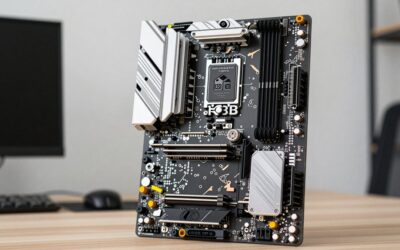
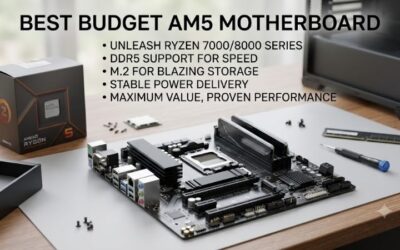
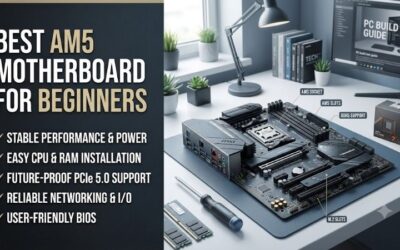
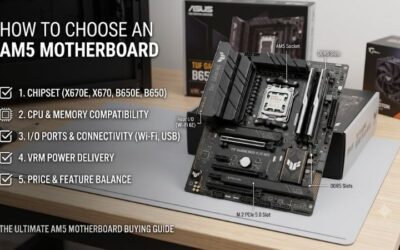
Best am5 motherboard for a first time buyer is a practical search for a board that is easy to install, supports current Ryzen processors, and leaves upgrade room. These four picks cover full-size and compact builds, with differences in storage, networking, BIOS tools, and expansion that matter to newcomers in practice.
How to Choose AM5 Motherboards
For a first-AM5 build, the hard part is avoiding a board that looks affordable but lacks the ports, storage-layout, or firmware-tools you need. This guide to the best am5 motherboard for a first time buyer compares four B650 options and turns their real differences into four buying criteria, so the shortlist stays practical.
VRM And CPU Support
VRM hardware feeds the CPU and becomes more important as processor-power rises under sustained loads. ASUS TUF Gaming B650-PLUS WiFi uses a substantial ATX power-section, while MSI B650M Gaming Plus WiFi uses a 10+2+1 Duet Rail design with enlarged heatsinks. Both give a first-time-builder sensible headroom for mainstream-Ryzen-chips.
Gigabyte B650 Eagle AX uses a digital VRM design with heatsinks, while ASRock B650M Pro RS WiFi uses 8+2+1 Dr.MOS power-stages. A beginner should prioritize sensible cooling over extreme phase-counts. For a full-size-board, choose Gigabyte or ASUS; for a compact one, ASRock or MSI keeps the build practical and easier to manage.
Memory And BIOS Support
AM5 requires DDR5, so check DIMM count, supported speeds, and profile-support before buying memory. ASUS TUF Gaming B650-PLUS WiFi and Gigabyte B650 Eagle AX support four DDR5-slots and high overclocked-speeds, while MSI B650M Gaming Plus WiFi and ASRock B650M Pro RS WiFi also provide four slots for simple two-stick-upgrades.
BIOS tools are useful for a first-build because newer Ryzen-processors can require updated firmware. MSI B650M Gaming Plus WiFi, Gigabyte B650 Eagle AX, and ASRock B650M Pro RS WiFi offer button-based-update-features, while ASUS provides BIOS-FlashBack. For easier firmware-recovery, MSI or Gigabyte are especially convenient choices.
Storage Expansion
Storage expansion is about both drive-count and interface-speed. ASUS TUF Gaming B650-PLUS WiFi provides three M.2-sockets with a PCIe 5.0 x4 primary slot, and Gigabyte B650 Eagle AX also offers three M.2-sockets with PCIe 5.0 support on its CPU-connected-slot. Both leave useful room for several NVMe-drives later and SATA storage.
MSI B650M Gaming Plus WiFi uses two PCIe 4.0 x4 M.2 slots, while ASRock B650M Pro RS WiFi provides three, including one PCIe Gen5 x4 position. Two drives cover numerous gaming-PCs, but three adds flexibility. Choose MSI for a simpler setup or ASRock for compact multi-drive-expansion when you expect more SSDs later today.
Networking And I/O
Built-in networking can replace add-in-cards. ASUS TUF Gaming B650-PLUS WiFi has 2.5Gb Ethernet and Wi-Fi 6, while MSI B650M Gaming Plus WiFi adds Wi-Fi 6E and Bluetooth 5.3 alongside 2.5Gb LAN. For typical households, both provide the essential wired and wireless-connections a beginner requires without extra hardware.
Gigabyte B650 Eagle AX and ASRock B650M Pro RS WiFi add Wi-Fi 6E, but Gigabyte uses 1Gb Ethernet while ASRock offers 2.5Gb LAN. USB and rear-I/O-layout also matter when connecting peripherals. Choose MSI for stronger wireless plus wired-networking, or ASRock when those features must fit a compact microATX build without extra hardware.
Top Picks
Top Picks for the best am5 motherboard for a first time buyer focuses on four B650 boards that make sense without assuming unlimited budget or expert tuning skills. Each model has a distinct reason to buy, from overall balance to compact value, stronger wireless-features, or simpler full-size-expansion. The table keeps differences clear.
| Product | Best For | Key Spec | Watch Out For |
|---|---|---|---|
| ASUS TUF Gaming B650-PLUS WIFI | Best Overall | ATX; 4 DDR5 DIMMs; 3 M.2; primary PCIe 5.0 x4; 2.5Gb LAN; Wi-Fi 6 | Wi-Fi 6 rather than Wi-Fi 6E; larger ATX footprint |
| MSI B650M GAMING PLUS WIFI | Best Value | microATX; 4 DDR5 DIMMs; 2 PCIe 4.0 x4 M.2; 2.5Gb LAN; Wi-Fi 6E | Limited expansion and only 2 onboard M.2 slots |
| Gigabyte B650 Eagle AX | Best For Connectivity | ATX; 4 DDR5 DIMMs; 3 M.2; PCIe 5.0 x4 primary M.2; Wi-Fi 6E; 1Gb LAN | 1Gb wired Ethernet |
| ASRock B650M Pro RS WiFi | Best For Compact Storage | microATX; 4 DDR5 DIMMs; 3 M.2; 1 PCIe Gen5 x4; 2.5Gb LAN; Wi-Fi 6E | Tighter layout and more basic ALC897 audio |
Best Overall: ASUS TUF Gaming B650-PLUS WiFi
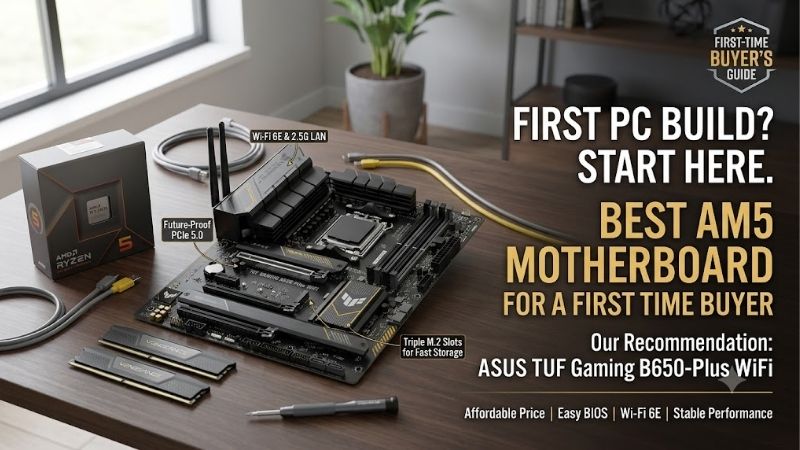
Best Overall ASUS TUF Gaming B650-PLUS WiFi gives buyers a strong option for the best am5 motherboard for a first time buyer, combining an ATX-layout with three M.2-sockets, four DDR5-slots, 2.5Gb Ethernet, and Wi-Fi 6. Its primary M.2 slot supports PCIe 5.0 x4 with Ryzen 7000 and 9000 processors. BIOS-FlashBack adds useful setup support.
Its weakness is its Wi-Fi is one generation behind the Wi-Fi 6E modules in MSI, Gigabyte, and ASRock boards. It also occupies more case-space than the microATX options. For a beginner building in a normal mid-tower, the ATX-layout, three-drive storage support, and broad Ryzen compatibility make those compromises understandable.
Best Value: MSI B650M Gaming Plus WiFi
Best Value MSI B650M Gaming Plus WiFi gives shoppers a space-efficient option for the best am5 motherboard for a first time buyer. It packs four DDR5-slots, two PCIe 4.0 x4 M.2-sockets, 2.5Gb Ethernet, Wi-Fi 6E, Bluetooth 5.3, and a rear Flash-BIOS-button into a microATX-board. Its 10+2+1 power-design adds CPU headroom.
Its primary limitation is limited expansion space: there’s one primary PCIe 4.0 x16 slot and two PCIe 3.0 x1 slots, while storage stops at two onboard M.2 positions. Builders planning several add-in-cards or three NVMe-drives may outgrow it. For a single-GPU gaming-system, those limits are straightforward to understand.
Best For Connectivity: Gigabyte B650 Eagle AX
Best For Connectivity Gigabyte B650 Eagle AX gives buyers a wireless-focused option for the best am5 motherboard for a first time buyer. It supports Wi-Fi 6E, Bluetooth 5.3, four DDR5-DIMMs, and three M.2-storage-sockets, including PCIe 5.0 x4 with Ryzen 7000 and 9000 processors. Q-Flash-Plus adds straightforward firmware-updates.
Its primary compromise is the 1Gb Ethernet controller, slower than 2.5Gb wired LAN on the MSI, ASUS, and ASRock alternatives. The board also has fewer high-bandwidth rear USB options than several competitors. It makes the most sense when strong Wi-Fi and ATX expansion matter more than multi-gig Ethernet. It matters for high-speed home networking.
Best For Compact Storage: ASRock B650M Pro RS WiFi
Best For Compact Storage ASRock B650M Pro RS WiFi gives buyers a compact option for the best am5 motherboard for a first time buyer. It puts three M.2-sockets, four DDR5-slots, 2.5Gb LAN, Wi-Fi 6E, and Bluetooth 5.2 into a microATX-board. It supports Ryzen 7000, 8000, and 9000 processors, plus 8+2+1 Dr.MOS power-stages.
Its real limitation is compact layout rather than a missing core feature. The board has less physical-expansion-room than ATX models, and its Realtek ALC897 audio codec is more basic than ASUS TUF’s higher-tier audio implementation. For a small PC with several NVMe-drives, those trade-offs are straightforward and usually manageable.
Frequently Asked Questions
Frequently Asked Questions for the best am5 motherboard for a first time buyer should settle practical choices specifications cannot answer. The questions cover chipset needs, BIOS updates, wireless networking, and memory. Each answer starts with key decision, then explains the exception so a beginner can avoid needless upgrades today.
Is B650 Good For A First AM5 Build?
Yes, a B650 motherboard is enough for a first-AM5 gaming-PC. The chipset provides AM5 CPU-support, DDR5-memory, PCIe-expansion, and modern storage without an enthusiast-class-board. MSI B650M Gaming Plus WiFi, ASUS TUF Gaming B650-PLUS WiFi, Gigabyte B650 Eagle AX, and ASRock B650M Pro RS WiFi all demonstrate that route clearly.
A higher chipset becomes useful when you specifically need extra PCIe connectivity or features that your chosen B650 board lacks. Otherwise, spending more can simply move budget away from the GPU, SSD, or CPU. Check exact storage and expansion requirements first; a newer chipset doesn’t automatically make the PC faster.
Do I Need A BIOS Update?
A BIOS update isn’t always required, but it can be necessary when a board ships with firmware that doesn’t recognize your processor. Gigabyte B650 Eagle AX, MSI B650M Gaming Plus WiFi, and ASRock B650M Pro RS WiFi include button-based BIOS update-tools, which are especially helpful for a new builder facing a CPU-compatibility problem.
Check the motherboard CPU-support page and installed BIOS version before assembling the system. When needed, follow the manufacturer’s exact file and USB instructions. A board with FlashBack or Q-Flash-Plus can make the process easier because the update can be performed without a fully configured operating-system at startup.
Do I Need Wi-Fi On An AM5 Motherboard?
No, you don’t need Wi-Fi on an AM5 motherboard if you’ll use Ethernet. A wired connection remains the simplest option when the PC sits near a router or switch. Built-in wireless becomes valuable when cable routing is inconvenient, and MSI B650M Gaming Plus WiFi offers Wi-Fi 6E while ASUS TUF Gaming B650-PLUS WiFi uses Wi-Fi 6.
Wi-Fi 6E matters when the router and local-regulations support the 6GHz band, but it is not an automatic gaming upgrade. Gigabyte B650 Eagle AX and ASRock B650M Pro RS WiFi offer Wi-Fi 6E. Choose wireless around your network rather than paying for a standard your current setup cannot use. A compatible router is required for 6GHz access.
What RAM Should I Use With AM5?
Use two matched DDR5 modules for a typical AM5 gaming-PC, such as a 2x16GB kit. That lets the platform operate in dual-channel mode while leaving two slots open on all four picks. AMD EXPO support is available across these boards, so a compatible kit can use its rated-profile instead of conservative default settings at first boot.
Don’t judge memory-support by the board’s highest advertised overclocking number alone. CPU generation, module count, BIOS version, and the specific memory-kit affect achievable speed. For first-builds, a well-supported DDR5 kit at a sensible speed is easier to configure than chasing the maximum number in a motherboard-specification.
Final Thoughts
The best am5 motherboard for a first time buyer is the board whose layout, storage, networking, and firmware-tools match the rest of the build. ASUS offers balanced ATX features, MSI emphasizes compact value, Gigabyte favors wireless and expansion, and ASRock packs multiple SSD options into microATX. Match the board to your upgrade-plan.
The finished copy can be shifted toward a more technical enthusiast tone or a more conversion-focused Amazon style without changing the structure.