
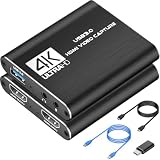
- Top Pick: Capture Card, 4K HDMI Video Capture Card, Game Capture Card, 1080P 60FPS Video Capture Device, HDMI to USB 3.0 Capture Card for Streaming, Work with Camera/Xbox/PS4/PS5/PC/OBS
- Best Value: Capture Card 4K HDMI Video Streaming to USB 3.0 1080P 60FPS Capture Device
- Premium Choice: 4K HDMI Capture Card for Streaming, Full HD 1080P 60FPS USB 3.0 Cam Link Game Audio Video Capture Card, Work with Camera/Switch/Xbox/PS4/PS5/PC/OBS (Black)
A capture card lets you record and stream gameplay off a console or second PC with professional quality and low latency. By 2026 the best cards support 4K passthrough, 1080p60 capture, and clean software integration. Here are the top capture cards for streamers and creators, plus a practical guide to matching a card to your setup so you never pay for resolution you can’t use or bottleneck your stream on day one.
- Best Capture Cards of 2026
- Capture Card Comparison Table
- Best Overall: Elgato HD60 X
- Best for 4K: Elgato 4K60 Pro
- Best Value: AVerMedia Live Gamer
- Do You Need a Single-PC or Dual-PC Setup?
- External vs Internal Capture Cards
- Bitrate, Storage, and Software Considerations
- Why Passthrough and Latency Matter
- Frequently Asked Questions
- Related Articles
🛒 Best Price Today on Amazon
Prime members get fast, free shipping on everything above, plus member-only deals. New members get a 30-day free trial — cancel anytime.
As an Amazon Associate we earn from qualifying purchases at no extra cost to you.





Best Capture Cards of 2026
Capture Card Comparison Table
| Capture Card | Type | Capture | Passthrough | Price |
|---|---|---|---|---|
| Elgato HD60 X | External USB | 1080p60 / 4K30 | 4K60 HDR | ~$179 |
| Elgato 4K60 Pro | Internal PCIe | 4K60 HDR | 4K144 | ~$249 |
| AVerMedia Live Gamer | External USB | 1080p60 | 4K60 | ~$119 |
| Razer Ripsaw HD | External USB | 1080p60 | 4K | ~$99 |
Best Overall: Elgato HD60 X
The Elgato HD60 X is the best all-rounder, with flexible capture up to 4K30 or 1080p60 plus 4K60 HDR passthrough so you keep gaming at full quality on your monitor. It plays nice with OBS and Elgato software, supports VRR passthrough, and runs plug-and-play over USB — ideal for console and PC streamers alike. It also captures in HDR and supports 1440p, which many rival external cards skip, and the USB 3.0 connection keeps latency low. For the vast majority of streamers who output to Twitch or YouTube at 1080p60, it hits the sweet spot of quality, price, and ease of use.
Best for 4K: Elgato 4K60 Pro
The Elgato 4K60 Pro is an internal PCIe card for serious creators who need 4K60 HDR capture at ultra-low latency. Installed straight in your streaming PC, it delivers the highest quality and 4K144 passthrough — the pick for professional 4K content production. Because it connects directly to the PCIe bus rather than USB, it offloads work from your CPU and captures pristine, high-bitrate 4K footage for YouTube uploads and editing. If you produce polished VODs or highlight reels rather than just live streaming, the internal card’s headroom is worth the extra outlay.
Best Value: AVerMedia Live Gamer
The AVerMedia Live Gamer serves reliable 1080p60 capture and 4K60 passthrough at a wallet-friendly price. It’s a great entry point for new streamers who want solid quality without overspending, with broad software compatibility and an easy setup. It works with OBS, Streamlabs, and AVerMedia’s own RECentral software, and the low price leaves budget for a decent microphone or webcam — upgrades that improve stream quality more than chasing higher capture resolution when you are starting out.
Do You Need a Single-PC or Dual-PC Setup?
How you use a capture card depends on your rig. A single-PC setup uses an internal card like the 4K60 Pro to capture your own gameplay, but this shares resources with the game you are running. A dual-PC setup sends video from your gaming PC or console to a separate streaming PC via an external card, isolating the encoding load so your game never drops frames. Console streamers always need a capture card because you cannot install software on a PS5 or Xbox. If you stream demanding PC titles and can afford a second machine, the dual-PC route delivers the smoothest results.
External vs Internal Capture Cards
- External (USB): Portable, works with laptops, easy to set up, ideal for most streamers
- Internal (PCIe): Lower latency, higher capture quality, requires a desktop PC slot
- Passthrough: Lets you play on your monitor at full quality while capturing
Pair your capture card with a PS5-ready gaming monitor for the best console experience.
Bitrate, Storage, and Software Considerations
Capture resolution is only half the equation — bitrate determines how clean your footage looks and how large your files get. 4K60 capture can consume 100–150 Mbps, filling drives quickly, so a fast NVMe SSD and plenty of free space matter for local recording. On the software side, OBS Studio is free and works with every card here, while Elgato’s 4K Capture Utility and AVerMedia’s RECentral add convenience features. Whatever card you choose, confirm your PC meets the USB or PCIe requirements and that your upload speed can sustain your target stream bitrate — a 6 Mbps upload caps you at roughly 1080p60 on Twitch regardless of how good the card is.
Why Passthrough and Latency Matter
The capture card feature that matters most is low-latency passthrough, which routes your console’s video to your gaming monitor at full resolution and refresh while the card grabs a copy for streaming. That means you play with zero added input lag. Look for cards handling 4K60 or 4K120 passthrough plus VRR to keep up with modern consoles like the PS5 and Xbox Series X. Without proper passthrough, you would be forced to play on the delayed captured feed, which makes fast games feel sluggish and unresponsive.
Frequently Asked Questions
Do I need a capture card to stream from a console?
Yes, to stream or record gameplay from a PS5, Xbox, or Switch onto a PC, you need a capture card that takes the console’s HDMI output and feeds it into your computer. The card passes video through to your monitor while sending a copy to streaming software. Without one, PC capture of console gameplay is not possible over standard connections.
What is the difference between internal and external capture cards?
Internal cards install into a PCIe slot inside your PC, offering low latency and no extra USB clutter, but only fit desktops. External cards connect over USB and work with laptops and any PC, offering portability and easy setup. For a fixed desktop streaming rig, internal cards are clean and reliable; for flexibility or laptop use, an external USB card is best.
Should I get a 1080p60 or 4K60 capture card?
A 1080p60 card is affordable and fine if you stream at 1080p, even from a 4K console, since most platforms cap stream resolution anyway. A 4K60 card captures and records in full 4K for high-quality local recordings or 4K streams, but costs more and needs a stronger PC. Match the card to your streaming resolution and whether you archive 4K footage.
What is passthrough and why does it matter?
Passthrough sends the console signal straight to your monitor or TV while capturing, so you play with minimal lag on the display even if the captured feed has slight delay. Good cards offer 4K120 or high-refresh passthrough so your gameplay feels responsive. Check the passthrough resolution and refresh rate match your setup, since a low passthrough spec can hurt your actual play experience.
Does using a capture card add input lag?
Thanks to passthrough, the signal to your play display has negligible added lag on quality cards, so gameplay stays responsive. The captured feed shown in software has some latency, which is normal and does not affect how the game feels. Streamers use passthrough for playing and the software feed for monitoring, so a good card keeps your actual gaming lag-free.
Ready to decide? Our #1 pick for 2026 is the Elgato HD60 X.
Live price & availability on Amazon.
Top picks from this guide
 VIXLWCapture Card, 4K HDMI Video Capture Card, Game Capture Card,…$21 \xc2\xb7 99/100
 AmpliGameFifine AmpliGame Video Capture Card, HD 1080 60fps for Audio…$53 \xc2\xb7 99/100
 ElgatoElgato 4K X Capture Card, HDMI 2.1, 4K144 Ultra-Low Latency…$250 \xc2\xb7 96/100
 DcyfolCapture Card 4K HDMI Video Streaming to USB 3.0 1080P…$20 \xc2\xb7 96/100








