The best budget coding monitor for most developers is the 27-inch ViewSonic VX2728J-2K. Its 1440p panel gives an editor, file tree, and terminal more room for about $170. Pick the ASUS PA248CRV for a narrow desk and USB-C charging, or the LG 27US500-W if sharper text matters more than a faster refresh rate.
Best budget coding monitor picks at a glance
Start with the app you keep open beside your editor. If it is a terminal or a short reference page, the ViewSonic’s 1440p desktop is an economical fit. If it is a browser with a live preview, developer tools, and a full-width layout, the 34-inch MSI gives that side of the desktop more room without a second monitor.
The ASUS VA24EHF suits a small space or a low-cost secondary screen. The ProArt PA248CRV is nearly as compact but adds an extra 120 vertical pixels, an adjustable stand, and laptop charging. The two 27-inch 4K picks solve different desk problems. Choose the LG when typography and detail are the reasons to spend more. Choose the Dell when you will also use its USB-C charging, adjustable stand, and smoother scrolling.
| Exact model | Native resolution and size | Best coding use | Observed U.S. price | Main trade-off |
|---|---|---|---|---|
| ASUS VA24EHF | 1920 × 1080, 23.8 inches | Small desk or secondary terminal display | $109.00 | One HDMI input and a tilt-only stand |
| ViewSonic OMNI VX2728J-2K | 2560 × 1440, 27 inches | IDE, terminal, and documentation on one screen | $169.99 | No one-cable USB-C docking |
| ASUS ProArt PA248CRV | 1920 × 1200, 24.1 inches | Compact laptop desk with up to 96 W USB-C charging | $199.00 | Less horizontal room than QHD |
| LG UltraFine 27US500-W | 3840 × 2160, 27 inches | High pixel density for code and documentation | $249.99 | 60 Hz and a tilt-only stand |
| MSI Modern MD342CQP | 3440 × 1440, 34 inches | IDE, browser preview, and logs side by side | $329.99 | A wide footprint and no extra vertical pixels over QHD |
| Dell S2725QC | 3840 × 2160, 27 inches | One-cable 4K laptop desk and smoother scrolling | $349.99 | USB-C charging tops out at 65 W |
How these monitors earned their place
The working budget is $350 for a new monitor in the United States before tax and shipping. The entry models start near $110. The top of the range applies to setups that can use an ultrawide canvas, or a single display that also provides charging and a USB hub.
Screen space and text clarity were considered separately. A 27-inch 4K screen can render text with more detail than a 27-inch QHD screen at similar interface sizes. Your scaling setting determines how much desktop content fits. Stand adjustment matters when the screen has to clear a laptop lid or align with a second display. USB-C matters when it replaces cables or hardware you would otherwise need.
The comparison is based on exact-model specifications and seller listings. Refresh rate is included for buyers who care about scrolling, with priority given to the working canvas, desk fit, and video connection. Models are grouped by the tasks they solve so the most expensive display only makes sense when its features address a specific need.
Best budget coding monitor picks by setup
Choose the screen that fits the way you arrange your windows. A compact IDE with one editor pane can work well at 1080p. Side-by-side diffs and a persistent browser preview have different space requirements. The picks below cover both cases, as well as the connections that make each desk easier to use.
ASUS VA24EHF for a small desk or secondary terminal
The ASUS VA24EHF is a 23.8-inch IPS monitor with 1920 × 1080 resolution, a 100 Hz maximum, and one HDMI input. At the observed $109 price, it fits a simple desk with one computer or a setup that needs an inexpensive second screen for logs and reference material.
At native resolution, a typical single-editor layout has room for code and a file tree. The space gets tighter once an assistant panel, debugger, or second editor is open. If you mostly work on one file at a time, use the editor’s panel toggles and let the terminal open only when needed. As a second screen, the ASUS is useful for a tailing log, test output, or a browser window you need to glance at while work continues on the main display.
Check the stand position before buying it for an elevated shelf or a shared station. The stand tilts, while height is fixed. ASUS lists a 100 × 100 mm VESA pattern if you already own a compatible arm. If you need a mount, an HDMI adapter, and separate meeting audio, compare the total with the price of a better-equipped monitor.
Buy if one HDMI source and a single 1080p workspace meet the need. Skip if the same monitor is expected to hold two substantial windows or move between different desk heights. The ViewSonic offers more canvas and stand flexibility.
Best budget coding monitor for most desktops — ViewSonic VX2728J-2K
The ViewSonic OMNI VX2728J-2K combines a 27-inch IPS panel, 2560 × 1440 resolution, and a height-adjustable stand at $169.99 in the checked offer. For a desktop developer, its practical advantage is the additional room for code and tools at a familiar scale.
Compared with 1920 × 1080, QHD adds 640 pixels across and 360 pixels vertically. Keep the editor wide enough for a side-by-side diff, then give the rest to the file tree or a narrow reference pane. For a full-stack workflow, the terminal can sit beneath the editor and leave useful height for both. At around 109 pixels per inch, the display gives you finer letter edges than a typical 24-inch Full HD panel, although font rendering and viewing distance also affect what you see.
ViewSonic lists height, swivel, tilt, and pivot controls. Pivot can help if you move the monitor into a secondary role for long logs or documentation. Its documentation gives a 165 Hz DisplayPort limit in the detailed timing table and also advertises up to 180 Hz via DisplayPort. Either is ample for the coding role here. Use 165 Hz as the documented planning figure if a higher desktop refresh matters, and check the exact unit’s available modes.
Buy if you want more desktop area without needing a laptop dock. Skip if your priority is 4K typography or a single USB-C cable that also charges a laptop. The LG and Dell meet those priorities, respectively.
Best budget coding monitor for a compact laptop desk — ASUS ProArt PA248CRV
The ASUS ProArt PA248CRV fits a 1920 × 1200, 16:10 IPS panel into a 24.1-inch display and supplies up to 96 W over USB-C. At $199 in the checked B&H listing, its combination of vertical room and charging is particularly useful on a narrow desk.
The extra 120 pixels over Full HD can preserve a few more lines of code or terminal output, depending on your font, editor chrome, and scaling. Put the laptop beside it for broad browser previews or use the external panel in landscape with the laptop below it. The monitor has height, swivel, tilt, and pivot adjustment, so there is flexibility to arrange either layout. If you rotate it for documentation, allow clearance for the lower edge and the connected cables.
For one-cable use, the computer’s USB-C port needs video output and USB Power Delivery support, and the cable must carry the required functions. Check your laptop’s usual charger wattage as well. An adapter rated near 96 W is a useful clue, but laptop charging behavior also depends on the model and workload. The ProArt’s 75 Hz maximum is sufficient for ordinary coding, while fast scrolling can look more fluid on the 120 Hz Dell.
Buy if desk width is limited and you want meaningful laptop charging and an adjustable stand. Skip if you frequently keep an editor and a wide browser side by side on the same panel. Consider the ViewSonic for lower-cost QHD or the Dell for 4K with USB-C.
LG UltraFine 27US500-W for sharper code and documentation
The LG UltraFine 27US500-W gives you a 27-inch 3840 × 2160 IPS display at 60 Hz with HDMI and DisplayPort inputs. It was listed at $249.99. Its strength is about 163 pixels per inch for fine glyphs, UI previews, and detailed documentation on a standard-width desk.
Keep the display at native resolution and adjust operating-system scaling first. In Windows, 150 percent scaling gives a logical workspace roughly equivalent to 2560 × 1440, with more physical pixels drawing text in scaling-aware apps. Try your IDE and a terminal at their normal font sizes before lowering scaling further. If you prefer larger text, the extra density can still be worthwhile even when the amount of visible code stays similar.
The tilt-only stand and conventional inputs suit a permanent desktop connection. If you would need a USB-C video adapter, dock, and a separate monitor arm for the same laptop, add those costs before choosing it. Connect at native 4K and check that your adapter can deliver 60 Hz. A setup stuck at 30 Hz can make dragging windows or scrolling feel sluggish even though its text is sharp.
Buy if finer text is the main reason to upgrade and you already have the appropriate video connection. Skip if you want the screen to replace a laptop dock or if fast desktop motion matters. The Dell gives you the same resolution with a different connection and refresh package.
MSI Modern MD342CQP for three panes on one screen
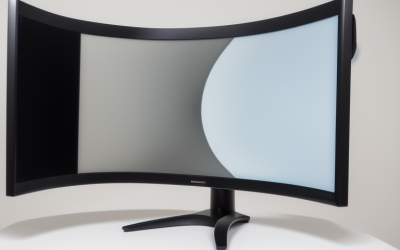
The MSI Modern MD342CQP uses a 34-inch curved VA panel at 3440 × 1440 with up to 120 Hz via DisplayPort or compatible USB-C. MSI specifies up to 98 W of USB-C charging. At $329.99, it makes sense when width is the constraint on your work.
Compared with 2560 × 1440, the screen adds 880 pixels across and keeps the same vertical pixel count. Try arranging a wide center editor with a narrower browser preview on one side and logs on the other. For debugging a front-end layout, you can reserve enough width for the browser to reach specific responsive breakpoints while keeping the source visible. Window snapping tools help because a maximized editor alone can leave menus farther from where your eyes normally rest.
The curved cabinet and wider stand need more space than a 27-inch display. Measure the usable area between speakers, walls, and any other monitor, then include the depth occupied by the stand and cables. At native resolution, MSI lists HDMI up to 100 Hz. That is enough for coding, while DisplayPort or USB-C can access the higher documented mode with compatible hardware.
Buy if you frequently move between three views and want one continuous desktop. Skip if you need more lines of code vertically or you sit close on a narrow desk. A 27-inch 4K display is the better fit when the priority is density within a smaller footprint.
Dell S2725QC for a 4K laptop workstation
The Dell S2725QC pairs 27-inch 4K IPS, up to 120 Hz, and a USB-C upstream connection with up to 65 W of charging. Its checked $349.99 price is the highest here. It earns that position when you can use both the sharp panel and the single-cable laptop setup.
Connect a compatible laptop using a cable that supports display output, data, and charging. You can attach a few everyday devices to the monitor’s USB hub and leave them in place when the laptop goes with you. Dell also provides HDMI inputs for an additional computer. If the laptop regularly draws more than 65 W during builds, virtual machines, or GPU workloads, it may need its own power adapter. Buyers who chiefly need more USB-C power can compare the compact ASUS or the wider MSI.
A 120 Hz desktop can make scrolling through long files or moving panes feel smoother if your source delivers the mode. For static reading, the LG and Dell use the same native pixel grid. On a permanently connected tower, the LG’s lower price can be more compelling unless you regularly notice lower refresh or want Dell’s height, tilt, swivel, and pivot controls.
Buy if you frequently dock a compatible laptop, want sharp fonts, and value smooth scrolling. Skip if you already have a suitable dock and can use the LG’s 60 Hz input, or if the main thing you need is extra horizontal space.
What to check before ordering a coding monitor
Measure where your screen can sit and decide which pane needs more room. A wider or denser display pays off when it solves a specific constraint. Then verify the connection and scaling choices your computer makes available.
Check the workspace using your actual editor settings
Try your preferred editor font size, terminal rows, and browser zoom before comparing panels. On a 4K display, higher scaling can use the extra pixels for clearer letters while keeping the logical workspace similar to QHD. On an ultrawide, the improvement is the width available for a preview and tools.
For a vertical screen, think about line length and how wide a split diff must be. Portrait mode can help with long logs or documentation, while a wide editor with a sidebar may work better in landscape. Test the layout on software you use daily. Some older applications can look blurry on a desk where two monitors use different scaling settings.
Price the complete setup and verify laptop output
Include any mounting hardware, cable, or adapter necessary to use the monitor at its intended height and native resolution. Check the exact laptop model’s external display limits if you want to keep a second monitor connected. A dock’s supported modes can also change with the number of displays attached.
After installation, confirm the resolution and refresh in your operating system. For USB-C, confirm charging under a normal workload and check that your input devices work after sleep. Those checks are more useful for a daily coding desk than comparing monitor response-time marketing.
Frequently asked questions
Is a 27-inch 1440p monitor enough for programming?
It is a good starting point when you use one main editor and a narrow terminal or reference pane. It offers more working room than 1080p without requiring small interface elements. Choose 4K for finer text at comparable scaling or ultrawide for a broader browser and editor layout.
Does 120 Hz make a difference for coding?
It can improve how scrolling and pointer motion look, especially when you move through long files frequently. A comfortable stand, readable text, and enough room for your windows usually matter more when you are working on stationary code. Pay for higher refresh when you know you will use it.
Conclusion
The ViewSonic VX2728J-2K is the strongest starting point for a budget coding desktop because its QHD resolution and adjustable stand make room for everyday development tools. The ASUS ProArt PA248CRV fits a compact USB-C laptop desk, the LG gives you the least expensive 4K panel in this shortlist, and the Dell adds one-cable charging and 120 Hz. Choose the MSI ultrawide if you routinely need a browser, editor, and logs visible together.