If you are researching what is the best quality monitor you can buy for a desktop setup right now, the ASUS ROG Swift OLED PG32UCDM (Gen3) stands out as our top overall recommendation thanks to its 31.5-inch 4K 240 Hz Tandem QD-OLED panel, full-bandwidth DisplayPort 2.1a connectivity, and three-year burn-in warranty. Because display excellence depends heavily on your primary workload and room lighting, the Dell UltraSharp U3225QE leads for office productivity and Thunderbolt docking, the ASUS ProArt Display PA27JCV delivers 5K reference accuracy for creators, and the TCL 27C2A Pro provides high-brightness 4K Mini-LED performance without OLED burn-in concerns.
- Quick verdict on what is the best quality monitor
- Quick comparison of top quality monitors
- How we selected and evaluated top quality monitors
- In-depth reviews of the highest quality monitors
- How to decide what is the best quality monitor for your setup
- Frequently asked questions about high quality monitors
- Final verdict
Quick verdict on what is the best quality monitor
Display quality is no longer defined by a single specification such as resolution or refresh rate. Self-emissive QD-OLED panels deliver per-pixel contrast and near-instantaneous response times for gaming and cinema, whereas high-contrast IPS Black and 5K LCD panels excel at razor-sharp typography, sustained full-screen brightness, and single-cable laptop docking. Based on independent lab testing from Tom’s Hardware, PCMag, Windows Central, and Display Ninja alongside verified manufacturer documentation, these seven monitors represent the highest quality choices across distinct desktop roles:
- Best overall quality monitor: ASUS ROG Swift OLED PG32UCDM Gen3 (~$1,299 USD). Combines a 31.5-inch 4K 240 Hz Tandem QD-OLED panel, BlackShield anti-reflective film, 80 Gbps DisplayPort 2.1a UHBR20, 90W USB-C Power Delivery, and a built-in KVM switch.
- Best quality monitor for office work and docking: Dell UltraSharp 32 4K Thunderbolt Hub Monitor U3225QE (~$950 to $1,030 USD). Pairs a 120 Hz IPS Black panel rated at 3,000:1 static contrast with dual Thunderbolt 4 ports, 140W laptop charging, 2.5GbE Ethernet, and seven downstream USB ports.
- Best quality monitor for 5K creative and color work: ASUS ProArt Display PA27JCV (~$799.99 USD MSRP). Delivers 218 pixels per inch on a 27-inch 5120 x 2880 IPS panel with Calman Verified factory calibration, 99 percent DCI-P3 coverage, Auto KVM, and 96W USB-C charging.
- Best 27-inch high-DPI 4K OLED gaming monitor: ASUS ROG Swift OLED PG27UCDM (~$1,199 USD). Packs a 4th-Gen 4K 240 Hz QD-OLED panel into a 26.5-inch viewable frame (~166 PPI) with DisplayPort 2.1a UHBR20, Dolby Vision, and OLED Anti-Flicker 2.0.
- Best bright-room 4K Mini-LED monitor: TCL 27C2A Pro (~$600 to $700 USD). Uses a 27-inch Quantum Dot Mini-LED panel with 1,196 local dimming zones, DisplayHDR 1000 certification, and dual-mode 4K 160 Hz / FHD 320 Hz operation with zero burn-in risk.
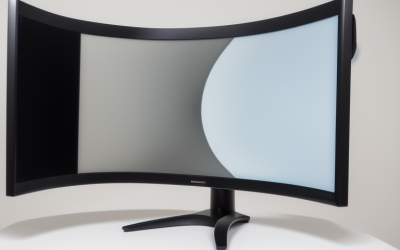
- Best ultrawide quality monitor for immersion: Alienware 34 Curved QD-OLED AW3423DWF (~$650 USD street price). Offers a 34.18-inch 3440 x 1440 165 Hz 1800R curved QD-OLED screen with factory Delta E under 2 accuracy, DisplayHDR True Black 400, and three-year burn-in coverage.
- Best value 4K QD-OLED monitor for mixed use: Dell 32 Plus 4K QD-OLED S3225QC (~$473 to $800 USD). Brings a 31.5-inch 4K 120 Hz QD-OLED panel, 90W USB-C Power Delivery, and a 25W five-driver spatial soundbar to a significantly lower price tier.
Quick comparison of top quality monitors
| Monitor model | Best for | Panel, size, and refresh rate | Key measured or rated strengths | Meaningful drawback |
| ASUS ROG Swift OLED PG32UCDM (Gen3) | Best overall flagship | 31.5-inch 4K Tandem QD-OLED, 240 Hz | 0.03 ms GtG, 99% DCI-P3, DP 2.1a 80 Gbps, KVM, 90W USB-C | Expensive (~$1,299 USD); 250-nit full-screen SDR ceiling |
| Dell UltraSharp U3225QE | Best office and Thunderbolt hub | 31.5-inch 4K IPS Black, 120 Hz | 3,000:1 rated contrast, DisplayHDR 600, 140W TB4, 2.5GbE | Slower 5 ms GtG response; edge-lit HDR lacks local dimming |
| ASUS ProArt Display PA27JCV | Best 5K photo and video editing | 27-inch 5K (5120 x 2880) IPS, 60 Hz | 218 PPI, Calman Verified Delta E < 2, 99% DCI-P3, 96W USB-C | Capped at 60 Hz; modest built-in speakers |
| ASUS ROG Swift OLED PG27UCDM | Best 27-inch 4K OLED sharpness | 26.5-inch 4K 4th-Gen QD-OLED, 240 Hz | ~166 PPI text clarity, DP 2.1a 80 Gbps, Dolby Vision, 90W USB-C | High $1,199 USD price for a 27-inch screen; glossy reflections |
| TCL 27C2A Pro | Best bright-room 4K Mini-LED | 27-inch 4K QD-Mini-LED HFS, 160 Hz / 320 Hz FHD | 1,196 dimming zones, DisplayHDR 1000, >100% DCI-P3 volume | Stand stability compromises; minor haloing on pure black screens |
| Alienware AW3423DWF | Best 21:9 ultrawide immersion | 34.18-inch 3440 x 1440 QD-OLED, 165 Hz | 1800R curve, 99.3% DCI-P3, Delta E < 2, 3-year burn-in warranty | Lower 110 PPI density; HDMI 2.0 caps at 100 Hz |
| Dell 32 Plus 4K QD-OLED S3225QC | Best value 4K OLED daily driver | 31.5-inch 4K QD-OLED, 120 Hz | 0.03 ms GtG, 25W 5-speaker array, 90W USB-C, Dolby Vision | No DisplayPort input, no USB-A ports, and no headphone jack |
How we selected and evaluated top quality monitors
Rather than crowning a single spec-sheet champion that fails outside one narrow niche, we evaluated displays across six engineering pillars that determine long-term satisfaction on a real desk:
- Panel architecture and contrast fidelity: True per-pixel luminance on OLED panels, multi-zone full-array Mini-LED dimming, or high-contrast IPS Black liquid crystal cells rather than washed-out 1,000:1 edge-lit screens.
- Color accuracy and gamut governance: Verified factory calibration with Delta E values under 2, reliable sRGB clamping so standard Windows and web content do not look neon-oversaturated, and wide DCI-P3 or Adobe RGB coverage for HDR and creative mastering.
- Pixel density and subpixel clarity: Sharp text rendering across 140 to 218 pixels per inch on 4K and 5K displays, alongside improved subpixel structures on newer QD-OLED generations that minimize color fringing around fonts.
- Interface bandwidth and desk integration: Modern DisplayPort 2.1a UHBR20, DisplayPort 1.4 with DSC, HDMI 2.1, Thunderbolt 4, or high-wattage USB-C Power Delivery paired with reliable KVM switching.
- Motion clarity and input latency: Clean overdrive tuning without inverse ghosting on LCDs, or near-instantaneous 0.03 ms gray-to-gray transitions on self-emissive OLEDs.
- Build quality, ergonomics, and warranty protection: Sturdy height-, tilt-, and swivel-adjustable stands, standard 100 x 100 mm VESA mounting support, and explicit three-year US warranties—including explicit burn-in coverage on every OLED pick.
Every specification, measurement, and US price range in this guide was verified against manufacturer documentation and independent testing from outlets such as Tom’s Hardware, PCMag, Windows Central, TechPowerUp, and Display Ninja as of November 2026.
In-depth reviews of the highest quality monitors
ASUS ROG Swift OLED PG32UCDM Gen3 for best overall quality
The ASUS ROG Swift OLED PG32UCDM (specifically the updated Gen3 / PG32UCDM3 hardware revision sold new at Amazon US around $1,299 USD) represents the highest all-around standard in desktop display quality. It pairs a 31.5-inch viewable 4K (3840 x 2160) Tandem QD-OLED panel with a 240 Hz native refresh rate and 0.03 ms gray-to-gray response time, delivering roughly 140 pixels per inch for crisp desktop typography alongside effortless motion clarity in fast-paced games.
Compared with the original 2024 PG32UCDM, the Gen3 revision introduces three practical hardware upgrades. First, ASUS adds its BlackShield anti-reflective film, which increases surface scratch resistance by a rated 2.5 times and reduces ambient-light black-level elevation by up to 40 percent compared with earlier glossy QD-OLED coatings. Second, connectivity steps up to full-bandwidth DisplayPort 2.1a UHBR20 (80 Gbps), allowing uncompressed 4K 240 Hz 10-bit output on compatible graphics cards without Display Stream Compression, backed by dual HDMI 2.1 ports and a USB-C port with 90W Power Delivery. Third, DisplayHDR True Black 500 certification and 1,000-nit specular HDR peak highlights combine with HDR10 and Dolby Vision support for reference-grade dark-room cinema and gaming.
Build quality matches the panel’s optical pedigree. A custom passive heatsink and graphene backing sheet dissipate heat silently without a cooling fan, while ASUS OLED Care Pro includes a Neo Proximity Sensor that automatically dims the screen when you step away from your desk. A built-in KVM switch lets you share your keyboard and mouse between a gaming tower and a USB-C laptop, and ASUS backs the monitor with a three-year US warranty that explicitly covers burn-in.
The main trade-offs are its ~$1,299 USD price tag, an external power brick, and OLED’s inherent ~250-nit full-screen SDR luminance limit, which makes bright white spreadsheets look dimmer than on a high-output LCD.
Buy if: You want the single best 32-inch 4K display for high-end PC gaming, console HDMI 2.1 play, and HDR media with future-ready DisplayPort 2.1a bandwidth.
Skip if: You spend eight hours a day editing bright white spreadsheets in a sunlit office or want to spend under $800 USD.
Alternative: Look at the MSI MAG 321UPX QD-OLED (~$799 USD) if you want the core 31.5-inch 4K 240 Hz QD-OLED panel without DisplayPort 2.1a, Dolby Vision, or 90W USB-C charging.
Dell UltraSharp U3225QE for best office and Thunderbolt hub quality
For professionals, developers, financial analysts, and hybrid workers who prioritize text clarity, eye comfort, and single-cable workstation docking over 240 Hz gaming, the Dell UltraSharp 32 4K Thunderbolt Hub Monitor (U3225QE) sets the benchmark. Retailing around $949.99 USD MSRP ($1,029.99 USD at Dell), it uses a 31.5-inch 4K (3840 x 2160) IPS Black panel with a 120 Hz refresh rate—doubling the scrolling fluidity of traditional 60 Hz office monitors.
IPS Black technology solves the biggest historical flaw of standard IPS office panels: weak black depth. Dell rates the U3225QE at a 3,000:1 static contrast ratio, triple the 1,000:1 norm of conventional IPS screens. In PCMag’s independent testing, the monitor delivered rich shadow detail, wide viewing angles, and broad color coverage exceeding 100 percent of sRGB and 99 percent of DCI-P3, alongside VESA DisplayHDR 600 certification and TÜV Rheinland five-star eye-comfort certification with an ambient light sensor that automatically adapts brightness and color temperature to room lighting.
Where the U3225QE truly replaces a separate $250 USD Thunderbolt dock is its rear and pop-out front I/O array. It integrates dual Thunderbolt 4 ports—one upstream port supplying up to 140W of Power Delivery to charge a workstation laptop, and one downstream 15W Thunderbolt 4 port for daisy-chaining a second 4K monitor—alongside HDMI 2.1, DisplayPort 1.4, an RJ45 2.5GbE Ethernet jack, and seven downstream USB-A and USB-C 10 Gbps ports. A built-in KVM switch seamlessly routes peripherals between two computers, and the ergonomic stand provides 150 mm (5.9 inches) of height adjustment, ±30 degrees of swivel, ±90 degrees of portrait pivot, and tilt, backed by Dell’s three-year Advanced Exchange warranty.
Its limitations are strictly gaming- and HDR-related: 5 ms GtG pixel transitions show mild motion blur in fast shooters, and its edge-lit backlight cannot match OLED or Mini-LED contrast in dark-room HDR movies.
Buy if: You want a 32-inch 4K 120 Hz workstation centerpiece with 3,000:1 IPS Black contrast, 140W Thunderbolt 4 charging, and a built-in KVM hub.
Skip if: You play competitive esports titles or want true local-dimming HDR performance.
Alternative: Choose the 27-inch Dell UltraSharp U2725QE (~$699.99 USD) if you have a smaller desk and want the exact same 120 Hz IPS Black panel and 140W Thunderbolt 4 hub at a higher 163 PPI density.
ASUS ProArt Display PA27JCV for best 5K creative and color quality
Photographers, video colorists, UI designers, and dual Windows/macOS creators who demand Retina-class sharpness without paying $1,599+ USD for an Apple Studio Display should look directly at the ASUS ProArt Display PA27JCV. Priced at $799.99 USD MSRP (with periodic US retail promotions dipping lower), this 27-inch monitor packs a native 5K (5120 x 2880) IPS panel—delivering 77 percent more pixels than a 4K display and a razor-sharp 218 pixels per inch.
That 218 PPI pixel density is transformative for fine visual work. At 200 percent integer UI scaling on macOS or Windows, interface elements match the physical size of a 2560 x 1440 workspace while rendering vector curves, typography, and high-resolution RAW photographs with zero pixel stair-stepping. Every unit arrives Calman Verified from the factory with a measured average Delta E under 2, covering 100 percent of sRGB, 99 percent of DCI-P3, and 95 percent of Adobe RGB—figures confirmed in Windows Central’s colorimeter testing.
ASUS tailored the physical and connectivity design for modern editing suites. Its LuxPixel AGLR (Anti-Glare, Low-Reflection) coating combines a matte finish with a low-reflection optical layer that preserves contrast under studio lights without glossy mirror glare. Connectivity includes DisplayPort 1.4, HDMI 2.1, and a USB-C port supporting DisplayPort Alt Mode and 96W Power Delivery, paired with an Auto KVM switch and a USB 3.2 hub so you can toggle between a desktop workstation and a MacBook Pro effortlessly. The ergonomic stand offers 130 mm of height adjustment, ±30 degrees of swivel, ±90 degrees of pivot, and +23 to -5 degrees of tilt, backed by a three-year ASUS warranty.
The primary trade-off is its 60 Hz refresh rate, which feels noticeably less fluid during fast cursor movement or gaming than a 120 Hz or 240 Hz display, alongside thin-sounding 2W integrated speakers.
Buy if: You edit photos, video, or vector graphics and want 218 PPI 5K clarity with Calman Verified color accuracy and 96W USB-C docking.
Skip if: You want a high refresh rate (120 Hz+) for gaming or smooth desktop scrolling.
Alternative: Consider the ASUS ProArt Display PA279CRV (~$399 to $469 USD) if you can accept 4K (163 PPI) instead of 5K while keeping factory Calman calibration and 96W USB-C Power Delivery.
ASUS ROG Swift OLED PG27UCDM for best 27-inch high-DPI 4K OLED quality
Until recently, buyers wanting a 4K 240 Hz OLED monitor had to accept a 31.5-inch footprint (~140 PPI). The ASUS ROG Swift OLED PG27UCDM ($1,199 USD MSRP) shrinks that resolution onto a 26.5-inch viewable (27-inch class) 4th-Gen QD-OLED panel, pushing pixel density to ~166 pixels per inch—the sharpest text and subpixel clarity available on any desktop OLED monitor.
In TechPowerUp’s testing and ASUS’s engineering specifications, that 166 PPI density combined with Samsung Display’s 4th-Gen QD-OLED subpixel refinements virtually eliminates the subtle magenta-and-green text fringing visible on 1440p OLED panels. At the same time, it retains OLED’s signature strengths: 0.03 ms gray-to-gray response times, 240 Hz refresh rate, infinite per-pixel contrast, 99 percent DCI-P3 color gamut coverage, factory Delta E under 2 calibration, and support for both HDR10 and Dolby Vision.
Like its 32-inch sibling, the PG27UCDM includes full 80 Gbps DisplayPort 2.1a UHBR20 bandwidth for uncompressed 4K 240 Hz gaming on modern GPUs, dual HDMI 2.1 ports, USB-C with 90W Power Delivery, a built-in KVM switch, and ASUS OLED Anti-Flicker 2.0 technology that reduces VRR luminance flicker by a rated 20 percent. Its compact stand leaves ample desk space for low-sensitivity mouse sweeps, and ASUS backs the panel with a three-year warranty covering burn-in.
The main caveat is value per square inch: at $1,199 USD, it costs nearly as much as the 31.5-inch PG32UCDM Gen3 while offering a smaller canvas, and its semi-glossy screen still prefers controlled room lighting.
Buy if: You prefer a competitive 27-inch form factor and want razor-sharp 166 PPI 4K text clarity alongside 240 Hz QD-OLED speed and DisplayPort 2.1a.
Skip if: You prefer a larger 32-inch screen for immersive single-player gaming or split-screen productivity at a similar price.
Alternative: Consider the Gigabyte GO27Q24G or ASUS ROG Swift PG27AQDP if you prioritize 1440p ultra-high refresh rates (240 Hz to 480 Hz) over 4K pixel density.
TCL 27C2A Pro for best bright-room 4K Mini-LED quality
Not every buyer wants to manage OLED pixel-refresh cycles, taskbar auto-hiding, or 250-nit full-screen SDR brightness limits. Priced around $599 to $699.99 USD at Amazon US and TCL US, the TCL 27C2A Pro delivers flagship-grade HDR luminance and vibrant color on a 27-inch 4K (3840 x 2160) Quantum Dot Mini-LED HFS (IPS-type) panel with zero risk of permanent burn-in.
In Tom’s Hardware’s October 2026 review, the 27C2A Pro stood out for extreme light output and color saturation, pairing 1,196 local dimming zones with VESA DisplayHDR 1000 certification (up to 1,200 nits peak) and a Quantum Dot layer that pushed color gamut coverage past 100 percent of DCI-P3. Because it sustains high full-screen brightness effortlessly, sunlit rooms and bright white productivity windows remain crisp and legible without aggressive Automatic Brightness Limiter (ABL) dimming.
TCL also equips the 27C2A Pro with a dual-mode scalar: you can run native 4K (3840 x 2160) at 160 Hz for detailed single-player titles and desktop work, or switch on the fly to FHD (1920 x 1080) at 320 Hz for competitive shooters, complete with effective overdrive tuning and MPRT backlight strobing. Extra conveniences include a built-in KVM switch, USB-C connectivity, downstream USB ports, and integrated speakers inside a distinctive white chassis.
Tom’s Hardware noted two main compromises: the included stand exhibits noticeable wobble compared with Dell and ASUS rivals (making a $30 USD VESA arm worthwhile), and dark-room starfields can still show subtle local-dimming blooming around tiny bright objects compared with per-pixel OLED displays.
Buy if: You game or work in a bright room, want 1,000+ nit HDR punch and 4K 160 Hz / FHD 320 Hz flexibility, and want zero OLED burn-in risk.
Skip if: You play primarily in a pitch-black room where even minor Mini-LED haloing bothers you, or you demand a rock-solid stock stand.
Alternative: Look at the KTC M27T6S (~$290 to $300 USD) if you want 1,152-zone Mini-LED IPS performance at 1440p 210 Hz for roughly half the price.
Alienware AW3423DWF for best 21:9 ultrawide quality
For flight simulators, sim-racing rigs, open-world RPGs, and side-by-side timeline editing, a 34-inch 21:9 ultrawide wraps your peripheral vision in a way no 16:9 screen matches. Although Alienware has introduced a 240 Hz follow-up (the AW3425DW around $800 USD), the Alienware 34 Curved QD-OLED Gaming Monitor (AW3423DWF) remains one of the best-tested, highest-value quality displays on the market at its ~$650 USD US street price (down from its $1,099.99 USD launch MSRP).
Its 34.18-inch curved (1800R) 3440 x 1440 QD-OLED panel combines infinite per-pixel contrast, 0.1 ms gray-to-gray pixel transitions, and a 165 Hz refresh rate with factory-calibrated Delta E under 2 accuracy and 99.3 percent DCI-P3 color coverage. Independent testing by Display Ninja and Tom’s Hardware highlights its smooth FreeSync Premium Pro variable refresh rate operation (which also works reliably with NVIDIA G-SYNC), user-updatable firmware, and two well-tuned HDR modes: DisplayHDR True Black 400 for consistent brightness without aggressive dimming, and HDR Peak 1000 for bright specular highlights.
Alienware’s build quality and support remain class-leading at ~$650 USD. The sturdy stand offers height, tilt, and swivel adjustments; connectivity includes two DisplayPort 1.4 inputs, one HDMI 2.0 port, and four USB 3.2 Gen 1 downstream ports; and Dell backs the panel with a three-year US warranty that explicitly covers OLED burn-in.
Two age-related limitations are worth noting: its ~110 PPI pixel density and first-generation triangular QD-OLED subpixel layout show mild color fringing on small Windows text compared with 4K OLEDs, and its HDMI 2.0 port caps 3440 x 1440 input at 100 Hz (making DisplayPort 1.4 mandatory for 165 Hz).
Buy if: You want an immersive 34-inch curved QD-OLED ultrawide with proven factory color accuracy and three-year burn-in protection around $650 USD.
Skip if: You spend most of your day reading dense small text or want a 240 Hz refresh rate (in which case consider the Alienware AW3425DW).
Alternative: Check out the MSI MPG 341CQPX (~$750 USD) if you want a 34-inch 3440 x 1440 QD-OLED at 240 Hz with HDMI 2.1, USB-C Power Delivery, and a built-in KVM switch.
Dell 32 Plus 4K QD-OLED S3225QC for best value 4K OLED quality
Not everyone needs a 240 Hz esports refresh rate to enjoy flagship 4K OLED picture quality. With US street prices frequently dropping to ~$472.99 to $620 USD (from a $799.99 USD retail list price), the Dell 32 Plus 4K QD-OLED Monitor (S3225QC) delivers genuine 31.5-inch 4K QD-OLED contrast and color accuracy at roughly half the cost of flagship 240 Hz gaming monitors.
In PCMag and Windows Central testing, the S3225QC’s 31.5-inch 4K (3840 x 2160) 120 Hz QD-OLED panel measured 100 percent of sRGB and 98 percent of DCI-P3 (99 percent rated), paired with a 1,500,000:1 contrast ratio, 0.03 ms response time, 250-nit SDR brightness, 1,000-nit HDR peaks, and support for both HDR10 and Dolby Vision. At 120 Hz with Adaptive-Sync VRR, it delivers smooth desktop scrolling and responsive casual PC or console gaming without requiring a $1,500+ USD graphics card to push 240 FPS at 4K.
Dell also integrated a surprisingly capable audio system directly into the lower bezel: a five-driver 25W spatial-audio soundbar that PCMag praised as far superior to standard 2W or 5W monitor speakers. The matte-white chassis includes a toolless stand with height, tilt, and swivel adjustments plus 100 x 100 mm VESA compatibility, covered by Dell’s three-year Premium Panel Exchange warranty.
The S3225QC’s major catch is its minimalist port layout. Dell omitted a dedicated DisplayPort connector, USB Type-A ports, and a 3.5 mm headphone jack, leaving a single HDMI 2.1 input, one USB-C upstream port (DisplayPort 1.4 Alt Mode with 90W Power Delivery), and two pop-out 15W USB-C downstream data ports. Desktop PC users will connect via HDMI 2.1 or a bidirectional USB-C-to-DisplayPort cable.
Buy if: You want a 32-inch 4K QD-OLED screen with strong integrated speakers and 90W USB-C laptop charging for media, creative work, and 120 Hz gaming under $650 USD.
Skip if: You require DisplayPort inputs, multiple USB-A peripheral ports, or a 240 Hz refresh rate.
Alternative: Step up to the MSI MAG 321UPX QD-OLED (~$799 USD) if you want a 31.5-inch 4K 240 Hz QD-OLED panel with dedicated DisplayPort 1.4a and dual HDMI 2.1 inputs.
How to decide what is the best quality monitor for your setup
Matching panel technology to what is the best quality monitor for your room
Your room lighting and daily workload should dictate your panel choice before you compare brand names:
- QD-OLED and WOLED: Unmatched for dark- or dim-room gaming, HDR movies, and fast-motion clarity thanks to per-pixel light control and 0.03 ms response times. However, full-screen SDR brightness sits near 250 nits, and glossy QD-OLED screens can show a faint purplish-gray tint when direct sunlight hits the panel.
- Mini-LED LCD (IPS or VA with 1,000+ dimming zones): Ideal for bright rooms and mixed daytime/nighttime HDR use. Monitors like the TCL 27C2A Pro sustain high full-screen brightness, push 1,000+ nit HDR highlights, and eliminate static HUD or taskbar burn-in concerns, at the expense of faint blooming around bright text on black backgrounds.
- IPS Black and reference 5K IPS: Best for pure productivity, software development, and print/photo color grading. Panels like the Dell U3225QE (3,000:1 contrast) and ASUS ProArt PA27JCV (218 PPI) deliver rock-solid full-screen uniformity, zero burn-in anxiety, and sharp subpixel text rendering.
DisplayPort 2.1a, HDMI 2.1, and USB-C bandwidth limits
High-resolution, high-refresh monitors demand massive video bandwidth. A 4K (3840 x 2160) signal at 240 Hz with 10-bit color requires roughly 71.6 Gbps uncompressed. Older DisplayPort 1.4 (32.4 Gbps) and HDMI 2.1 (48 Gbps) connections rely on Display Stream Compression (DSC)—a visually lossless compression standard that works well but can occasionally cause multi-second alt-tab black screens or limit multi-monitor daisy-chaining on older GPUs. Monitors equipped with DisplayPort 2.1a UHBR20 (80 Gbps), such as the ASUS ROG Swift OLED PG32UCDM Gen3 and PG27UCDM, transmit 4K 240 Hz 10-bit video completely uncompressed when paired with an NVIDIA GeForce RTX 50-series or AMD Radeon RX 7000/9000-series GPU.
Pixel density, text clarity, and Windows or macOS scaling
Screen size and resolution interact directly with viewing distance and operating system scaling:
- 27-inch 4K (~163 to 166 PPI) and 32-inch 4K (~140 PPI): Both deliver crisp typography at a normal 24- to 30-inch desk distance. On Windows 11, 125 percent scaling on a 32-inch 4K display or 150 percent scaling on a 27-inch 4K display yields comfortable icon sizes with razor-sharp fonts.
- 27-inch 5K (218 PPI): Designed specifically around exact 2x integer scaling (2560 x 1440 logical workspace), making it the gold standard for macOS users who want native Retina clarity without non-integer scaling overhead.
- 34-inch 3440 x 1440 (~110 PPI): Matches a 27-inch 1440p screen vertically while adding 34 percent extra horizontal width, allowing 100 percent native scaling without zooming—though OLED subpixel geometry is slightly more noticeable on text than at 4K.
OLED longevity, burn-in warranties, and pixel care
Modern 3rd- and 4th-generation QD-OLED monitors incorporate passive heatsinks, graphite thermal layers, pixel-shift algorithms, static logo dimming, taskbar detection, and automated standby pixel-refresh cycles. To maximize panel lifespan over five or more years of ownership, enable automatic Windows taskbar hiding, set a black or rotating wallpaper, set display sleep to five minutes of inactivity, and avoid unplugging the monitor from wall power immediately after shutting down your PC so standby compensation cycles can finish. Most importantly, verify that your retailer invoice qualifies for the manufacturer’s three-year US burn-in warranty—offered on every OLED model in this roundup.
Frequently asked questions about high quality monitors
Is OLED always higher quality than IPS or Mini-LED?
OLED delivers superior contrast, black depth, HDR highlight precision, and motion clarity compared with any LCD, making it the highest-quality choice for gaming and video. However, IPS Black and 5K IPS panels remain better suited for eight-hour-a-day static office work in brightly lit rooms where sustained full-screen brightness, crisp RGB subpixel text, and zero burn-in maintenance matter most.
Should I choose a 27-inch or 32-inch 4K monitor?
Choose 32 inches (~140 PPI) if you want an immersive cinematic canvas, generous side-by-side multitasking space, and comfortable readability at 125 percent Windows scaling. Choose 27 inches (~163 to 166 PPI) if you sit closer to your screen, play competitive shooters where you want the entire HUD inside your central field of view, or prioritize maximum pixel sharpness.
Do I need a DisplayPort 2.1 monitor for 4K 240 Hz gaming?
No, DisplayPort 1.4 with Display Stream Compression (DSC) already supports 4K at 240 Hz with 10-bit color and HDR on NVIDIA RTX 30/40/50-series and AMD RX 6000/7000/9000-series GPUs without visible image degradation. However, DisplayPort 2.1a UHBR20 (80 Gbps) eliminates DSC overhead, speeds up alt-tabbing in fullscreen games, and offers better long-term compatibility with newer graphics cards.
What does factory Delta E under 2 mean on a monitor?
Delta E ($\Delta E$) measures the perceptual distance between a displayed color and its mathematically intended reference value. An average Delta E below 2 indicates that color deviations are virtually indistinguishable to the unaided human eye, ensuring that photos, video grades, and game art appear as their creators intended right out of the box.
Is a 120 Hz office monitor actually worth the upgrade over 60 Hz?
Yes. Moving from 60 Hz to 120 Hz cuts frame-time intervals in half from 16.67 ms to 8.33 ms, making mouse cursor movement, webpage scrolling, window dragging, and spreadsheet navigation noticeably smoother and easier on the eyes throughout a full workday.
Final verdict
When weighing what is the best quality monitor across image fidelity, build engineering, and long-term usability, the ASUS ROG Swift OLED PG32UCDM Gen3 takes our overall crown for its 31.5-inch 4K 240 Hz Tandem QD-OLED panel, DisplayPort 2.1a bandwidth, and comprehensive feature set. Buyers focused primarily on daytime office work and Thunderbolt laptop docking will get far greater daily utility from the 3,000:1 IPS Black Dell UltraSharp U3225QE, while colorists and macOS creators gain unmatched 218 PPI sharpness from the 5K ASUS ProArt Display PA27JCV. Finally, if you want high-brightness 4K HDR without burn-in worries, the 1,196-zone Mini-LED TCL 27C2A Pro delivers exceptional performance in bright rooms, whereas the Dell 32 Plus 4K QD-OLED S3225QC and Alienware AW3423DWF make reference-grade OLED contrast accessible near $500 to $650 USD.