Disclosure: As an Amazon Associate, we earn from qualifying purchases made through links in this article, at no additional cost to you.
A small supermarket checkout is a production line in miniature. A basket can hold forty items, several of them loose, weighed, reduced, or without a readable barcode, and the queue behind it has no patience for a terminal that pauses. The best windows pos terminals for small supermarkets are therefore judged on lane work: how scanners, scales, cash drawers, and printers connect, whether the customer can follow the total, and whether the Windows grocery program — with its price-lookup file, produce codes, and stock counts — runs comfortably all day.
Every pick here is a Windows touchscreen terminal verified from its listing, in Windows 11 Professional, Windows 10 Pro, or Windows 10 form. None is an Android terminal described as Windows. The emphasis differs from a general retail guide: ports, customer displays, built-in printing, and local product-file performance come first.
Quick Picks
- Best complete lane starting point: MEETSUN POS Cash Register SET02 — built-in printer, customer display, and a wide port selection for scanner and drawer.
- Best for visible lane totals: ASSUR POS Terminal (Dual Screen, Windows 10 Pro) — a customer screen for the full basket.
- Best for a large price-lookup file: ZHONGJI Touch POS System SET03 — Core i5 and 8GB of memory for local product data.
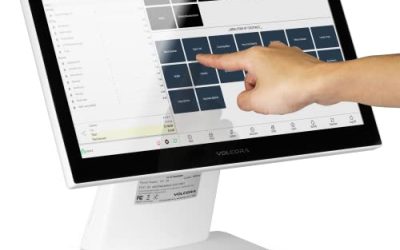
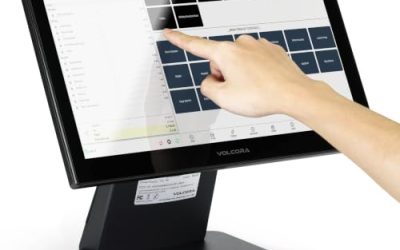
- Best replacement for a PC-based till: Volcora POS Terminal (Black, Windows 11 Pro) — a current Windows all-in-one for existing peripherals.
MEETSUN POS Cash Register SET02 — 15-Inch Windows Touchscreen With Built-In Thermal Printer

A small supermarket lane needs the opposite of a boutique till: everything within reach, printing that does not pause the queue, and ports for the scanner and drawer that do the heavy lifting. MEETSUN’s SET02 bundles a 15-inch Windows touchscreen, an 11.6-inch customer display, and a built-in 58mm thermal receipt printer, with listings describing 8GB of memory, a 128GB SSD, and six USB ports alongside HDMI, VGA, and LAN. That port count is the supermarket story — a handheld or presentation scanner, a cash drawer, and a wired network connection can all be part of one lane without hunting for spare sockets. The customer display keeps weight-based and multi-item totals visible as the basket is worked through.
Specs
- Display: 15-inch flat touchscreen with 11.6-inch customer display; Operating system: Windows 10 (Windows system per listing); Memory: 8GB RAM; Storage: 128GB SSD; Printer: Built-in 58mm (2 1/4-inch) thermal receipt printer; Ports listed: 6 USB, HDMI, VGA, LAN
- ASIN: B098SHM4KV
- Link: https://www.amazon.com/dp/B098SHM4KV
Pros:
– Built-in receipt printer keeps a single lane moving without a separate printer position
– Six USB ports plus LAN suit scanner, drawer, and wired lane networking
– Customer display shows running totals during a multi-item shop
Cons:
– Built-in printer format should be checked against your receipt and voucher layout
– Supermarket scales and scanners are separate peripherals, so confirm Windows compatibility for your exact models
ASSUR POS Cash Register Terminal — 15.6-Inch With 11.6-Inch Customer Screen, Windows 10 Pro

The ASSUR dual-screen terminal is a strong second-lane or main-lane option for a small supermarket that wants the customer to follow the total. Its 15.6-inch main touchscreen and 11.6-inch customer screen run on Windows 10 Pro with a J6412 processor, 4GB of memory, a 128GB SSD, and WiFi. In a grocery setting the second screen reduces the ‘how much is that so far’ interruptions and makes price checks at the till easier to share. Wired peripherals connect to build the lane around it — scanner for packaged goods and a scale integration handled through your Windows grocery software. The listing states POS software is not included, so the grocery program choice comes first.
Specs
- Display: 15.6-inch touchscreen with 11.6-inch customer screen; Operating system: Windows 10 Pro; Processor: Intel Celeron J6412, 4-core; Memory: 4GB RAM; Storage: 128GB SSD; Connectivity: WiFi module; Note: POS software is not included per listing
- ASIN: B0CL5RH7CH
- Link: https://www.amazon.com/dp/B0CL5RH7CH
Pros:
– Dual screens keep lane totals visible to the shopper throughout the basket
– Windows 10 Pro supports established Windows grocery and inventory programs
– 15.6-inch main screen gives cashiers a larger target area for fast item lookup
Cons:
– POS software is not included, so scale and scanner integration depends on the program you install
– WiFi is convenient, but a wired lane connection is worth planning for reliability
ZHONGJI Touch POS System SET03 (ZJ-A7DP-RES) — Windows 10

For a small supermarket with a large local product file — fresh codes, loose produce lookups, and a back-office list that changes weekly — the ZHONGJI SET03’s documented configuration is relevant: Windows 10, Intel Core i5, 8GB of memory, and a 128GB SSD in a 15-inch touch system. That is a terminal that can hold a substantial price-lookup file locally and keep item searches responsive when the network is busy. It suits a store where the same machine may handle the lane in the day and stock or price updates at quieter times, rather than a terminal that only ever runs a thin till client.
Specs
- Display: 15-inch touchscreen; Operating system: Windows 10; Processor: Intel Core i5; Memory: 8GB RAM; Storage: 128GB SSD; Model number: ZJ-A7DP-RES (SET03)
- ASIN: B08DTHBHZ9
- Link: https://www.amazon.com/dp/B08DTHBHZ9
Pros:
– Core i5 and 8GB RAM support a large local product and price-lookup file
– Windows 10 platform fits established grocery inventory programs
– 15-inch touchscreen is a practical main-lane size
Cons:
– Confirm the exact bundle and any included peripherals on the listing before ordering
– Scale, scanner, and drawer are lane decisions to verify separately for driver support
Volcora Retail and Restaurant POS Terminal — Windows 11 Pro, 15.6-Inch, Black

The Volcora black terminal, with Windows 11 Professional, an Intel Core i5, a 15.6-inch capacitive touchscreen, 4GB of memory, and 128GB of storage, works as a clean lane or back-counter terminal for a small supermarket that already owns its peripherals. Because it is hardware only, a store can standardise on the Windows grocery software it trusts, connect its existing scanner and drawer, and use this unit where a previous PC-based till is being replaced. The current Windows edition is also a planning point for stores thinking about support horizons for the software they run every day.
Specs
- Display: 15.6-inch capacitive touchscreen; Operating system: Windows 11 Professional; Processor: Intel Core i5; Memory: 4GB RAM; Storage: 128GB; Form factor: All-in-one, hardware only; Model number: 530022
- ASIN: B0CG8M8G7D
- Link: https://www.amazon.com/dp/B0CG8M8G7D
Pros:
– Windows 11 Professional gives a current Windows base for grocery software planning
– All-in-one replacement tidies a lane built around an older PC till
– 15.6-inch touchscreen suits fast lookup of non-barcoded items
Cons:
– Hardware only, so scanner, scale, drawer, printer, and software are all separate
– 4GB RAM should be checked against your grocery program’s stated requirements
How to Choose
Choose the grocery software before the terminal, and let it dictate the lane. Your program controls how a scale is read, how produce lookups are laid out, how age-restricted or weighed items are handled, and how stock moves. Confirm it supports the Windows edition on the terminal and that your exact scanner and scale models have Windows support for that setup. A terminal with more USB ports and a LAN connection, such as the MEETSUN set, makes building that lane simpler, but the software still does the integration work.
Next, design for the worst basket, not the average one. Test a full multi-item shop, a weighed item, a damaged barcode typed in by code, a price check, and a refund during your setup period. Decide whether a built-in printer is enough for your receipt layout or whether a separate printer position is better, and place the customer display where a shopper with a trolley can actually see it. Finally, plan the second lane and the failure mode: a standardised Windows platform, a wired network drop, and a spare scanner are worth more in a supermarket than a novelty feature.
FAQs
How do scales connect to a Windows POS terminal?
Typically through the grocery POS software, with the scale connected by USB or serial and recognised under Windows. Confirm your exact scale model and software combination before buying, because integration is software-led, not terminal-led.
Is a built-in receipt printer enough for a supermarket lane?
For many small lanes, yes, provided the receipt format fits your layout, vouchers, and any required wording. Check the printer width named on the listing against a sample receipt from your software.
Wired or WiFi for a supermarket lane?
A wired Ethernet connection is the safer default for a fixed lane, with WiFi as a convenience for positioning or a secondary terminal. Several picks here list LAN or WiFi, so plan cabling as part of the lane build.
How much local storage does a small supermarket need?
It depends on the product file and whether data is held locally or in the cloud. A 128GB SSD configuration, as listed for these picks, gives room for a local price-lookup file and Windows updates, but follow your software maker’s guidance.
Conclusion
Start a small supermarket lane with the MEETSUN SET02 if you want printer, customer display, and ports in one bundle, or with the ASSUR dual-screen terminal if visible totals are the priority. Choose the ZHONGJI SET03 where the local product file is large, and the Volcora where you are replacing a PC till on a current Windows base. Build the lane around the grocery software, test it with a real basket, and the queue will tell you that you chose well.