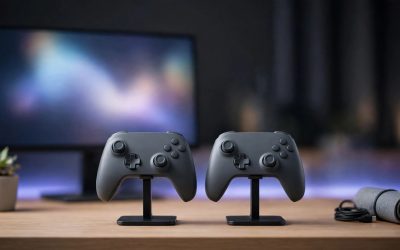
A wireless controller is only useful when it has charge in it, and the worst time to find a dead battery is halfway through a match. A charging dock gives every controller a home on the desk: drop the pad in its cradle after a session and it is full next time, with no loose cables and no hunt for spare batteries.
- Quick Answer
- PowerA Dual Charging Station for Xbox Series X|S
- Razer Universal Quick Charging Stand for Xbox Series X|S
- PowerA Solo Charging Stand for Xbox Series X|S
- HyperX ChargePlay Duo for PlayStation 5
- PowerA Twin Charging Station for DualSense
- How to choose
- Who should skip
- Frequently Asked Questions
- Final verdict
The docks below cover the controllers PC gamers use: Xbox wireless controllers and DualSense pads, both of which pair with a PC over Bluetooth or USB. Every pick charges at least one controller, most charge two at once, and each is a real listing with confirmed details.
As an Amazon Associate, we earn from qualifying purchases.
Quick Answer
Pick the PowerA Dual Charging Station for Xbox if two Xbox controllers need a home, or the Razer Universal Quick Charging Stand if one controller and a fast magnetic top-up matter more. For PlayStation pads, the PowerA Twin Charging Station is the licensed dual dock, while the HyperX ChargePlay Duo adds a weighted base. The PowerA Solo Charging Stand suits a single-controller desk.
PowerA Dual Charging Station for Xbox Series X|S
The PowerA Dual Charging Station is the straightforward answer for a two-controller Xbox setup. It holds two Xbox Series X|S or Xbox One controllers at once, and ships with two rechargeable battery packs and four charge-through battery doors, two per generation. An LED ring shows the charge state at a glance.
The station runs from an AC adapter rather than a USB port, keeping your PC ports free. Each included battery holds 1100 mAh, and the maker rates a charge at up to 20 hours of play time. The swap is painless: the battery doors stay on the controllers, so docking is one motion with no cable to plug in.
One limit: it fits standard controllers with removable battery covers only, not the Xbox Elite Series 2, which uses a built-in battery and a different case shape.
Listing details here come from the maker’s manual for model 1519296-01 rather than a full Product information excerpt, so confirm the exact listing and a live offer before ordering. Two model numbers circulate for this station, 1519296-01 and 1522767-01, so match the model on the listing you buy.
Specs
| Spec | Detail |
|---|---|
| Brand | PowerA |
| Model | 1519296-01 |
| Controllers | 2 (Xbox Series X|S, Xbox One) |
| Batteries | 2 x 1100 mAh rechargeable, included |
| Battery doors | 4 (2 Xbox Series X|S, 2 Xbox One) |
| Power | AC adapter |
| Warranty | 2-year limited |
| ASIN | B08J8458GS |


Razer Universal Quick Charging Stand for Xbox Series X|S
The Razer Universal Quick Charging Stand takes a different approach: one controller, one magnetic cradle, and a fast top-up. The magnetic connection snaps the controller into place, and the maker says a full charge takes under three hours. Overcharge protection is built in.
Everything needed is in the box. The box holds a Razer rechargeable battery pack, two covers, and a USB-C to USB-A cable. The catch: the stand only works with Razer’s own pack, not standard AA cells or other brands’ packs. Lose the pack and the stand cannot charge until a replacement arrives.
It works with Xbox Series X|S, Xbox One, and Elite Series 1 wireless controllers, but not with the Xbox Elite Series 2. It is a single-slot stand, so a second controller needs its own dock. The magnetic snap is the fastest docking motion in this group, and the stand takes up less desk space than any dual dock here. Razer lists the same stand at 4.75 by 2.75 by 2.5 inches and 14.1 ounces in its other color listings; those figures were not stated in the Carbon Black excerpt.
Specs
| Spec | Detail |
|---|---|
| Brand | Razer |
| Model | RC21-01750100-R3U1 |
| UPC | 810056144265 |
| Controllers | 1 (Xbox Series X|S, Xbox One, Elite Series 1) |
| Charging | Magnetic, under 3 hours |
| Battery | Razer rechargeable pack, included |
| Cable | USB-C to USB-A, included |
| Dimensions | 4.75 x 2.75 x 2.5 inches |
| Weight | 14.1 ounces |
| ASIN | B09DHMXVN3 |
PowerA Solo Charging Stand for Xbox Series X|S
The PowerA Solo Charging Stand is the single-controller version of the dual station above, for a desk where only one Xbox pad lives. It charges one Xbox Series X|S or Xbox One controller, and ships with an 1100 mAh battery, two doors, and a 3.3 foot USB cable. Full charge takes about half an hour according to owner consensus, the fastest top-up in this group for a single pad.
It is officially licensed for Xbox Series X|S, works with Xbox One controllers, and carries a two-year limited warranty, the longest coverage stated by any pick here. Fit the battery and the matching door, set the controller on the stand, and the LED shows the charge state.
Only one controller charges at a time, so a household with two pads needs a second stand or a dual dock. It is also not compatible with the Xbox Elite Series 2. It depends on its own battery pack, so keep the door and pack with the controller.
Specs
| Spec | Detail |
|---|---|
| Brand | PowerA |
| Model | XBPW0077-01 |
| UPC | 617885033612 |
| GTIN | 00617885033612 |
| Controllers | 1 (Xbox Series X|S, Xbox One) |
| Battery | 1100 mAh rechargeable, included |
| Battery doors | 2 (Xbox Series X|S, Xbox One) |
| Cable | 3.3 ft (1 m) USB |
| Warranty | 2-year limited |
| ASIN | B0C8RB15ZS |
HyperX ChargePlay Duo for PlayStation 5

The HyperX ChargePlay Duo is the heavy-footed option for two DualSense controllers. It charges two PlayStation 5 DualSense wireless controllers at the same time, and its weighted base keeps the dock planted when a controller is lifted off with one hand.
The dock runs from USB-C at 5 volts and 2 amps, and the maker lists a charge time of up to six hours for two controllers. That is slower than the fastest Xbox docks here: the ChargePlay Duo is a steady overnight charger rather than a quick top-up station. The listing mentions no charge indicator light, so there is no lamp to check from across the room.
It charges DualSense controllers only, so PlayStation 4 pads do not fit, and it holds two controllers and nothing else: no headset hook, no game storage, no extra USB ports. The box holds the station, a USB cable, and a quick start guide, and the maker backs it with a two-year warranty.
Specs
| Spec | Detail |
|---|---|
| Brand | HyperX |
| Model | 51P68AA |
| Controllers | 2 (PlayStation 5 DualSense) |
| Dimensions | 5.16 x 4.6 x 3.16 inches |
| Weight | 13.8 ounces |
| Input | 5V, 2A, USB-C |
| Charge time | Up to 6 hours |
| Warranty | 2 years |
| First available | July 7, 2022 |
| ASIN | B09XDG7YYS |
PowerA Twin Charging Station for DualSense

The PowerA Twin Charging Station is the officially licensed dual dock for DualSense controllers, and the most compact two-controller dock in this group. It charges two DualSense controllers at once from an included AC adapter. Controllers charge while they display, so both pads are visible and ready.
At 4.92 by 3.94 by 2.95 inches and 9.8 ounces, it is smaller and lighter than the HyperX dock above. It is officially licensed for PlayStation 5 and carries a two-year limited warranty. The AC adapter needs a wall outlet nearby; the station cannot run from a PC USB port alone.
Two details need a careful check before ordering. First, the listing details seen are from a crawl several months old, so confirm a live offer. Second, a newer PowerA DualSense dock circulates under its own listing; confirm model number 1516956-01R on the listing you buy.
Specs
| Spec | Detail |
|---|---|
| Brand | PowerA |
| Model | 1516956-01R |
| UPC | 617885024009 |
| Controllers | 2 (PlayStation 5 DualSense) |
| Dimensions | 4.92 x 3.94 x 2.95 inches |
| Weight | 9.8 ounces |
| Power | AC adapter, included |
| First available | September 1, 2021 |
| Warranty | 2-year limited |
| ASIN | B09B1XX1PN |
How to choose
Start with the controllers: every dock here serves one family, so Xbox pads need an Xbox dock and DualSense pads need a PlayStation dock. Count the controllers next: one pad suits a solo stand, two pads need a dual dock or two singles.
Then look at power. AC-powered docks charge independently of the PC and keep USB ports free, but need a wall outlet nearby. USB-powered docks draw from the same ports the rest of the desk uses. Battery packs are the third check: Xbox docks ship with their own rechargeable packs and battery doors, so confirm the pack and door match your controller generation. DualSense docks need no battery swap.
Finally, weigh size against speed: a compact dock fits a crowded desk but may charge more slowly, while a larger dock with a weighted base stays put when controllers are grabbed in a hurry.
Who should skip
Skip a dock entirely if the controllers use built-in batteries with their own charging cases, such as the Xbox Elite Series 2, which fits no dock in this group. Skip a dual dock if only one controller is in regular use; a single stand does the same job in less desk space. Skip the Xbox docks if the household uses PlayStation pads only, and skip the DualSense docks if the controllers are PlayStation 4 pads, which do not fit DualSense docks. A wired controller gains nothing from a dock, since the cable already keeps the pad charged.
Frequently Asked Questions
Do these docks work with controllers used on a PC?
Yes. Xbox wireless controllers and DualSense controllers both pair with a PC over Bluetooth or USB, and the docks charge them the same way whether the PC or the console is the gaming machine. The dock only needs power, from an AC adapter or a USB port.
Do Xbox docks work with the Xbox Elite Series 2 controller?
No. The Xbox docks here are built for standard controllers with removable battery covers, and the Elite Series 2 uses a built-in battery with a different case shape. It ships with its own charging case, so use that instead.
How long does a full charge take?
It depends on the dock. The Razer stand lists under three hours for one controller, the PowerA Solo stand tops a single pad up in about half an hour, and the HyperX ChargePlay Duo lists up to six hours for two DualSense controllers. The PowerA dual and twin stations state no charge time, so plan on an overnight charge.
Do I need to buy batteries separately?
Not for the picks here. The Xbox docks ship with their own rechargeable battery packs and battery doors, and the DualSense docks charge the controllers’ built-in cells. Keep the pack and door with their controller.
Final verdict
For most PC gamers with two Xbox controllers, the PowerA Dual Charging Station is the default pick: two slots, two batteries, and an AC adapter. Single-controller desks should take the Razer stand for its magnetic snap and fast top-up, or the PowerA Solo stand for the simplest setup and the longest warranty. PlayStation households should choose the PowerA Twin for the smaller footprint or the HyperX ChargePlay Duo for the weighted base. Dock the pad after every session, and the next session starts with a full charge.