Buying two monitors in one box changes the math. Instead of hunting for a matching pair, you get identical panels, identical bezels, and identical color out of the carton, and a budget of under 300 dollars for the whole pair means each screen has to be an honest 1080p workhorse. That is the exact decision behind this keyword: do you want a bigger 27 inch pair, a tighter 24 inch pair, curved or flat, and does a faster refresh rate matter more than built-in speakers?
The people best served here are students, remote workers, and first-time PC builders who want side-by-side windows for spreadsheets, chat, and a reference tab, with some weekend gaming on the side. Everything below is a two-pack. Speaking plainly, the field is narrow in 2026: four listings come from one brand in different sizes and shapes, and one comes from a better-known panel maker. The comparison is therefore about size, shape, and refresh rate rather than brand prestige.
Quick Picks

Kado 2-Pack Dual 27" Curved 1500R 1920x1080 75Hz FHD Computer Monitor | Dual Monitor Setup HDMI Office Gaming Hybrid, VESA Wall Mount Arm Mount Built-in Speakers, Panoramic Display Multi-tasking


As an Amazon Associate we earn from qualifying purchases. Product prices and availability are accurate as of the date/time indicated.
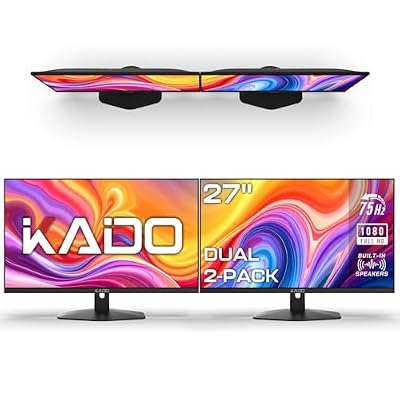
Kado 2-Pack Dual 27" Flat Screen 1920x1080 75Hz FHD Computer Monitor | HDMI Office Gaming Hybrid Desk Setup, VESA Wall Mount Arm Mount Built-in Speakers, Panoramic Display Multi-tasking

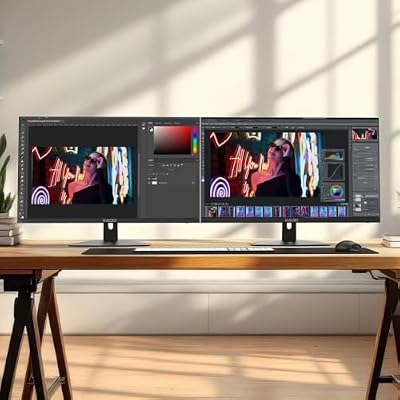


As an Amazon Associate we earn from qualifying purchases. Product prices and availability are accurate as of the date/time indicated.

Kado Dual Monitor 2-Pack 27" Curved 1500R 1920x1080 75Hz Computer Monitor | Dual Monitor Setup HDMI Office Gaming Hybrid, VESA Wall Mount Arm Mount Built-in Speakers, Panoramic Display Multi-tasking

As an Amazon Associate we earn from qualifying purchases. Product prices and availability are accurate as of the date/time indicated.

ViewSonic VA2456A-MHD_H2 24 Inch 1080p IPS Monitor, 120Hz, Dual Pack | Head-Only 2-Pack, Frameless, VESA Mountable, Eye Care, HDMI, DisplayPort, VGA, Home Office, Dual Monitor Setup, PC, Mac


As an Amazon Associate we earn from qualifying purchases. Product prices and availability are accurate as of the date/time indicated.

Kado 2-Pack Dual 27" Flat Screen 1920x1080 75Hz FHD Computer Monitor | Dual Monitor Setup HDMI Office Gaming Hybrid, VESA Wall Mount Arm Mount Built-in Speakers, Panoramic Display Multi-tasking


As an Amazon Associate we earn from qualifying purchases. Product prices and availability are accurate as of the date/time indicated.
| Product | Best for | Key spec from the title |
|---|---|---|
| Kado 27 inch curved 2-pack | Immersive side-by-side work | 1500R curve, 1920×1080, 75Hz |
| Kado 27 inch flat 2-pack | Spreadsheets and photo work | Flat screen, 1920×1080, 75Hz |
| Kado 24 inch flat 2-pack | Small desks | 24 inch, 1920×1080, 75Hz, built-in speakers |
| Kado 24 inch curved 2-pack | Close-up viewing on a shallow desk | 24 inch, 1500R curve, 75Hz |
| ViewSonic VA2456A-MHD_H2 pair | Smooth motion and wired flexibility | 24 inch IPS, 120Hz, HDMI, DisplayPort, VGA |
How to Choose
Pick the size by desk depth, not by wishful thinking
Two 27 inch panels need roughly 48 inches of clear desk width and about 24 inches of depth to sit comfortably. Measure first with a tape, because a pair that overhangs the desk edges forces you to turn your head all day. Two 24 inch panels fit on a 40 inch desk without crowding your elbows. If your desk is shallower than 24 inches, a 24 inch pair is the safer pick, because your eyes should sit at least an arm’s length from the glass.
Refresh rate and panel type
For office work, 60Hz is fine. A 75Hz screen smooths scrolling and cursor movement slightly, and 120Hz, as listed on the ViewSonic pair, is a clear step up for fast games and mouse motion. IPS panels, which the ViewSonic title specifies, hold their colors from side angles, which is helpful when two screens sit at a slight angle to each other. Curved VA panels trade viewing angle for contrast. If you plan to share the screens with a coworker standing behind you, the wider angles of IPS are the safer bet. Treat any speed claim as a headline number and focus on the refresh rate and panel type, which you can verify.
Ports and cables for two screens
Count the outputs on your graphics card or laptop before you buy. HDMI is the common denominator, DisplayPort adds higher refresh headroom, and VGA is legacy only. Two monitors need two video outputs, or a dock. Check that the cable length reaches both screens, and note that built-in speakers on a monitor are typically basic and shared across two units, so you will probably want a desktop speaker or headset anyway. If you are connecting from a laptop with a single HDMI port, a small USB-C hub with a second video output is a better fix than a cheap splitter, which only mirrors the picture.
Mounting and where budget pairs cut corners
All five listings mention VESA mounting, which lets you drop the stands and hang the pair on an arm. Budget monitors tend to cut corners on stand adjustability, so many only tilt and cannot raise or swivel. Resolution is the other compromise: 1080p stretched across 27 inches looks softer than 1080p on 24 inches, because pixel density drops. Ignore dynamic contrast ratios and response-time claims you cannot verify. A brightness figure rarely matters in a dim home office, but it does in a sunny room, so place the pair away from a bright window if you can.
The 5 Best Options
Kado 27 Inch Curved 1500R Two-Pack
This pair gives you two 27 inch curved screens at 1920×1080 and 75Hz, with HDMI input and VESA mounting. The 1500R curve wraps the edges toward your eyes, which many buyers prefer for long document sessions or when sitting close. Marketing for the line calls it an office and gaming hybrid, and the listing mentions built-in speakers for light multimedia use. Put the pair on an arm and the curve helps the two inner edges meet at a comfortable angle, so your head turns less when you move between windows.
- Strength: large screens and a gentle curve for a more enclosed feel.
- Strength: matched pair with VESA mounting for an arm.
- Trade-off: 1080p at 27 inches is less sharp than smaller screens of the same resolution.
Skip it if you need precise straight edges for layout or photo work, or if you plan to keep the pair tight against a wall where the curve wastes space.
Kado 27 Inch Flat Screen Two-Pack
The flat version of the same 27 inch pairing keeps the 1920×1080, 75Hz specification and the HDMI input, but drops the curve. Flat panels make straight lines look straight, which matters in spreadsheets, CAD windows, and any design work. It is also easier to place at an angle against its twin without the edges clashing. For a bookkeeper, analyst, or student juggling wide tables, two matching flat 27 inch screens give a lot of horizontal room for the money, and a single HDMI run per screen keeps the wiring simple.
- Strength: flat surface suits tables, grids, and drawings.
- Strength: same speakers, VESA mount, and 75Hz as the curved version.
- Trade-off: it still shares the lower pixel density of 1080p at 27 inches.
Skip it if you want an immersive, wraparound feel for gaming, or if your graphics output cannot drive two displays at once.
Kado 24 Inch Flat Two-Pack
Two 24 inch flat screens at 1920×1080 and 75Hz, with HDMI, built-in speakers, and VESA mounting. At this size, 1080p looks crisp, and the pair fits on a modest desk with room left over for a keyboard and notebook. It is the practical pick for dorm rooms, apartments, and secondary workstations. The flat shape also makes it a natural match if you later add a third matching screen, since mixed curves rarely line up neatly across a desk.
- Strength: compact footprint and denser pixels than the 27 inch models.
- Strength: flat panels keep lines straight.
- Trade-off: less screen area per monitor for wide spreadsheets or timelines.
Skip it if your desk is wide and you want a bigger canvas, because a 24 inch panel in a wide room can feel small.
Kado 24 Inch Curved 1500R Two-Pack
The smallest curved option here pairs two 24 inch screens with a 1500R curve, 1920×1080, and 75Hz. On a shallow desk, the curve brings the edges closer to your peripheral vision without needing much depth. Buyers moving up from a single laptop screen often find this the least intimidating way to try a dual display, and the speakers listed for the family cover video calls without any extra gear on the desk.
- Strength: curve helps when you sit close to the screens.
- Strength: small footprint on a shallow desk.
- Trade-off: a curve on a 24 inch screen is subtle, and it can distort straight lines near the edges.
Skip it if the two panels will sit at a sharp angle to each other, or if you work on drawings where edge distortion would bother you.
ViewSonic VA2456A-MHD_H2 Dual Pack
The only IPS pair on the list, with 24 inch 1080p panels, 120Hz, a frameless design, and an eye-care feature. The head-only two-pack means stands may not be included, so a VESA arm or separate stands are part of the plan. It offers HDMI, DisplayPort, and VGA, giving the widest connection choice here. That makes it friendly to older office PCs that still have a VGA port, and to newer graphics cards that favor DisplayPort for higher refresh rates.
- Strength: 120Hz refresh rate is the fastest listed.
- Strength: IPS panel and three video inputs for flexible wiring.
- Trade-off: head-only packaging means you must supply mounting hardware.
Skip it if you want a ready-to-sit stand and built-in speakers, or if you would rather not buy mounting hardware separately.
Which One Fits Your Situation
A student on a narrow dorm desk
The Kado 24 inch flat pair gives two crisp screens in a small footprint, with built-in speakers to skip the extra purchase. Mount them on a clamp arm if the desk is shallow, and the pair will leave room for a laptop.
A gamer who also works from home
The ViewSonic VA2456A-MHD_H2 pair is the better fit, thanks to 120Hz and IPS panels, as long as you already own or plan to buy an arm. Run DisplayPort from the graphics card to one screen and HDMI to the other, and save the fast refresh for the game window.
Someone who lives in spreadsheets
Go with the Kado 27 inch flat pair for the larger area and straight lines. Rotating neither panel keeps the layout simple, and the extra width helps when you compare two columns of figures at once.
A movie and multitasking setup
The Kado 27 inch curved pair suits sitting close and watching video on one screen while chatting on the other. The curve makes the screen edges feel closer when you lean back on a sofa-style chair or a deep desk.
Common Mistakes
- Assuming one video output can drive two monitors without a dock or a second port.
- Buying 27 inch panels for a desk that is too shallow, then sitting too close.
- Expecting built-in speakers to replace a proper headset or desktop speakers.
- Forgetting that a head-only pack may ship without stands.
- Mixing a curved and a flat screen in one pair by accident when buying separately, which leaves the desk looking lopsided.
- Leaving the desk depth unmeasured and finding out the stands push the panels too close.
Related guides
- Usb C Kvm Switch For Two Laptops And Two Monitors
- Vertical Laptop Stand For Dual Laptop Desk Setup
- Nvme Enclosure With Active Cooling For Mac Mini
Frequently Asked Questions
Are 75Hz monitors worth it over 60Hz?
For office work the difference is small but noticeable in scrolling. For gaming, 120Hz is the more meaningful upgrade, though your graphics card must be able to supply that many frames to both screens.
Can I run two monitors from one laptop?
Many laptops can, using HDMI plus USB-C or Thunderbolt video output. Check your laptop’s port list first, and confirm which ports carry video, since some USB-C connectors do not.
Is a curved monitor better for work?
It depends on size and distance. Curves help on larger, closer screens; flat panels are better for straight-line work. Many buyers find that a curve on 24 inch screens is barely noticeable.
Should I buy a dual arm for these?
If desk space is tight, yes. All five are VESA mountable, so an arm clears the surface and lets you align the tops of both screens. Confirm the arm’s weight limit and the 75×75 or 100×100 pattern on the back of each panel before ordering.