Sit at your desk and measure the distance from your eyes to the wall. If it is around two feet, a 27-inch panel is about as large as you can take in without turning your head, which is why this size has become the default for home offices and gaming setups alike. With a ceiling of under 300 dollars, the real decision is not size but resolution: stay with 1920×1080 and spend the savings on refresh rate, or step up to 2560×1440 for sharper text.
This guide is for people replacing an older 24-inch screen, building a first gaming desk, or setting up a work-from-home monitor that also handles weekend shooters. Heading into 2026, nearly every 27-inch model in this bracket offers 100Hz or more, so the differences come down to panel type, ports, stand adjustability, and whether speakers are built in. Each entry below leans on the specs in its listing, nothing more.
Quick Picks

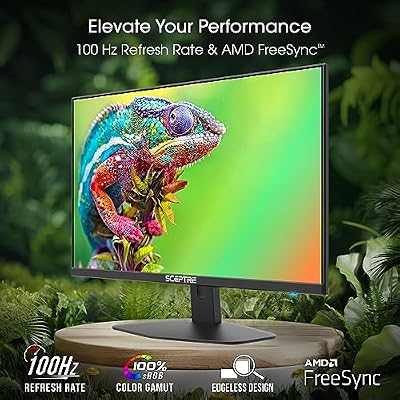
Sceptre 27-inch Prime Gaming Monitor 100Hz 1ms DisplayPort HDMI x2 100% sRGB AMD FreeSync Build-in Speakers, Eye Care Frameless Machine Black 2025 (E275W-FW100T Series)


As an Amazon Associate we earn from qualifying purchases. Product prices and availability are accurate as of the date/time indicated.

New! Sceptre 27-inch Prime Gaming Monitor DisplayPort x2 180Hz HDMI x2 180Hz Build-in Speakers, Machine Black 2027 (E275B-FW180T Series)


As an Amazon Associate we earn from qualifying purchases. Product prices and availability are accurate as of the date/time indicated.

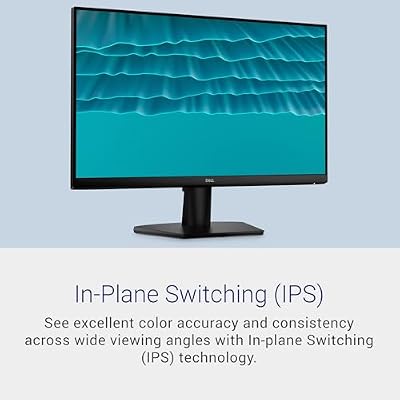
Dell 27 Monitor - SE2726H - 27-inch FHD (1920x1080) 144Hz 1ms Display, in-Plane Switching (IPS) Technology, AMD FreeSync™, TÜV 3-Star 2X HDMI, Tilt






As an Amazon Associate we earn from qualifying purchases. Product prices and availability are accurate as of the date/time indicated.

Acer 27in FHD 1920x1080 IPS 120Hz Gaming Monitor | Office KB272 G0bi | 1ms, AdaptiveSync, sRGB 99%, HDMI, VGA, VESA Mountable, Bluelight Filter


As an Amazon Associate we earn from qualifying purchases. Product prices and availability are accurate as of the date/time indicated.

Dell 27 Plus Monitor - S2725HSM - 27-inch FHD (1920x1080) 144Hz 1ms Display, 2 x 3W Speakers, HDMI Connectivity, Height/Tilt/Pivot/Swivel Adjustability, AMD FreeSync - Ash White


As an Amazon Associate we earn from qualifying purchases. Product prices and availability are accurate as of the date/time indicated.

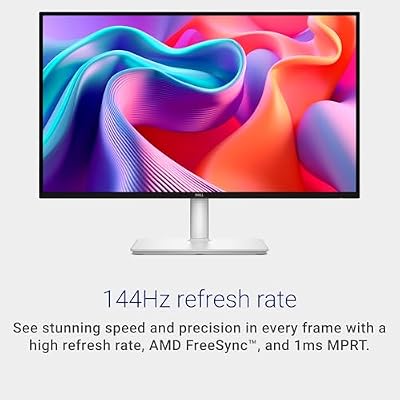
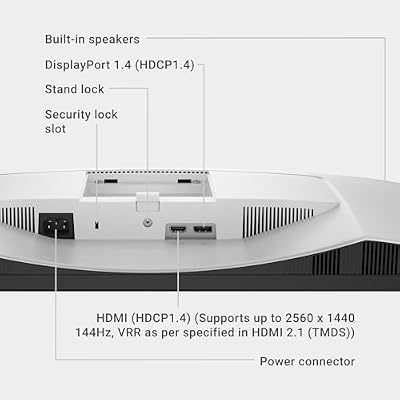
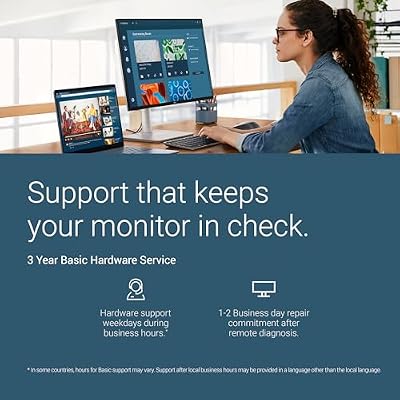
Dell 27 Plus QHD Monitor - S2725DSM - 27-inch QHD (2560x1440) 144Hz 1ms Display, 2 x 3W Speakers, HDMI/DisplayPort 1.4 Connectivity, Height/Tilt/Pivot/Swivel Adjustability, AMD FreeSync - Ash White







As an Amazon Associate we earn from qualifying purchases. Product prices and availability are accurate as of the date/time indicated.

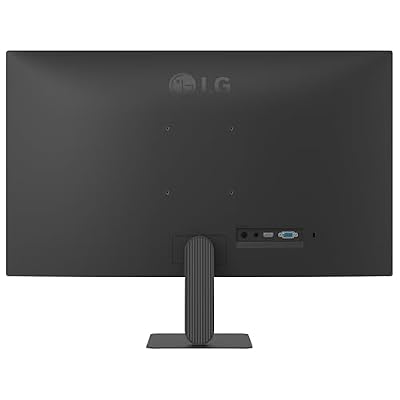
LG 27U411A-B 27-inch Full HD (1920 x 1080) IPS Computer Monitor, 120Hz, HDR10, Reader Mode, Flicker Safe, HDMI, Slim Stand Base, Black




As an Amazon Associate we earn from qualifying purchases. Product prices and availability are accurate as of the date/time indicated.

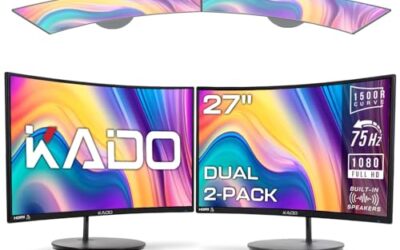
New! Sceptre Curved 27-inch Prime Gaming Monitor DisplayPort x2 180Hz HDMI x2 180Hz 1500R 1ms Build-in Speakers, Machine Black 2027 (C275B-FW180T Series)


As an Amazon Associate we earn from qualifying purchases. Product prices and availability are accurate as of the date/time indicated.

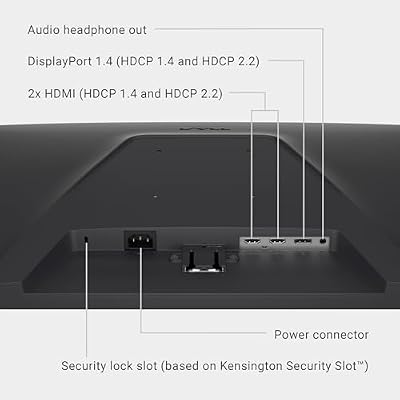
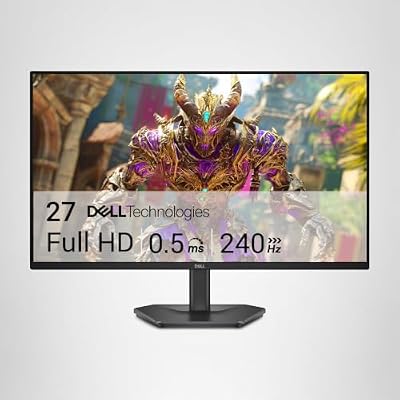
Dell 27 240Hz Gaming Monitor - SE2726HG - 27-inch FHD (1920x1080) Display, in-Plane Switching (IPS) Technology, AMD FreeSync Premium, TÜV 3-Star, 2X HDMI, DisplayPort 1.4, Tilt




As an Amazon Associate we earn from qualifying purchases. Product prices and availability are accurate as of the date/time indicated.

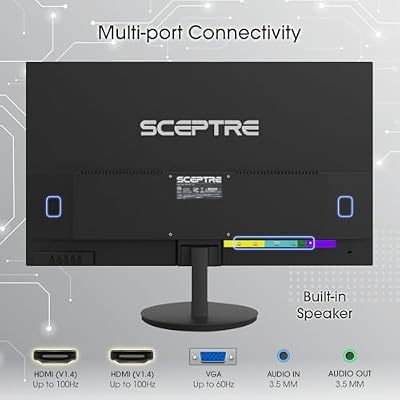
Sceptre E275W-19203R 27 inch1080P LED Monitor 99% sRGB 2X HDMI VGA Build-In Speakers, Machine Black (E275W-19203R series)



As an Amazon Associate we earn from qualifying purchases. Product prices and availability are accurate as of the date/time indicated.
| Product | Best for | Key spec |
|---|---|---|
| Sceptre 27″ Prime 100Hz | Entry gaming and office work | 100Hz, 1ms, 100% sRGB |
| Sceptre 27″ Prime 180Hz | Fast-paced games on a budget | 180Hz, 2x DisplayPort, 2x HDMI |
| Dell SE2726H | Mixed use with IPS color | FHD IPS, 144Hz, FreeSync |
| Acer KB272 G0bi | Home office with older ports | IPS 120Hz, HDMI, VGA, VESA |
| Dell S2725HSM | Adjustable stand and speakers | FHD 144Hz, 2x 3W speakers |
| Dell S2725DSM | Sharper text and games | QHD 2560×1440, 144Hz |
| LG 27U411A-B | Reading and spreadsheets | IPS 120Hz, HDR10, Flicker Safe |
| Sceptre Curved 27″ 180Hz | Immersive curved gaming | 1500R curve, 180Hz |
| Dell SE2726HG | Competitive shooters | 240Hz, FreeSync Premium, IPS |
| Sceptre E275W | Plain, low-cost second screen | 1080P, 99% sRGB, HDMI, VGA |
How to Choose
Resolution and Pixel Density
At 27 inches, 1920×1080 works out to roughly 82 pixels per inch, which looks serviceable for games but slightly soft for small text. A 2560×1440 panel pushes that near 109 pixels per inch, a visible improvement for documents and image work. If your graphics card is modest, pick 1080p and use the headroom for higher frame rates; a stronger card justifies the move to QHD.
Refresh Rate and Response
Anything from 100Hz to 144Hz is a clear step up from a 60Hz office screen, while 180Hz and 240Hz help mostly in fast competitive shooters. A 1ms figure is usually measured in a best-case mode, so do not treat it as a promise. Confirm that a variable refresh technology such as FreeSync or Adaptive Sync is listed, and that your graphics card supports it over the cable you plan to use.
Panel Type and Color
IPS panels hold color better at an angle, which matters when you share the screen or sit off-center. Look for sRGB coverage of at least 99 percent if you edit photos casually. Budget models cut corners on contrast, backlight uniformity, and factory calibration, so a flicker-free backlight and a bluelight setting are the more practical features for long sessions.
Ports, Stand, and Extras
Count the inputs you need before you fall for a spec sheet: HDMI for consoles and laptops, DisplayPort for high refresh from a desktop, VGA only if you have legacy gear. A stand that tilts is common, but height, pivot, and swivel adjustment make a bigger ergonomic difference. Built-in speakers are convenient but rarely good; treat them as a backup, and ignore marketing terms that do not state a number. A matte coating also reduces glare from windows, which can matter more to daily comfort than a spec-sheet extra.
The 10 Best Options
Sceptre 27″ Prime 100Hz
Aimed at buyers who want a no-fuss entry into higher refresh rates. The listing names 100Hz, 1ms, DisplayPort, two HDMI inputs, 100% sRGB, AMD FreeSync, built-in speakers, and a frameless design.
- Strength: Three video inputs cover a desktop, a console, and a laptop.
- Strength: Listed 100% sRGB coverage supports casual photo work.
- Trade-off: 100Hz is the lowest refresh rate among the gaming-oriented picks.
Skip it if you want 144Hz or higher for fast shooters. It fits a general-use desk where gaming is occasional. The frameless look also helps if you plan to place it beside a laptop, and having a DisplayPort alongside the HDMI inputs leaves room to grow into a stronger graphics card later.
Sceptre 27″ Prime 180Hz
For gamers who want a higher ceiling without leaving the budget. The listing shows two DisplayPort and two HDMI connections at 180Hz, plus built-in speakers.
- Strength: 180Hz over both connection types gives flexibility.
- Strength: Four video inputs suit multiple devices.
- Trade-off: Title gives no panel type or resolution detail.
Skip it if panel type is a priority. Check the full spec page before deciding. The appeal is raw refresh rate and input count: a desktop on DisplayPort, a console on HDMI, and a laptop on the second HDMI port can all stay connected at once without swapping cables.
Dell SE2726H
A strong candidate for a mixed home-office and gaming desk. The listing names a 27-inch FHD IPS display at 144Hz with 1ms response, AMD FreeSync, two HDMI ports, and a tilt stand.
- Strength: IPS technology keeps color consistent from different seats.
- Strength: 144Hz is a comfortable step above office-grade screens.
- Trade-off: Only tilt adjustment is mentioned, with no height setting.
Skip it if you need a stand that rises or pivots. A cheap monitor arm can solve that. Because the listing stresses IPS and FreeSync, it suits someone who games a few evenings a week and spends the rest of the day in browser tabs, where consistent color matters more than extra frames.
Acer KB272 G0bi
Fits an office that still has legacy connections. The listing gives FHD 1920×1080 IPS, 120Hz, 1ms, AdaptiveSync, sRGB 99%, HDMI, VGA, VESA mounting, and a bluelight filter.
- Strength: VGA and HDMI cover both older and newer machines.
- Strength: VESA support allows an arm or wall mount.
- Trade-off: No DisplayPort is listed.
Skip it if you need DisplayPort for high refresh from a desktop card. Its sRGB figure and bluelight filter make it a sensible fit for a long workday, and VESA mounting lets you lift the panel off the desk if surface space is tight.
Dell S2725HSM
Built for desks that need ergonomics. It lists FHD at 144Hz with 1ms, two 3W speakers, HDMI, and height, tilt, pivot, and swivel adjustability.
- Strength: Full stand adjustment is rare in this bracket.
- Strength: Speakers mean one less cable.
- Trade-off: HDMI only, so no DisplayPort is listed.
Skip it if you want a second DisplayPort for a desktop and a laptop. The pivot option is handy for reading long documents or code in portrait, and the built-in speakers keep a small desk free of extra gear.
Dell S2725DSM
For buyers ready to step to QHD. The listing includes 2560×1440 at 144Hz with 1ms, 2x 3W speakers, HDMI and DisplayPort 1.4, and an adjustable stand.
- Strength: Higher resolution makes text noticeably cleaner.
- Strength: DisplayPort 1.4 supports high refresh at QHD.
- Trade-off: QHD demands more from your graphics card.
Skip it if your PC is entry level and you want a safe 1080p frame rate. Also confirm that your cable can carry the signal: DisplayPort 1.4 is listed, so use it for 144Hz at 1440p rather than assuming any HDMI cable will do. For many desks, this is the all-purpose upgrade.
LG 27U411A-B
Suited to documents, spreadsheets, and browsing. The title lists FHD IPS, 120Hz, HDR10, Reader Mode, Flicker Safe, HDMI, and a slim stand base.
- Strength: Flicker Safe and Reader Mode target eye comfort.
- Strength: IPS panel with a slim stand saves desk depth.
- Trade-off: Only HDMI is listed.
Skip it if you need DisplayPort or a competitive gaming refresh rate. It is the calm, low-glare choice for writers, students, and spreadsheet-heavy jobs, and the slim stand base leaves more room for a keyboard and notebook.
Sceptre Curved 27″ 180Hz
For players who enjoy a wraparound feel. The listing mentions two DisplayPort and two HDMI inputs at 180Hz, a 1500R curve, 1ms response, and built-in speakers.
- Strength: The 1500R curve gives a more immersive view.
- Strength: Multiple inputs at 180Hz.
- Trade-off: Curved panels can distort straight lines for design work.
Skip it if you do precise layout or CAD tasks. If you do like the idea of a curve, sit centered and about arm’s length away to see the benefit; off-axis viewing wastes the effect.
Dell SE2726HG
The choice for those chasing frame rates. It lists FHD IPS at 240Hz, AMD FreeSync Premium, and two HDMI ports.
- Strength: 240Hz is the highest refresh rate in this group.
- Strength: IPS color with FreeSync Premium.
- Trade-off: Your graphics card must push frames to use it.
Skip it if you mostly use office software. Plan on checking that your graphics card can sustain well above 144 frames per second in the games you play, otherwise the extra refresh rate goes unused, and make sure the cable supports the mode you want.
Sceptre E275W
A plain second screen for email and reference windows. The title lists a 27-inch 1080P LED panel, 99% sRGB, two HDMI inputs, VGA, and built-in speakers.
- Strength: HDMI and VGA suit mixed old and new gear.
- Strength: Simple spec list with built-in audio.
- Trade-off: No gaming refresh rate is listed.
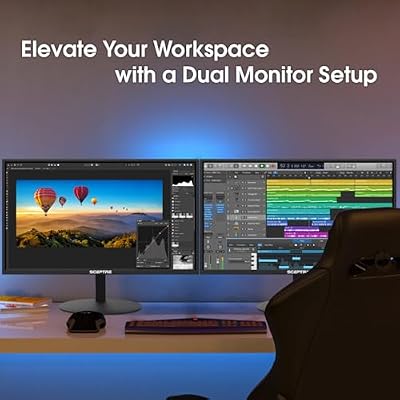
Skip it if you want smooth motion in games. It also works as a basic secondary display beside a laptop or as a spare monitor in a guest room, where plain functionality beats features you would never switch on.
Which One Fits Your Situation
A Console and PC Sharing One Screen
The Sceptre 27″ Prime 180Hz offers two DisplayPort and two HDMI inputs, so both devices stay plugged in.
Spreadsheets All Day
The Dell S2725DSM gives sharper QHD text, and the LG 27U411A-B is the easier-on-the-eyes pick for long reading sessions.
Competitive Shooters
Take the Dell SE2726HG for its 240Hz ceiling, provided your graphics card can match it. Players on a modest graphics card will get more from a 144Hz panel at sharper settings.
A Shared Family Desk
The Dell S2725HSM adjusts for height and pivot, so everyone from a teenager to a parent can sit comfortably.
Common Mistakes
- Plugging a high-refresh monitor in with the wrong cable and staying at 60Hz.
- Forgetting to enable the refresh rate in the operating system settings.
- Choosing QHD without checking whether the graphics card can drive it.
- Counting on built-in speakers for music.
- Buying a curved monitor for precise design work.
Related guides
- Usb C Kvm Switch For Two Laptops And Two Monitors
- Vertical Laptop Stand For Dual Laptop Desk Setup
- Nvme Enclosure With Active Cooling For Mac Mini
Frequently Asked Questions
Is 27 inches too big for 1080p?
It is usable, but text looks softer than on QHD. Many buyers accept that for higher frame rates, and sitting a bit farther back softens the effect. If you read code or small print all day, lean toward the QHD option instead.
Do I need DisplayPort?
For the highest refresh rates from a desktop graphics card, DisplayPort is often the safer path. HDMI works well for consoles and laptops, but confirm the version, since older HDMI ports can cap the refresh rate below what the panel supports.
Is a curved screen better?
It depends on taste. Curves can feel immersive in games but are less suited to straight-edged work.
Are built-in speakers enough?
They are fine for system sounds and video calls. For music and games, headphones or desk speakers are a better choice, and a small USB speaker bar costs little and adds far more body to the sound.