Putting a webcam in the monitor bezel appeals to anyone tired of clipping a camera on top of the screen and untangling a second USB cable before every call. The catch is that you are buying two things at once, a display and a camera, and budget models usually favor one at the expense of the other. With a cap of under 300 dollars, the question is whether you want a pure meeting monitor with modest pixels, or a larger QHD or 4K panel with a pop-up camera.
This guide is for remote workers, teachers, and small-office setups looking at 2026 upgrades. It covers nine monitors with built-in cameras, ranging from 24-inch 1080p business panels to a 27-inch 4K model. A standalone Lenovo webcam also appeared in the shortlist, but it is an accessory, not a monitor, so it is left out.
Quick Picks

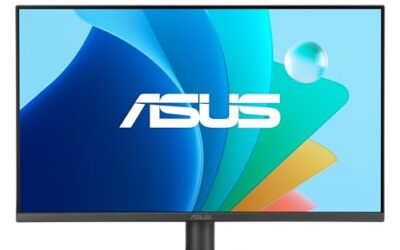
ASUS BE24EQK 24 Inch 1080P Computer Monitor, Webcam, HDMI, DisplayPort, VGA | Full HD IPS, Eye Care, 2MP Webcam, Mic Array, Stereo speaker, Video Conference, VESA Wall Mount, EPEAT, Ergonomic


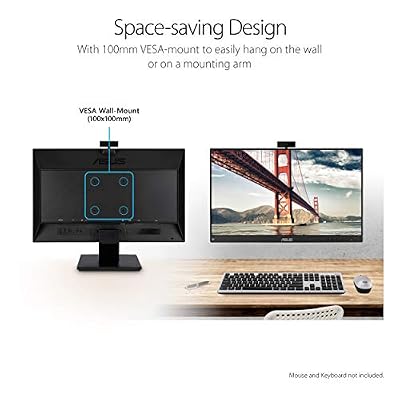
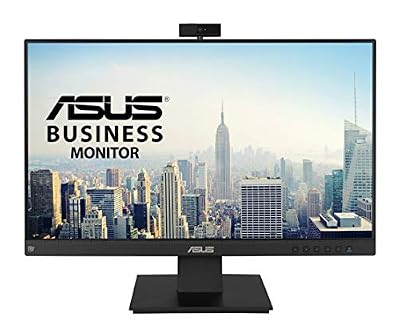


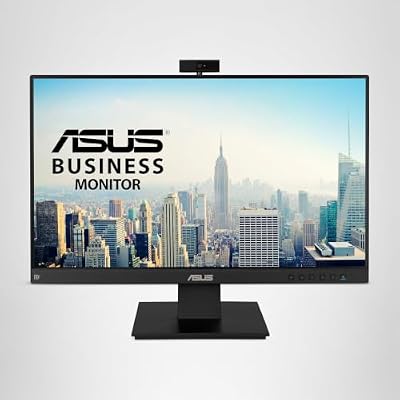
As an Amazon Associate we earn from qualifying purchases. Product prices and availability are accurate as of the date/time indicated.

ASUS BE279QSK 27 Inch 1080P FHD Computer Monitor, Webcam, HDMI, DisplayPort | Full HD, IPS, VGA, Built-in 2MP Webcam, Mic Array, Speakers, Eye Care, VESA Wall Mount, Frameless, Height Adjustable, EPEAT


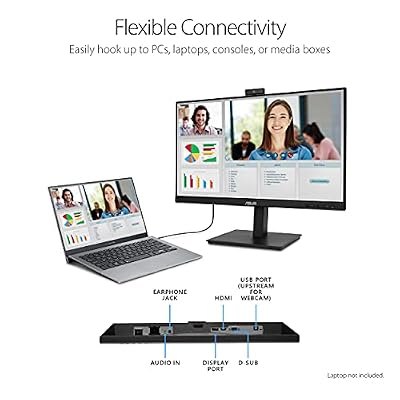


As an Amazon Associate we earn from qualifying purchases. Product prices and availability are accurate as of the date/time indicated.

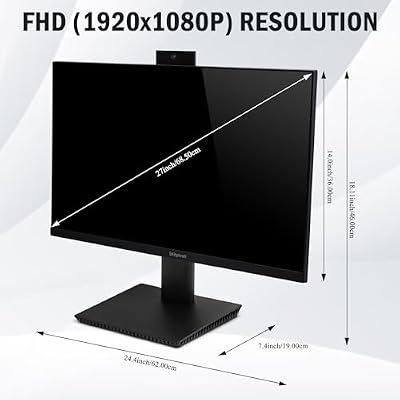
SKitphrati 27'' Business Webcam Monitor, 1080P IPS 120HZ, Video Conference Monitor - Built-in Adjustable 3MP Webcam, Mic Array, Speakers, Eye Care, Frameless, HDMI, DisplayPort, VGA, USB 2.0



As an Amazon Associate we earn from qualifying purchases. Product prices and availability are accurate as of the date/time indicated.
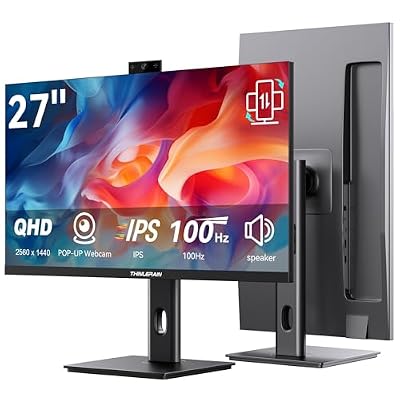
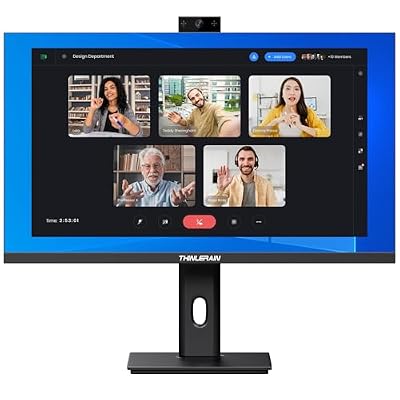
Thinlerain 27 Inch Monitor with Pop-Up Webcam - 2K 2560 x 1440 IPS Computer Monitor, 100Hz Vertical Gaming PC Screen, Built-in 3MP Webcam & Microphone, HDMI, DisplayPort, Display for Office Home Work


As an Amazon Associate we earn from qualifying purchases. Product prices and availability are accurate as of the date/time indicated.

CUNPU 27" Monitor with Camera, 5MP Webcam QHD Monitor with Mic & Speakers | 5MP Camera, Pop-up Webcam, Mic & Speakers, Height Adjustment, Swivel Pivot Adjustable, QHD 1440P, 120Hz, Video Conferencing


As an Amazon Associate we earn from qualifying purchases. Product prices and availability are accurate as of the date/time indicated.
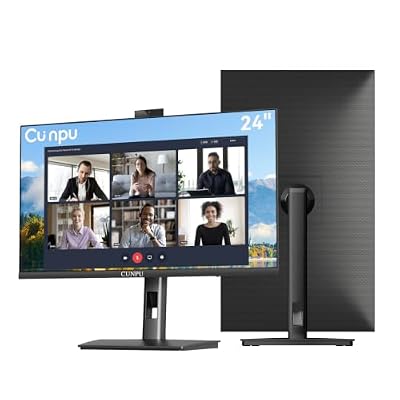
CUNPU 24" Monitor with Camera, 5MP Webcam FHD Monitor with Mic & Speakers | 5MP Camera, Pop-up Webcam, Mic & Speakers, Height Adjustment, Swivel Pivot Adjustable, QHD 1440P, 120Hz, Video Conferencing


As an Amazon Associate we earn from qualifying purchases. Product prices and availability are accurate as of the date/time indicated.

Acer 24" 1080P IPS Conferencing Monitor, Adjustable Height/Swivel/Tilt | FHD Webcam, AMD Free Sync, Built-in Speakers, 75Hz Refresh Rate, Anti-Glare, VESA Mount (100mm), HDMI/VGA & DKZ USB Expander


As an Amazon Associate we earn from qualifying purchases. Product prices and availability are accurate as of the date/time indicated.

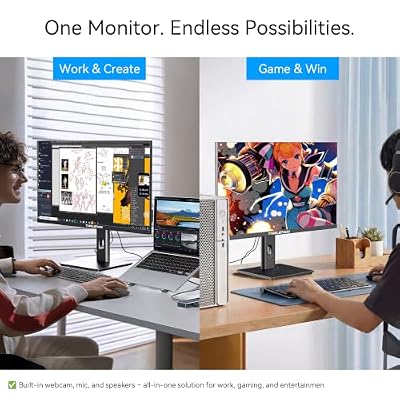
Thinlerain 27 Inch 4K Monitor with Webcam - 160Hz UHD 3840x2160 IPS Vertical Gaming Monitor with Pop-Up 3MP Webcam, Speakers & Microphone, HDMI/DP/USB-C, VESA, for Gaming Design Home Office


As an Amazon Associate we earn from qualifying purchases. Product prices and availability are accurate as of the date/time indicated.

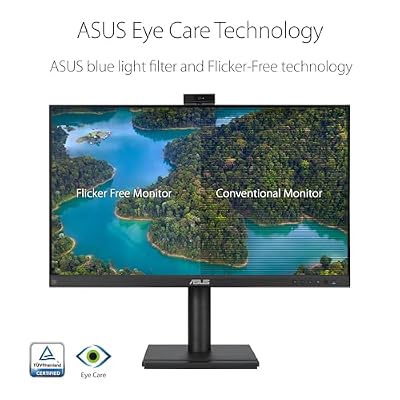
ASUS BE249QFK 24 Inch 1080P FHD Computer Monitor, Webcam, HDMI, DisplayPort | IPS, FHD 100Hz, Frameless, VGA, Mic Array, Speakers, Height Adjustable, Ergonomic, Eye Care, VESA Wall Mount, EPEAT Gold




As an Amazon Associate we earn from qualifying purchases. Product prices and availability are accurate as of the date/time indicated.
| Product | Best for | Key spec from the title |
|---|---|---|
| ASUS BE24EQK | Compact meeting desks | 24 inch 1080p IPS, 2MP webcam |
| ASUS BE279QSK | Larger office screens | 27 inch 1080p IPS, 2MP webcam |
| SKitphrati 27-inch Business Monitor | Smooth motion on calls | 1080p IPS, 120Hz, adjustable 3MP webcam |
| Thinlerain 27-inch 2K | Sharper text with portrait use | 2560 x 1440, 100Hz, 3MP pop-up webcam |
| CUNPU 27-inch QHD | Highest camera resolution | 5MP pop-up webcam, QHD |
| CUNPU 24-inch FHD | Small desk, sharp camera | 5MP pop-up webcam, FHD |
| Acer 24-inch Conferencing Monitor | Ergonomic adjustment | 75Hz, FreeSync, height/swivel/tilt |
| Thinlerain 27-inch 4K | Creative work plus calls | 3840 x 2160, 160Hz, 3MP pop-up webcam |
| ASUS BE249QFK | Frameless multi-monitor rows | 24 inch, 100Hz, height adjustable |
How to Choose
Webcam resolution: 2MP is the floor, not the ceiling
A 2MP camera corresponds to 1080p video, which is perfectly fine for Teams or Zoom. Listings with 3MP or 5MP cameras offer more detail, but your conferencing software and bandwidth often compress video well below that, so resolution matters less than lighting and placement. Pop-up designs also add a privacy benefit, because the lens retracts into the bezel.
Screen resolution and size should match your viewing distance
At 24 inches, 1080p looks sharp from an arm’s length away. At 27 inches the same resolution begins to look soft, and 1440p (2560 x 1440) is the comfortable minimum for text-heavy work. 4K at 27 inches gives crisp text but needs a graphics output that can drive it, along with a cable that supports the refresh rate.
Connections and refresh rate
Look for HDMI or DisplayPort for a modern laptop, and note that several models here still carry VGA, useful only for older office hardware. A 60 to 75Hz panel is plenty for calls and documents; 100Hz and above make cursor movement smoother but only help if your computer outputs it.
Microphone and speaker quality
Mic arrays and built-in speakers are convenient but rarely replace a headset in a noisy room. Treat them as a backup, and check that the monitor is not only a webcam but also includes a stand with height adjustment, since a camera fixed too low produces an unflattering angle.
The 9 Best Options
ASUS BE24EQK
A 24-inch 1080p IPS monitor with a 2MP webcam, mic array, stereo speakers, HDMI, DisplayPort, and VGA. It looks like a straightforward business monitor with video conferencing built in.
- The IPS panel offers consistent color from different viewing angles.
- Connections cover modern and legacy sources, including VGA.
- Trade-off: the title does not list a high refresh rate or QHD resolution.
It suits a small home office or a shared meeting desk where calls matter more than gaming. The eye care mention points to flicker and blue-light features aimed at long workdays. Skip it if you want a larger display or a pop-up privacy shutter, because this camera is a fixed one in the bezel. It also leaves out any gaming-oriented refresh rate in its title.
ASUS BE279QSK
The 27-inch sibling keeps the 1080p IPS panel, 2MP webcam, mic array, and speakers, with HDMI, DisplayPort, and VGA inputs.
- A larger panel gives more room for side-by-side windows.
- It keeps the same conferencing-first feature set as the smaller model.
- Trade-off: 1080p stretched across 27 inches looks softer than the QHD and 4K models here.
It fits office managers and administrators who want a bigger screen without spending on higher resolution. Spreadsheets and email look fine, though small text will not feel crisp. Reception desks, clinics, and shared admin stations are the kind of place where the extra width helps more than extra pixels would. Skip it if you edit photos or want sharp text up close, because a QHD panel in the same size class fixes that.
SKitphrati 27-Inch Business Webcam Monitor
A 27-inch 1080p IPS monitor with a 120Hz refresh rate, a built-in adjustable 3MP webcam, a mic array, and speakers. It is tuned for video conferencing but with faster motion than typical office panels.
- The 120Hz refresh rate makes scrolling and cursor movement noticeably fluid.
- An adjustable 3MP webcam lets you tilt the angle rather than fixing it.
- Trade-off: it comes from a lesser-known brand, so support is harder to judge.
It suits people who want a conferencing monitor that also handles casual gaming. The jump from 2MP to 3MP gives extra detail on video, and the faster panel keeps window dragging smooth during screen sharing. A freelancer who splits the day between client calls and light gaming gets the most from this mix. Skip it if you care about brand reputation or need QHD sharpness.
Thinlerain 27-Inch 2K Monitor with Pop-Up Webcam
This 27-inch 2560 x 1440 IPS monitor runs at 100Hz and includes a 3MP pop-up webcam and a microphone. The title also calls it a vertical gaming screen, hinting at portrait rotation.
- QHD resolution is a sweet spot for 27-inch text clarity.
- The pop-up camera hides when you are not on a call.
- Trade-off: the title mentions gaming rather than an ergonomic stand, so check height range before buying.
It fits coders, writers, and anyone who wants long documents in portrait mode and a camera that disappears. A vertical monitor next to a landscape one is a popular arrangement for developers, because you see more lines of code without scrolling. The 3MP camera adds a bit more detail than the 2MP bezel cameras on the ASUS models. Skip it if you need a classic business-style monitor with a plain look, or if you plan to mount it on a wall arm and never touch the stand.
CUNPU 27-Inch Monitor with 5MP Camera
A 27-inch QHD monitor with a 5MP pop-up webcam, mic, speakers, height adjustment, swivel, and pivot.
- 5MP is the highest camera resolution on this list.
- Height, swivel, and pivot adjustments place the camera at eye level.
- Trade-off: a very high camera resolution depends on your meeting software to benefit.
It suits people who present often, such as tutors and consultants who want the picture to look sharp on the other end. The QHD panel supports comfortable reading, and the pivot stand lets you rotate the screen for documents or slide decks when you are not on camera. Because the lens pops up, it also helps in shared homes where you want visible proof the camera is off. Skip it if you rarely use video, since that camera would be wasted, or if your meeting platform caps video quality anyway.
CUNPU 24-Inch Monitor with 5MP Camera
The smaller CUNPU swaps to a 24-inch FHD panel but keeps the 5MP pop-up webcam, mic and speakers, and an adjustable stand with height, swivel, and pivot.
- A 24-inch 1080p panel looks sharp at desk distance.
- Pop-up camera retracts out of sight when idle.
- Trade-off: the screen area is limited for multitasking.
It is the choice for a tight desk where camera detail still matters, such as a remote tutor or telehealth setup where the face on the other end needs to be clear. One neat detail is that the swivel and pivot support let you angle the screen toward a student or a second person. It is also easy to fit into a bedroom or dorm desk. Skip it if you want a bigger work area or higher resolution for multitasking.
Acer 24-Inch Conferencing Monitor
A 24-inch 1080p IPS monitor with an FHD webcam, AMD FreeSync, built-in speakers, a 75Hz refresh rate, and an anti-glare finish. The stand adjusts for height, swivel, and tilt.
- The anti-glare surface helps in rooms with windows behind the screen.
- Three-way stand adjustment places the camera correctly.
- Trade-off: 75Hz is the lowest refresh rate on the list.
It suits a conventional office or classroom where a recognizable brand and a flexible stand matter. FreeSync is a bonus if the same computer occasionally runs games, and the built-in speakers cover quick calls without a headset. Schools, clinics, and open-plan offices tend to prefer a familiar name and a stand that adjusts without tools. Skip it if you want a high-refresh display, since 75Hz is the lowest figure among these nine.
Thinlerain 27-Inch 4K Monitor with Webcam
The most spec-heavy listing: a 27-inch 3840 x 2160 IPS panel at 160Hz with a pop-up 3MP webcam, speakers, microphone, and HDMI, DisplayPort, and USB connections.
- 4K resolution produces very sharp text and detailed images.
- The 160Hz refresh rate suits gaming as well as work.
- Trade-off: driving 4K at a high refresh rate demands a capable graphics card.
It fits creators who also take calls, and gamers who need a built-in camera for streaming or squad chat without adding a clip-on device. The USB and HDMI/DP inputs make it easy to share between a desktop and a laptop. Skip it if you run an older laptop or integrated graphics that cannot output the signal, because the panel will fall back to a lower refresh rate or resolution.
ASUS BE249QFK
A 24-inch 1080p IPS monitor with a 100Hz refresh rate, a frameless design, webcam, mic array, speakers, VGA, and height adjustment.
- Frameless edges look tidy when two monitors sit side by side.
- 100Hz adds fluidity over the standard 60Hz office panel.
- Trade-off: it is a modest panel resolution for the money.
It suits a dual-monitor desk where uniform thin edges matter and a stand with height adjustment is non-negotiable, such as a call-center bench or a classroom lab. The camera sits in the slim frame, so no extra desk gear is needed. Skip it if you want QHD, a pop-up lens cover, or an easy upgrade path to higher resolution, since this is a standard 1080p panel at heart.
Which One Fits Your Situation
You live on video calls all day in a small room
The CUNPU 24-inch gives a high-resolution camera in a compact frame, while the Acer adds an anti-glare screen for bright rooms.
You write, code, or read long documents
The Thinlerain 27-inch 2K offers QHD clarity and a vertical orientation, so pages and code files fit better than on a 1080p panel.
You game after hours but still need a camera
The Thinlerain 4K and the SKitphrati 120Hz both pair high refresh with a webcam.
You manage a fleet of office desks
The ASUS BE24EQK is the standard-looking pick, with HDMI, DisplayPort, and VGA covering varied computers.
Common Mistakes
- Assuming a 5MP camera will always yield a better picture than a 2MP one.
- Buying a 27-inch 1080p panel and being surprised by soft text.
- Forgetting that 4K at a high refresh rate needs a capable graphics output.
- Ignoring height adjustment, which sets the camera angle.
- Counting on built-in speakers in a noisy room.
Related guides
- Usb C Kvm Switch For Two Laptops And Two Monitors
- Vertical Laptop Stand For Dual Laptop Desk Setup
- Nvme Enclosure With Active Cooling For Mac Mini
Frequently Asked Questions
Can I turn off a built-in webcam?
Pop-up designs retract the lens physically, which is the most reassuring option. Fixed bezel cameras can be disabled in software, though a physical cover is stronger.
Does the webcam need a separate cable?
Typically it uses a USB connection from the monitor to your computer in addition to the video cable, so check that you have a free port.
Is 1080p enough for a 24-inch monitor?
Yes. At that size, text and video look sharp from normal desk distance.
Should I get a monitor with a webcam or add a separate one?
A built-in camera saves desk clutter, but a separate webcam can be upgraded later. If you rarely video call, a standard monitor is more flexible.