Eight hours of spreadsheets, code, and video calls put more strain on your eyes than any single gaming session, and a monitor sold as “eye care” is supposed to take some of that load off. The catch with a search for the best eye care monitor under 300 dollars is that the label covers a lot of ground: some panels earn it with flicker-free backlights and a low blue light mode, while others simply print the words on the box. This guide sorts the real feature sets from the marketing.
It is written for people who sit at a desk for long stretches: remote workers, students, editors, and anyone whose eyes feel gritty by late afternoon. Every model below is a 1080p panel at 100Hz or 120Hz, so the decision comes down to panel type, screen size, inputs, and the comfort features the spec sheet actually lists. As 2026 shopping goes, this is one of the easiest categories to get right once you know what to check.
Quick Picks

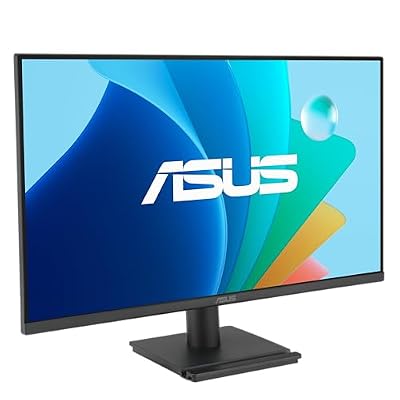
ASUS VA249QG 24 Inch 1080P 120Hz Eye Care Gaming Monitor, HDMI, DisplayPort | IPS, Full HD, 99% sRGB, VGA, Frameless, Adaptive-Sync, 1ms, Speakers, Low Blue Light, Flicker Free, VESA Wall Mount




As an Amazon Associate we earn from qualifying purchases. Product prices and availability are accurate as of the date/time indicated.

ASUS VA279HG 27 Inch 1080P 120Hz Eye Care Gaming Monitor, HDMI, VGA | IPS, Full HD, 99% sRGB, Frameless, 1ms, Adaptive-Sync, Low Blue Light, Flicker Free, VESA Wall Mount, 3 yr warranty, EPEAT


As an Amazon Associate we earn from qualifying purchases. Product prices and availability are accurate as of the date/time indicated.

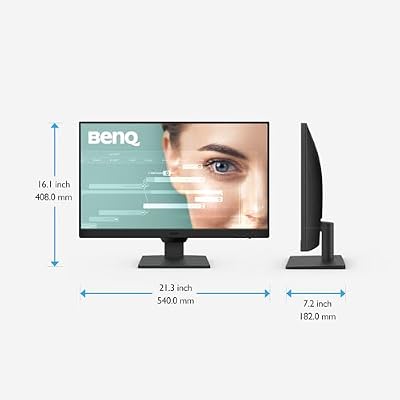
BenQ GW2490 24" Computer Monitor 100Hz FHD 1920x1080p IPS Eye-Care Tech VESA Mount Thin Bezel Low Blue Light Adaptive Brightness Wall Mount Built-in Speakers DisplayPort HDMI Port2


As an Amazon Associate we earn from qualifying purchases. Product prices and availability are accurate as of the date/time indicated.
ASUS VA249HG 24 Inch 1080P 120Hz Eye Care Gaming Monitor, HDMI, VGA | IPS, Full HD, 99% sRGB, Frameless, Adaptive-Sync, 1ms, Low Blue Light, Flicker Free, VESA Wall Mount, 3 yr warranty, EPEAT
As an Amazon Associate we earn from qualifying purchases. Product prices and availability are accurate as of the date/time indicated.

Philips 27" Computer Monitor FHD 100Hz VA VESA Eye Care, 271V8LB | 1920×1080 LED Monitor, 4ms GtG, HDMI 1.4, VGA, Adaptive Sync, Flicker-Free, Low Blue Light, 4yr Advance Replacement Warranty


As an Amazon Associate we earn from qualifying purchases. Product prices and availability are accurate as of the date/time indicated.

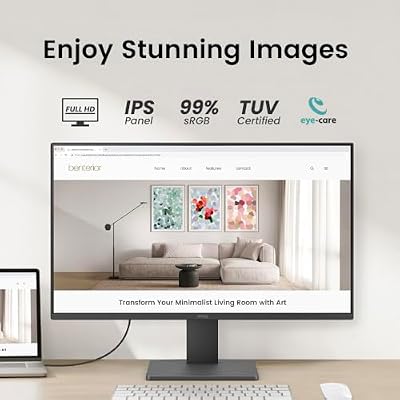
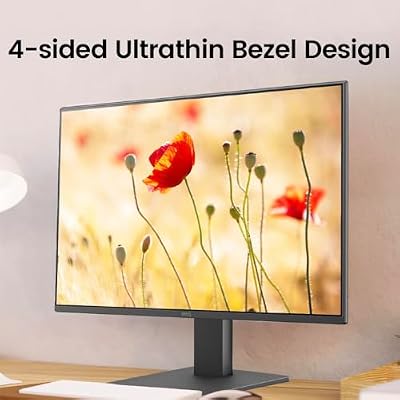
BenQ GW2491 23.8” 1080p FHD 100Hz IPS Eye-Care Monitor, HDMI, DisplayPort, 1080x1920, Ultra Slim Bezel, TUV-Certified, Flicker-Free, Low Blue Light Plus, Eye-CareU




As an Amazon Associate we earn from qualifying purchases. Product prices and availability are accurate as of the date/time indicated.
ASUS VA279QG 27 Inch 1080P 120Hz Eye Care Gaming Monitor, HDMI, DisplayPort | IPS, Full HD, 99% sRGB, VGA, Frameless, Adaptive-Sync, 1ms, Speakers, Low Blue Light, Flicker Free, VESA Wall Mount
As an Amazon Associate we earn from qualifying purchases. Product prices and availability are accurate as of the date/time indicated.

BenQ GW2791P 27" 1080p 120Hz IPS Eye-Care Home Office Monitor


As an Amazon Associate we earn from qualifying purchases. Product prices and availability are accurate as of the date/time indicated.

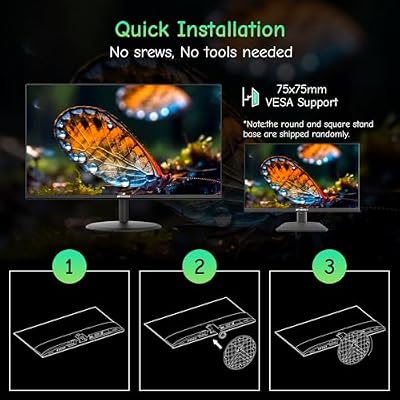
SANSUI Computer Monitor 24 inch Eye Care FHD 1080P Display HDMI,VGA Ports with 178° Viewing Angle/Frame-Less/Tilt/VESA Compatible for Office and Home



As an Amazon Associate we earn from qualifying purchases. Product prices and availability are accurate as of the date/time indicated.
| Product | Best for | Key spec from the title |
|---|---|---|
| ASUS VA249QG | All-round 24-inch desk use | 1080p, 120Hz, IPS, HDMI plus DisplayPort |
| ASUS VA279HG | Bigger screen, simple HDMI setup | 27 inch, 120Hz, IPS, 99% sRGB |
| BenQ GW2490 | Shared or wall-mounted desks | 100Hz IPS, adaptive brightness, VESA mount |
| ASUS VA249HG | Compact budget workstation | 24 inch, 120Hz, IPS, flicker free |
| Philips 271V8LB | Lowest-cost 27-inch panel | 100Hz VA, 4ms GtG, Adaptive Sync |
| BenQ GW2491 | Slim bezels, certified comfort | 23.8 inch IPS, TUV-certified, flicker-free |
| ASUS VA279QG | 27-inch with modern inputs | HDMI plus DisplayPort, speakers, 120Hz |
| BenQ GW2791P | Home office at 27 inches | 27 inch, 1080p, 120Hz, IPS |
| SANSUI 24 inch | Basic office tasks | 178-degree viewing angle, tilt, VESA compatible |
How to Choose
Look for flicker-free backlighting, not just a blue light slider
Low blue light modes shift colors toward warm tones, which helps in the evening but does little for fatigue by itself. Flicker-free backlighting matters more because it removes the rapid brightness cycling some cheap panels use to dim themselves. Look for the words “flicker-free” in the spec sheet, and treat a third-party certification such as TUV as a stronger signal than a feature name alone.
Match panel size to your viewing distance
At a typical arm’s-length distance of 24 to 30 inches, a 24-inch 1080p screen looks crisp, while a 27-inch panel at the same resolution has visibly coarser pixels. If you read small text for hours, the 24-inch class is the safer choice. Pick 27 inches only if you sit farther back or want side-by-side windows and accept softer text.
Check inputs before you buy
HDMI works with almost everything, but a DisplayPort connector helps if your graphics card or dock prefers it. VGA is only useful for older office PCs. A model that lists only HDMI 1.4 caps out at lower refresh rates on some devices, so confirm your computer can drive 100Hz or 120Hz over the cable you own.
Ignore the response time number, watch the stand
A 1ms or 4ms claim means little for spreadsheets and documents. What does affect comfort is the stand: tilt-only bases force you to stack books, while VESA mounting lets you add an arm and set the top edge at or just below eye level. Budget models cut corners on height adjustment, speakers, and color accuracy.
The 9 Best Options
ASUS VA249QG
This 24-inch model is the fullest-featured of the ASUS group, pairing an IPS panel and 120Hz refresh with both HDMI and DisplayPort. It suits buyers who want a single screen for daytime work and the occasional evening game without stepping up to a more expensive 1440p panel. The listing also mentions a frameless design, Adaptive-Sync, and a 1ms response rating, so it covers casual play as well as documents.
- Strength: 99% sRGB IPS plus flicker-free, low blue light tuning covers the core comfort checklist.
- Strength: DisplayPort next to HDMI and VGA leaves room for a desktop and a laptop dock.
- Trade-off: the built-in speakers are an afterthought, so serious listeners will want separate audio.
Skip it if you want a larger canvas or already own a 24-inch 1080p screen.
ASUS VA279HG
The VA279HG takes the same eye-care formula to 27 inches and drops DisplayPort, leaving HDMI and VGA. That makes it a fit for a single-computer desk where the extra size matters more than connectivity, such as a home study with one laptop plugged in over HDMI. Like its siblings, the title lists a frameless build, Adaptive-Sync, and a 1ms response rating on top of the flicker-free backlight.
- Strength: IPS with 99% sRGB keeps colors and viewing angles consistent across the wider screen.
- Strength: the 120Hz refresh rate makes scrolling feel smoother than a typical 60Hz office monitor.
- Trade-off: at 27 inches and 1080p, text is less sharp than on the 24-inch models.
Skip it if you need DisplayPort or sit close enough that pixel density bothers you.
BenQ GW2490
BenQ leans on its own eye-care technology here, with a 24-inch IPS panel at 100Hz, adaptive brightness, and low blue light. It is a sensible choice for rooms where daylight changes through the afternoon, because the screen adjusts itself rather than asking you to keep reaching for the menu buttons. The title also lists a thin bezel and built-in speakers.
- Strength: adaptive brightness follows ambient light, which cuts down on manual fiddling.
- Strength: VESA and wall-mount support plus a thin bezel suit tidy or shared setups.
- Trade-off: 100Hz sits a step below the 120Hz ASUS options.
Skip it if you want the highest refresh rate in this price band, or if you plan to run the screen in portrait mode and need a height-adjustable stand.
ASUS VA249HG
Think of this as the VA249QG with a shorter port list, since it offers HDMI and VGA only. It targets a compact 24-inch workstation where one cable run is all you need, and it keeps the 120Hz IPS panel, 99% sRGB coverage, and low blue light mode that define the line. For a student desk or a spare-room computer, the missing DisplayPort rarely becomes an issue.
- Strength: the same flicker-free IPS and 120Hz combination as the pricier sibling.
- Strength: the frameless design makes it easy to place two units side by side.
- Trade-off: no DisplayPort limits future flexibility with docks and graphics cards.
Skip it if your computer only outputs DisplayPort or USB-C, since you would need an adapter and lose the simplicity that makes this model appealing.
Philips 271V8LB
This is the only VA panel in the group, which usually brings deeper contrast than IPS but narrower viewing angles. At 27 inches and 100Hz, it fits a buyer looking for the cheapest large screen that still lists flicker-free and low blue light modes. The title also shows a 4ms GtG rating, Adaptive Sync, and VESA support, so it handles light entertainment after the workday ends.
- Strength: the VA panel can look richer in dim rooms, which helps with evening work.
- Strength: Adaptive Sync keeps motion tidy for casual play.
- Trade-off: HDMI 1.4 and VGA inputs are dated, and VA colors shift when viewed off-axis.
Skip it if color-sensitive editing or wide viewing angles matter to you.
BenQ GW2491
A 23.8-inch IPS screen with TUV certification, a flicker-free backlight, and ultra-slim bezels. It is for buyers who want third-party validation of the comfort claims rather than manufacturer wording alone. The title lists HDMI and DisplayPort at 100Hz, so it connects to modern graphics cards and docks without adapters, and the slim bezels make a dual-screen row look neat.
- Strength: the TUV certification gives a verifiable reference for the eye-care features.
- Strength: HDMI plus DisplayPort covers both common graphics outputs.
- Trade-off: the 100Hz refresh rate trails the 120Hz competition.
Skip it if smooth motion is a higher priority than certified comfort, or if you want a full 24 inches rather than 23.8.
ASUS VA279QG
The VA279QG is the 27-inch version with the full port set of HDMI, DisplayPort, and VGA, along with built-in speakers. It is the logical pick for anyone who likes the VA279HG but needs DisplayPort for a desktop graphics card, and it keeps the 120Hz IPS panel, 99% sRGB coverage, and low blue light feature set intact.
- Strength: IPS, 120Hz, and 99% sRGB on a large panel with modern inputs.
- Strength: Adaptive-Sync and flicker-free support carry over from the rest of the line.
- Trade-off: a 1080p picture stretched across 27 inches looks softer for fine text.
Skip it if you are sensitive to pixel density, want a 24-inch footprint, or have no use for the built-in speakers on a desk with its own audio setup.
BenQ GW2791P
BenQ pitches this 27-inch, 120Hz IPS panel as a home office monitor. The listing is short on detail, so treat it as a straightforward eye-care screen from a brand with an established line of comfort-focused displays. It makes sense for a buyer who wants the BenQ name and a bigger screen but is not chasing a specific port layout, and it sits comfortably alongside a laptop on a small desk.
- Strength: 120Hz IPS at 27 inches pairs a large canvas with smooth scrolling.
- Strength: it carries BenQ’s eye-care branding in the 1080p, home-office tier.
- Trade-off: the title gives little port or feature detail, so confirm the inputs before buying.
Skip it if you need a documented list of connections up front.
SANSUI 24 inch Eye Care
The SANSUI is the plain, budget-tier option: a 24-inch FHD display with HDMI and VGA, a 178-degree viewing angle, a frameless look, and tilt plus VESA compatibility. It aims at office and home basics, such as email, browsing, and documents, where a lower-cost screen with a sane stand is enough and extra refresh rate would go unused.
- Strength: VESA compatibility lets you add an arm for better posture.
- Strength: the wide viewing angle and frameless design suit shared desks.
- Trade-off: the title lists no high refresh rate or certification, so the comfort claims are lighter.
Skip it if you want 100Hz or more and certified flicker-free backlighting, or if you will be staring at the screen for most of a full workday.
Which One Fits Your Situation
You work from a home office all day
The BenQ GW2491 is the cleanest match, because its TUV certification and flicker-free backlight address the exact complaint of end-of-day eye strain. The 27-inch BenQ GW2791P is the alternative if you prefer more screen.
You split time between work and gaming
Pick the ASUS VA249QG. IPS, 120Hz, Adaptive-Sync, and DisplayPort mean it handles spreadsheets in the morning and shooters at night.
You need the biggest screen for the least money
The Philips 271V8LB is the budget route to 27 inches. Accept the VA panel’s narrower viewing angles in exchange for the lower tier.
You share a desk or want a wall mount
The BenQ GW2490, with VESA support, a thin bezel, and adaptive brightness, adjusts to changing light and keeps the footprint small.
Common Mistakes
- Buying on the “eye care” label without confirming flicker-free backlighting in the spec sheet.
- Choosing 27 inches at 1080p and then complaining about soft text at a close sitting distance.
- Skipping the port check and discovering the monitor lacks the input your laptop or graphics card prefers.
- Leaving brightness at the factory maximum instead of matching it to the room.
- Ignoring the stand and working with the top edge of the screen above eye level.
Related guides
- Usb C Kvm Switch For Two Laptops And Two Monitors
- Vertical Laptop Stand For Dual Laptop Desk Setup
- Nvme Enclosure With Active Cooling For Mac Mini
Frequently Asked Questions
Does a low blue light mode actually reduce eye strain?
It makes the screen warmer, which many people find more comfortable at night. Strain also depends on brightness, breaks, and flicker, so treat it as one tool among several.
Is 120Hz worth it on an office monitor?
It makes scrolling and cursor movement look smoother, which some buyers find less tiring. It is not required for document work, but it adds value if you also game.
IPS or VA for long work sessions?
IPS keeps color and brightness consistent from any angle, which suits shared and editing desks. VA offers deeper contrast but shifts when viewed off-axis.
Do I need DisplayPort?
Not for most setups. HDMI handles 1080p at 100Hz or 120Hz on modern computers, but DisplayPort is a useful backup if your graphics card or dock favors it.