A 32-inch monitor is less a screen than a small wall, and the first thing to settle is viewing distance. At a typical desk depth of around 30 inches, a panel this wide asks you to sit slightly back and let your eyes sweep across the edges. That is a pleasure for racing games and spreadsheets side by side, and a nuisance if your desk is shallow. With a ceiling of under 300 dollars, you can get real size, but you have to pick which compromise you prefer: resolution, refresh rate, or panel quality.
This guide is for players upgrading from a 24-inch screen, remote workers who want two windows open at once, and console owners who like a big picture. Heading into 2026, the shortlist splits between 1080p panels that stretch the pixels thin and 1440p models that look much crisper at this size. The nine picks below rely on listed specs, so read them as a filter and check the full product page before ordering.
Quick Picks

Samsung 32" Odyssey G5 (G51F) QHD 180Hz Gaming Monitor | Featuring QHD Screen, 180Hz Refresh Rate, 1ms Response Time (MPRT), and AMD FreeSync (LS32FG510ENXZA)


As an Amazon Associate we earn from qualifying purchases. Product prices and availability are accurate as of the date/time indicated.

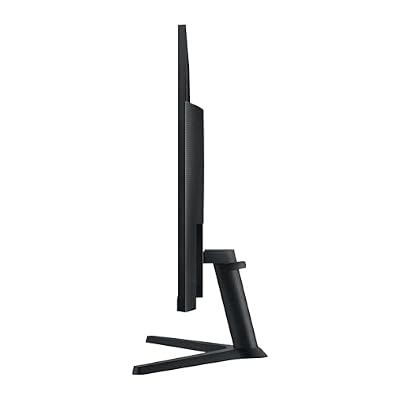
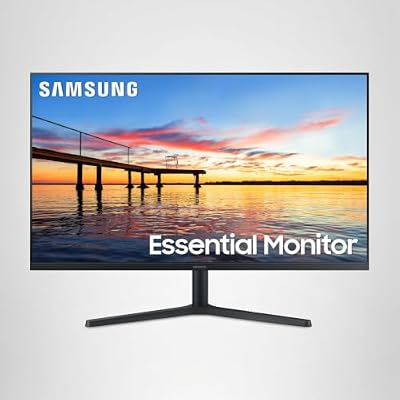
Samsung 32" Flat Computer Monitor | 75Hz Refresh Rate, Borderless Display, AMD FreeSync, Game Mode, Advanced Eye Care, HDMI and DisplayPort, LS32B304NWNXGO, 2024



As an Amazon Associate we earn from qualifying purchases. Product prices and availability are accurate as of the date/time indicated.

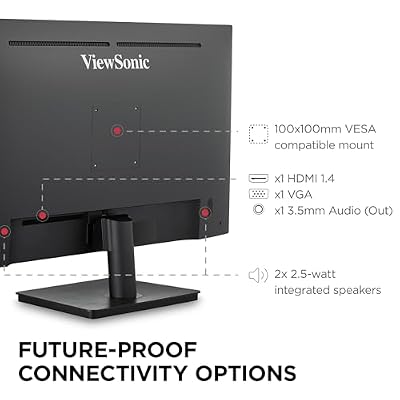
ViewSonic VA3209M 32 Inch 1080p IPS Computer Monitor, Full HD, HDMI VGA, PC | Frameless Design, Dual Speakers, Home Office, Desktop, Laptop, Work, Study, Daily Tasks, Wide Viewing Comfort, Built-In Sound




As an Amazon Associate we earn from qualifying purchases. Product prices and availability are accurate as of the date/time indicated.

Sceptre New 32-inch 2K QHD 2560 x 1440 Prime Gaming Monitor up to 210Hz USB Type-C DisplayPort HDMI sRGB 115% 1ms Build-in Speakers, Machine Black 2026 ((E325B-QW200D Series)


As an Amazon Associate we earn from qualifying purchases. Product prices and availability are accurate as of the date/time indicated.

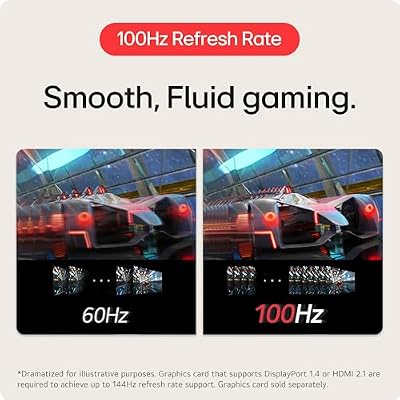
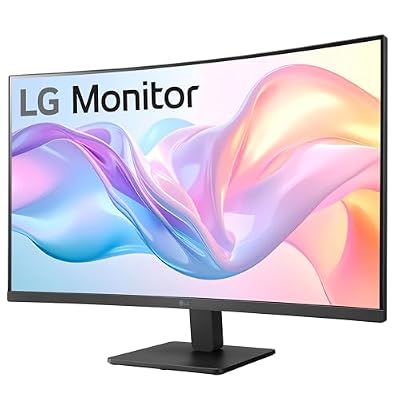
LG 32MR50C-B Curved Monitor 32-Inch FHD 100Hz AMD FreeSync OnScreen Control Dynamic Action Sync Black Stabilizer Tilt Stand (HDMI) - Black




As an Amazon Associate we earn from qualifying purchases. Product prices and availability are accurate as of the date/time indicated.

Philips 32 Inch Computer Monitor FHD 100Hz VA, 32E1N1100L | 1920×1080 LED Monitor, 1ms MPRT, HDMI 1.4, VGA, VESA, Adaptive Sync, Flicker-Free, 4yr Advance Replacement Warranty


As an Amazon Associate we earn from qualifying purchases. Product prices and availability are accurate as of the date/time indicated.

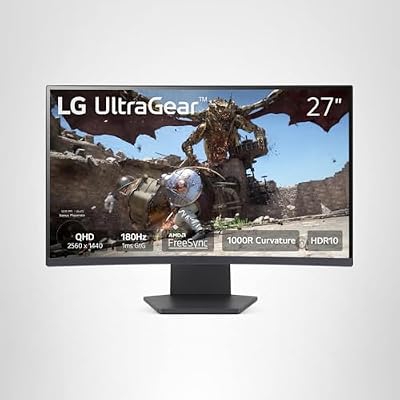
LG 32GS60QC-B Ultragear 32-inch Curved Gaming Monitor QHD (2560x1440) 180Hz 1ms 1000R AMD FreeSync HDR10 HDMIx2 DisplayPort Borderless Design Black Stabilizer DAS Crosshair FPS Counter - Black




As an Amazon Associate we earn from qualifying purchases. Product prices and availability are accurate as of the date/time indicated.

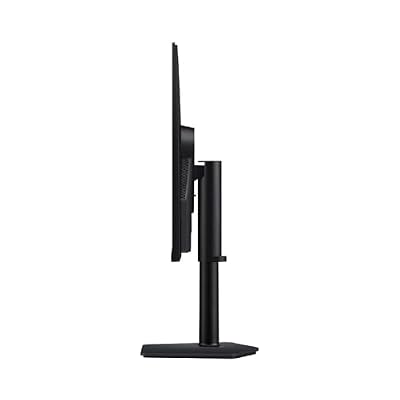
Samsung 32” Odyssey G5 (G50F) Series QHD Gaming Monitor | 180Hz, Fast IPS Panel, HDR10, NVIDIA G-Sync Compatible, 1ms (GtG), AMD FreeSync™, Adjustable Stand, LS32FG502ENXZA






As an Amazon Associate we earn from qualifying purchases. Product prices and availability are accurate as of the date/time indicated.

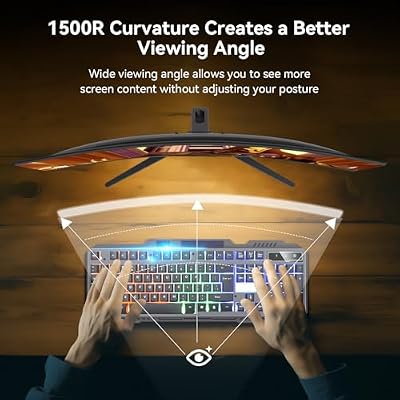
SANSUI 32 Inch Curved 240Hz Gaming Monitor High Refresh Rate, FHD 1080P | Gaming PC Monitor HDMI DP1.4, 1500R Curvature, 1Ms MPRT, HDR,Metal Stand,VESA Compatible(DP Cable Incl.)




As an Amazon Associate we earn from qualifying purchases. Product prices and availability are accurate as of the date/time indicated.
| Product | Best for | Key spec |
|---|---|---|
| Samsung Odyssey G5 G51F | QHD gaming on a budget | QHD, 180Hz, 1ms MPRT |
| Samsung LS32B304N | Quiet office use | 75Hz, FreeSync, HDMI and DisplayPort |
| ViewSonic VA3209M | Home office with speakers | 1080p IPS, HDMI, VGA, dual speakers |
| Sceptre 32″ 2K QHD | USB-C laptop docking and gaming | 2560×1440, up to 210Hz, USB Type-C |
| LG 32MR50C-B | Casual curved viewing | FHD, 100Hz, curved, FreeSync |
| Philips 32E1N1100L | Basic everyday display | FHD 100Hz VA, HDMI 1.4, VGA |
| LG UltraGear 32GS60QC-B | Immersive QHD gaming | QHD, 180Hz, 1000R curve, HDR10 |
| Samsung Odyssey G5 G50F | Flat QHD with Fast IPS | 180Hz, Fast IPS, G-Sync Compatible |
| SANSUI 32″ Curved 240Hz | High refresh at 1080p | FHD, 240Hz, 1500R, DisplayPort 1.4 |
How to Choose
Resolution Matters More at This Size
A 32-inch 1080p screen has roughly 69 pixels per inch, which makes small text look rough and desktop icons feel chunky. A 2560×1440 panel climbs to about 92 pixels per inch, a clear improvement for reading and editing. If you mostly watch video from a couch or play at a distance, 1080p is acceptable. If you work at arm’s length, favor QHD, and plan on a graphics card that can drive it at your target frame rate.
Refresh Rate and Panel Type
The range here runs from 75Hz office panels up to 240Hz gaming screens. A 100Hz to 144Hz figure is already smooth for most people, while 180Hz and above matter mainly for competitive shooters. VA panels offer deeper contrast but can smear in dark scenes, IPS keeps color steady at angles, and a Fast IPS label points to better response. Treat 1ms figures as best-case numbers.
Curve, Ports, and Mounting
A curve such as 1000R or 1500R wraps the edges toward you and helps on a wide panel; flat screens suit CAD, layout, and shared viewing. Count your inputs: DisplayPort for a desktop at high refresh, HDMI for a console, and USB-C if you want a single cable for a laptop. VESA mounting frees up desk space and is worth confirming on a screen this large and heavy.
What to Ignore and Where Budget Screens Cut Corners
HDR labels on entry-level monitors rarely deliver the dramatic contrast of premium panels, so do not pay extra for the badge alone. Budget 32-inch screens save money on stand adjustability, speaker quality, and backlight uniformity. Expect tilt-only stands and weak built-in audio, and treat those as reasons to budget for a monitor arm and a pair of desk speakers.
The 9 Best Options
Samsung Odyssey G5 G51F
A strong starting point for someone who wants QHD sharpness on a large screen. The title lists a 32-inch QHD display, 180Hz refresh, 1ms MPRT response, and AMD FreeSync.
- Strength: QHD resolution keeps text clearer than 1080p on the same size.
- Strength: The 180Hz figure is well above office-grade monitors.
- Trade-off: The title does not name the panel type or listed ports.
Skip it if panel technology is your main concern, and check the full page for inputs before ordering. It fits gamers moving up from 1080p who want both size and speed. Pair it with a graphics card that can sustain QHD frame rates, or the 180Hz headroom will go unused, and plan to enable FreeSync in the monitor menu and the driver settings.
Samsung LS32B304N
For people who use a monitor mostly for documents and streaming. The listing names a flat 32-inch panel at 75Hz with borderless design, AMD FreeSync, Game Mode, Advanced Eye Care, and HDMI plus DisplayPort inputs.
- Strength: Two inputs, HDMI and DisplayPort, keep options open.
- Strength: Eye care and game modes serve a mixed-use desk.
- Trade-off: 75Hz is modest for fast action games.
Skip it if you plan to play competitive shooters. It is a calm, flat choice for a home office where clarity and connectivity matter more than speed. The borderless look keeps a dual-window workflow tidy, and Game Mode gives you a quick profile change when the workday ends.
ViewSonic VA3209M
A match for remote workers who want one monitor that does everything. The listing mentions a 32-inch 1080p IPS panel, HDMI and VGA inputs, a frameless design, and dual speakers.
- Strength: IPS keeps color consistent across a wide screen.
- Strength: VGA and HDMI let it work with older and newer devices.
- Trade-off: 1080p looks soft at 32 inches for fine text.
Skip it if you want QHD sharpness or DisplayPort. Think of it as a practical second display for a spare room or a shared family computer. Dual speakers spare you a separate audio setup for video calls, though serious music listeners will still want headphones or desk speakers.
Sceptre 32″ 2K QHD Prime
For buyers who want QHD, high refresh, and a one-cable laptop connection. The listing names 2560×1440, up to 210Hz, USB Type-C, DisplayPort, HDMI, sRGB 115%, 1ms response, and built-in speakers.
- Strength: USB Type-C allows a single-cable laptop setup.
- Strength: The 210Hz ceiling is high for QHD.
- Trade-off: The title gives no panel type information.
Skip it if you need to know the panel technology before buying. It suits hybrid users who dock a laptop by day and plug in a gaming PC at night. Check the actual USB-C port on your laptop supports video output before counting on the single cable, since some ports only handle data and charging.
LG 32MR50C-B
Meant for relaxed viewing on a curved screen. The listing includes a 32-inch curved FHD panel at 100Hz with AMD FreeSync, OnScreen Control, Dynamic Action Sync, Black Stabilizer, a tilt stand, and an HDMI input.
- Strength: Curve and 100Hz make casual games and video feel smooth.
- Strength: OnScreen Control simplifies settings on a computer.
- Trade-off: HDMI is the only listed input.
Skip it if you need DisplayPort or a sharper picture. It fits a living-room desk used for streaming and light gaming. The OnScreen Control software is the convenient part for anyone who wants to split windows or adjust brightness without hunting through the on-screen menu.
Philips 32E1N1100L
A straightforward everyday screen. The title lists a 32-inch FHD 1920×1080 100Hz VA panel with 1ms MPRT, HDMI 1.4, VGA, VESA support, Adaptive Sync, and a Flicker-Free backlight.
- Strength: VA panels deliver deep contrast for movies.
- Strength: Flicker-Free and VESA support suit long office days.
- Trade-off: HDMI 1.4 and 1080p limit high-end features.
Skip it if you want QHD or DisplayPort. It makes sense as a no-fuss office or media screen. Its Flicker-Free backlight and VESA pattern let you mount it on an arm, which also frees up desk space beneath a screen this wide.
LG UltraGear 32GS60QC-B
Aimed at gamers who like immersive curves. The listing names a 32-inch curved QHD 2560×1440 panel at 180Hz with 1ms response, 1000R curvature, AMD FreeSync, HDR10, two HDMI ports, and DisplayPort.
- Strength: The 1000R curve is tight, so it wraps the view.
- Strength: Three inputs cover PC and consoles.
- Trade-off: A strong curve is less suited to precise layout work.
Skip it if you want a flat screen. It is a natural fit for racing and open-world games. Sit centered and a bit back to get the benefit of the tight curve, and use one of the two HDMI ports for a console while the DisplayPort handles the PC.
Samsung Odyssey G5 G50F
For gamers who want a flat QHD screen with a Fast IPS panel. The title lists 180Hz, Fast IPS, HDR10, NVIDIA G-Sync Compatible, 1ms GtG, AMD FreeSync, and an adjustable stand.
- Strength: Support for both major variable refresh technologies.
- Strength: Fast IPS aims for quicker response with strong color.
- Trade-off: HDR10 on an entry-level screen is mostly a label.
Skip it if you want a curved screen. It suits owners of any modern graphics card who want sharp visuals. If you share the desk with a partner or a child, the flat shape also makes it easier for two people to look at the same screen from slightly different angles.
SANSUI 32″ Curved 240Hz
For speed-seekers who accept 1080p. The title lists a curved FHD panel at 240Hz with HDMI, DisplayPort 1.4, 1500R curvature, 1ms MPRT, HDR, a metal stand, and VESA mounting.
- Strength: 240Hz is the highest figure in the group.
- Strength: A metal stand and VESA support add stability.
- Trade-off: 1080p stretched across 32 inches looks soft.
Skip it if you read lots of small text. It fits frame-rate chasers who play fast shooters. Treat the HDR label cautiously and keep your graphics settings low enough to keep frame rates steady, because the hardware only benefits from 240Hz if the game delivers it.
Which One Fits Your Situation
Laptop Docking With One Cable
Choose the Sceptre 32″ 2K QHD, because its USB Type-C input handles video from a modern laptop.
Racing and Open-World Games
Pick the LG UltraGear 32GS60QC-B, whose 1000R curve and QHD resolution suit big scenic games.
A Calm Home Office
The Samsung LS32B304N or ViewSonic VA3209M do the job without gaming extras.
Fast Shooters
The SANSUI 240Hz leads on refresh rate, while the Samsung Odyssey G5 G50F offers QHD at 180Hz.
Common Mistakes
- Buying a 1080p 32-inch screen and expecting crisp text.
- Sitting too close; you cannot see the corners.
- Using an HDMI cable that cannot carry the refresh rate.
- Paying for an HDR label on an entry-level panel.
- Forgetting to measure the desk depth and stand footprint.
Related guides
- Usb C Kvm Switch For Two Laptops And Two Monitors
- Vertical Laptop Stand For Dual Laptop Desk Setup
- Nvme Enclosure With Active Cooling For Mac Mini
Frequently Asked Questions
Is QHD necessary at 32 inches?
It is not mandatory, but it makes text and images clearly sharper than 1080p. Many buyers consider it the sensible minimum for desk use.
Curved or flat?
A curve helps immersion in games and movies. A flat screen suits design, documents, and sharing the view with others.
Do I need a powerful graphics card?
QHD at high refresh needs a capable card. A modest one will do better at 1080p or with lower settings. Check your card’s output ports too, because a QHD, 180Hz mode usually needs DisplayPort or a recent HDMI version to run at full speed.
How far should I sit?
Roughly an arm’s length or a little more, so the whole screen fits into your view without constant head turns. If you notice eye strain, lower the brightness, raise the monitor so the top edge sits near eye level, and take short breaks, since a wide panel invites you to stay glued to the middle.