
A wider display can make PC games feel more cinematic, add peripheral detail in racing and flight simulators, and leave room for a map or chat window without a second monitor. But the best wide screen monitor for gaming depends on how wide you want to go: a 34-inch 21:9 screen is the practical starting point, while 49-inch and 57-inch 32:9 models demand more desk space, GPU power, and game compatibility. These picks cover the strongest options at several sizes, along with the trade-offs worth checking before you buy.
- Best wide screen monitor for gaming: quick verdict
- How we selected these wide screen gaming monitors
- Best overall: ASUS ROG Swift OLED PG34WCDN
- Best 34-inch alternative: Dell Alienware AW3426DW
- Best high-density large screen: Dell Alienware AW3926QW
- Best 45-inch cinematic OLED: LG UltraGear 45GX950A-B
- Best 49-inch super ultrawide: MSI MPG 491CQPX QD-OLED
- Best extreme-size display: Samsung Odyssey Neo G9 G95NC
- How to choose the best wide screen monitor for gaming
- Common questions about wide screen gaming monitors
- Final verdict
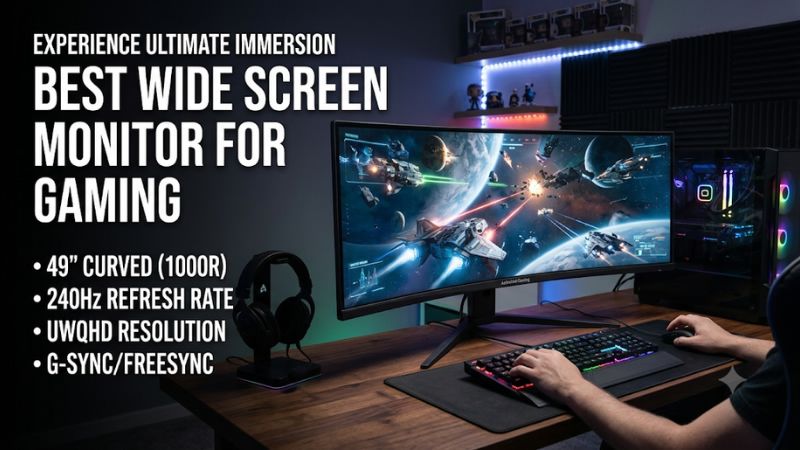
Best wide screen monitor for gaming: quick verdict
For most PC gamers, start with a 34-inch 3440 x 1440 model. The ASUS ROG Swift OLED PG34WCDN leads this shortlist with 360Hz QD-OLED and sharp motion; the Dell Alienware AW3426DW offers 280Hz. For a larger 21:9 image, look at the 39-inch Alienware AW3926QW or 45-inch LG UltraGear 45GX950A-B. The MSI MPG 491CQPX is a 49-inch OLED alternative to two monitors, while Samsung’s 57-inch Odyssey Neo G9 G95NC is an extreme-size option for powerful PCs and large desks.
| Pick | Best for | Native format | Main advantage | Main drawback |
|---|---|---|---|---|
| ASUS ROG Swift OLED PG34WCDN | Best overall gaming | 34-inch, 3440 x 1440, 21:9 | 360Hz QD-OLED; modern inputs | Expensive; ambient light lifts blacks |
| Dell Alienware AW3426DW | High-end 34-inch OLED | 34-inch, 3440 x 1440, 21:9 | 280Hz QD-OLED and HDR | No DisplayPort 2.1 or USB-C video |
| Dell Alienware AW3926QW | Large, sharp ultrawide | 39-inch, 5120 x 2160, 21:9 | 5K2K at 165Hz or 1080p at 330Hz | GPU load and VRR/dimming caveats |
| LG UltraGear 45GX950A-B | Cinematic OLED | 44.5-inch, 5120 x 2160, 21:9 | 5K2K and 330Hz dual mode | Large footprint; 800R curve |
| MSI MPG 491CQPX QD-OLED | 49-inch gaming and multitasking | 49-inch, 5120 x 1440, 32:9 | 240Hz OLED, USB-C and KVM | Uneven 32:9 game support |
| Samsung Odyssey Neo G9 G95NC | Maximum screen area and HDR | 57-inch, 7680 x 2160, 32:9 | Dual-4K-sized Mini LED at 240Hz | Huge GPU and desk requirements |
Budget note: I have not forced a sub-$500 award into this roundup. Dell’s US page marks the Alienware AW3425DWM unavailable, while KOORUI’s US product page lists the 34E6UC as sold out. They are lower-cost VA models worth rechecking if stock returns, but neither is a dependable active recommendation today.
How we selected these wide screen gaming monitors
This shortlist covers gaming monitors wider than 16:9: 21:9 ultrawides from 34 to 45 inches and 32:9 super ultrawides. RTINGS identifies 34-inch 21:9 as the most common ultrawide format; 32:9 adds peripheral space but has less consistent game support.
Manufacturer specifications establish resolution, refresh modes, panel technology, ports, and size. Independent reviews from RTINGS, PC Gamer, Tom’s Hardware, and PC Perspective inform image-quality and motion assessments. RTINGS uses purchased samples and measurement equipment, making those results more useful than advertised response-time claims.
Best overall: ASUS ROG Swift OLED PG34WCDN
The ASUS ROG Swift OLED PG34WCDN is the strongest high-end starting point for someone who wants a fast 34-inch ultrawide without moving to 5K2K or 32:9. It combines 3440 x 1440 resolution, a 360Hz maximum refresh rate, an 1800R curve, and a fifth-generation QD-OLED panel with an RGB-stripe subpixel layout. ASUS lists HDR10, a 0.03ms GTG response claim, and up to 1,300 cd/m² peak HDR brightness on small highlights. Connections include DisplayPort 2.1, two HDMI 2.1 ports, and USB-C with up to 90W power delivery.
RTINGS found sharp motion, low input lag, common VRR support, vivid HDR color, and deep blacks in dark rooms. The RGB-stripe layout also improves text clarity compared with older QD-OLED arrangements, making it more practical for mixed gaming and desktop use. Its BlackShield coating reduces the black-level lift associated with earlier QD-OLED surfaces, but bright ambient light can still make blacks look gray.
The 360Hz ceiling mainly benefits competitive games when your GPU can deliver similarly high frame rates; it will not make demanding single-player games run faster. Buy it for OLED contrast, fast motion, modern inputs, and a manageable size. Skip it if your room is very bright or a stronger GPU would make a bigger difference. The MSI MPG 341CQR QD-OLED X36 is a close alternative with similar overall performance, while ASUS offers higher DisplayPort bandwidth.
Best 34-inch alternative: Dell Alienware AW3426DW
The Alienware AW3426DW suits buyers who want a current-generation 34-inch QD-OLED but do not need 360Hz. It runs at 3440 x 1440 and 280Hz, uses a fifth-generation Penta Tandem QD-OLED panel with RGB-stripe subpixels, and supports HDR10, Dolby Vision, FreeSync Premium Pro, G-SYNC Compatibility, and VESA AdaptiveSync. Dell lists 0.03ms GTG in Extreme mode, two HDMI 2.1 ports, one DisplayPort 1.4 input, and a small USB hub. Its USB-C port is for accessories, not DisplayPort Alt Mode video from a laptop.
RTINGS found sharp motion, low input lag, vivid colors, and deep blacks in a dark room. The RGB-stripe panel improves text clarity over older QD-OLED generations, and Dolby Vision can help with compatible sources. The main compromise is lighting: QD-OLED black levels rise in bright ambient conditions, so it is less convincing beside a sunny window.
Compared with the ASUS, the Alienware gives up refresh-rate headroom and higher-bandwidth DisplayPort. It also lacks USB-C video input and KVM, making laptop switching less convenient. Buy it if 280Hz is enough; skip it if you need USB-C docking or 360Hz. Use panel-care features and avoid leaving static desktop elements onscreen for long periods.
Best high-density large screen: Dell Alienware AW3926QW
The Alienware AW3926QW is a standout if 34 inches feels too short but you still want sharper detail than a conventional 49-inch 5120 x 1440 display. Its 39-inch WOLED panel has a native 5120 x 2160 resolution, a 165Hz refresh rate, and a dual mode that switches to 2560 x 1080 at up to 330Hz. Dell lists HDMI 2.1, DisplayPort 2.1, USB-C, and a 0.03ms GTG response time. Its pure RGB-stripe subpixel layout is designed to improve text clarity compared with older WOLED arrangements.
The 5K2K resolution has about 11.1 million pixels, one-third more than 4K, giving games and desktop windows extra room. RTINGS found sharp motion, low input lag, vivid HDR color, and deep blacks; Tom’s Hardware also praised its image and responsiveness with an RTX 4090 test system.
The resolution is demanding, and the 330Hz mode lowers resolution substantially. RTINGS observed distracting VRR flicker in dark scenes when frame rates fluctuate. PC Gamer also reported edge or vignette dimming, preventing an unconditional recommendation in its review. Check current firmware feedback and the retailer’s return policy before buying.
Buy it if you have a high-end GPU, want a large 21:9 workspace, and care about text clarity as much as gaming. Skip it if your PC struggles at 4K or you are sensitive to OLED flicker and edge dimming.
Best 45-inch cinematic OLED: LG UltraGear 45GX950A-B
The LG UltraGear 45GX950A-B is for gamers who value physical scale and cinematic immersion. The marketed 45-inch model has a 44.5-inch viewable OLED panel, a 21:9 aspect ratio, native 5120 x 2160 resolution, and an 800R curve. It runs at 165Hz in 5K2K mode or switches to 2560 x 1080 at up to 330Hz. LG lists DisplayPort 2.1, two HDMI 2.1 ports, USB-C with 90W power delivery, KVM, FreeSync Premium Pro, and G-SYNC Compatibility.
Its large image and native 5K2K resolution suit story games better than older 45-inch 3440 x 1440 models. The 330Hz mode is available for competitive titles, but drops resolution to 2560 x 1080. Its anti-glare surface also handles reflections differently from the glossy Alienware AW3926QW.
RTINGS found near-instantaneous motion, low input lag, strong dark-room contrast, and HDR highlights that stand out. It also identified weaker points: bright HDR colors are less vivid than on the best QD-OLED displays, SDR brightness is less effective against glare, and changing frame rates can produce noticeable VRR flicker. The fixed 800R curve is aggressive, so the monitor needs a viewing position and desk depth that suit it.
Compared with the Dell AW3926QW, the LG gives you a larger physical screen and a matte-style surface, but spreads the same 5120 x 2160 pixel count over a larger panel. Text is therefore sharper on the Dell. Buy the LG for a cinematic 21:9 image; choose Dell when pixel density and text clarity matter more. Skip the LG if your desk is shallow, you dislike strong curvature, or you expect OLED to match Mini LED brightness in every scene.
Best 49-inch super ultrawide: MSI MPG 491CQPX QD-OLED
The MSI MPG 491CQPX QD-OLED is a specialist choice, but it can replace a dual-monitor desk with one gaming display. Its 49-inch QD-OLED panel has a 32:9 aspect ratio, 5120 x 1440 resolution, 1800R curve, and 240Hz refresh rate. MSI specifies a 0.03ms GTG response time, DisplayHDR True Black 400, two HDMI 2.1 ports, DisplayPort 1.4a, USB-C with up to 98W power delivery, a USB hub, KVM, and picture-by-picture support. MSI lists a three-year warranty that includes OLED burn-in coverage.
The 5120 x 1440 canvas is effectively two 2560 x 1440 screens side by side. That makes it attractive for supported flight simulators, racing games, strategy titles, and games with useful peripheral information. It also leaves room for a browser, chat window, or streaming controls. PC Perspective highlights the broad 32:9 format and warns that game support is a major consideration; MSI’s specifications confirm the 240Hz model and connectivity.
The catch is game support: some titles fill 32:9, while others pillarbox, crop interface elements, stretch menus, or show narrower cutscenes. Check your regular games first. QD-OLED black levels also rise in ambient light, and the roughly four-foot-wide panel needs a substantial desk.
Buy it if you want one screen instead of two QHD monitors, play games that support 32:9, and can use USB-C charging and KVM. Skip it if you mostly play console games, use software built around 16:9, or cannot sit far enough back.
Best extreme-size display: Samsung Odyssey Neo G9 G95NC
The Samsung Odyssey Neo G9 G95NC is for buyers who want the largest and most demanding format in this roundup. It uses a 57-inch 32:9 VA panel with a 7680 x 2160 resolution, 1000R curve, and 240Hz maximum refresh rate. Samsung specifies VESA DisplayHDR 1000, HDR10+ Gaming, and Mini LED local dimming with 2,392 zones. Its resolution is equivalent to two 32-inch 4K screens side by side.
Unlike the OLED picks, the Neo G9 uses a VA LCD with Mini LED. It avoids OLED burn-in and can produce brighter HDR highlights, but zone-based dimming can create blooming around bright objects on dark backgrounds. RTINGS also observed VRR flicker and incomplete G-SYNC compatibility despite low input lag and fast response.
Rendering 7680 x 2160 means pushing roughly 16.6 million pixels per frame, twice the pixel count of 4K. RTINGS notes that a high-end graphics card with DisplayPort 2.1 or suitable HDMI 2.1 bandwidth is needed to make full use of the display’s resolution and refresh rate. Even a powerful GPU may need reduced settings or upscaling in demanding games. Confirm that your graphics card, cable, and selected port support the output mode you intend to use.
Buy it if you have a powerful PC, want a dual-4K-sized canvas, and prefer bright Mini LED HDR over OLED’s per-pixel contrast. Skip it if you have a midrange GPU, a small desk, or want straightforward plug-and-play compatibility.
How to choose the best wide screen monitor for gaming
Choose the aspect ratio first
A 21:9 monitor is the sensible default for most PC gamers. A 34-inch 3440 x 1440 model adds horizontal space without doubling desk width, and games generally support it more consistently than 32:9.
A 32:9 screen is more specialized: 49-inch 5120 x 1440 suits supported simulators and two-window work, while 57-inch 7680 x 2160 is an enthusiast-class upgrade.
Match resolution and refresh rate to your GPU
Resolution determines the pixels your GPU must render; refresh rate determines how often the display updates. A 360Hz panel brings little benefit in a 70 FPS game, while 5K2K may force settings compromises on a midrange PC.
Pixel loads put the sizes in perspective:
-
3440 x 1440: about 4.95 million pixels.
-
5120 x 1440: about 7.37 million pixels, roughly 49% more than 3440 x 1440.
-
5120 x 2160: about 11.06 million pixels, roughly 33% more than 4K.
-
7680 x 2160: about 16.59 million pixels, twice the pixel count of 4K.
Pixel counts do not predict frame rates. Game engine, settings, ray tracing, upscaling, and CPU limits matter, so check benchmarks for your GPU and favorite games.
For esports, 240Hz or 360Hz can help when frame rates are high enough. For story games, stable 120Hz to 165Hz at higher resolution may be preferable. Variable refresh rate (VRR) reduces tearing but cannot compensate for a weak GPU.
Understand OLED, VA, and Mini LED
OLED is strongest for per-pixel contrast, dark scenes, and fast pixel response. It is compelling for atmospheric games and HDR, but static elements can cause permanent burn-in over time. Use panel-care tools, avoid leaving bright static overlays on screen for long periods, and check the exact warranty terms.
QD-OLED produces vivid colors, but ambient light may raise perceived black levels. Newer RGB-stripe panels improve text clarity, though room lighting still matters. VA LCD is often less expensive and has stronger native contrast than IPS, but dark transitions can smear. Mini LED adds local dimming and higher brightness, improving HDR impact, but blooming around small bright objects can remain visible. Choose based on your games and room lighting, not just an HDR logo.
Check game support, ports, and desk dimensions
Check your favorite games for 21:9 or 32:9 support, interface scaling, cutscene behavior, and field-of-view limits. Community fixes can break after updates. PS5 and Xbox games generally remain 16:9, leaving black bars at the sides.
Check the monitor’s signal table and your GPU’s outputs. HDMI 2.1, DisplayPort 1.4 with DSC, and DisplayPort 2.1 have different bandwidth limits; some modes require compression, reduced color depth, or lower refresh. A connector label alone does not guarantee every advertised mode.
Measure desk width and depth, viewing distance, and room for speakers and keyboard. A 49-inch display is nearly four feet wide; a 57-inch model is wider. Check VESA fit and arm capacity, and make sure an aggressive 800R or 1000R curve suits your seating position.
Common questions about wide screen gaming monitors
Is a 34-inch ultrawide better than a 49-inch monitor for gaming?
For most people, yes. A 34-inch 21:9 model is easier to fit, drives fewer pixels than a 49-inch 5120 x 1440 screen, and has broader game support. Choose 49 inches for supported simulators or a one-screen replacement for two QHD monitors.
Is a 21:9 monitor good for competitive gaming?
It can, especially with a high refresh rate and low input lag. A 34-inch 3440 x 1440 OLED at 240Hz or 360Hz can combine a wider view with sharp motion. However, some competitive titles restrict aspect ratios or position interface elements poorly. Check the specific game’s behavior before choosing one for ranked play.
Can a PS5 or Xbox use an ultrawide monitor?
The consoles can connect over HDMI, but generally do not render games in native 21:9 or 32:9. The monitor usually displays a standard 16:9 image with black bars at the sides.
RTINGS.com
Does a wider monitor need a stronger graphics card?
Usually, when the wider display has more pixels. 5120 x 1440 has about 49% more pixels than 3440 x 1440, while 7680 x 2160 doubles 4K. Check game-specific benchmarks before upgrading.
Is OLED worth it for gaming?
OLED is worth considering if you prioritize contrast, dark-room picture quality, and fast pixel response. It is less attractive if static desktop windows stay visible all day, you need very high full-screen brightness, or you want to avoid burn-in management. Mini LED or VA may be a better fit for mixed use in a bright room.
Final verdict
For most PC gamers, the ASUS ROG Swift OLED PG34WCDN is the strongest 34-inch all-rounder here. The Alienware AW3426DW is compelling if 280Hz is enough, while the AW3926QW offers a rare mix of 39-inch scale and 5K2K clarity. Choose LG’s 45GX950A-B for a cinematic 21:9 panel, MSI’s MPG 491CQPX for a 49-inch OLED workspace, or Samsung’s Neo G9 G95NC only when your GPU and desk can handle its dual-4K-sized canvas. The best purchase is the widest format your games, graphics card, room, and budget can realistically support.









