
Choosing the right monitor size can make a bigger difference to your gaming experience than you might expect. A larger display provides a more immersive view, but it also requires more desk space, a comfortable viewing distance, and enough graphics performance to drive its resolution. If you’re wondering what inch monitor is best for gaming, 27 inches is the strongest all-around recommendation for most desktop PC players. However, 24 inches makes more sense for competitive shooters, 32 inches suits higher-resolution gaming, and 34-inch ultrawide displays are excellent for racing and immersive adventures.
- Quick verdict: which gaming monitor size should you choose?
- How we selected these gaming monitor recommendations
- Best gaming monitors by screen size
- What inch monitor is best for gaming across different genres?
- How screen size and resolution affect gaming image quality
- How far should you sit from your gaming monitor?
- Other features to consider before choosing a monitor size
- Frequently asked questions
- Final verdict: 27 inches is the best gaming monitor size for most people
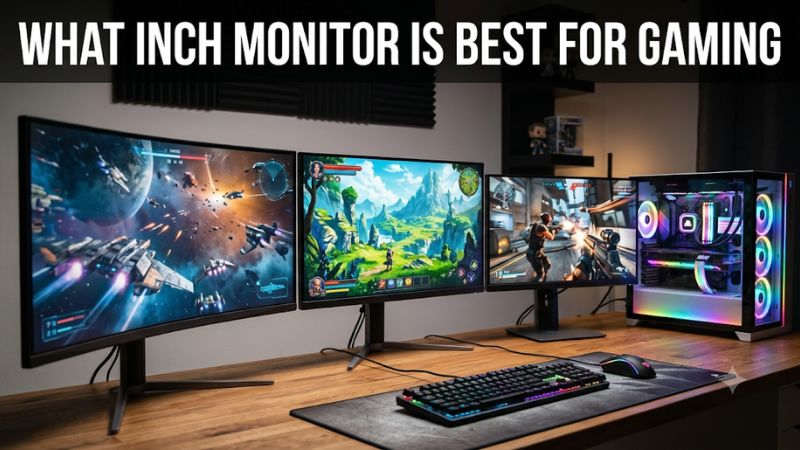
Quick verdict: which gaming monitor size should you choose?
For most gamers, a 27-inch monitor offers the best balance between viewing comfort, image detail, desk space, and available gaming features. At this size, 1440p provides a noticeable improvement over Full HD without demanding the same GPU performance as 4K.
There are several situations where another size is better. Competitive players who primarily play Counter-Strike 2, Valorant, or Overwatch 2 may prefer 24-inch monitors because they can see the entire screen without moving their eyes as much.
A 32-inch monitor is more suitable for players who want a larger viewing area and have enough desk depth to sit farther away. It works especially well with 4K resolution, which helps maintain image sharpness across a larger display.
For racing simulators, flight simulators, and atmospheric single-player games, a 34-inch ultrawide monitor provides a wider field of view and a more immersive experience.
| Monitor size | Recommended resolution | Best use | Main advantage | Main drawback |
|---|---|---|---|---|
| 24 inches | 1080p | Competitive gaming | Easy to view the entire screen | Smaller image |
| 27 inches | 1440p | General PC gaming | Excellent balance | Less immersive than larger displays |
| 32 inches | 4K | Story games and console gaming | Large, detailed image | Requires more desk depth and GPU power |
| 34 inches ultrawide | 3440 x 1440 | Racing and simulation | Wider horizontal view | Some games do not support ultrawide properly |
| 39–40 inches ultrawide | 5K2K | Premium immersive gaming | Large workspace and cinematic presentation | Expensive and physically demanding |
These are practical recommendations rather than strict rules. Your preferred viewing distance, GPU capability, game library, and available desk space should influence the final decision. Independent monitor testing by RTINGS also identifies 27 inches as the most versatile gaming size, while recognizing distinct advantages for smaller esports displays and larger immersive screens.
How we selected these gaming monitor recommendations
This roundup prioritizes monitors with verified manufacturer specifications and identifiable US-market variants. The goal is to show how different screen sizes work in real gaming setups rather than simply ranking the largest or most expensive displays.
We considered native resolution, panel technology, refresh rate, adaptive-sync support, connectivity, ergonomics, and practical limitations. Independent testing from RTINGS provides additional context for models such as the LG 24GS65F-B, Dell Alienware AW2726DM, and Acer Nitro XV275K P5biipruzx.
We also separated advertised response-time figures from independently measured motion performance. For example, a manufacturer’s 1ms response-time specification does not mean every pixel transition completes within exactly one millisecond under every setting.
The recommendations cover different budgets and gaming preferences. Some are affordable IPS displays, while others use QD-OLED or Mini LED technology for substantially better image quality.
This is a research-based product roundup, not a claim that these monitors were personally tested together. No invented FPS measurements, input-lag figures, or long-term durability results are included.
Best gaming monitors by screen size
LG UltraGear 24GS65F-B: best 24-inch monitor for competitive gaming
The LG UltraGear 24GS65F-B is a practical choice for gamers who prefer smaller displays and prioritize responsiveness over a large viewing area. Its 23.8-inch IPS panel uses Full HD resolution and supports a maximum refresh rate of 180Hz.
This combination makes sense for competitive games where keeping the entire image within your central field of vision is useful. A smaller screen also takes up less desk space, leaving more room for a keyboard, mouse, controller, and other accessories.
LG specifies a 1ms GtG response-time mode, HDR10 support, and compatibility with NVIDIA G-SYNC and AMD FreeSync. These features provide a useful gaming foundation without pushing the monitor into an expensive enthusiast category.
Another advantage is its adjustable stand. The monitor supports tilt, height adjustment, and pivot, making it easier to position the display at a comfortable level.
Independent testing by RTINGS describes the 24GS65F-B as a decent entry-level PC gaming display with a 180Hz refresh rate and variable-refresh-rate support. Its basic connectivity and limited additional features are important considerations, though.
The biggest limitation is its resolution. Full HD looks reasonably sharp at approximately 24 inches, but it provides less desktop space and image detail than a 27-inch QHD monitor.
Its HDR10 compatibility should also not be confused with premium HDR image quality. This is primarily an SDR-oriented budget gaming screen.
Buy if: You mainly play competitive shooters, have a compact desk, or want a straightforward high-refresh display.
Skip if: You prefer cinematic single-player games, 1440p resolution, or a larger viewing area.
ASUS TUF Gaming VG27AQML1A: best 27-inch QHD gaming monitor
The ASUS TUF Gaming VG27AQML1A is a strong all-around recommendation for PC gamers who want more screen space without moving to a substantially larger display.
Its 27-inch Fast IPS panel has a native 2560 x 1440 resolution and a standard maximum refresh rate of 240Hz. ASUS also supports an overclocked mode of up to 260Hz, giving compatible PC configurations additional refresh-rate capacity.
The QHD resolution is an important reason to choose this monitor. At 27 inches, 1440p delivers approximately 109 pixels per inch, which creates a noticeably sharper image than 1080p at the same screen size.
ASUS includes FreeSync Premium, NVIDIA G-SYNC compatibility, VESA AdaptiveSync, and ELMB Sync. The stand supports height adjustment, tilt, swivel, and pivot, offering better positioning flexibility than many entry-level displays.
Connectivity includes two HDMI 2.0 inputs and one DisplayPort 1.4 connection. Its HDMI inputs are suitable for console gaming, while DisplayPort is the preferred connection to investigate when targeting the maximum refresh rate from a PC.
One limitation is that DisplayHDR 400 certification does not automatically provide the contrast and highlight performance of a premium OLED or Mini LED monitor.
It is also important to have a graphics card capable of generating enough frames to benefit from 240Hz or 260Hz operation. A high-refresh panel cannot create additional frames on its own.
Buy if: You want a versatile 27-inch QHD display for competitive games, RPGs, and everyday PC use.
Skip if: You primarily need a 4K display or your graphics card struggles to maintain smooth QHD performance.
Dell Alienware AW2726DM: best 27-inch QD-OLED option
If image quality matters as much as screen size, the Dell Alienware AW2726DM is an interesting alternative to traditional IPS gaming monitors.
It uses a 26.5-inch QD-OLED panel with a native 2560 x 1440 resolution and a 240Hz refresh rate. The combination of OLED contrast, vivid color reproduction, and fast pixel transitions makes it attractive for both competitive games and visually demanding single-player titles.
Dell specifies a 0.03ms GtG response time and supports AMD FreeSync Premium and VESA AdaptiveSync. Its stand includes height, pivot, swivel, and tilt adjustments.
Connectivity includes DisplayPort 1.4 and two HDMI inputs. However, there is an important difference between the interfaces: DisplayPort supports QHD at 240Hz, while the specified HDMI configuration is limited to QHD at 120Hz. PC gamers targeting the full refresh rate should therefore check their cable and graphics-card connection.
There are also OLED-related considerations. The display does not have the same brightness characteristics as a conventional high-brightness Mini LED monitor, and prolonged exposure to static desktop elements can increase burn-in risk.
Dell advertises a three-year burn-in warranty for this model. Buyers should still review the applicable US warranty terms before ordering.
RTINGS identifies the AW2726DM as an entry-level QD-OLED option in Alienware’s gaming lineup, making it an appealing way to experience OLED at a relatively conventional desktop size.
RTINGS.com+2
Buy if: You want OLED contrast and fast motion in a manageable 27-inch desktop format.
Skip if: You work with static applications for long periods, need extremely high brightness, or prefer a simpler non-OLED display.
Acer Nitro XV275K P5biipruzx: best 27-inch 4K Mini LED monitor
The Acer Nitro XV275K P5biipruzx offers a different approach to gaming monitor size. Instead of relying on a larger screen, it uses a 27-inch display with 4K resolution and Mini LED backlighting.
This combination delivers approximately 163 pixels per inch, making it particularly suitable for players who appreciate detailed graphics and sharp desktop text.
Its native gaming mode supports 3840 x 2160 at up to 160Hz. Acer also provides a dual-mode feature that switches the display to 1920 x 1080 at up to 320Hz for faster competitive gameplay.
That flexibility is attractive when you play different genres. You can use the sharper 4K mode for adventure games and switch to the lower-resolution high-refresh mode for competitive titles.
The monitor uses an IPS panel with Mini LED local dimming. RTINGS identifies 1,152 dimming zones and reports that the display produces bright HDR highlights. However, testing also identifies haloing around bright objects and some black-level limitations. Local dimming behavior in SDR is another weakness.
Acer provides two HDMI 2.1 inputs, DisplayPort 1.4, USB-C, and an adjustable stand. This makes the monitor useful for a desktop PC and compatible modern consoles.
The biggest disadvantage is GPU demand. Running modern games at native 4K requires considerably more graphics performance than running them at 1440p. You may need to reduce graphics settings or use upscaling to maintain your preferred frame rate.
Buy if: You want a sharp 27-inch image, flexible gaming modes, and stronger HDR potential than basic IPS displays.
Skip if: You have a limited GPU budget or would rather prioritize OLED contrast over 4K resolution.
Acer’s official specification page and RTINGS’ independent review confirm the exact P5 variant and its dual-mode behavior.
ASUS ROG Swift OLED PG32UCDM Gen3: best 32-inch premium gaming monitor
For players who want a larger image without compromising resolution, the ASUS ROG Swift OLED PG32UCDM Gen3 is a premium 32-inch-class choice.
Its 31.5-inch Tandem QD-OLED panel combines 4K resolution with a 240Hz refresh rate. That gives you substantially more viewing area than a 27-inch display while retaining approximately 140 pixels per inch.
The monitor is especially attractive for cinematic games, detailed environments, and high-end gaming systems. Deep OLED blacks and vivid colors create an image that differs considerably from conventional LCD panels.
The newer generation also features BlackShield film, OLED Care Pro, and a Neo Proximity Sensor. These features are intended to improve the panel experience and help reduce the risk associated with prolonged static content.
Connectivity is another advantage. ASUS provides DisplayPort 2.1a with full-bandwidth UHBR20, along with USB-C supporting 90W Power Delivery. It also supports Dolby Vision and HDR10.
The biggest limitation is cost. ASUS lists an official US store price of $1,299, placing it firmly in the premium category. A capable graphics card is also needed to benefit from its 4K and 240Hz specifications.
This is a display worth considering when image quality and a large desktop gaming experience are more important than keeping the total setup budget low.
Buy if: You want a premium 32-inch 4K OLED display for demanding PC and console gaming.
Skip if: You primarily play competitive games at 1080p or do not have the graphics hardware to benefit from 4K.
RTINGS independently recommends this model within its 32-inch gaming category, while ASUS confirms its panel technology, resolution, refresh rate, and connection specifications.
RTINGS.com+2
ASUS ROG Swift OLED PG34WCDN: best 34-inch ultrawide gaming monitor
The ASUS ROG Swift OLED PG34WCDN is designed for gamers who want a wider field of view rather than simply a taller screen.
Its 34-inch 21:9 panel offers a native resolution of 3440 x 1440, a 360Hz refresh rate, and Tandem RGB QD-OLED technology. ASUS also specifies a 1800R curvature, which provides a more enveloping viewing experience than a conventional flat display.
The additional horizontal space is particularly useful in racing simulators, flight simulators, and supported open-world games. It can also be useful for multitasking when you want a game window alongside other desktop applications.
The monitor offers HDMI 2.1, DisplayPort 2.1a, and USB-C with 90W power delivery. Its OLED Care Pro features and Neo Proximity Sensor provide additional panel-management functionality.
ASUS lists a US store price of $1,299, which makes this an enthusiast-level option rather than a mainstream recommendation.
There are practical limitations. Not every game supports 21:9 properly. Some titles display black bars, while others may crop the image or provide inconsistent interface scaling. Competitive titles can also handle ultrawide field-of-view advantages differently.
The 34-inch diagonal measurement can be misleading when comparing it with standard 32-inch monitors. A 34-inch ultrawide is considerably wider but has approximately the same screen height as a 27-inch 16:9 monitor.
For players who prioritize immersion, that wider format is often the main reason to choose this size.
Buy if: You enjoy racing, flight simulation, immersive PC gaming, and ultrawide-compatible titles.
Skip if: You mainly play games on consoles that do not support ultrawide output or prefer a standard 16:9 screen.
The exact specifications and US pricing are documented on ASUS’s official product page, while RTINGS provides independent testing of this model’s display performance.
What inch monitor is best for gaming across different genres?
Screen size should reflect the way you play rather than simply the popularity of a particular monitor category.
Competitive FPS and esports games
For Counter-Strike 2, Valorant, and similar shooters, 24–25 inches is an excellent starting point.
The smaller image makes it easier to monitor the entire screen without repeatedly moving your eyes toward the corners. This can be particularly useful when tracking opponents, checking a minimap, and monitoring interface information simultaneously.
A smaller display also makes it easier for your GPU to reach very high frame rates when paired with a sensible resolution.
However, a 27-inch display is still a valid choice. Some players prefer the larger picture, particularly when they also enjoy open-world games and other genres.
The priority should be a responsive panel, suitable refresh rate, and comfortable screen position rather than assuming that a specific size guarantees better competitive performance.
RPG, adventure, and story-driven games
For immersive titles such as Cyberpunk 2077, The Witcher 3, and other visually detailed games, 27 or 32 inches is generally more appealing.
A 27-inch 1440p monitor offers a good balance between image detail and graphics workload. Meanwhile, a 32-inch 4K screen gives environments, textures, and distant objects more room to stand out.
Players who sit farther from the monitor may also appreciate the larger physical image.
A 34-inch ultrawide is another attractive option when the game supports the 21:9 aspect ratio. Its wider presentation can make environments feel more cinematic.
Racing and flight simulation
These genres benefit particularly well from wider displays.
A 34-inch ultrawide provides extra horizontal screen space, which can make racing circuits and cockpit views feel more natural.
Some flight simulator players may prefer even wider 39-inch or 49-inch displays. However, these monitors require considerable desk space and a substantial graphics budget.
A larger screen is most useful when your viewing position allows you to see the complete image comfortably.
Console gaming
For PS5, Xbox Series X|S, and other modern consoles, 27- and 32-inch monitors are generally practical choices.
A 27-inch 1440p display is a good match for players who sit relatively close to their desk. A 32-inch 4K monitor offers a larger picture and can better showcase supported 4K output.
Ultrawide monitors are less suitable for conventional console gaming because many consoles output standard 16:9 formats rather than native 21:9 signals.
Before purchasing, check the console’s supported resolution, refresh rate, HDMI input requirements, and VRR compatibility.
How screen size and resolution affect gaming image quality
Choosing a display by diagonal measurement alone can lead to disappointing results. Resolution is just as important because it determines how many pixels are spread across the screen.
A larger monitor with the same resolution as a smaller one has a lower pixel density. This means individual pixels occupy more physical space, potentially making fine details appear less sharp.
The following table illustrates common combinations:
| Monitor size | Resolution | Approximate pixel density |
|---|---|---|
| 23.8 inches | 1080p | 93 PPI |
| 27 inches | 1080p | 82 PPI |
| 27 inches | 1440p | 109 PPI |
| 27 inches | 4K | 163 PPI |
| 31.5 inches | 1440p | 93 PPI |
| 31.5 inches | 4K | 140 PPI |
| 34 inches ultrawide | 3440 x 1440 | 110 PPI |
These values are calculated from the stated diagonal size and native resolution. HP’s monitor-size guidance also explains why 1080p is a natural match for smaller displays, QHD works particularly well at 27 inches, and 4K is a strong choice for 27- to 32-inch screens.
Why 1080p works well at 24 inches
Full HD provides 1920 x 1080 pixels. At approximately 24 inches, this resolution delivers around 93 pixels per inch.
That is a practical combination for competitive gaming because it keeps the graphics workload relatively manageable while maintaining acceptable image clarity at normal desktop viewing distances.
It is also generally less expensive than a comparable QHD or 4K setup.
However, moving Full HD to a 27-inch or larger screen makes individual pixels more noticeable when sitting close.
Why 1440p is the sweet spot at 27 inches
QHD provides 2560 x 1440 pixels, which means considerably more detail than Full HD.
At 27 inches, the resulting pixel density is around 109 PPI. That makes text sharper, game environments more detailed, and desktop multitasking more comfortable.
For many midrange and high-end gaming PCs, 1440p is also a sensible performance target between Full HD and 4K.
This is one of the biggest reasons the 27-inch category is so versatile.
Why 32-inch monitors benefit from 4K
A 32-inch 1440p display has approximately the same pixel density as a 24-inch 1080p monitor.
That is not necessarily bad, but 4K offers a more detailed image on a larger screen. A 32-inch 4K panel delivers approximately 140 PPI, making it a strong option for players who want a large, detailed display.
The disadvantage is GPU performance. Native 4K gaming demands more graphics power than QHD gaming at otherwise comparable settings.
If your hardware is not ready for that workload, a 27-inch 1440p monitor may provide a better overall experience.
How far should you sit from your gaming monitor?
Viewing distance influences whether a monitor feels comfortable or overwhelming.
A display can have excellent image quality and still be unsuitable for your setup if you sit too close to it. You may find yourself moving your eyes or head excessively to see objects near the corners.
A useful starting guide is:
| Monitor size | Suggested viewing distance |
|---|---|
| 22–25 inches | 20–30 inches |
| 27 inches | 24–36 inches |
| 32 inches | 28–42 inches |
| 34 inches ultrawide | 28–38 inches |
| 39–40 inches ultrawide | 32–48 inches |
These ranges are general recommendations, not medical requirements. RTINGS references the US Occupational Safety and Health Administration’s preferred 20–40-inch viewing distance for computer monitors. Your resolution, eyesight, desk depth, and personal preferences can change the ideal position.
RTINGS.com+1
Measure your desk before buying
A 27-inch display typically measures approximately 23.5 inches wide and 13.2 inches tall, excluding its frame.
A standard 31.5-inch 16:9 monitor is approximately 27.5 inches wide and 15.4 inches tall. A 34-inch 21:9 ultrawide is approximately 31.3 inches wide and 13.4 inches tall.
This comparison shows why diagonal size does not tell the whole story. The ultrawide is substantially wider than the 32-inch standard display, but its screen height is smaller.
Also account for the monitor stand, keyboard, mouse, speakers, and space behind your desk. A monitor arm can help create more usable desktop space, provided that the mounting system supports the monitor’s weight and VESA pattern.
Other features to consider before choosing a monitor size
Refresh rate and graphics performance
Refresh rate determines how often the display can update its image each second.
A 60Hz monitor supports up to 60 refreshes per second, while a 144Hz monitor supports up to 144. Higher refresh rates can create smoother motion when your graphics card generates sufficient frames.
However, screen size does not automatically determine refresh rate or input lag. A good 24-inch monitor can be slower than a well-designed 27-inch monitor, and a 32-inch OLED can offer extremely fast pixel response.
Choose a refresh rate that matches your graphics hardware and favorite games.
IPS, VA, and OLED panel technologies
IPS panels are flexible general-purpose options with consistent viewing angles and balanced image presentation.
VA panels are appealing when native contrast and darker scenes matter most. However, individual models vary in response behavior.
OLED panels offer excellent contrast, deep blacks, and very fast pixel transitions. Their main disadvantages include higher prices and the need to manage prolonged static content to reduce burn-in risk.
Mini LED displays provide another option for high-brightness HDR gaming, although local dimming can introduce haloing around bright objects.
Do not assume that a larger monitor automatically provides better image quality. Panel technology can matter considerably more than the difference between two nearby screen sizes.
Flat versus curved screens
A flat monitor is a straightforward choice for competitive gaming, productivity, and multi-monitor arrangements.
Curved displays can make wider screens feel more enveloping, particularly at 34 inches and above.
For smaller monitors, curvature is more of a preference than a necessity. If you regularly work with spreadsheets, image-editing tools, or other applications involving straight lines, consider whether a curved panel will suit your daily workload.
Frequently asked questions
Is a 27-inch monitor too big for gaming?
No. A 27-inch display is one of the most versatile gaming monitor sizes. It offers a larger image than a 24-inch monitor without requiring the desk space of a 32-inch or ultrawide display. With QHD resolution and a comfortable viewing distance, it works well for competitive and story-driven games.
Is 32 inches better than 27 inches for gaming?
Not necessarily. A 32-inch monitor provides a larger viewing area, which is useful for immersive games and console setups. However, 27 inches is generally easier to position on standard desks and offers a strong balance between resolution, pixel density, and viewing comfort.
Is 24 inches too small for modern gaming?
No. A 24-inch display remains a practical option for competitive FPS players. Full HD at 180Hz or higher can provide a good gaming experience without requiring an expensive GPU. It simply offers less immersion than larger screens.
Is a 34-inch ultrawide monitor better than a 32-inch monitor?
It depends on your games. A 34-inch ultrawide is wider and provides a 21:9 aspect ratio, making it particularly attractive for racing and simulation titles. A 32-inch 16:9 display has more vertical screen area and is generally more versatile for conventional console gaming.
Should I choose 1440p or 4K for a 27-inch gaming monitor?
1440p is the practical choice for many gamers because it balances image detail and graphics performance. 4K provides greater sharpness, but it requires considerably more GPU power. Choose 4K when you have suitable hardware and prioritize image detail.
Does a bigger gaming monitor improve FPS?
No. Monitor size does not directly increase or decrease the number of frames your GPU renders. Resolution, graphics settings, game engine, CPU performance, and GPU capability have a much greater influence on FPS. A larger display can make the image more immersive, but it does not automatically make gameplay faster.
Final verdict: 27 inches is the best gaming monitor size for most people
If you need one recommendation, choose a 27-inch monitor with native 1440p resolution. It offers a practical combination of sharp image quality, comfortable viewing, gaming performance, and desktop versatility.
However, the best choice depends on your priorities. A 24-inch screen is excellent for competitive gaming, a 32-inch 4K display provides a larger and more detailed image, and a 34-inch ultrawide is particularly attractive for immersive PC gaming.
Before ordering, measure your desk, check your typical viewing distance, and make sure your graphics card can handle the monitor’s native resolution. Those decisions will help you get more enjoyment from your gaming setup than simply choosing the biggest display available.









